

A DIY Repair That Snapped the Cable — an Apple Watch Series 5 With Its Display Flex Torn Off the BoardMicro-soldering a new flex, fitting a new screen, and the 3–4 hour bond that actually decides the repair — Downtown LA
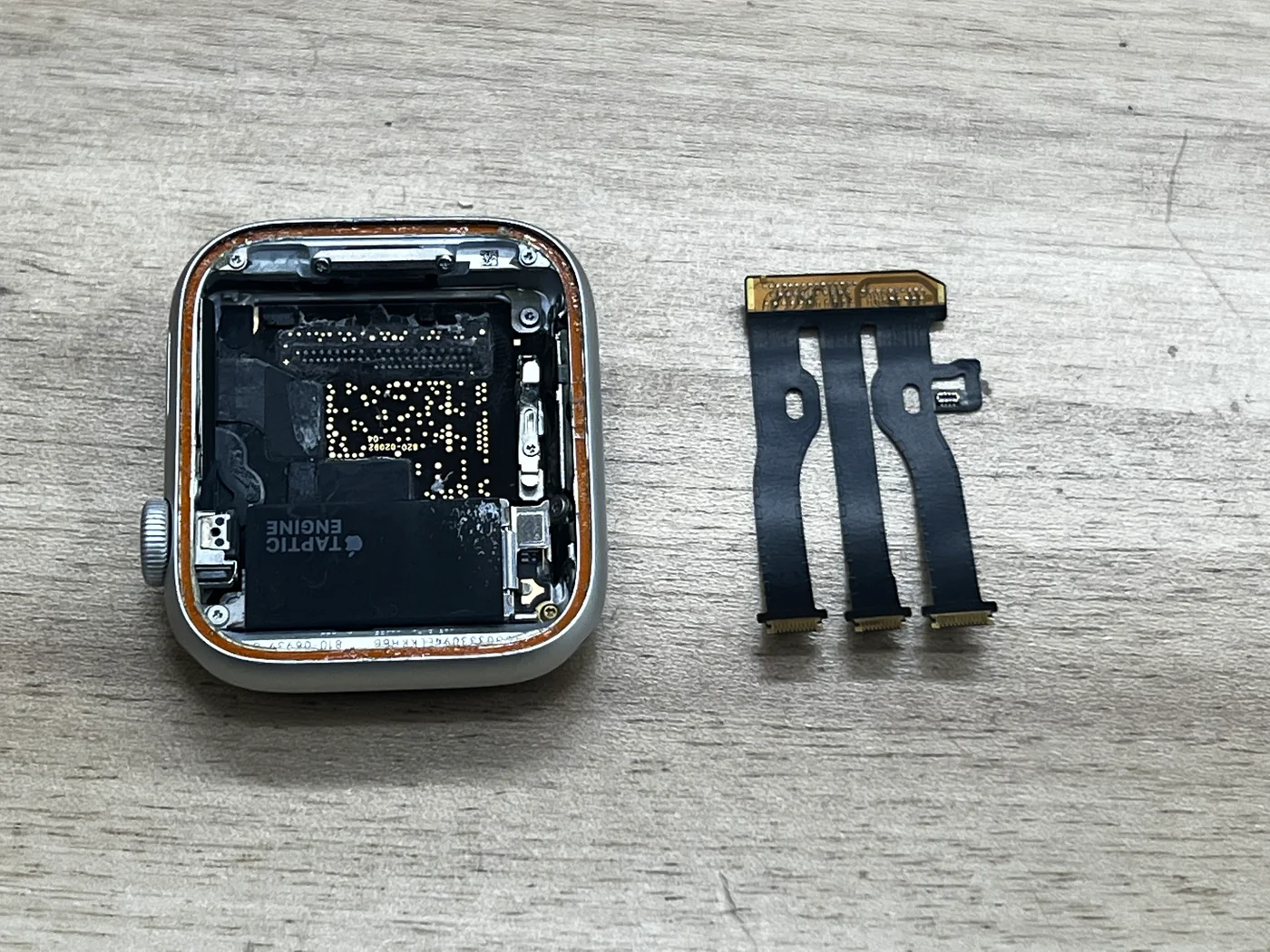
This Apple Watch Series 5 arrived after a home screen replacement went wrong. The display cable had not simply come unplugged — it had been ripped away from the logic board, taking its soldered joint with it. On an Apple Watch that changes everything: there is no connector to click back in, so the repair stops being a parts swap and becomes board work under a microscope. Here is how the new flex went on, how the new screen was tested before anything was sealed, and why the finish — not the soldering — is the part that decides whether this watch survives real life.
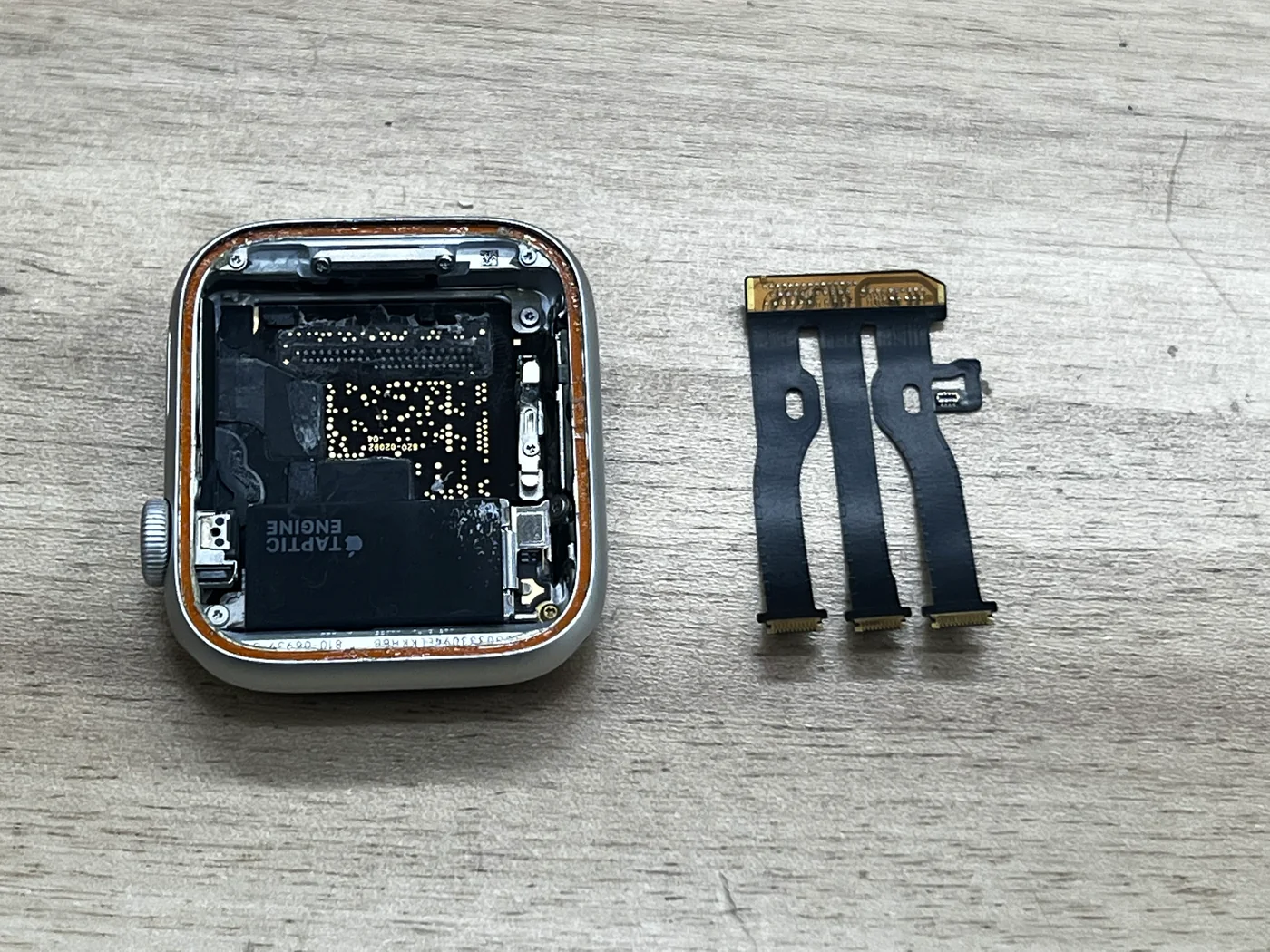
Display flex ripped away from the board during a home screen repair
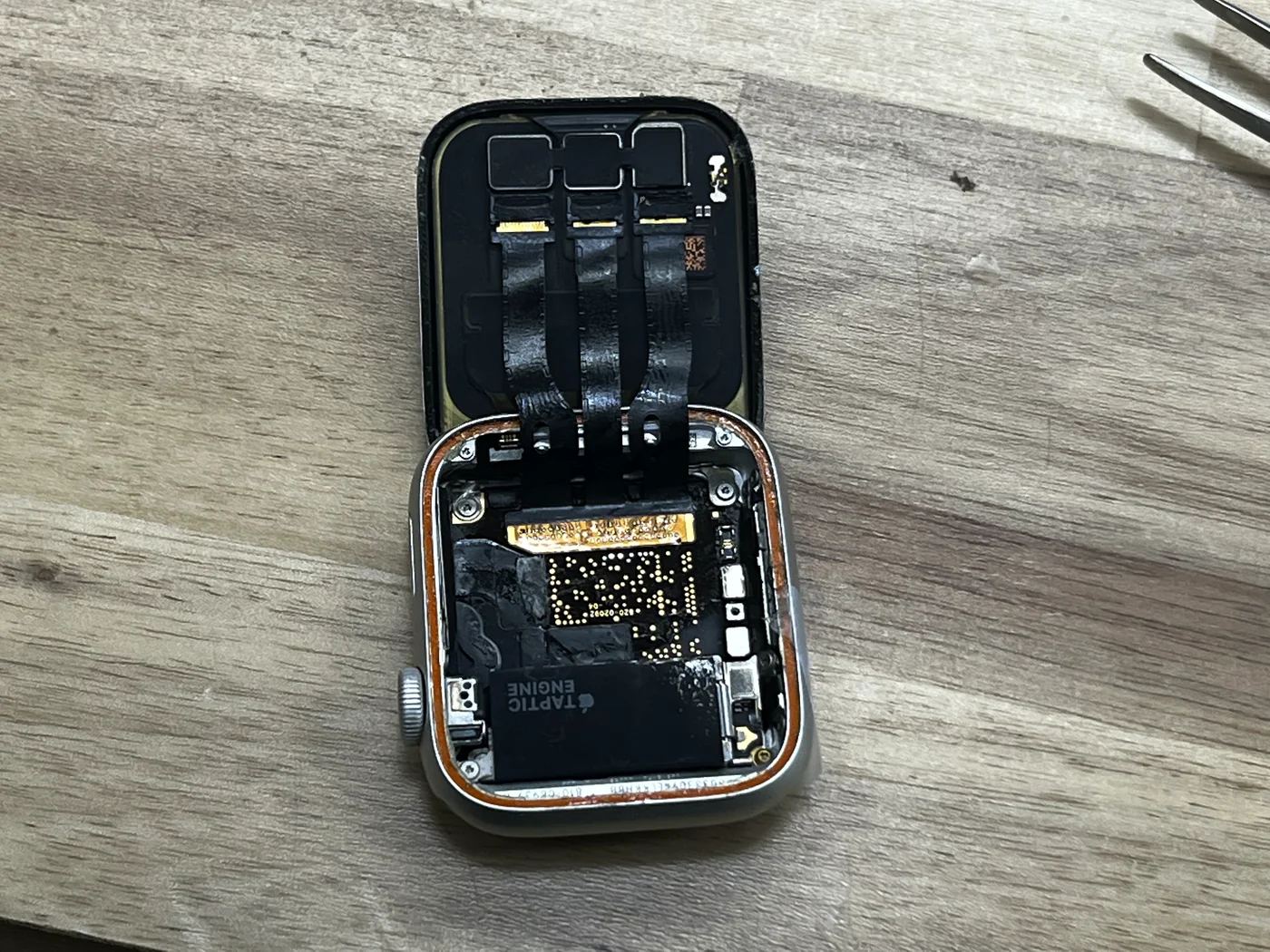
New flex micro-soldered to the board pads, new screen fitted
Normal boot, seal rebuilt with a full 3–4 hour cure
The job, on one card
Everything that matters about this repair, before the story.
| Model | Apple Watch Series 5 (aluminum) |
|---|---|
| Symptom | A home screen replacement went wrong: prying the display up tore the display flex cable off the logic board, joint and all. The watch showed nothing. The board pads themselves survived intact — which is the only reason this one was recoverable. |
| Repair | Old solder and residue cleaned off the pads → new display flex aligned and micro-soldered under the microscope → new screen connected → boot and touch tested before sealing → screen re-bonded and cured. |
| Turnaround | Bench work same day · 3–4 hrs adhesive cure before pickup |
| Difficulty | Expert5 / 5 |
| Tech’s note | Soldering is what we do every day, so this one was not hard for us — but for a shop that has not done it, it is brutal, and the reason is not the heat. It is the alignment. Landing the flex exactly on its pad row is the whole job; one column off and the screen stays black or the touch dies. And the part that actually decides whether the repair holds up is not the soldering at all — it is the finish, the bond between screen and body, which needs 3–4 hours to cure properly. |
Why a torn flex is a different repair entirely
A cracked Apple Watch screen is a parts job. A torn cable is not — it moves the work onto the board.
There is no connector to plug back in
Unlike an iPhone, an Apple Watch display flex is soldered straight onto pads on the logic board. When the cable tears, nothing can be re-seated — a new flex has to be soldered onto those pads under a microscope. That is why a watch in this state gets turned away at most counters.
Alignment is the hard part, not the heat
The pad rows are spaced so tightly that being off by a single column ruins everything: a black screen, dead touch, or vertical lines. Temperature and solder volume can be learned; landing the flex dead-on takes a microscope and hands that have done it many times.
The pads decide whether it is saveable
If the pads on the board are still intact, a new flex can be grafted on. If the pads themselves lifted or tore away with the cable, the job climbs another level — and some do not come back. On this watch the pads were clean, so the repair was straightforward for us.
New flex on the board, new screen on the watch
In the order it actually happened on the bench.
Clean the pads, then line it up — again and again
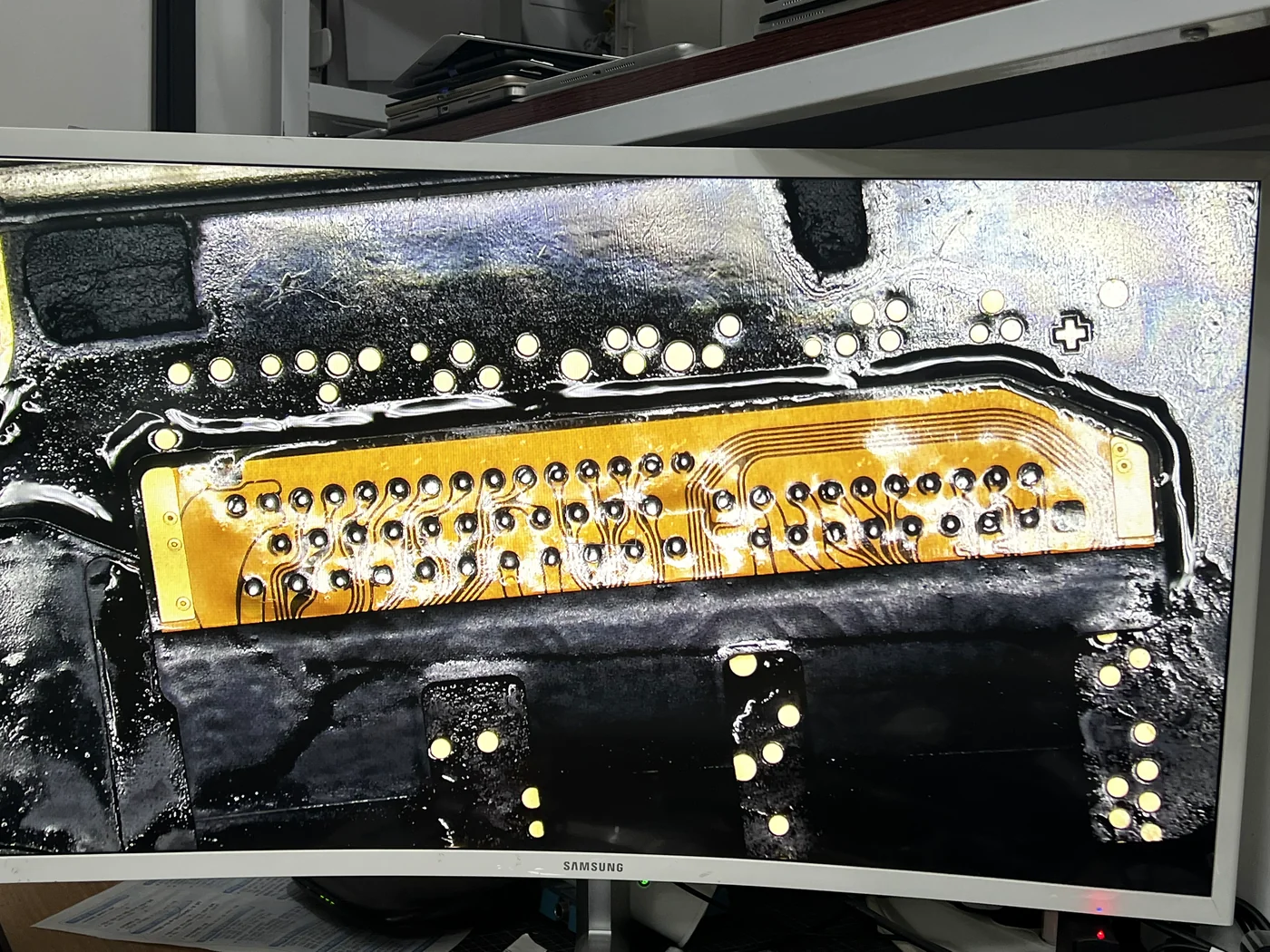
Old solder and residue come off first, so the pad surface sits perfectly flat. Then flux, then the new flex laid across the row. Before the iron touches anything, the alignment gets checked over and over at magnification: left to right, top to bottom. This is the stage the whole repair lives or dies on, so it is worth the extra minutes.
Tack the ends, then work inward
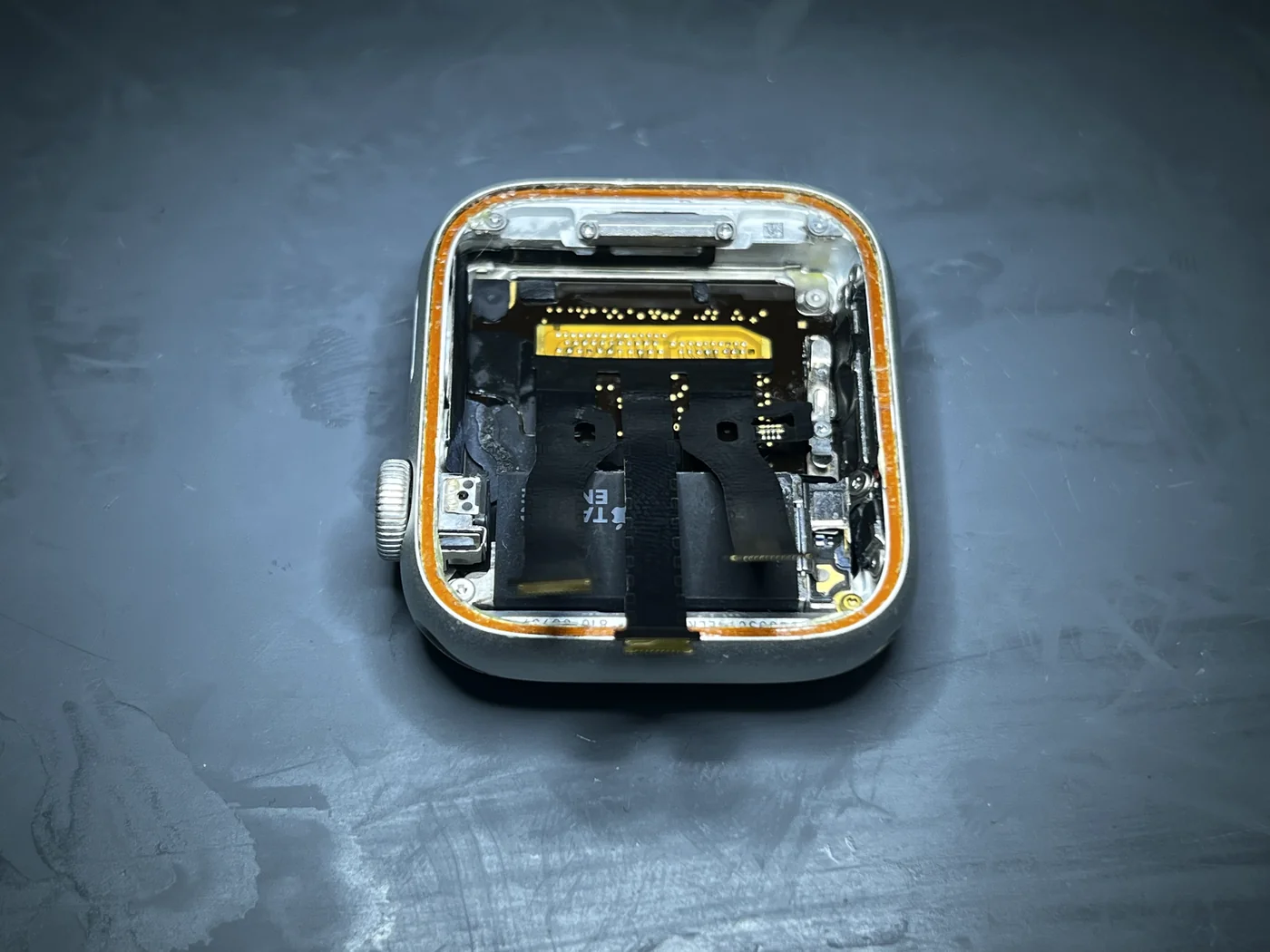
With the alignment locked, the outer ends get tacked first and the middle follows, so heat never nudges the cable out of position. Then every joint is inspected at magnification for bridges, cold joints and lift. The photo shows the flex sitting properly on the board, all three legs home.
The new screen goes on — but nothing gets sealed yet
The original display was already destroyed during the home repair, so a new screen goes on. It gets connected while the watch is still fully open. Sealing first and testing later would mean cutting a fresh waterproof bond back apart if anything were wrong, so the order here is never negotiable.
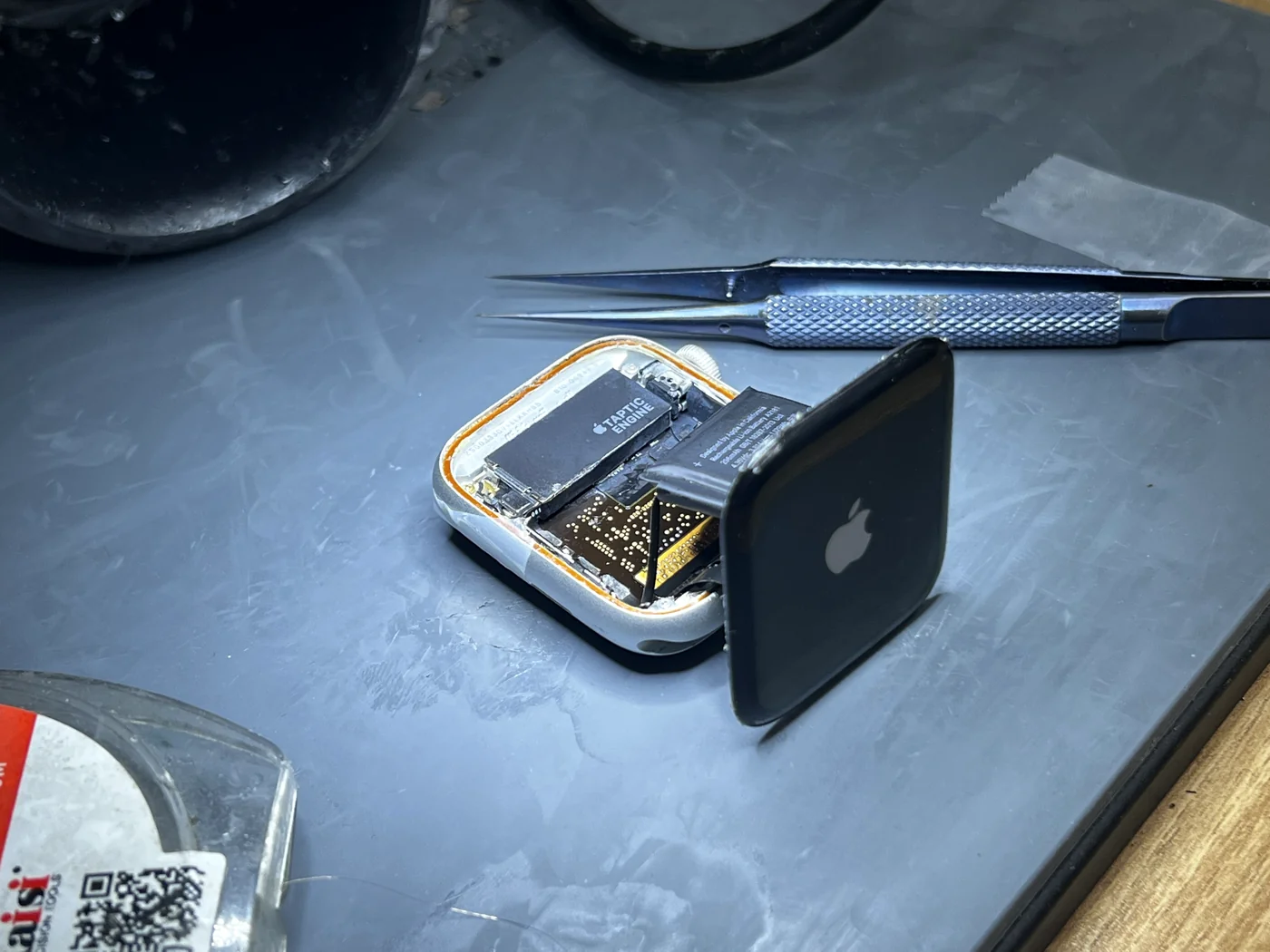
Test everything before a single drop of adhesive
Power goes in and the watch boots. Display, brightness, touch across the full surface, the Digital Crown, the side button and haptics all get checked while the watch is still open. The Apple logo lighting up on a board that was holding a torn cable an hour earlier is the moment the graft is confirmed good.
The bond is the repair — and it needs 3–4 hours
On an Apple Watch, the joint between screen and body matters more than anything that happened under the microscope.
Why we will not rush a watch out the door
An Apple Watch lives on a wrist. It gets washed, sweated on, knocked against door frames and swung around all day. If the screen-to-body bond lifts even slightly, moisture walks straight into that gap and corrosion follows. A watch that lights up is not a finished watch.
So the finish is done in order: every trace of the old adhesive is scraped off the frame, the mating surfaces are degreased — any oil left behind and the bond is compromised before it starts — and fresh adhesive is laid in one unbroken pass around the edge of the screen, thin and even. The screen is seated and clamped under even pressure, and then it sits. Three to four hours, minimum.
This is the step that gets skipped when a shop promises a watch back in twenty minutes. It looks bonded long before it is bonded. Cured properly, the seal holds; rushed, it lifts within weeks. We would rather hand the watch over a few hours later and have it stay fixed.
Back from a black screen, with everything still on it
Reassembled, cured and tested, right before it left the bench.
Display, touch and seal — all good
Display, touch, Digital Crown, side button and haptics all tested normal after the cure, and the screen sits flush with no lift anywhere around the edge.
Because the logic board was never replaced — only the flex was re-soldered onto it — everything on the watch stayed exactly as it was: data, settings and the pairing with the owner's iPhone. Nothing had to be erased, restored or re-paired.
Torn Apple Watch cables — common questions
What people who have already tried it themselves actually ask us.
I tried it myself and tore the cable. Is the watch done for?
Usually not. As long as the pads on the logic board are still intact, a new flex can be soldered on and the watch comes back. Do not throw it out and do not order more parts — bring it in as it is, with any pieces you still have, and we will tell you whether the pads survived.
Will I lose my data or have to re-pair the watch?
No. This repair grafts a new cable onto your original board — the board is never swapped — so your data, settings and iPhone pairing stay untouched. Nothing gets erased or restored.
Why does it take 3–4 hours if the soldering is quick?
The adhesive. The screen has to bond to the body under even pressure and cure fully, and that takes three to four hours no matter how fast the rest of the work went. It looks bonded long before it is. Rushing that step is how a repair comes back lifted a few weeks later.
Can I wear it in the shower or the pool afterwards?
Treat a repaired watch as splash-safe, not swim-safe. The bond is rebuilt so that handwashing, rain and a workout's worth of sweat stay outside the case, and the full cure is what makes that bond real. Swimming, diving and hot showers put pressure and steam against a seal that is no longer factory-pressed, so we tell every customer to keep those off the list.
Why did another shop turn me away?
Because this is not a parts swap. Most counters replace modules; a torn display flex has to be soldered back onto the board under a microscope, and the alignment is unforgiving. It is the same board-level work we do on MacBook logic boards every week, which is why it stays in-house here instead of being shipped out.
Do you do this on other Apple Watch models?
Yes. The construction is the same story across the Series line — display flex soldered to the board, screen bonded to the body — so the same repair and the same cure time apply. Bring the watch in and we will diagnose it free before anything is opened.
Opened your Apple Watch and now it won't turn on?
Do not order another screen yet. Diagnosis is free: we will tell you whether the board pads survived, what it takes to graft a new cable on, and the full scope and price before anything is opened. Walk-ins welcome in Downtown Los Angeles — Financial District, South Park, Koreatown and the rest of DTLA.