

Is a Dead iPad 7 Even Worth Fixing? This One Was.iPad 7th Gen Cracked Chip Repair — Downtown LA
An iPad 7th gen, completely dead. No logo, no battery icon, nothing on any charger. With a budget iPad the first question is always the honest one: is this worth repairing at all? When the fault turns out to be one physically cracked chip on the board — and this one did — the answer is yes. The repair costs a fraction of a replacement, and everything on the iPad stays exactly where it was.
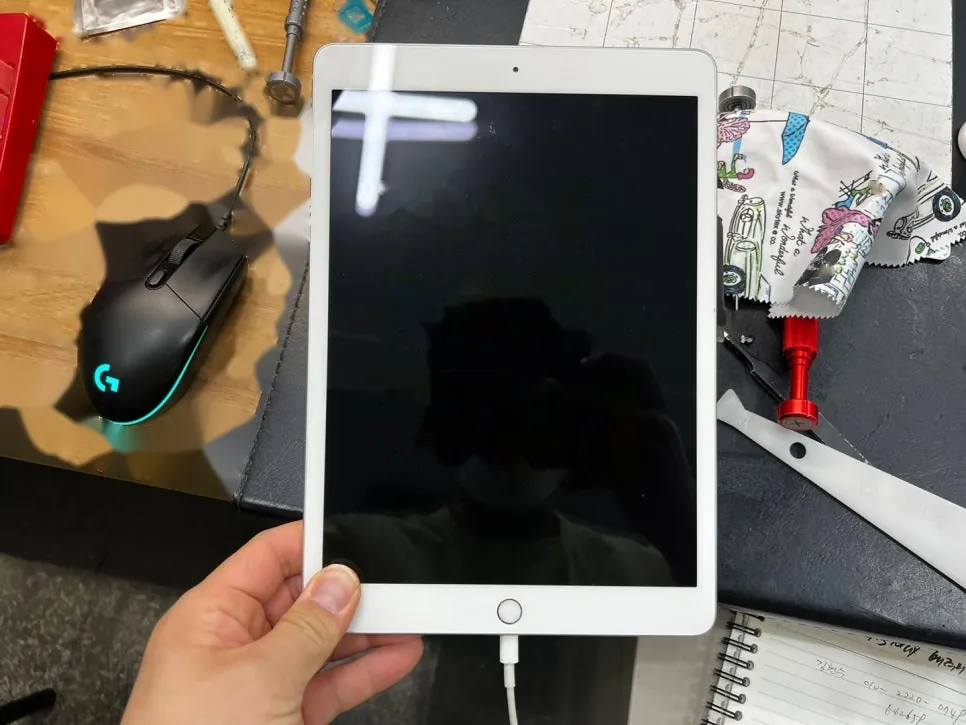
0.005A on the meter — effectively zero
One split component, found under the scope
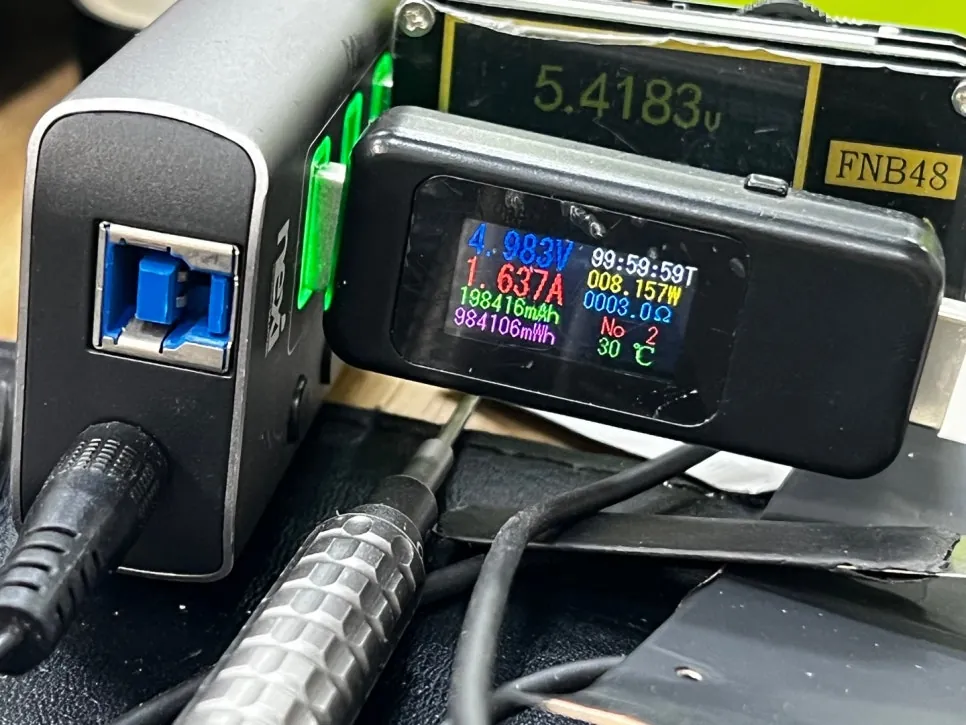
1.6A charging, data untouched
The job, on one card
Everything that matters about this repair, before the story.
| Model | iPad 7th generation · 10.2″ |
|---|---|
| Problem | Completely dead — 0.005A charge draw, no boot. Under the microscope, one chip on the logic board turned out to be physically cracked. Replaced; nothing else needed. |
| Repair time | Typically 1 to 3 days |
| Warranty | 30 days on the board work |
| Teardown | Expert only5 / 5 |
| Tech’s note | A cracked chip is a strange kind of fault — the crack can be a hairline, and to the naked eye the board looks perfectly healthy. Without a microscope this is genuinely hard to find, and it’s the kind of dead iPad that gets written off. With a proper inspection scope and a careful sweep of the board, it shows itself — a split line across the package that has no business being there. One chip replaced, and the iPad came back with every photo and file still on it. The alternative was buying a new one and losing everything. For most people the data decides it before the money does. |
A dead iPad has three suspects
Same checklist as always — and the order the bench rules them out.
The charging port
Worn Lightning ports kill charging all the time, but they usually leave some sign of life. A meter reading of effectively zero points deeper than the port.
The battery
A fully dead battery can pin the whole device down. Ruled out quickly with a known-good battery — and on this one, ruled out it was. Still nothing.
A damaged component on the board
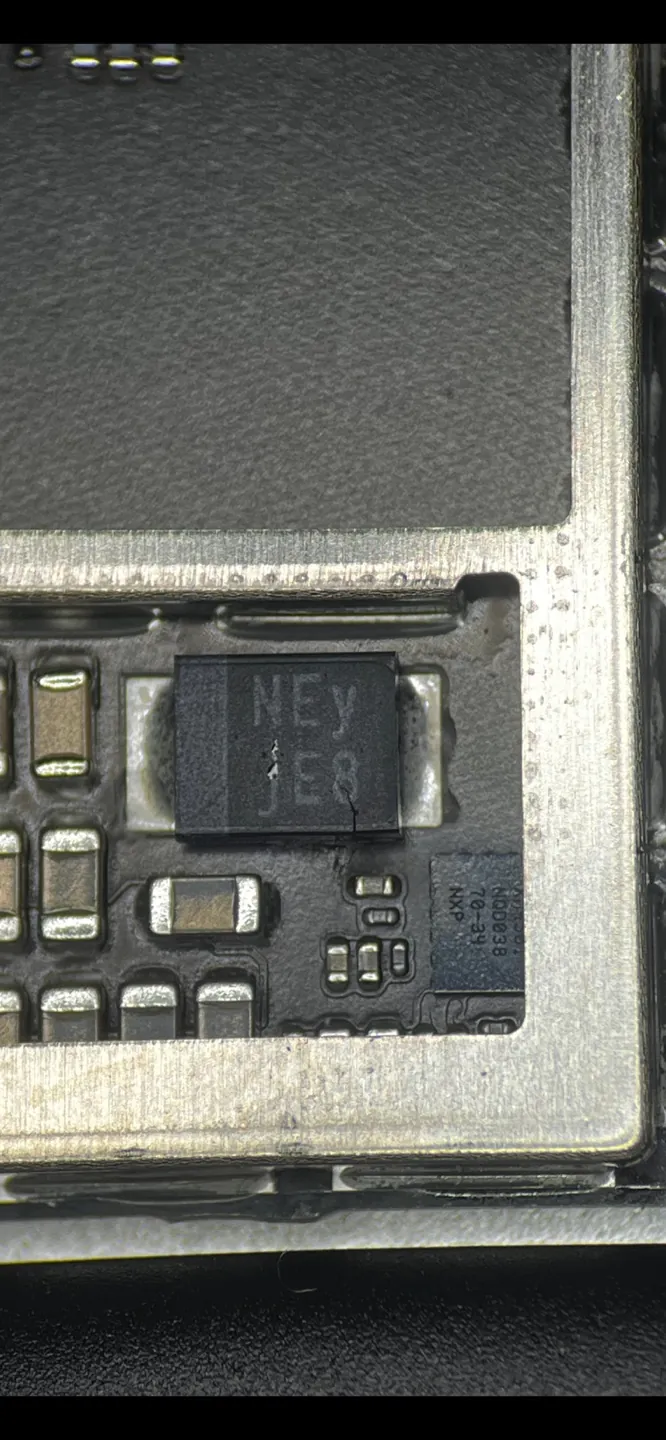
On this one, a chip sitting on the power path had physically cracked in two. One broken link in that chain, and the whole iPad plays dead.
One chip between dead and working
Measure, locate, replace, measure again — board repair at its most satisfying.
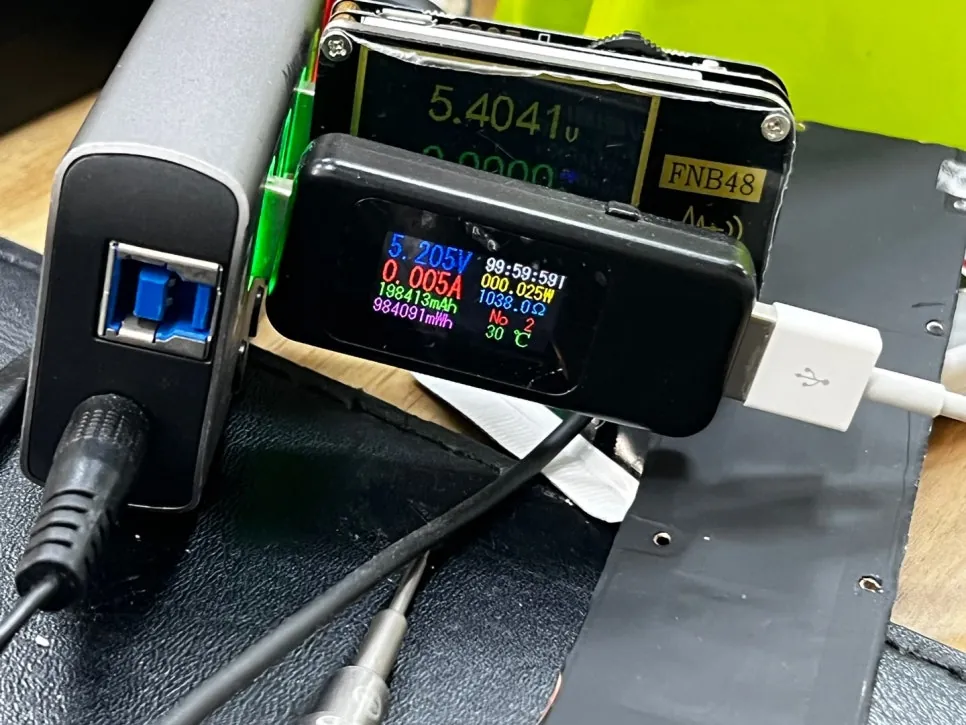
0.005 amps — effectively nothing
The meter tells the story before the teardown does: five thousandths of an amp. The iPad isn’t charging slowly — the charging circuit isn’t answering the charger at all. With a known-good battery changing nothing, the fault is on the board.
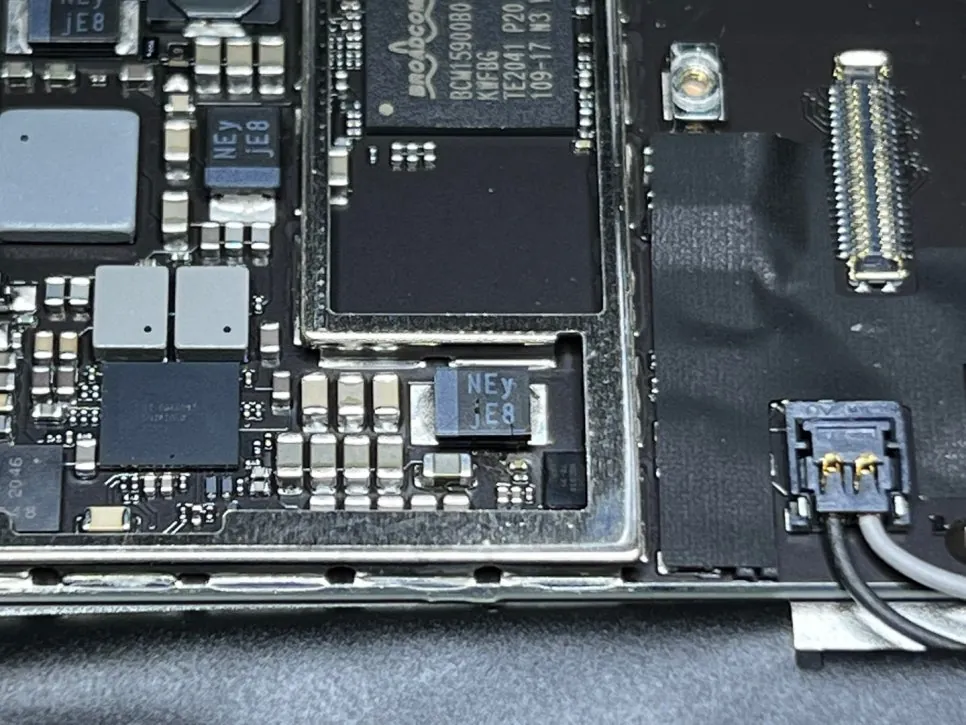
The hunt, under the scope
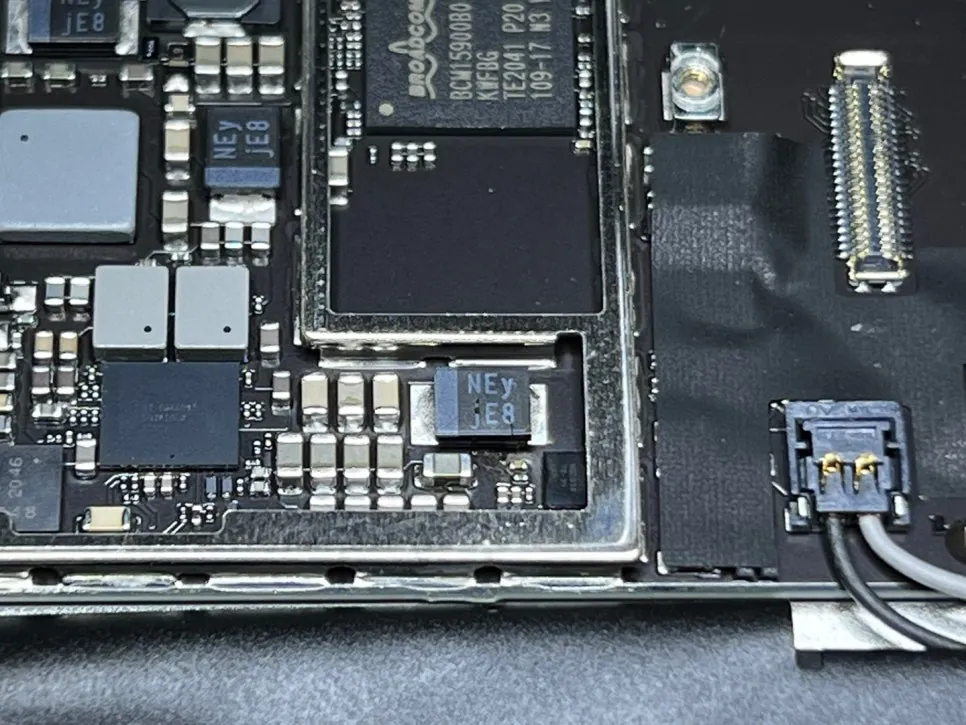
The board comes out and the microscope sweep begins. The chip that turns up sits right by the battery connector — and its job explains everything. Think of it as a checkpoint on the road electricity travels into the iPad: power from the charger and the battery has to pass through it to reach everything else. If that checkpoint breaks, the road closes and the whole iPad goes dark, even though every other part is perfectly healthy.
The crack, up close
Under higher magnification the verdict is unmistakable: a split running across the package. To the naked eye this board looks perfectly healthy — a hairline like this is exactly the kind of fault that gets a dead iPad written off. With a proper inspection scope and a careful sweep, it gives itself away.
New chip on, and the circuit answers
The cracked chip comes off, the pads get cleaned, and a healthy replacement is reflowed on under the scope. Then the same meter, the same charger, and a new number: 1.637A flowing in. The power path is whole again and the battery is taking a real charge.
Back on, nothing lost
The lock screen came up exactly as its owner left it.
Booted, charging, data untouched
A few minutes on the charger and the iPad woke up like nothing happened — wallpaper, photos, files, all exactly where they were. That’s the quiet advantage of a board-level repair over a replacement: the iPad that comes back is your iPad, not an empty one.

iPad completely dead?
Bring it in — diagnosis is free, board-level repair keeps your data where it is, and you only decide once you know what’s actually wrong. Walk-ins welcome in Downtown Los Angeles.