

He Called Before Closing. Then He Stayed to Watch.iPad Pro 11 (3rd Gen) Logic Board Repair
The call came in near the end of the day: an iPad Pro 11 that wouldn’t turn on at all. Over the phone I gave him the honest list — charging port, battery, or the logic board — and told him that when a plugged-in iPad shows nothing at all, it’s usually the board. He’d already been to the Apple Store, where the answer was a paid swap for a refurbished unit, not a repair. His data would’ve gone with it. So he came to the bench instead.
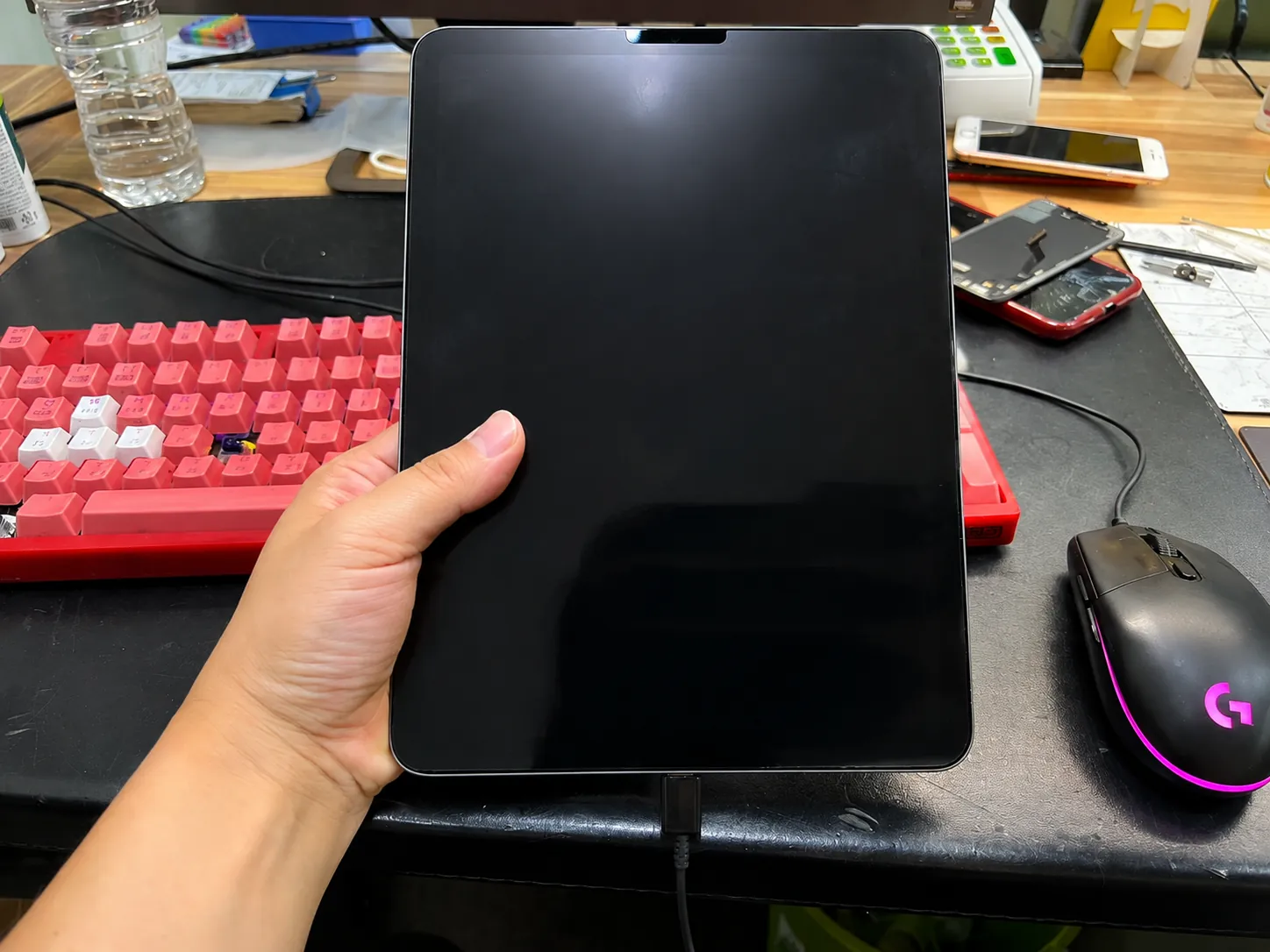
No response on the charger, no boot
Two chips on the logic board
1.4A charging, all data untouched
The job, on one card
Everything that matters about this repair, before the story.
| Model | iPad Pro 11 · 3rd generation |
|---|---|
| Problem | Completely dead — no charge draw, no boot, nothing on the screen. Traced to the charging circuit on the logic board; two chips replaced. |
| Repair time | Same evening · we stayed past closing |
| Warranty | 30 days on the board work |
| Teardown | Expert only5 / 5 |
| Tech’s note | Up to the Pro 2nd gen, this failure usually costs one chip. From the 3rd gen on, the charging circuit sometimes wants two, three, even four before it forgives you — and these chips aren’t cheap. This one took two. The plan was “leave it overnight, I’ll call you tomorrow.” He stayed. Watched the whole thing over my shoulder, half an hour past closing, and I didn’t have the heart to send him home. When the screen finally lit up he kept saying he was so glad he’d found us — it was never about the iPad, it was about what was on it. A good way to end a workday. |
A dead iPad has three suspects
This is the same list I gave him on the phone — and the order we rule them out on the bench.
The charging port
Worn or dirty ports kill charging all the time. But a port problem usually still shows some sign of life — a flicker, a logo, something. This iPad had none.
The battery
A truly dead battery can hold the whole device down. Easy to rule out: connect a known-good battery and see. We did — still nothing. That narrows it fast.
The logic board
Plugged in, zero response, good battery ruled out — the problem lives on the board. For most owners that’s where the road ends. For a soldering bench, it’s where the work starts.
Following the current until it moves
Board-level diagnosis is elimination — measure, rule out, narrow down, replace, measure again.
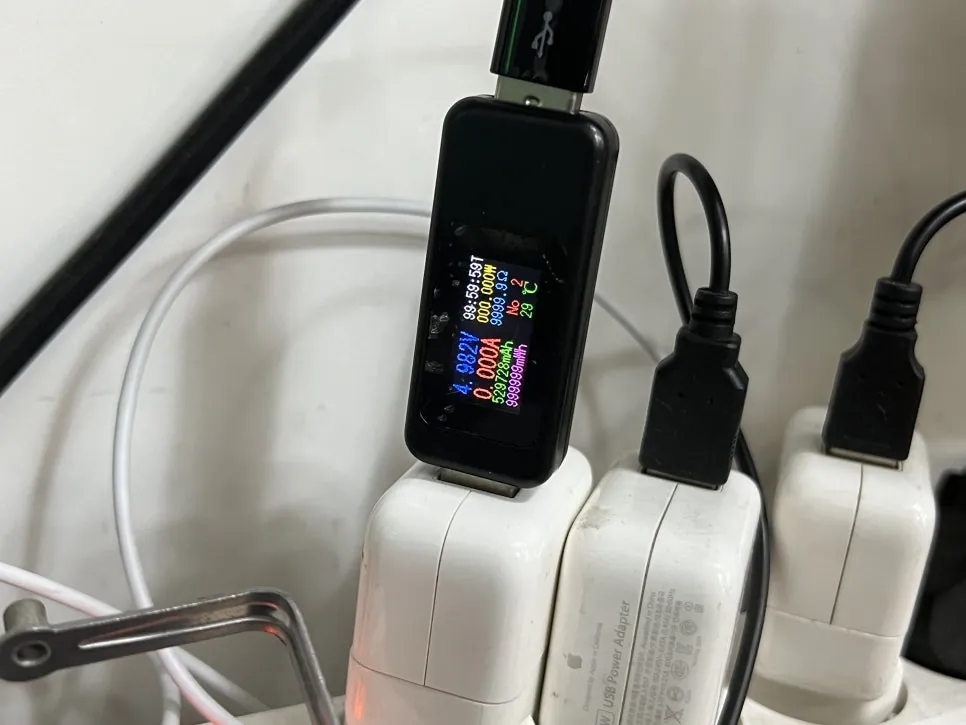
The charger sees nothing
First measurement, worst number: 0.000A. The iPad draws no current at all — the charging circuit never even answers the charger. A known-good battery changed nothing, so the fault is on the board.
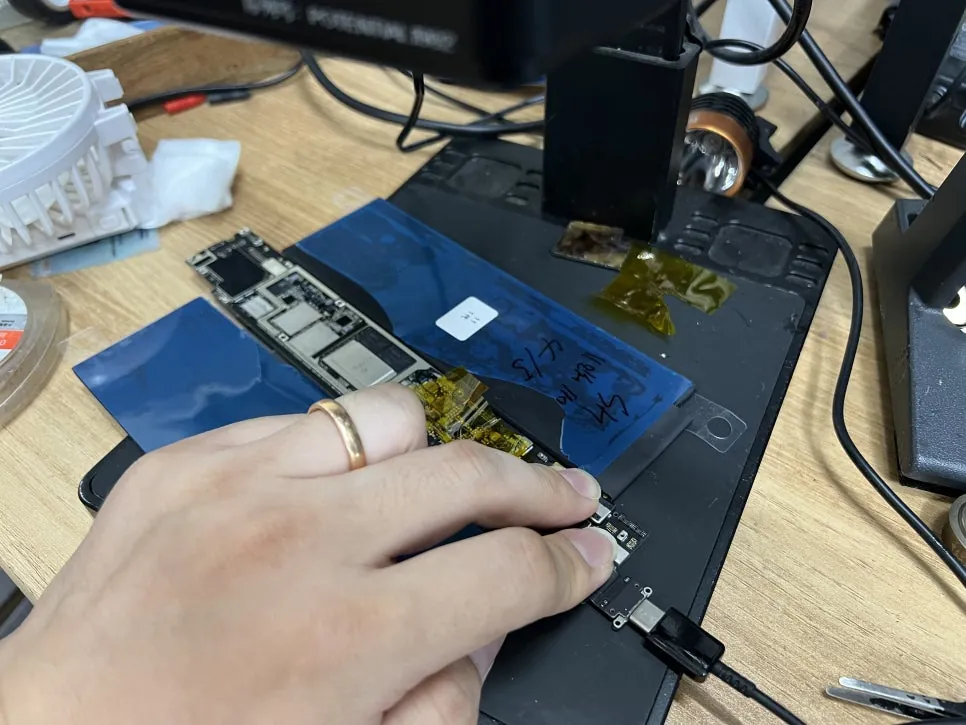
Board out, shorts ruled out
The logic board comes out and goes under the microscope. Multimeter and thermal camera first — a shorted board announces itself with heat, and this one stayed cold and clean. No shorts means the hunt moves to the charging chips themselves.
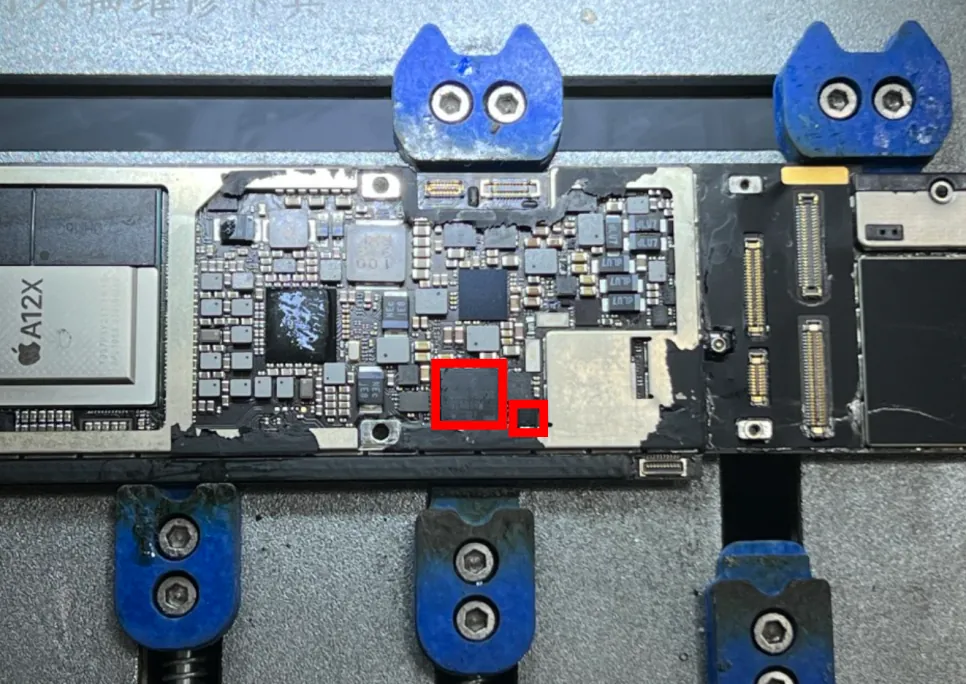
Narrowing it to two chips
Experience with this board does the pointing: the charging circuit’s usual suspects, marked in red. On the 11 Pro 3rd gen this corner of the board fails far more often than it should.
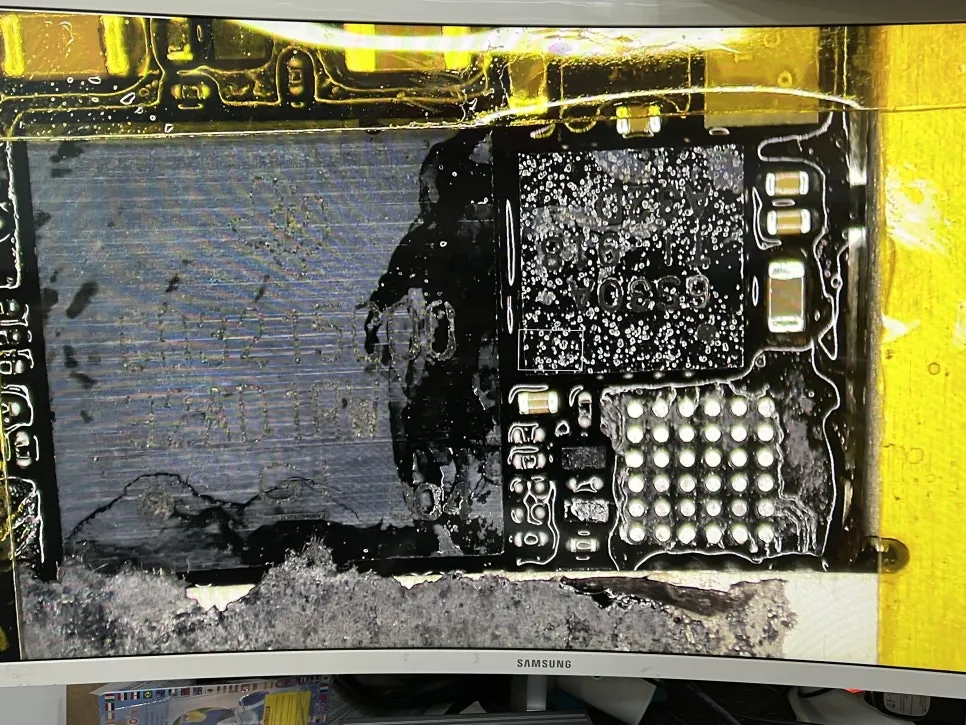
The small chip goes first
The smaller chip comes off and the current gets measured again — still nothing. Not the answer on its own. That’s not a failed guess; it’s elimination, and it means the bigger neighbor is next.
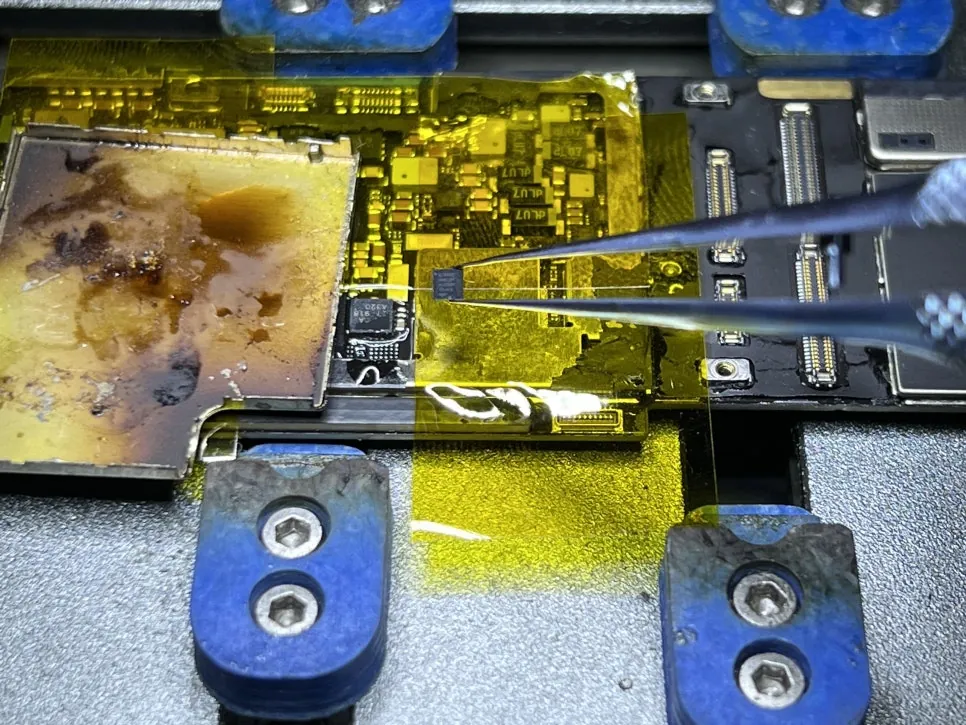
The bigger chip seals it
The main charging controller gets replaced under the scope, one careful placement with the tweezers, then reflowed and inspected. This was the one — the board finally started answering the charger.
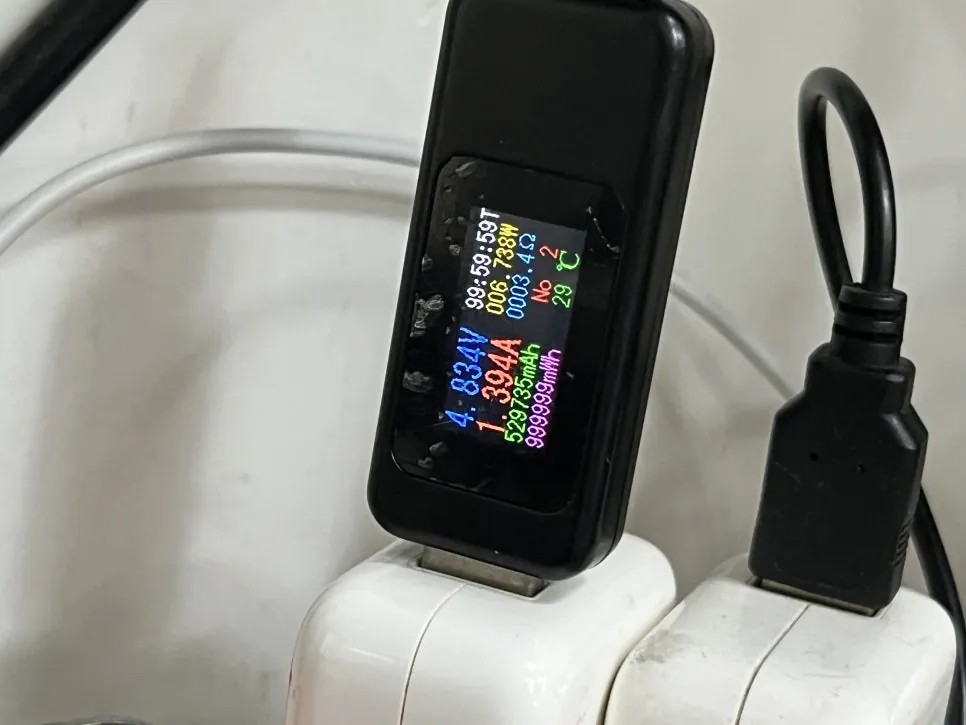
1.4 amps, right where it belongs
The meter that read zero now reads 1.394A — a healthy charge current for this iPad. Ten minutes on the charger to build a little reserve, and then the moment the whole evening was waiting for.
The screen he’d been waiting for
Ten minutes of charge, one long press, and there it was.
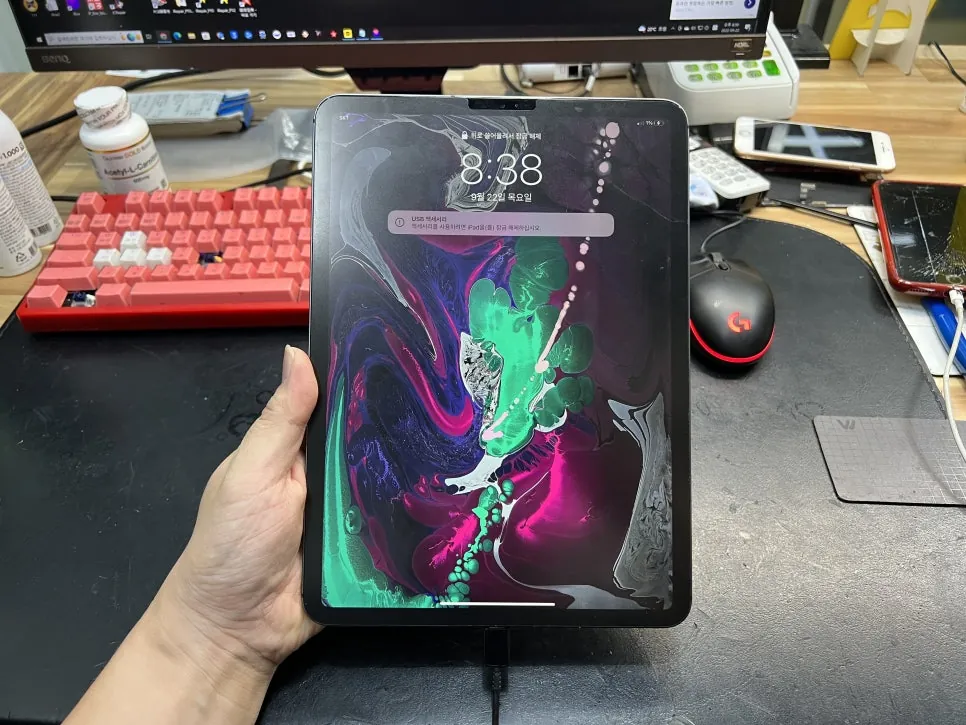
Booted, charging, data untouched
The lock screen came up exactly as he’d left it — every photo and file where it belonged, which was the part he’d been worrying about the whole time. A refurb swap would’ve erased all of it. A board repair kept all of it. He went home late, and happy about it.
iPad completely dead?
Bring it in — diagnosis is free, board-level repair keeps your data where it is, and you only decide once you know what’s actually wrong. Walk-ins welcome in Downtown Los Angeles.