

Cable In, No BoltiPhone 14 Pro Charging Port Replacement — Downtown LA
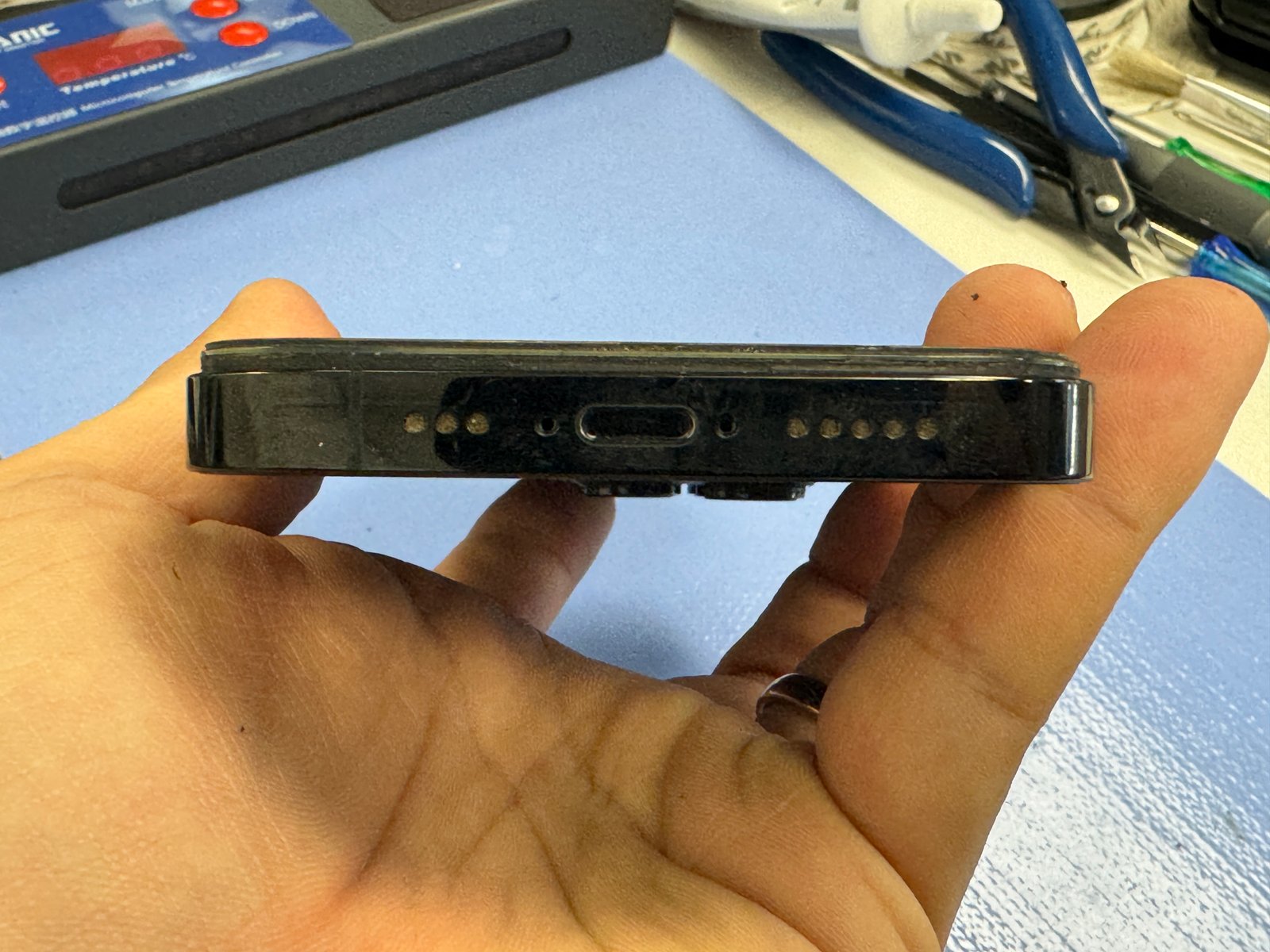
An iPhone 14 Pro came in doing the thing that fills our counter every week: plug in a cable, and nothing. No bolt, no charge, on any cable. Here’s the honest part — when a phone comes in like this, we don’t start by selling a new port. We start by finding out whether it needs one. This one did.
No bolt on any cable or charger
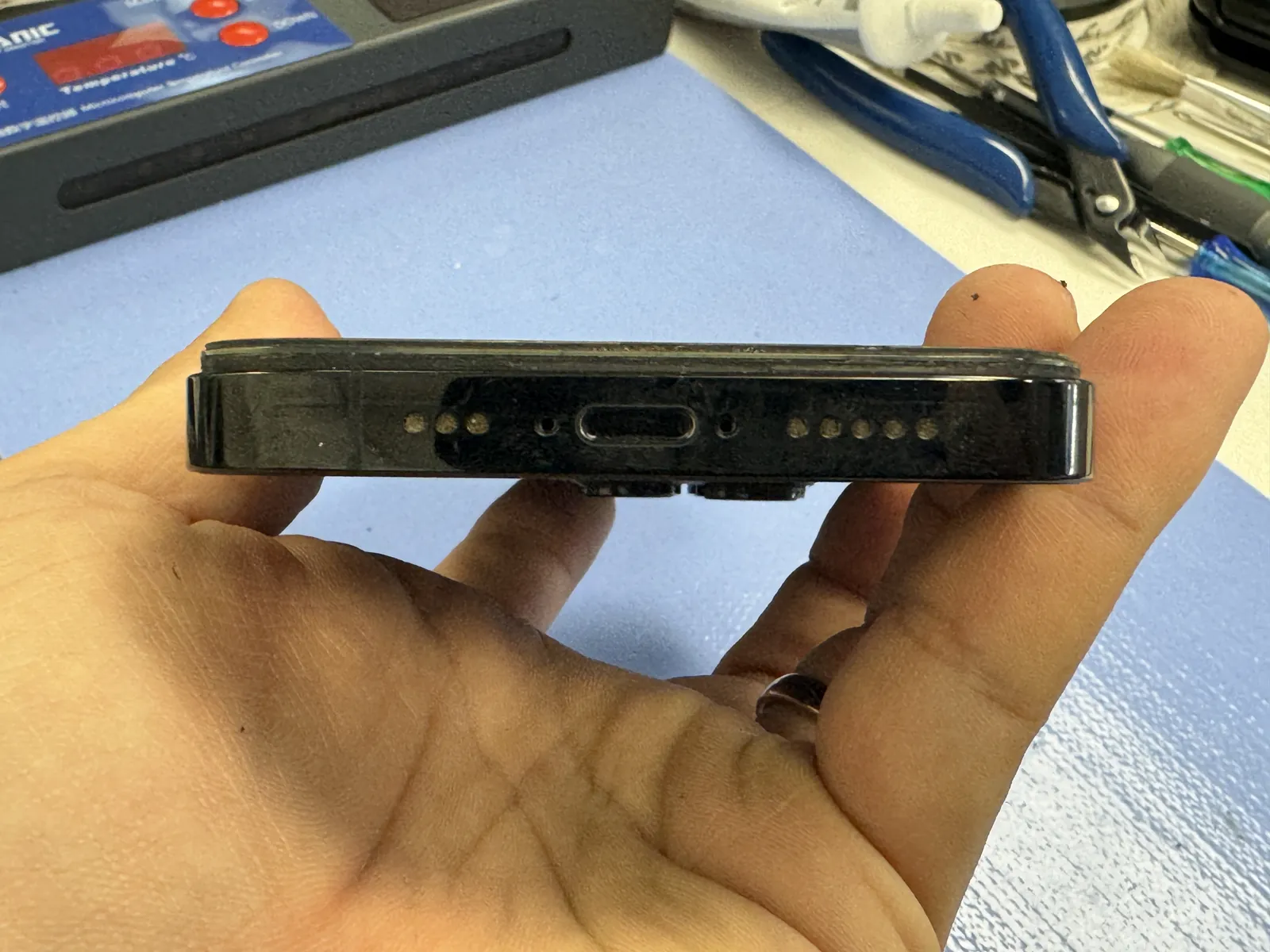
Port clean, cable seats — still dead
Genuine Apple port, tested same day
The job, on one card
Everything that matters about this repair, before the story.
| Model | iPhone 14 Pro |
|---|---|
| Problem | No charging bolt on any cable. Port was clean and the cable seated properly — the port itself had failed. |
| Part | Genuine Apple charging port flex |
| Repair time | Same day · about an hour |
| Warranty | 30 days on the new port and the work |
| Teardown | Difficult4 / 5 |
| Tech’s note | When a phone comes in not charging, we don’t assume the port is dead — and we don’t quote a replacement at the counter. Most of these walk-ins are lint: the cable stops clicking, then stops seating, and a $40 cleaning fixes it on the spot. Replacement is for the cases cleaning can’t touch — a clean port, a cable that seats, and still no bolt. That was this phone. A dead charging IC on the board can look the same, which is why we test before we quote, but in our experience the port is the usual culprit. |
Three reasons an iPhone stops charging
Same symptom at the counter, three very different repairs. The order below is also the order we check.
Lint in the port — most common
Pocket lint packs in a little deeper with every plug-in until the cable stops clicking. A proper cleaning fixes it on the spot, and that’s a $40 visit, not a replacement.
The port itself wears out
If the port is clean and the cable seats but the bolt never shows, the pins or the flex behind them have failed. That’s a replacement — and it’s what this 14 Pro needed.
Rarely, it’s the board
A failed charging chip shows the exact same symptom. It’s the least common of the three, and it’s why we test before quoting anything.
Down to the port and back
On an iPhone 14 Pro the port flex runs under the battery, so this is a full teardown — not a quick swap.
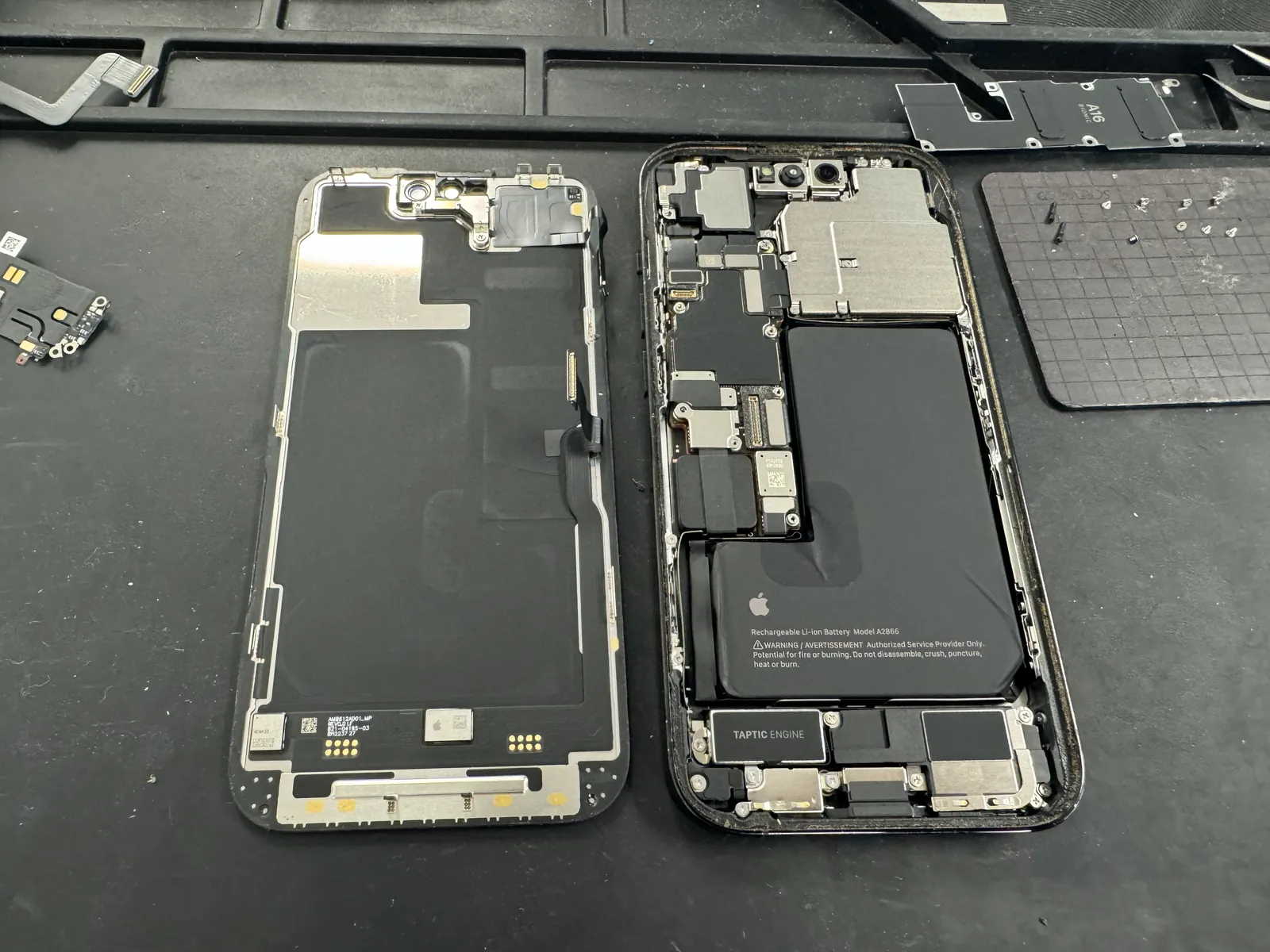
Screen off
The display comes off first — slow, warm, and careful, because the screen has to survive the trip out and back. Every screw goes onto a magnetic map in the order it came off.
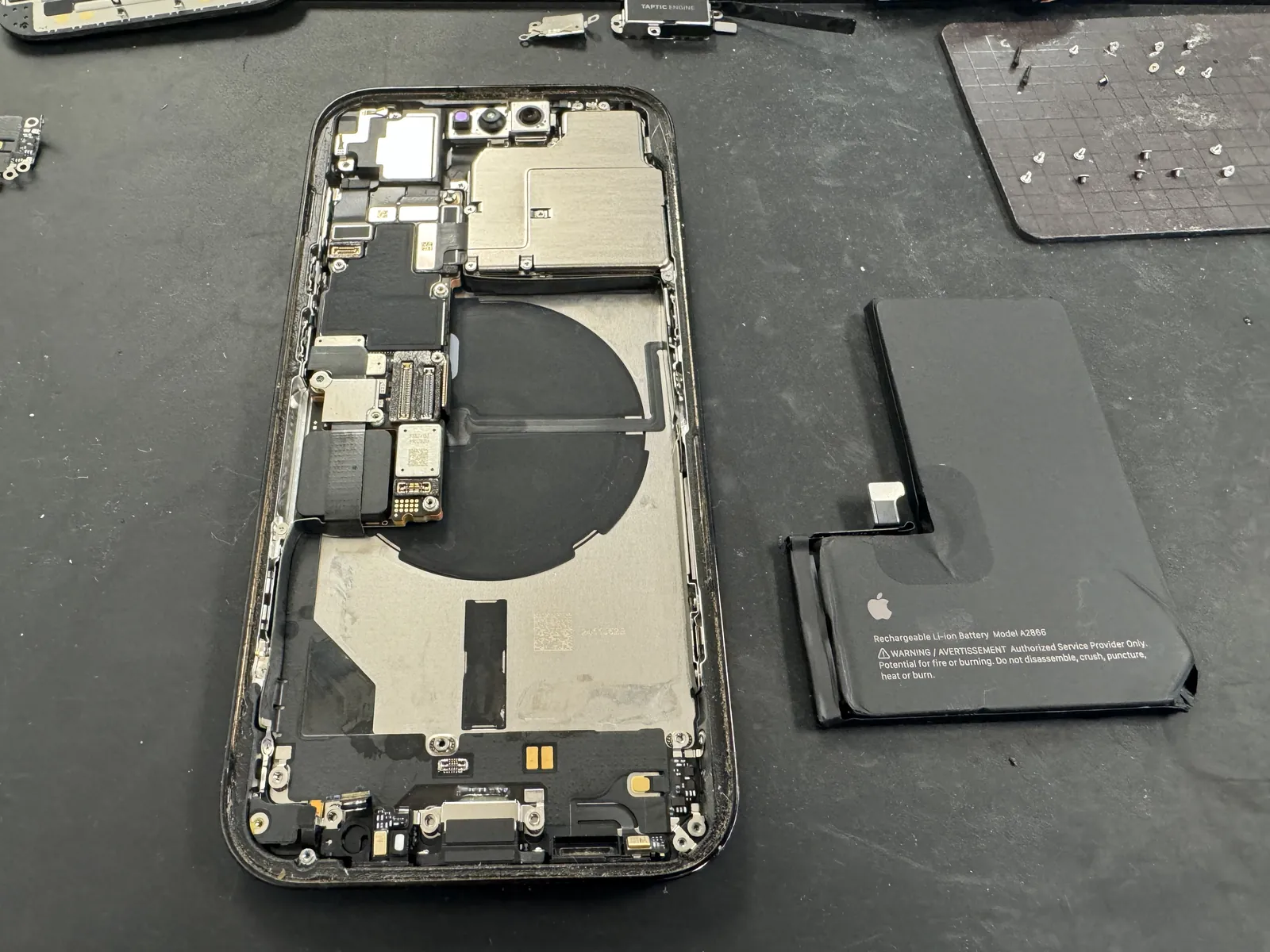
Battery out
The port flex on this model runs underneath the battery, so the battery has to come out — no way around it. It’s the step that turns this from a quick job into a real teardown.
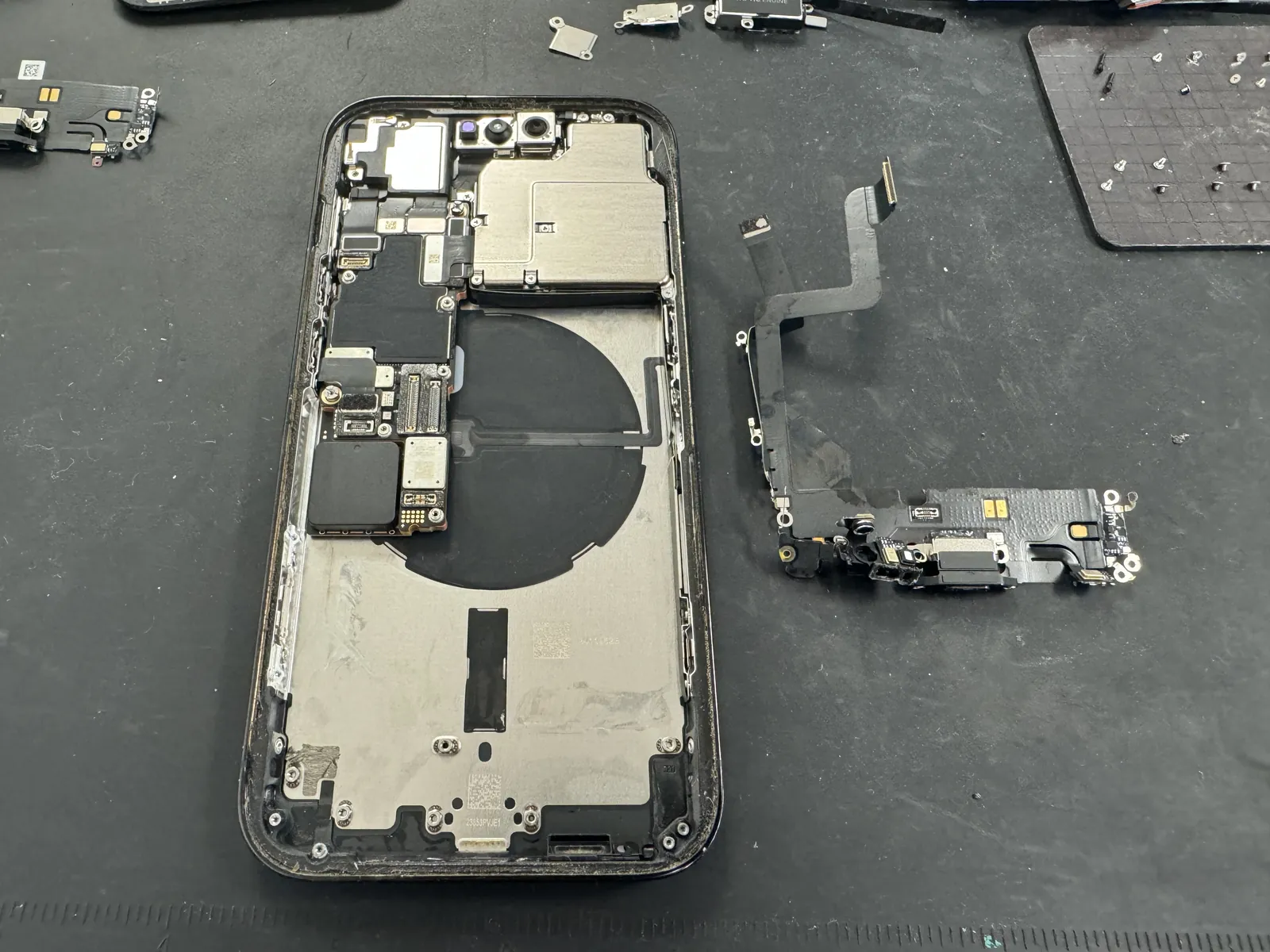
The failed port out
Antennas, speaker, taptic engine, then the port flex itself. Out of the phone, the old flex tested exactly the way it behaved installed: dead.
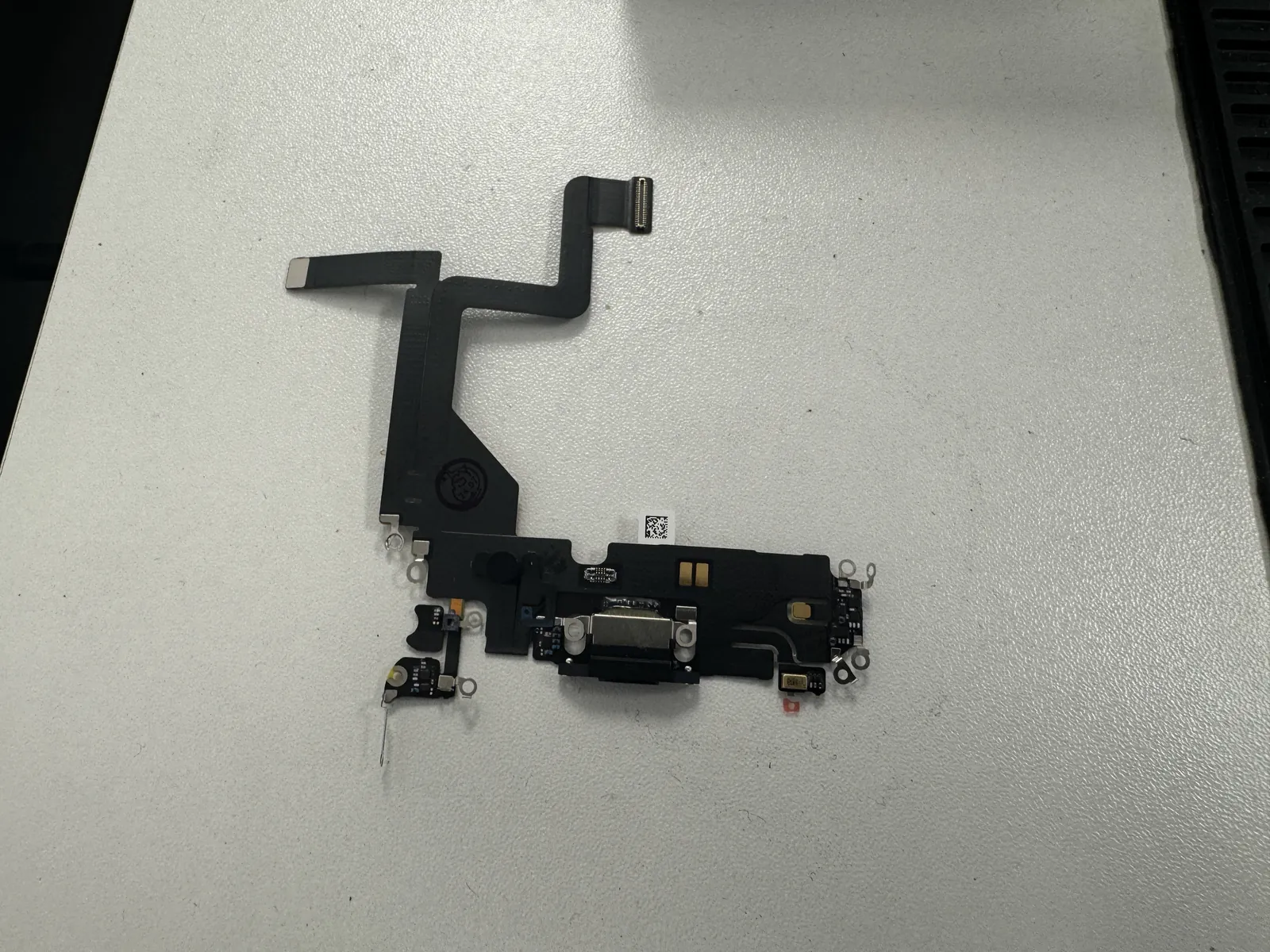
A genuine part, ready to go
The replacement is a genuine Apple charging port flex — same part, same connectors, same microphones on the flex. On a phone this recent, the part quality isn’t the place to save money.
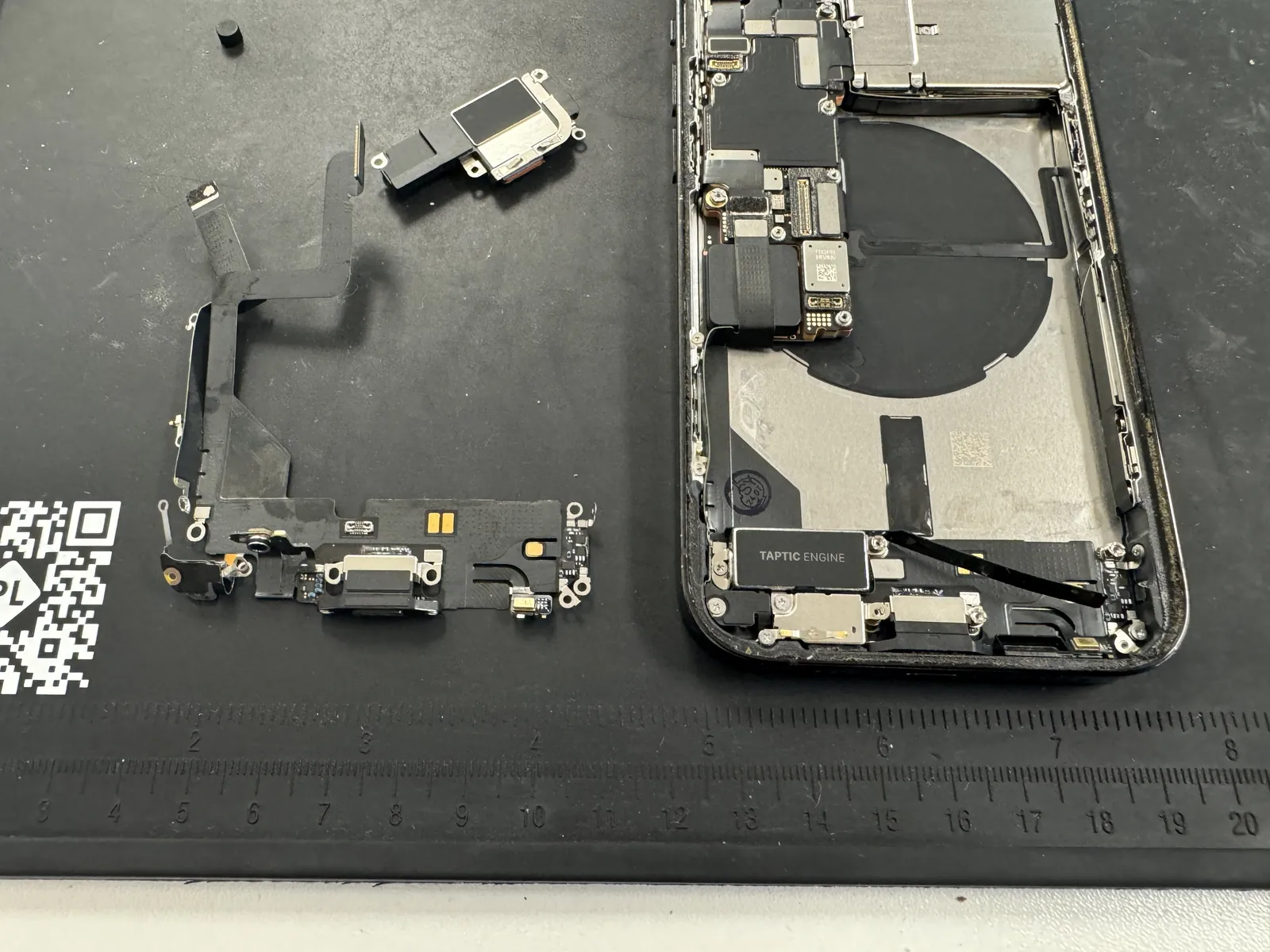
New port in, everything back
The new flex goes in, then the whole stack rebuilds in reverse — speaker, taptic, battery, screen. Charging gets tested before the last screws go in, not after.
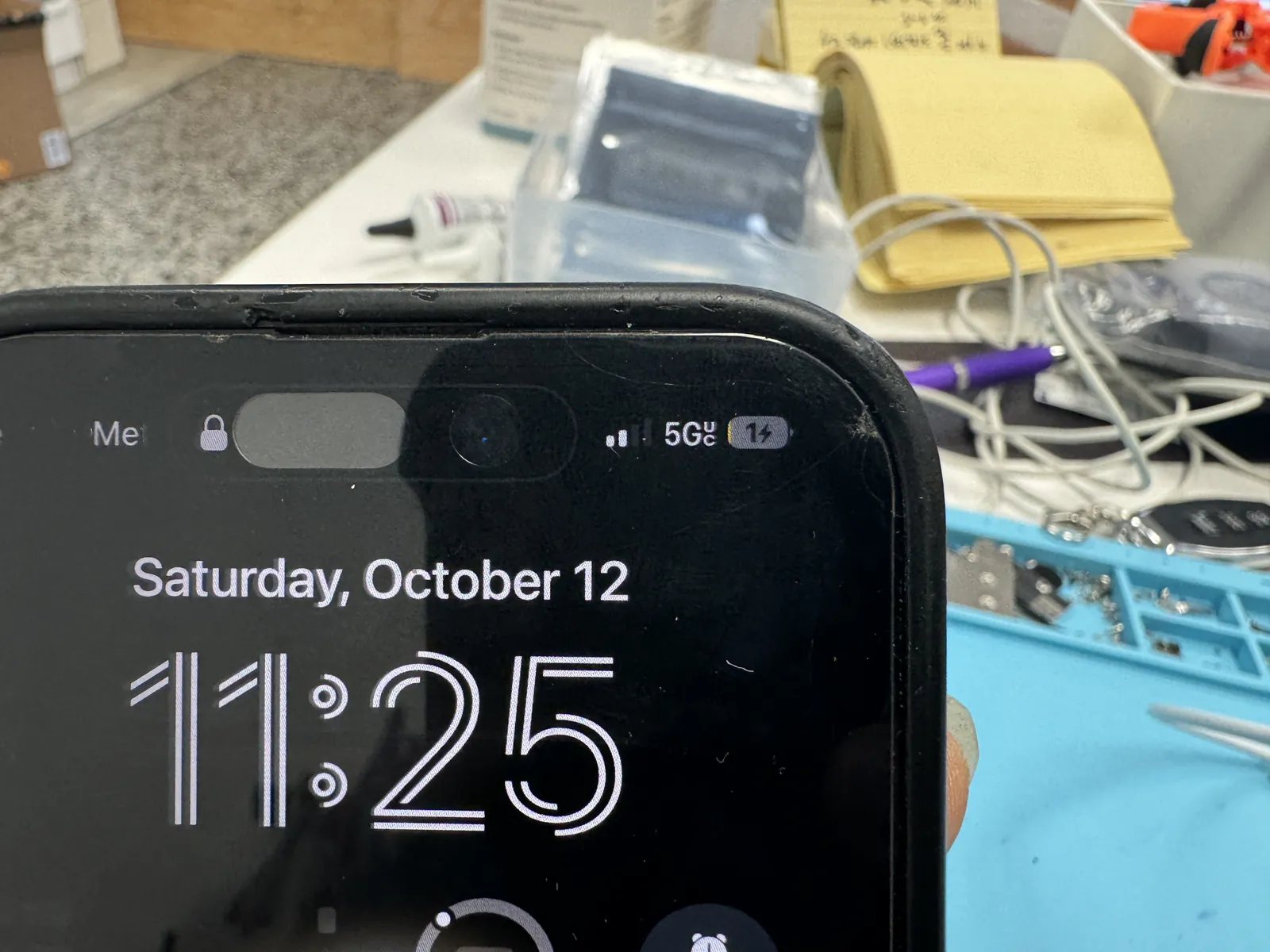
The bolt is back
The whole complaint, resolved in one icon.
Charging on every cable we threw at it
First cable in, bolt on screen — and then a few more cables and a wireless pad, because the test isn’t “does it charge once,” it’s “does it charge every time.” Steady current, no heat at the port, cable clicking in the way it should. Out the same day it came in.
iPhone not charging?
Bring it in — diagnosis is free, cleanings and port swaps are usually same-day, and you only decide once you know what’s actually wrong. Walk-ins welcome in Downtown Los Angeles.