

Plugged In, Charging NothingiPhone 14 Pro Charging IC Board Repair — Downtown LA
The cable clicked in, the port looked clean, and the battery percentage never moved. A phone that won’t charge has three usual suspects — the cable, the port, and a chip on the board — and the only honest way to find out which one is to rule them out in order. This one went all the way to the board. Here is the full diagnosis and the microsoldering that brought it back.
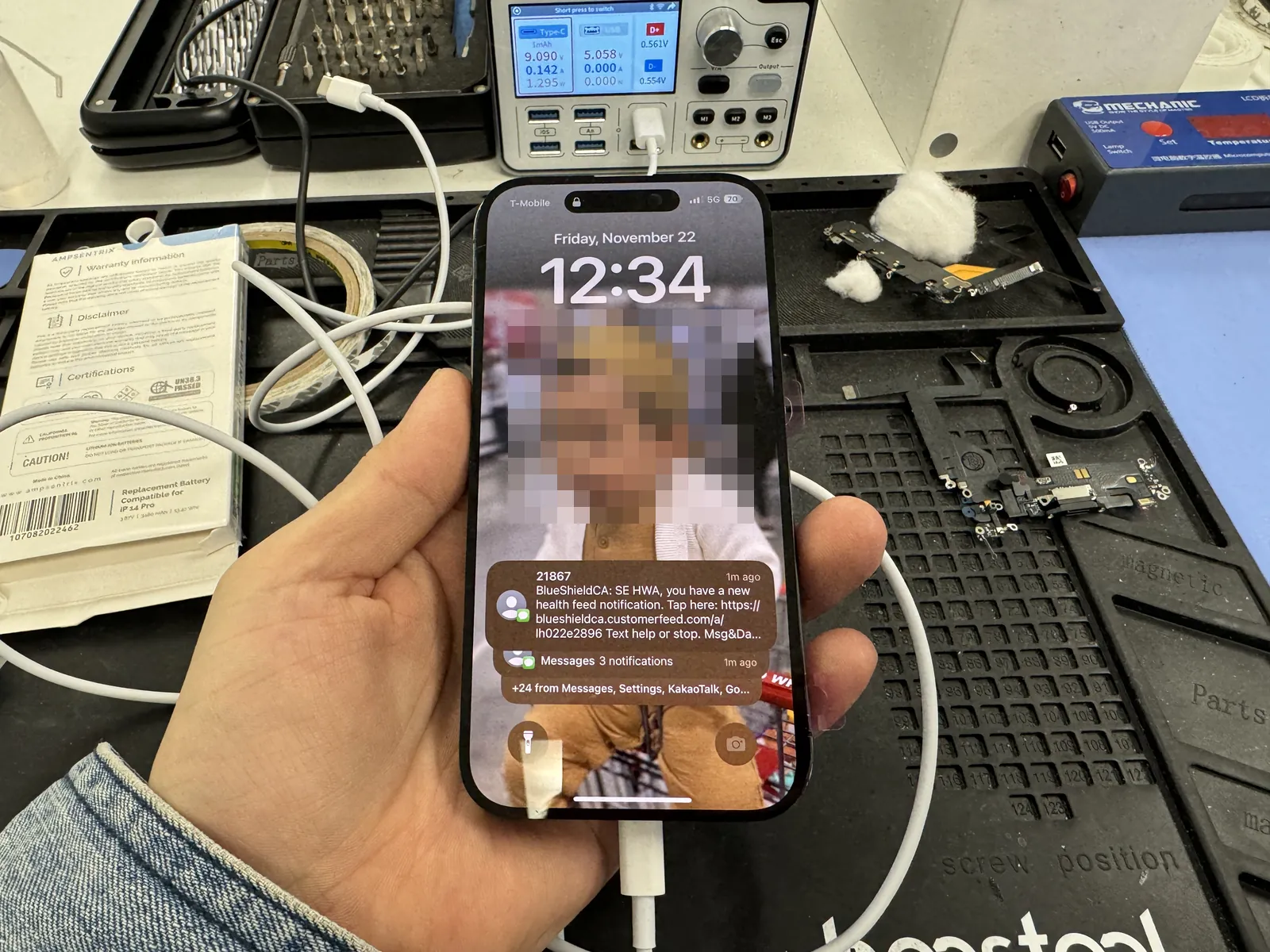
Cable in, zero current, battery slowly dying
Port ruled out first — the fault was on the board
Normal charge current restored and verified
The job, on one card
Everything that matters about this repair, before the story.
| Model | iPhone 14 Pro |
|---|---|
| Problem | Would not charge on any cable or charger. The phone ran fine otherwise — it just kept draining toward zero. |
| Diagnosis | Known-good cable and charger ruled out first, then a new charging port was tried and wireless charging was tested. The port was not the problem — current measurements pointed to the charging IC on the logic board. |
| Repair | Board-level microsoldering: logic board removed, the two board layers separated on a controlled-heat desoldering platform, and the faulty charging IC — Apple’s 338S00839-B0 — removed and replaced with a new one. |
| Teardown | Expert only5 / 5 |
| Tech’s note | The order of operations is the whole game here. A dead port and a dead charging IC produce the exact same symptom, so you always try the cheap fix first: swap in a known-good port, and test wireless charging for a second opinion. If wireless works but the cable doesn’t, you’re looking at the wired path. If a known-good port still pulls zero current, stop replacing parts — the problem is a chip, and the fix is board work, not another port. |
Three reasons a phone stops charging
Same symptom, three different repairs at three different prices. This is how we tell them apart.
The cable or charger
The thirty-second check that saves people a trip. A frayed cable or a dying adapter mimics every charging fault there is — so every diagnosis starts with a known-good cable and charger, never the customer’s.
The charging port
Lint packed into the connector, corroded pins, or a worn-out port that no longer grips the plug. This is the most common cause and the cheaper repair — which is exactly why it gets tested first, with an actual port swap, before anyone talks about board work.
The charging IC on the board
When a known-good port still pulls zero current, the fault has moved inside: the chip that manages charging has failed. No amount of port replacements fixes this — the IC has to come off the board and a new one has to go on. That was this phone.
From symptom to solder to full charge
Board-level work, in the order it actually happened on the bench.
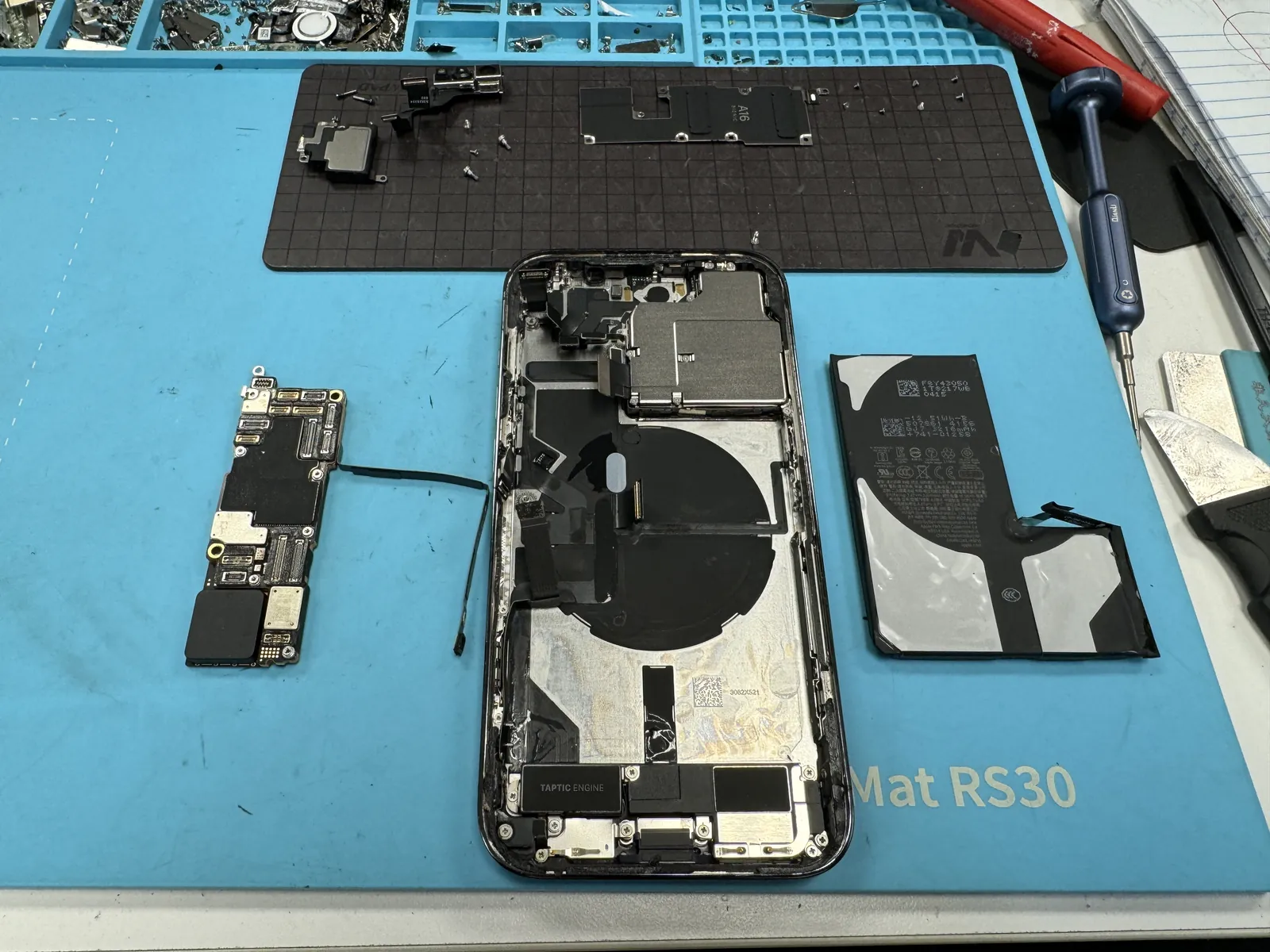
Port first, board second
Known-good cable and charger: still nothing. A replacement charging port went in: still zero current on the meter. Wireless charging gave the second opinion. With the port eliminated, the phone came fully apart — battery out, logic board out — because the fault now lived on the board itself.
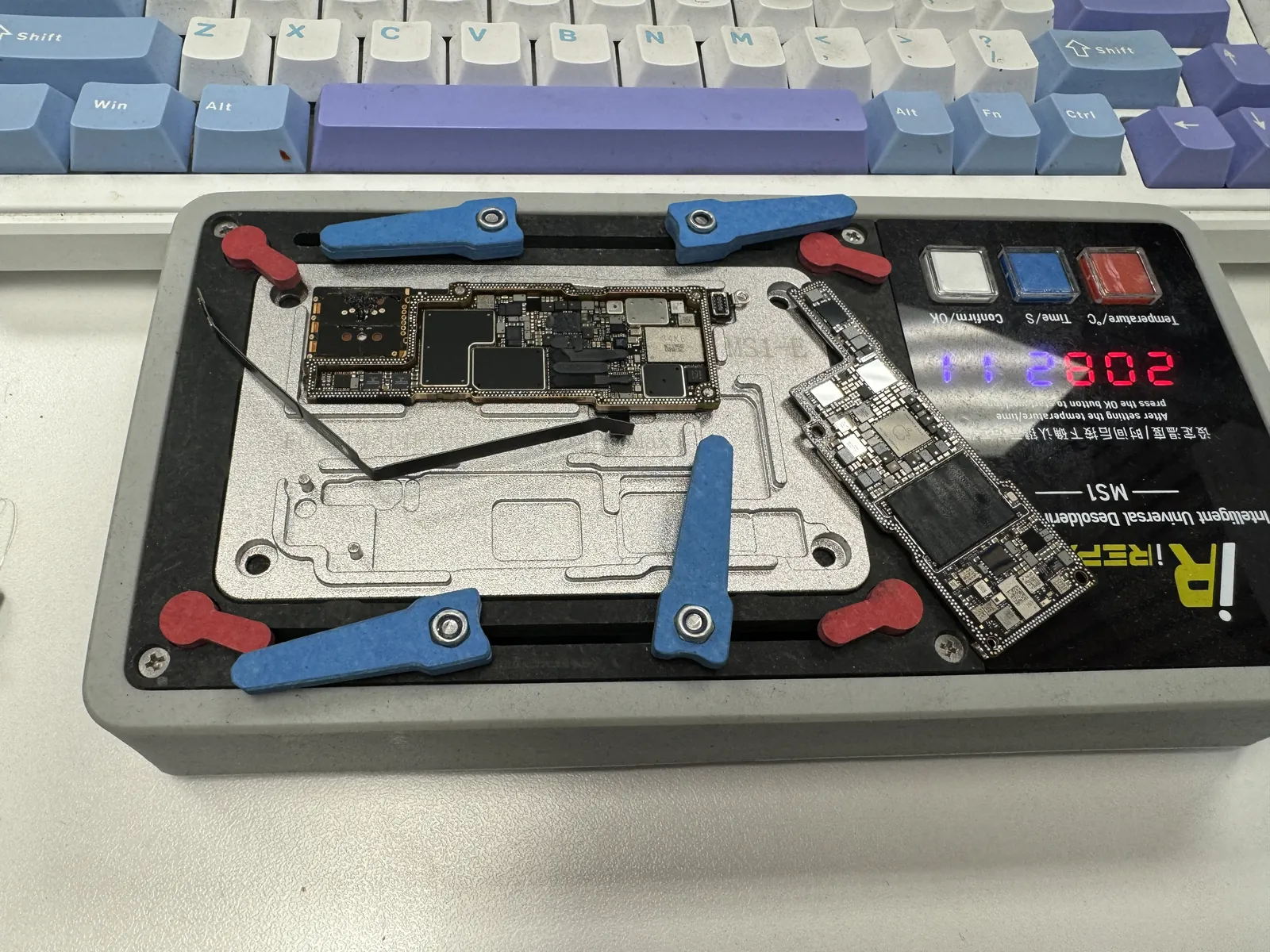
Splitting the board sandwich
Modern Pro iPhones stack two boards on top of each other and solder them together along the edges. To reach the charging circuit, the sandwich has to be split on a temperature-controlled platform — enough heat to release the solder joining the layers, not enough to cook the chips sitting a millimeter away. This step alone is why this repair is rated 5 / 5.
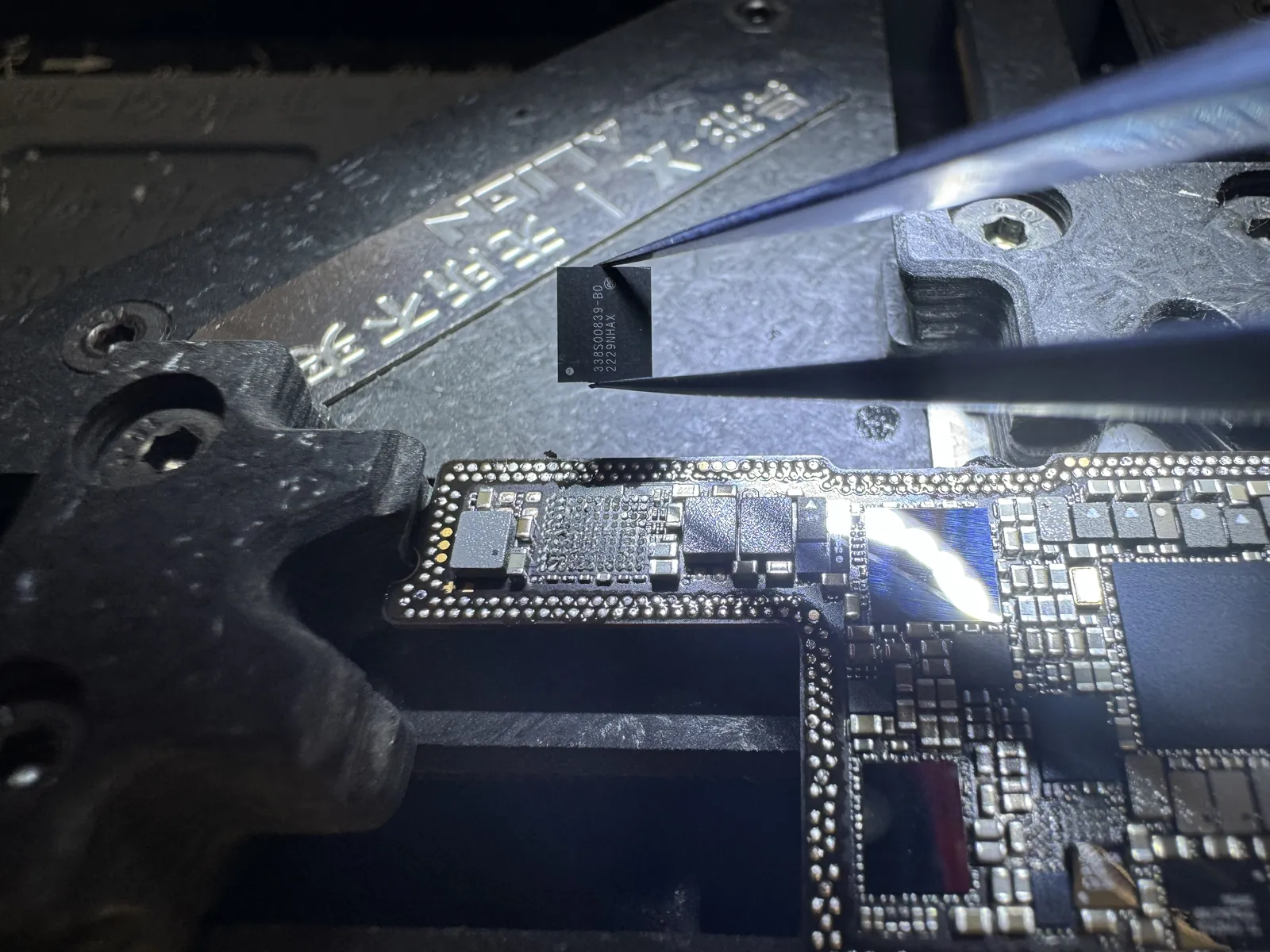
One chip, smaller than a fingernail
The part in the tweezers is the 338S00839-B0 — the charging management IC Apple uses on the iPhone 14 series. It sits between the port and the battery and manages the charging process; when it fails, the phone can look completely healthy and still refuse to take a single milliamp. Under the microscope the faulty IC is removed, the pads underneath are cleaned and re-tinned, and the replacement chip is aligned and reflowed into place. Millimeters away sit components that must not move — this is precision work with no margin for a shaky hand.
The percentage moves again
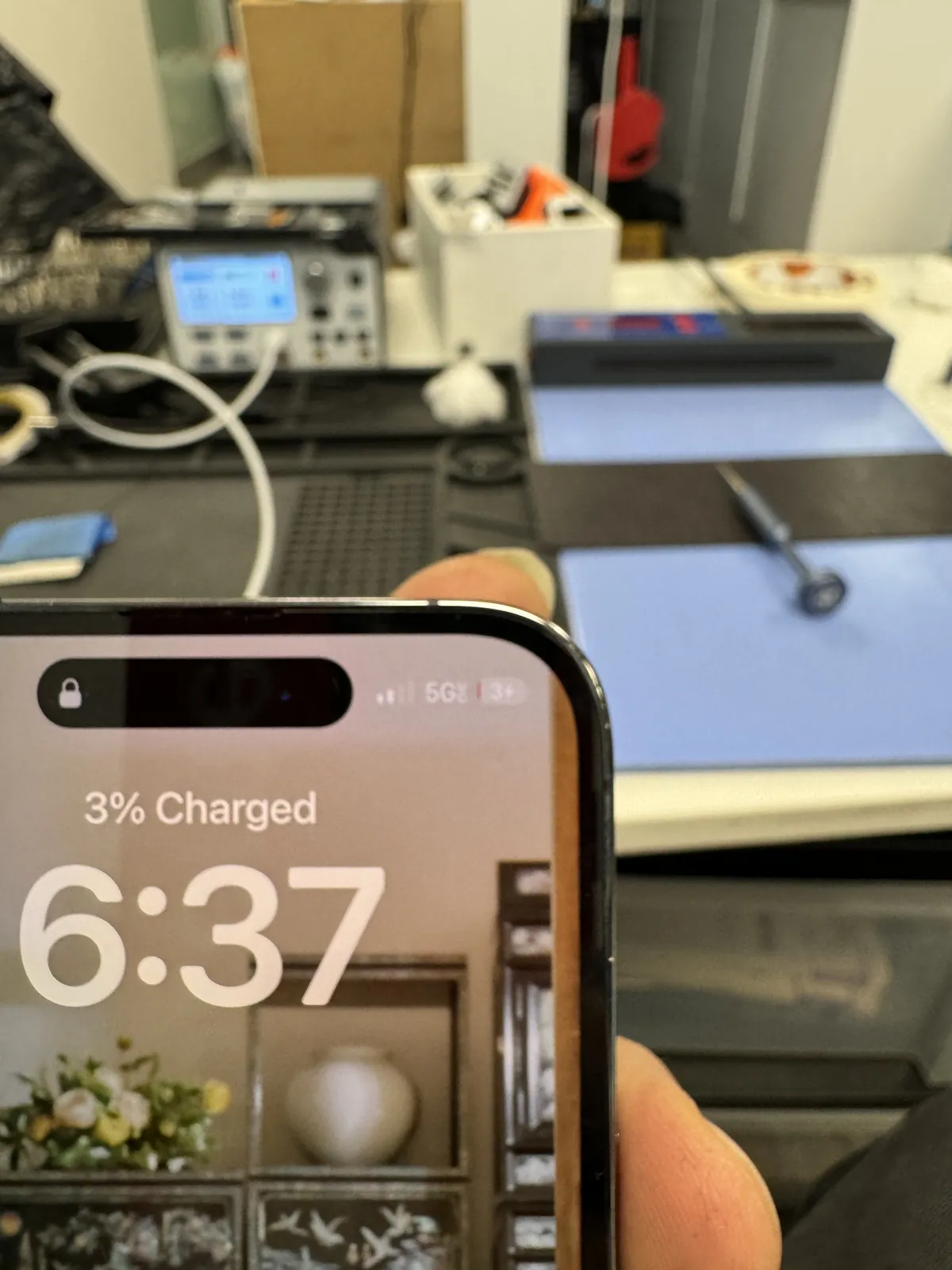
Board layers rejoined, everything reassembled, cable in — and the lock screen says “3% Charged.” After days of a number that only went down, watching it tick upward is the whole reward. But a first sign of life is not a finished repair, so it went straight onto the meter.
Verified with numbers, not vibes
A charging repair is only done when the meter says so.
Full charging current, holding steady
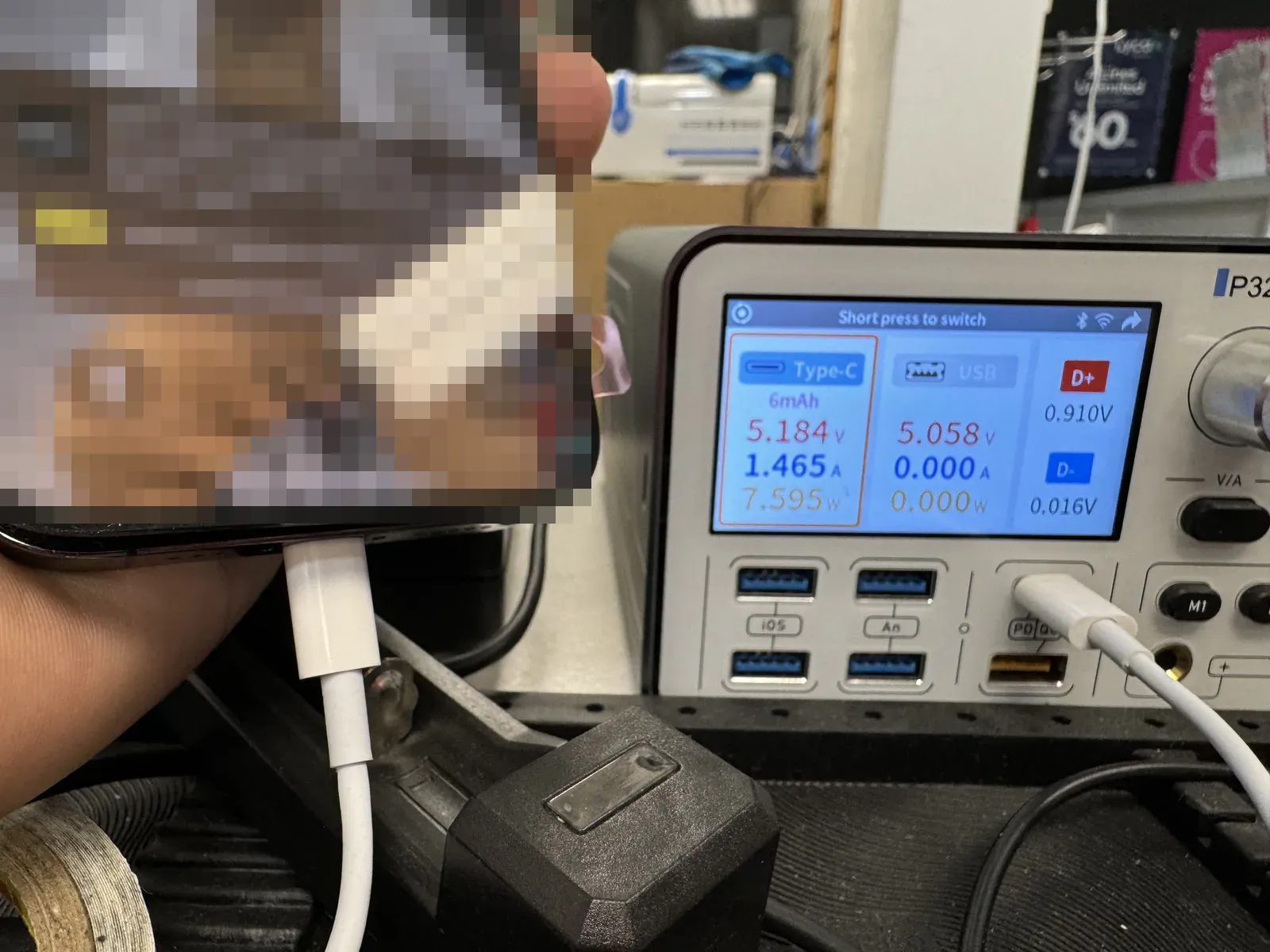
On the USB meter the phone now pulls a proper charge — around 1.5A at 5V, roughly 7.6W — exactly what a healthy iPhone draws in this state, and it held that draw steadily instead of dropping in and out. We let it climb well up the battery gauge and confirmed wired charging behaved on multiple cables before calling it done.
Nothing else on the phone was touched: photos, apps, Face ID and settings all stayed exactly as they were. A board repair done right is invisible — the phone just charges like it always should have.
iPhone charging problems, answered
What customers with this exact symptom ask us at the counter.
How do I know if it’s the port or the board?
You mostly can’t from the outside — a dead port and a dead charging IC look identical. The clues we use: whether wireless charging still works, what the port looks like under magnification, and what current the phone pulls on a meter with a known-good port. That is why we test the port first and only move to board work when the port is proven innocent.
Does wireless charging still working mean anything?
Yes, a lot. Wireless and wired charging enter the phone through different paths. If wireless works but the cable does not, the wired path — port or its circuit — is suspect. If neither works, the shared charging circuitry on the board becomes the likely culprit. Telling us this one detail speeds up your diagnosis.
Is a charging IC repair safe for my data?
Yes. The repair replaces a chip on the charging circuit and never touches storage. This phone went back with photos, apps and settings untouched. That said, a phone that cannot charge will eventually die completely — bring it in while it still boots, and back up if you still can.
Why not just replace the charging port and see?
We do — that is literally step one, because it is the cheaper fix and the most common cause. The difference is we test with a known-good port before charging you for anything, so you never pay for a port replacement that was never going to fix a board-level fault.
Apple said the board needs replacing. Is that the only option?
Replacing the whole board (or the phone) fixes it, but it is the most expensive path and can mean losing your data. A failed charging IC is one chip — replacing that chip repairs the board you already have, keeps your data, and costs far less than a new logic board.
Do you do board-level repair on other models too?
Yes — charging ICs, power management, and other board-level faults on iPhones and iPads, plus the usual screens, batteries and ports. If a repair is beyond economic sense we will tell you that too. Walk into our Downtown Los Angeles shop; diagnosis is free.
iPhone not charging?
Bring it in before the battery hits zero. Diagnosis is free, the port is tested before any board work is discussed, and you get the price before anything comes apart. Walk-ins welcome in Downtown Los Angeles.