

The Used Phone Had a SecretiPhone Air Rear Camera Replacement — Downtown LA
A customer bought this iPhone Air secondhand and came in with one complaint: every photo looked hazy, like shooting through fog. The first clue was visible before we opened anything — through the lens glass, the camera inside looked dusty and the wrong shade. A camera that left the factory sealed shouldn’t look like that. It meant someone had been in this phone before, and the owner had no idea.
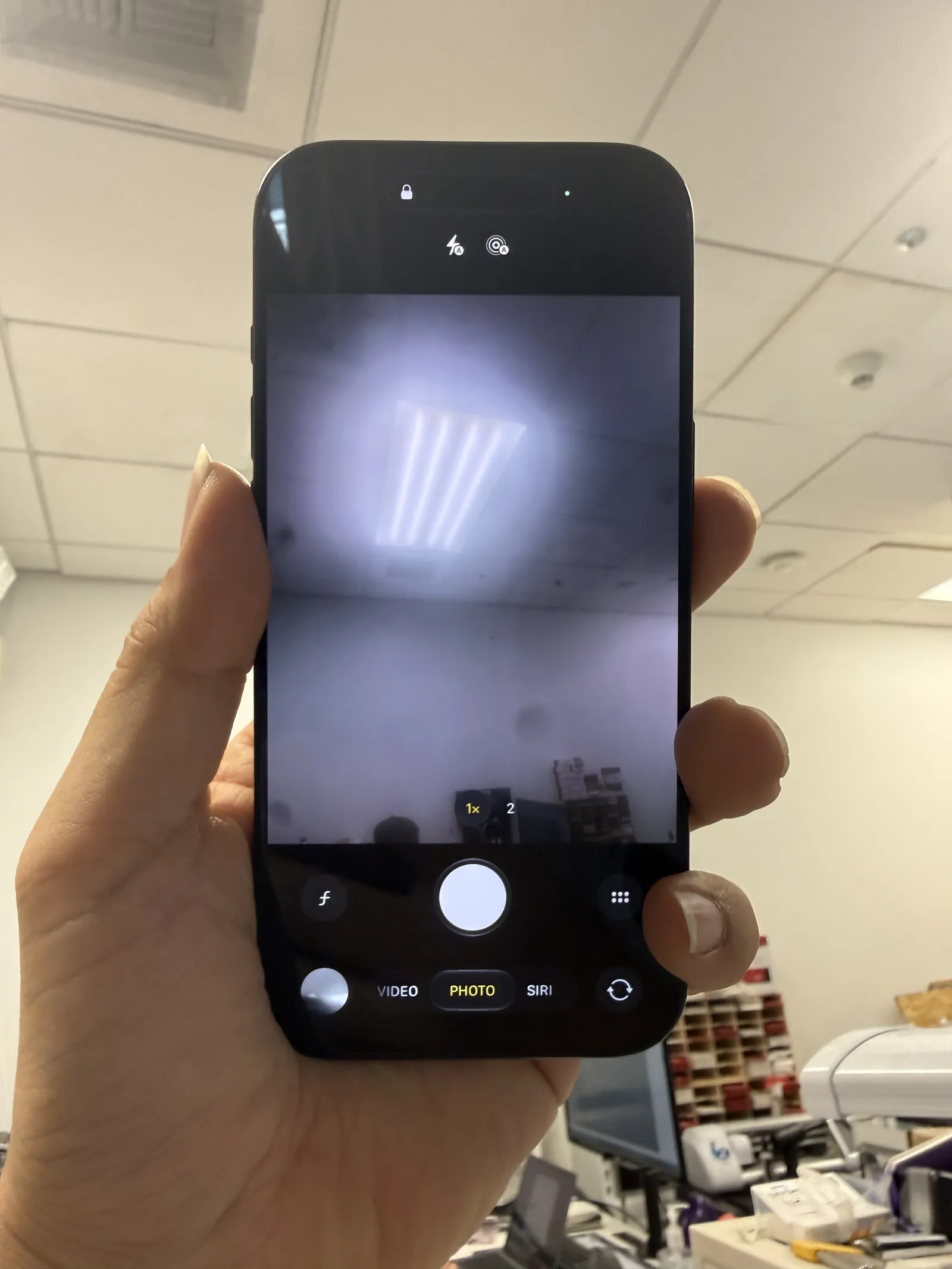
Hazy on every lens mode, every light
A worn, dirty camera from a past repair
Genuine Apple camera, done in 40 minutes
The job, on one card
Everything that matters about this repair, before the story.
| Model | iPhone Air · bought secondhand |
|---|---|
| Problem | Blurry rear camera. Inside we found a camera from a previous repair — genuine, but worn, dirty, and unknown to the current owner. |
| Part | Genuine Apple rear camera — the part alone runs $169, close to $190 with tax |
| Repair time | 30 to 40 minutes |
| Warranty | 30 days on the new camera and the work |
| Teardown | Careful work3 / 5 |
| Tech’s note | Two things worth knowing from this one. First, a bench observation: when you install a genuine part in a recent iPhone, there’s normally an Apple parts setup step that follows. On this iPhone Air, that step never appeared — the camera just worked. Unusual for Apple, and noted. Second, the money: a genuine Apple camera for this phone is $169 before tax — nearly $190 lands on the bench before a single minute of labor. At that price, corners get cut in cheap repairs — a tired camera goes in instead of a fresh one, and the photos pay for it. With cameras, the part’s condition is the picture. And one more reason we went genuine: this phone’s future. With a genuine Apple camera inside, trading it in at Apple or selling it on later raises no part flags — the camera in the phone is the camera Apple expects to find. The owner bought a used phone with a hidden past; it leaves here with a clean one. |
Why used-phone cameras go blurry
A hazy camera on a secondhand phone usually has a story behind it. Here’s how we read this one.
Used phones carry hidden history
You buy the phone, not its service record. A prior owner’s cheap repair rides along invisibly — until a part like the camera starts showing its quality.
The camera didn’t look factory
Through the lens glass, this camera sat dusty and off-color. Factory cameras are sealed spotless — visible grime inside the lens means the seal was broken by human hands.
Condition is everything in optics
Even a genuine camera shoots badly once dirt reaches the glass and the housing takes damage — every speck scatters light. The haze in every photo was this camera’s condition, not the phone.
Out with the worn one, in with the fresh one
Quick on the clock, careful on the glass — the whole visit fit inside an hour.
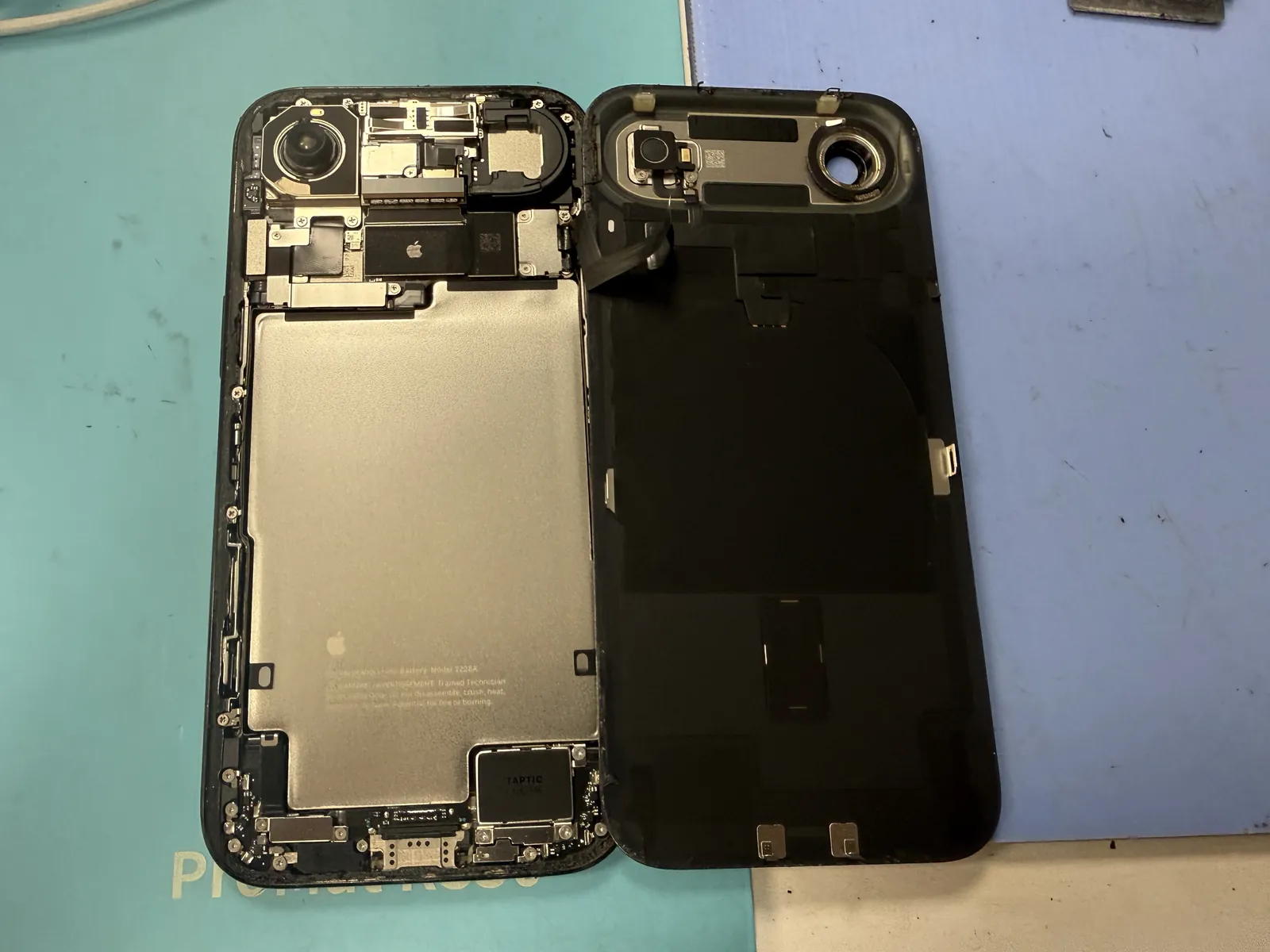
In through the back glass
The iPhone Air opens from the back for this job. Warm, slow, and patient — the glass has to survive, and rushing adhesive is how back covers crack. With the cover off, the camera sits right there at the top corner.
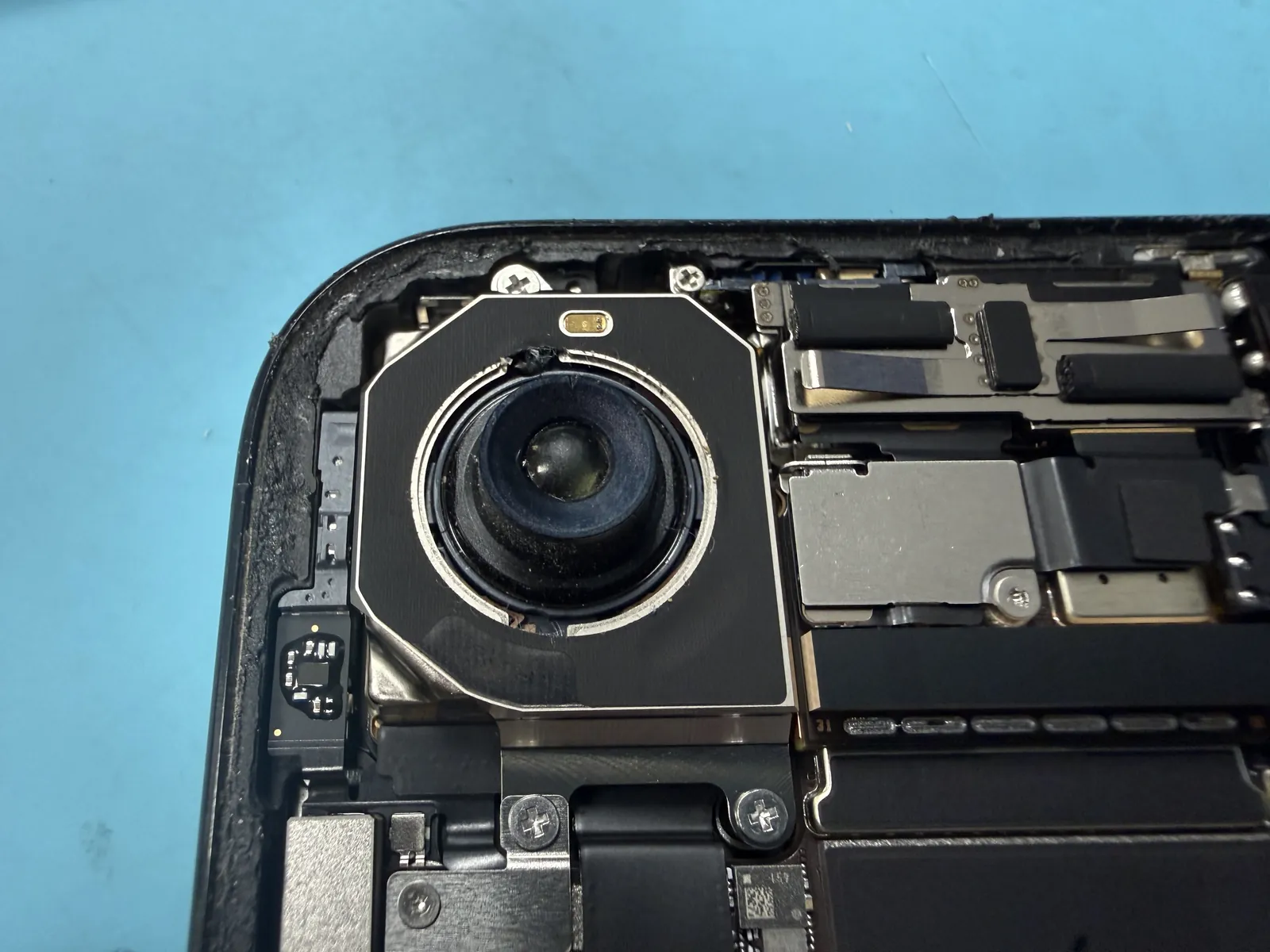
The camera up close: case closed
Under magnification the suspicion became a verdict — grime around the housing, damage on the frame. A genuine camera, but a tired one, and in no condition a factory-sealed part would ever be in. Somebody had swapped this camera before, and the phone had been shooting through its history ever since.
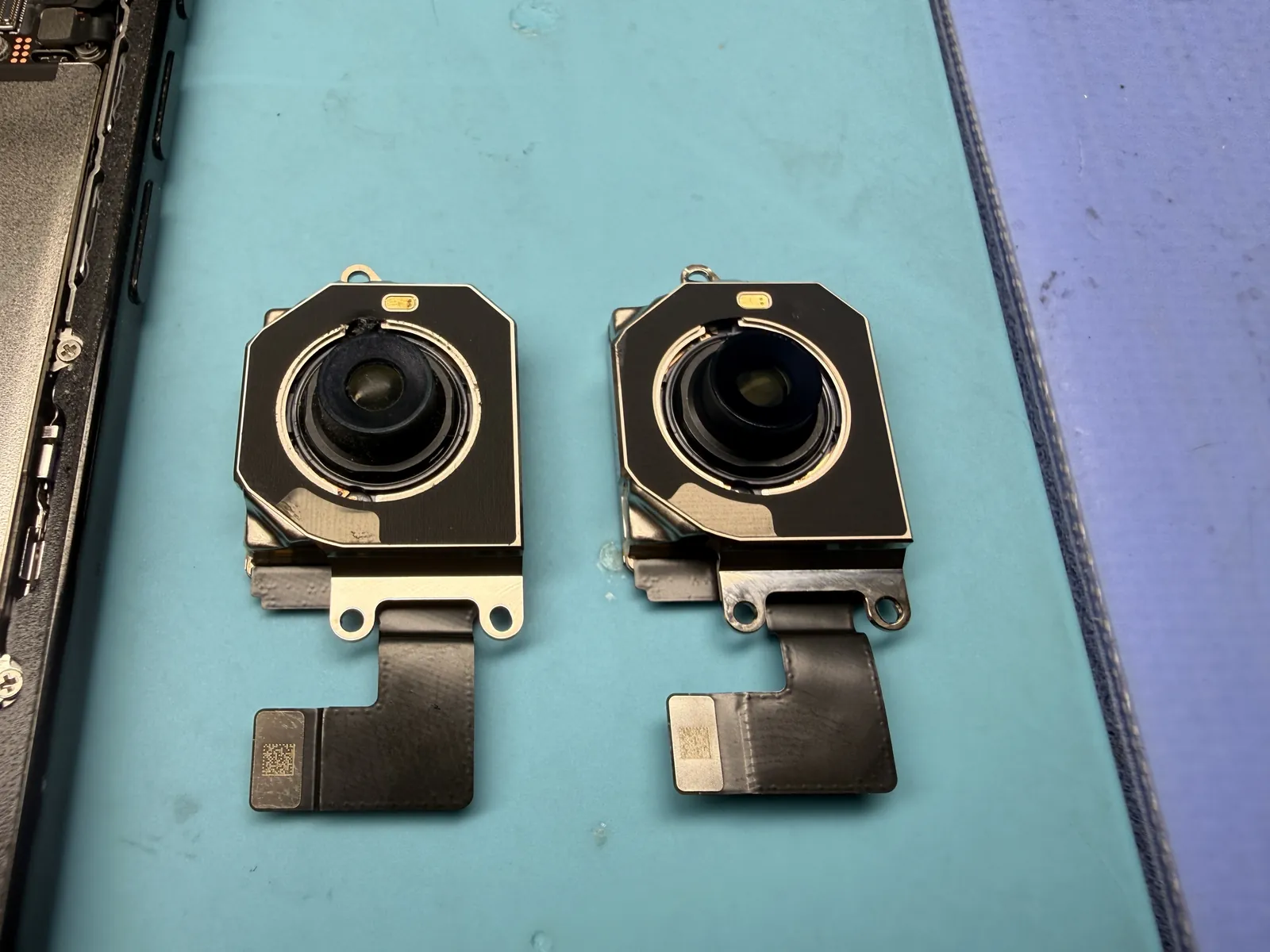
Old and new, side by side
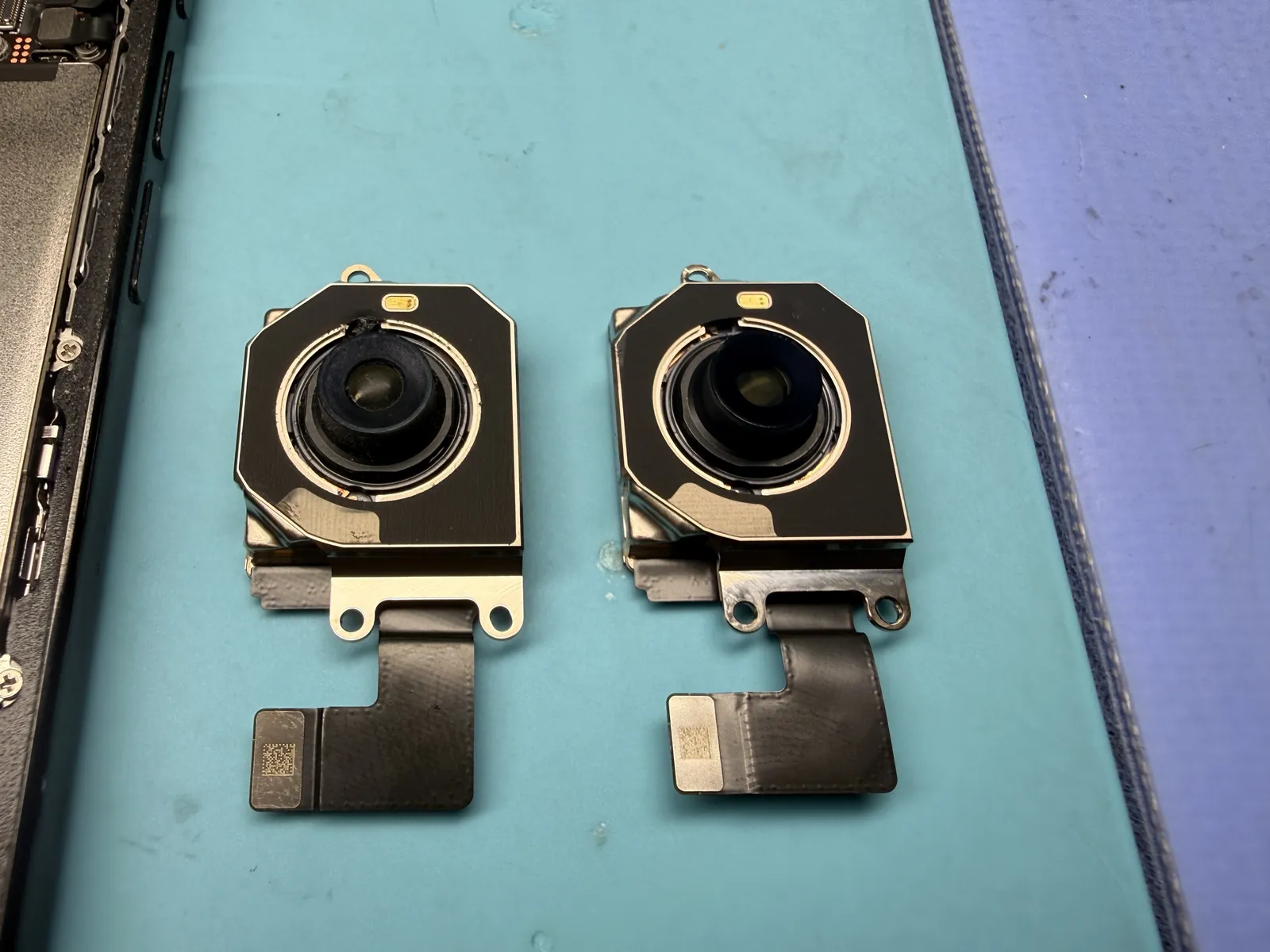
On the left, the camera that came out — hazy lens, worn housing. On the right, the brand-new genuine Apple camera. Same part, same connectors, completely different condition. This photo is the whole repair in one frame.
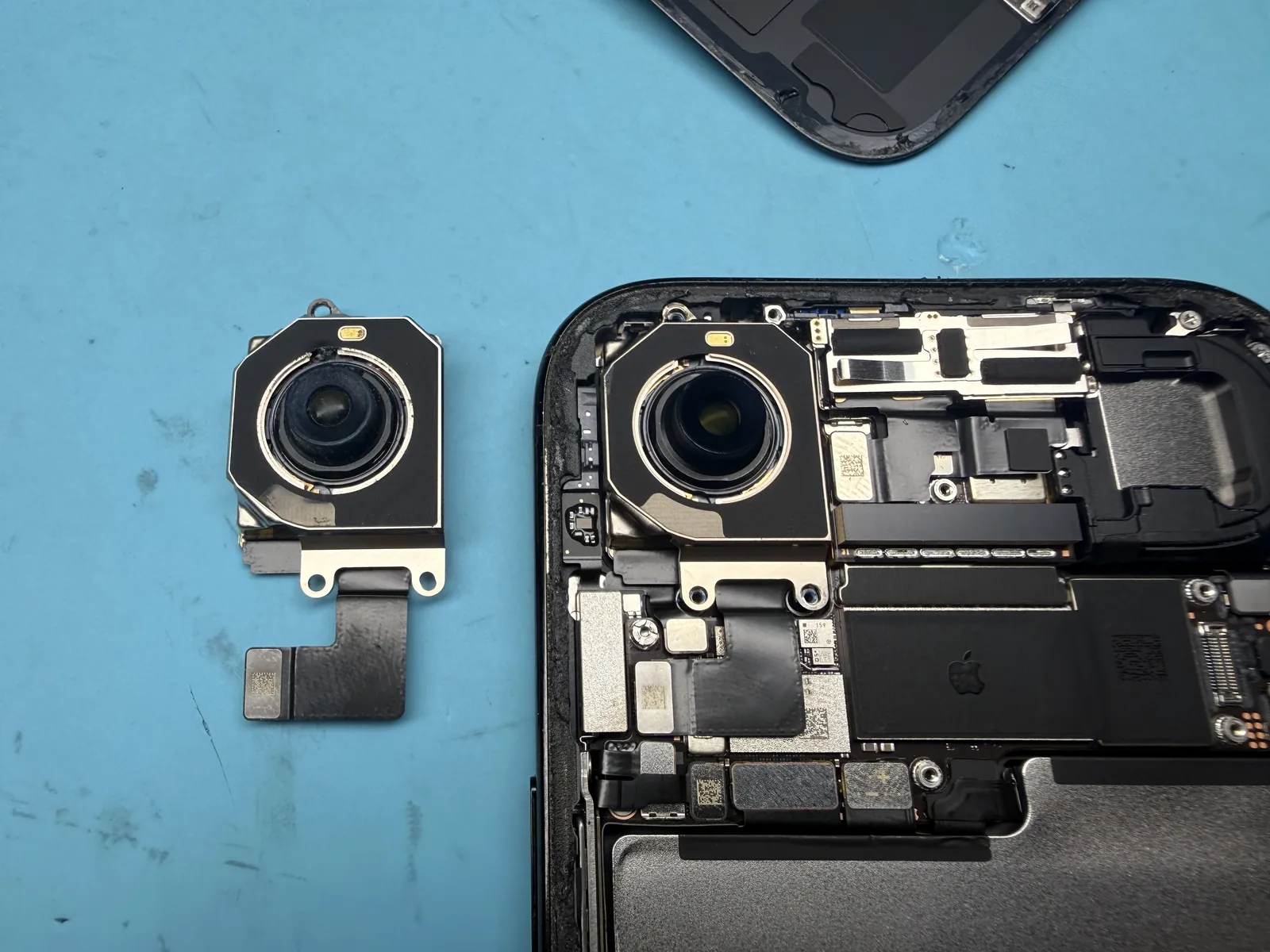
The genuine part goes in
The new camera seats into the same bracket, connector clicked home, screws torqued, and everything tested before the back cover returns. One interesting note: no Apple parts setup screen appeared afterward — it simply worked.
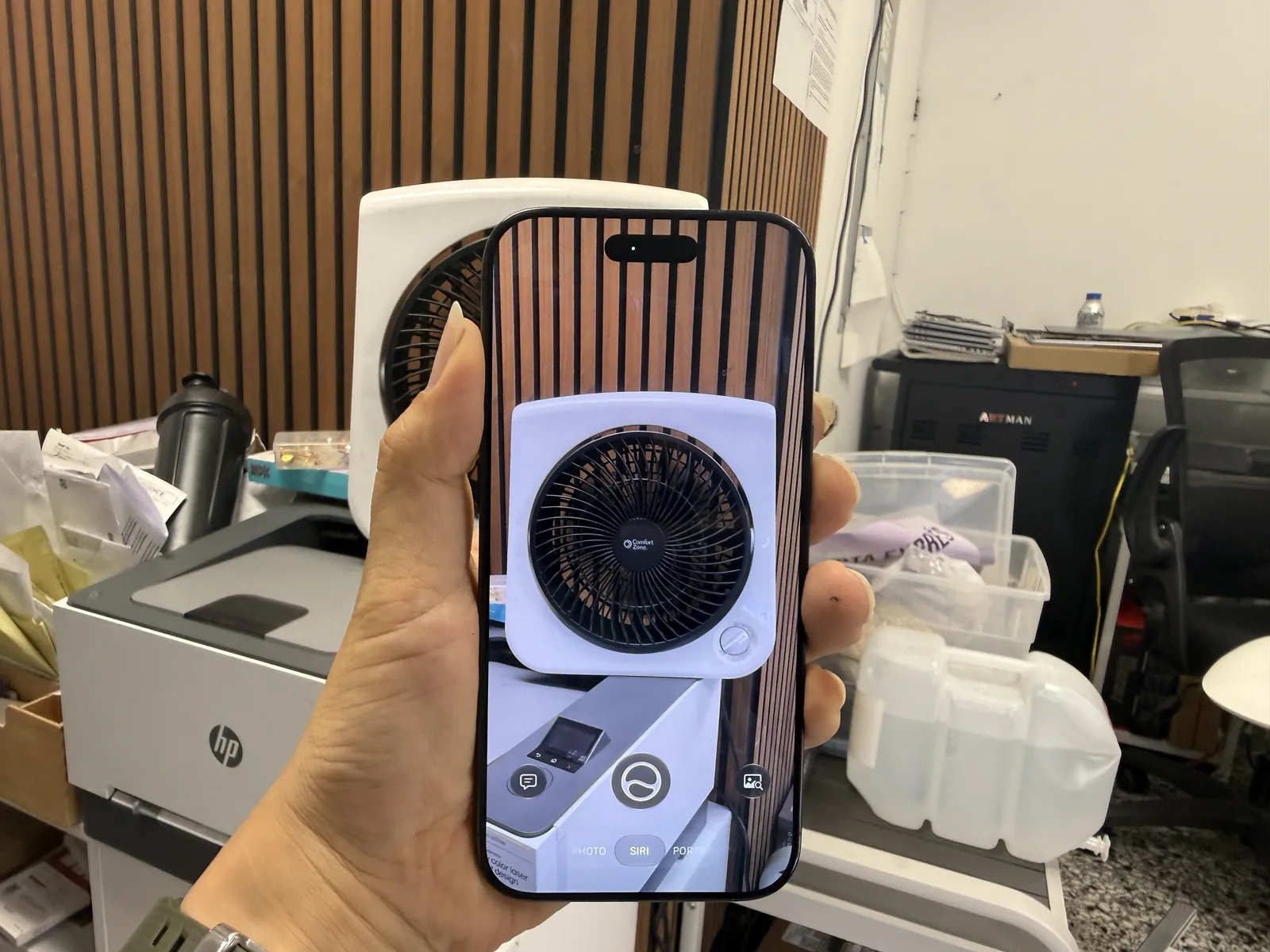
Fog lifted
Same room, same light, entirely different camera.
Sharp on every mode
Photo, video, zoom, close focus — all crisp, all tested before the phone went back together for good. The owner finally got the camera the phone was supposed to have all along — and because the replacement is genuine, a future Apple trade-in or resale won’t stumble over it. Total time on the bench: about forty minutes, walk-in to walk-out.
Blurry camera on your iPhone?
Bring it in — diagnosis is free, most camera swaps are done while you wait, and you only decide once you know what’s actually wrong. Walk-ins welcome in Downtown Los Angeles.