


It Kept Shutting Off Mid-Game — and a Louder Fan Was Never Going to Fix ItPS5 Slim Liquid Metal & Thermal Putty Replacement — Downtown Los Angeles
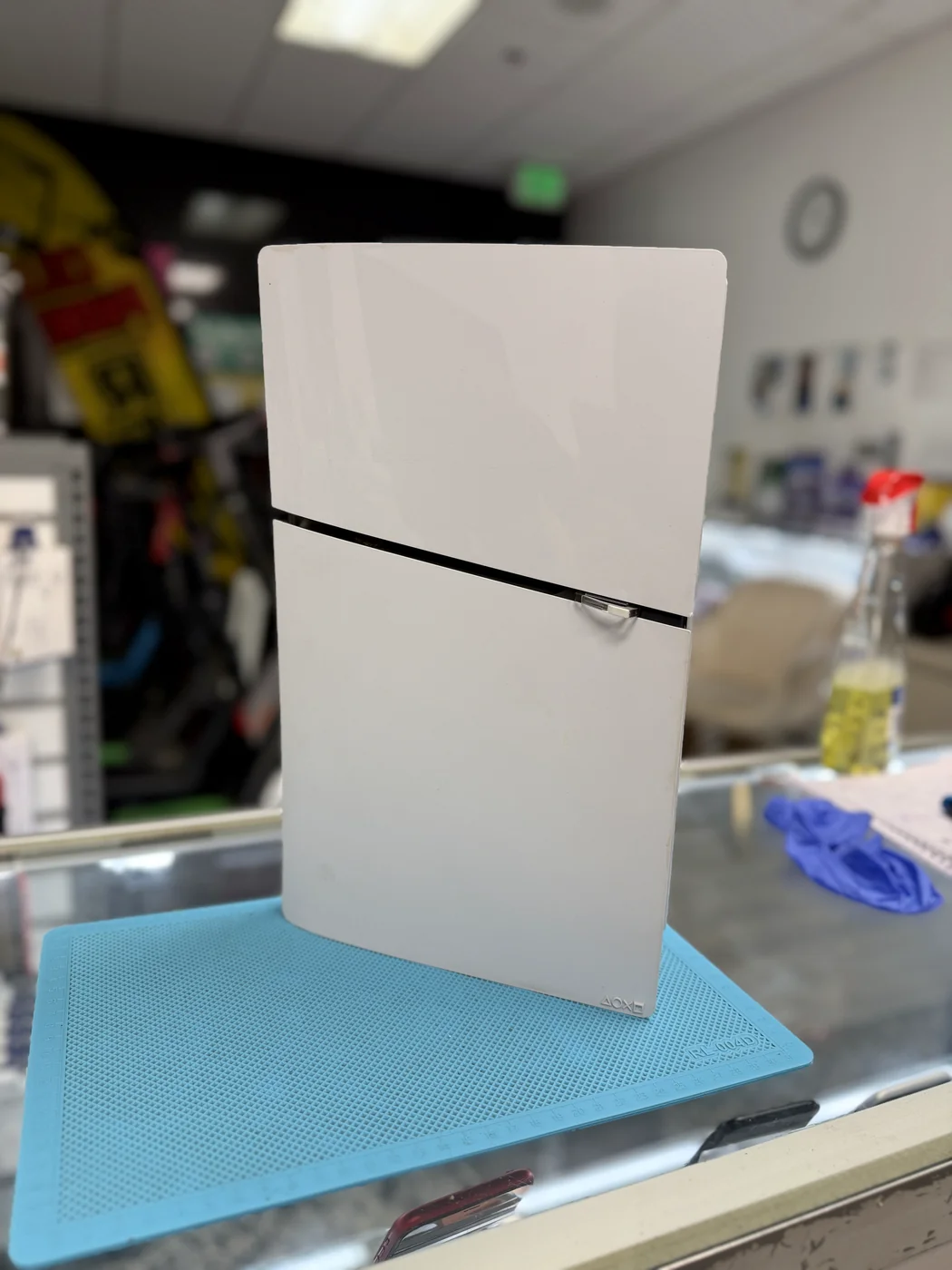
He told us it always happened at the worst possible moment. Thirty, forty minutes into a session, the fan would wind up, and then the screen would go black — console off, no warning, no error. Plugging it into a different outlet didn't help. Neither did moving it off the carpet. A PS5 Slim that shuts itself down under load is almost always telling you the same thing: the heat isn't getting out of the chip anymore. He dropped it off in the morning. It went home with him that afternoon.
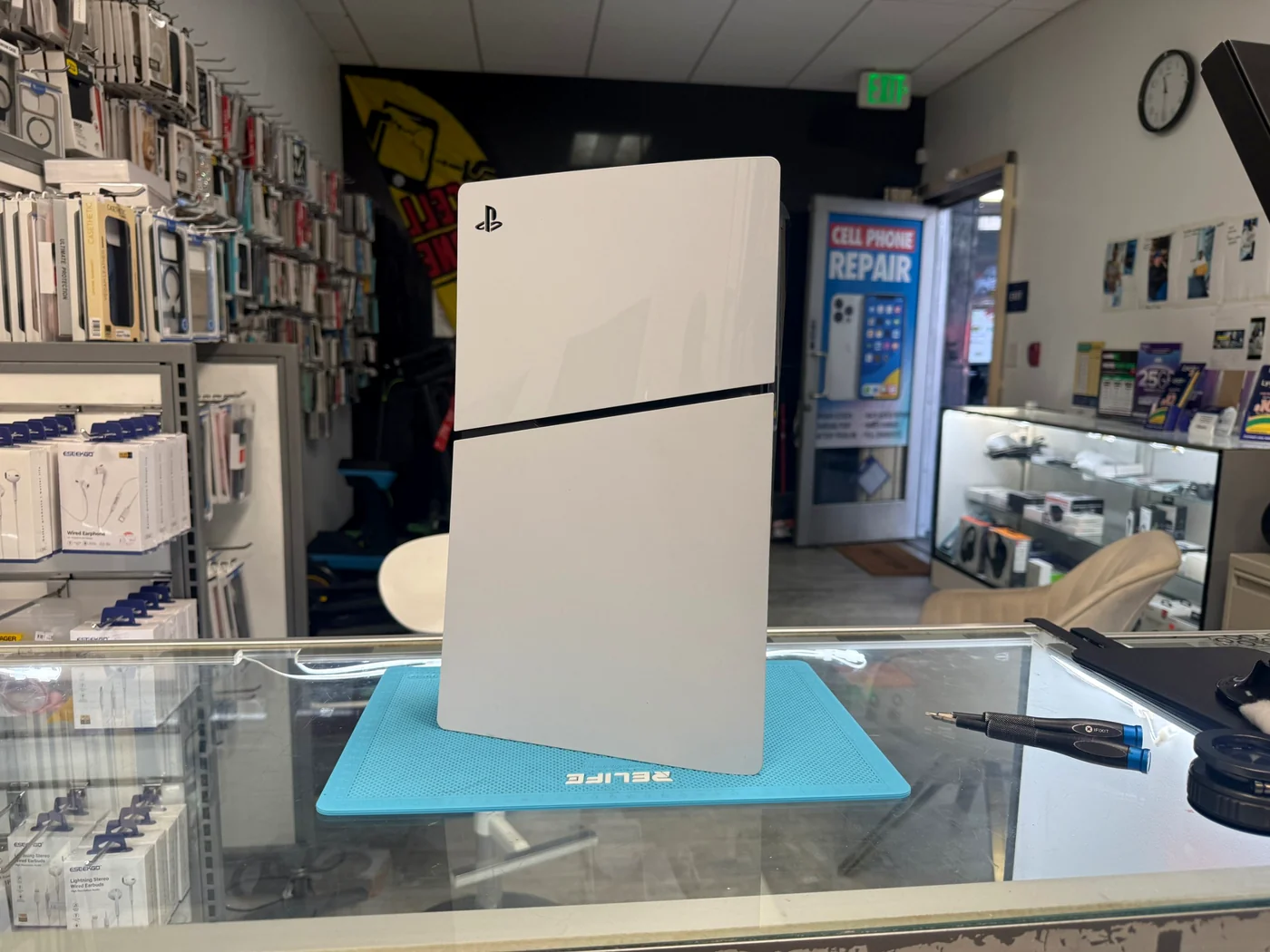
Fine at the menu, dead half an hour into a game
Both mating surfaces redone, fresh putty on every chip
Morning drop-off, back home that afternoon
The job, on one card
What came in, what we found under the heatsink, and what it costs in Downtown LA.
| Model | PlayStation 5 Slim (digital, white) |
|---|---|
| Problem | Shuts off by itself during gameplay. Fan audibly ramps up first, then the console cuts out — no error code, no beep. Boots back up fine and does it again |
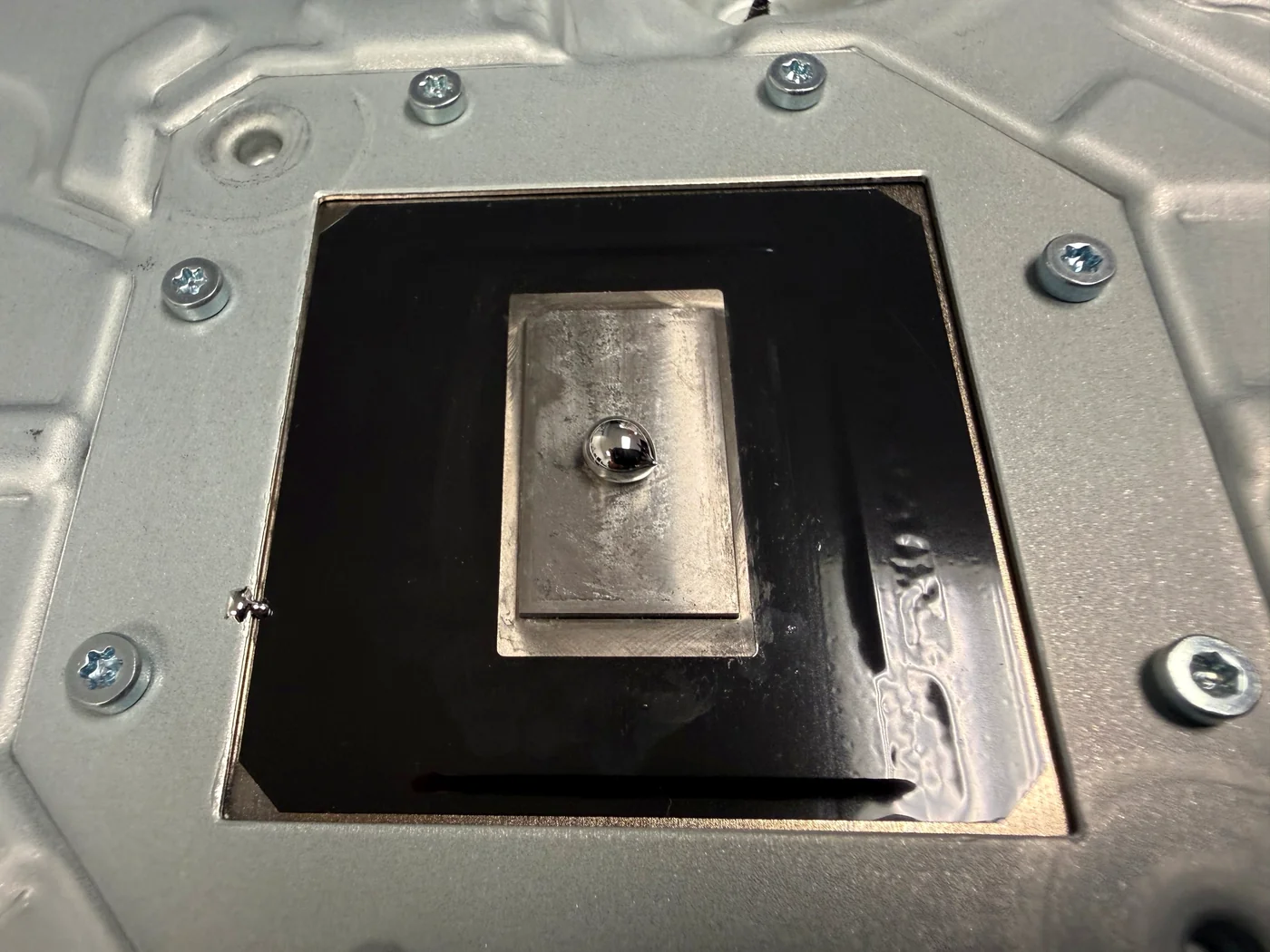
| Found | Liquid metal dried out on both mating surfaces — pulled away from the center of the APU die and patchy on the heatsink contact plate · factory thermal putty on the memory and power chips gone hard · dust through the heatsink fins |
| Service | Liquid metal replacement + full thermal putty replacement, and a cleaning while it was open |
| Price | Liquid metal + thermal putty $120 · deep cleaning +$30 when done together ($120 on its own) |
| Bench time | 2–3 hours · morning drop-off → afternoon pickup |
| Teardown | Unforgiving, not complicated4 / 5 |
| Tech's note | Taking a PS5 Slim apart isn't the hard part — there are a lot of screws, but they're just screws. The part that bites people is the liquid metal. It's conductive. One bead that rolls off the edge of the die and lands on the board, and you don't have an overheating console anymore, you have a dead one. That's why I don't rush this job and I don't quote it in thirty minutes. The surfaces get cleaned down to bare metal, the gasket around the die gets checked, and the console gets closed up and run before I call anyone. I play on a PlayStation myself — mostly Diablo after hours — so I know exactly how it feels to get dropped out of a run. That's the part I'm actually fixing. |
Why a PS5 Slim starts shutting itself off
Sony didn't build this wrong. It's a wear item — and it wears out on a schedule, whether you play every night or not.
Liquid metal dries out
The PS5 uses liquid metal, not paste, between the APU and the heatsink. It's excellent when fresh and it has a shelf life. Around the three-year mark it thins, separates and creeps away from the hottest point — the exact spot it's there to cool. Sitting in a cabinet unused doesn't save it.
The putty is half the job
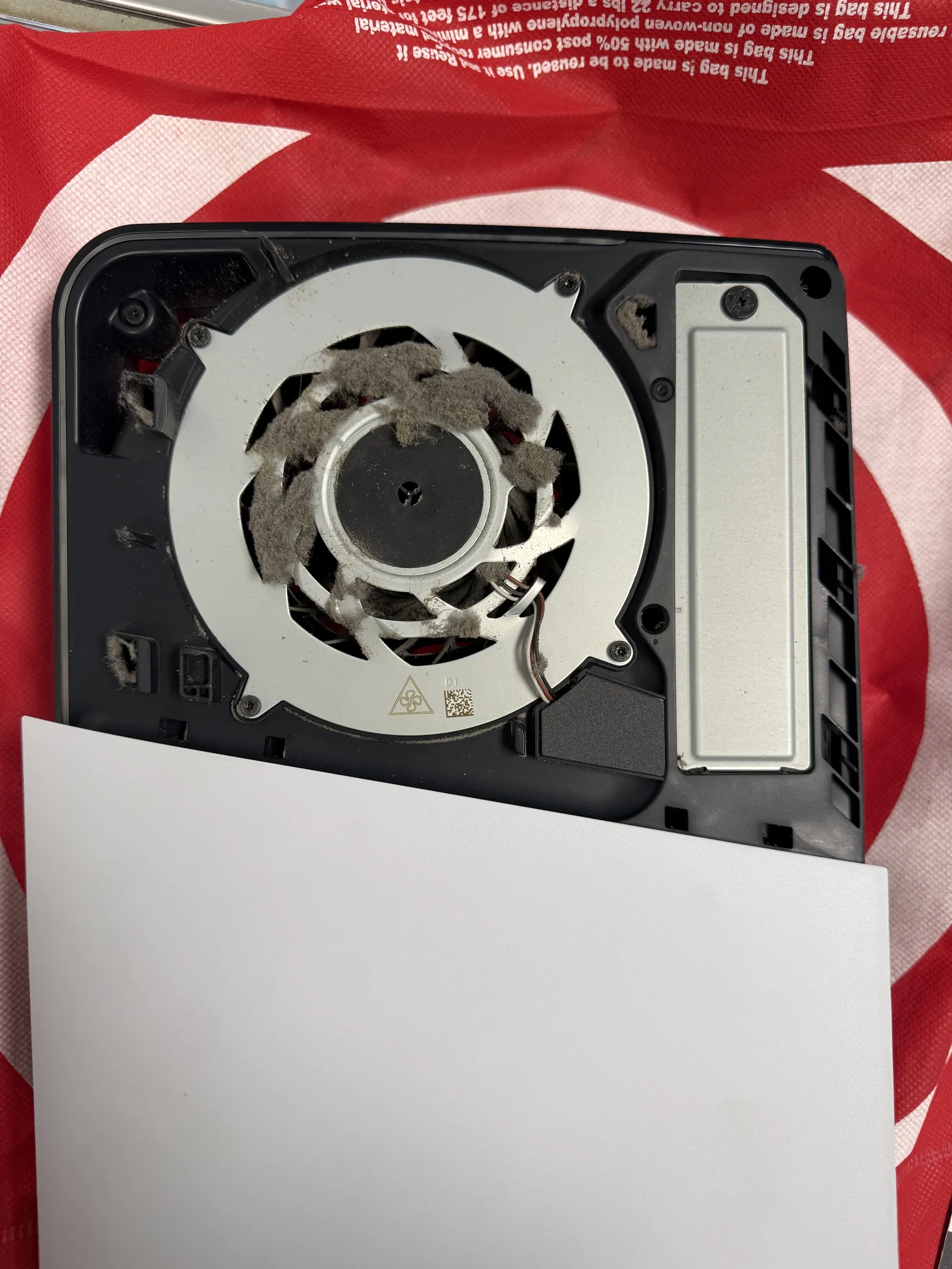
The APU isn't the only thing that gets hot. Memory and power chips sit under soft thermal putty that carries their heat into the same heatsink. That putty hardens and shrinks, and once it pulls away it insulates instead of cooling. Replacing the metal and leaving old putty behind is half a repair.
Not every shutdown is heat
A console that cuts out mid-game can also be a board or power-supply fault, and from the couch the two look identical. Liquid metal will not fix that, so we check before we sell it. If it isn't thermal, we tell you it isn't thermal — that's what the free diagnosis is for.
Down to bare metal, then back up
Open it, see what the metal actually looks like, clean both surfaces back to bare metal, then fresh metal and fresh putty. Here's every stage of it.
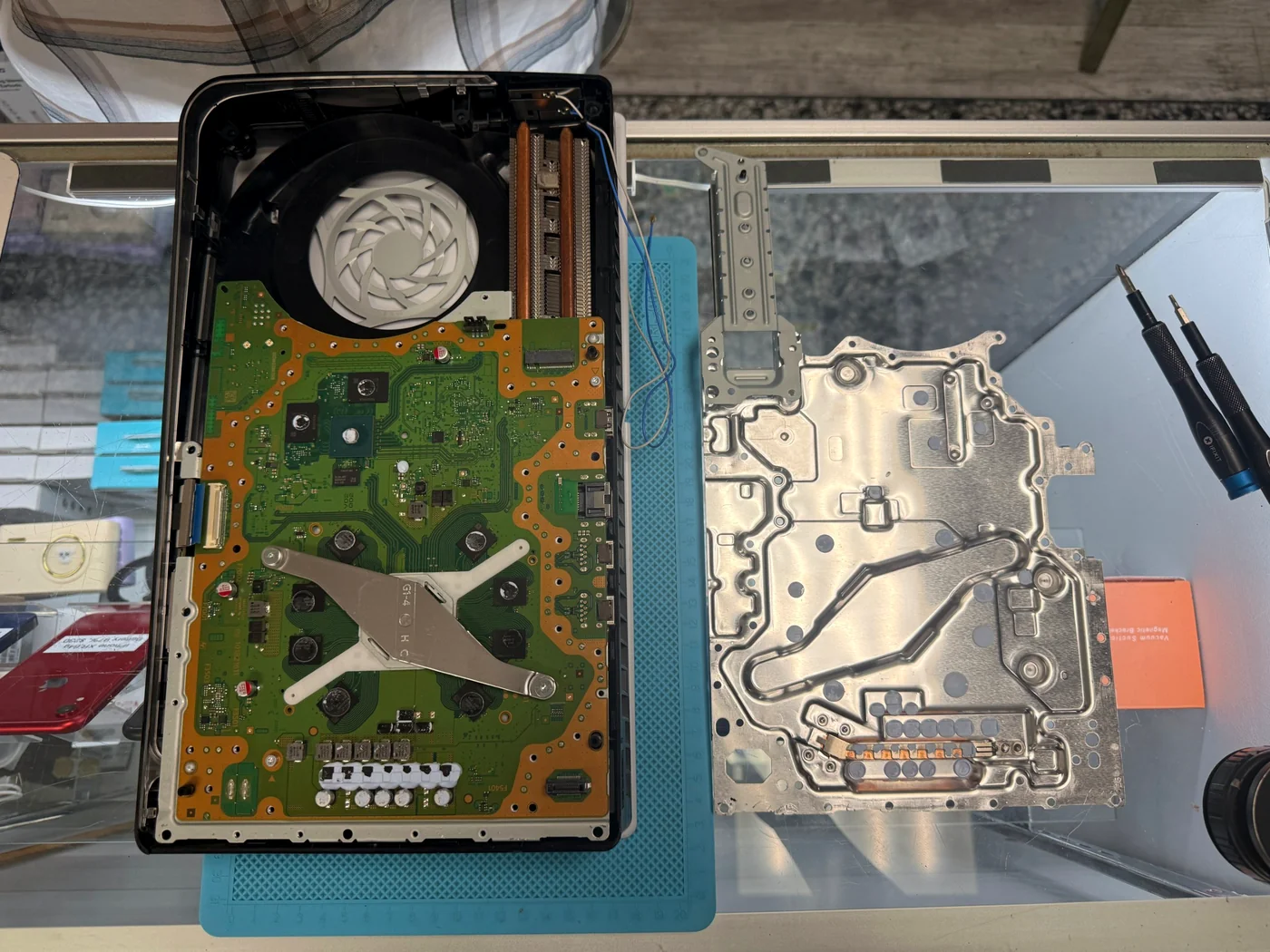
Opened, and the heatsink comes off
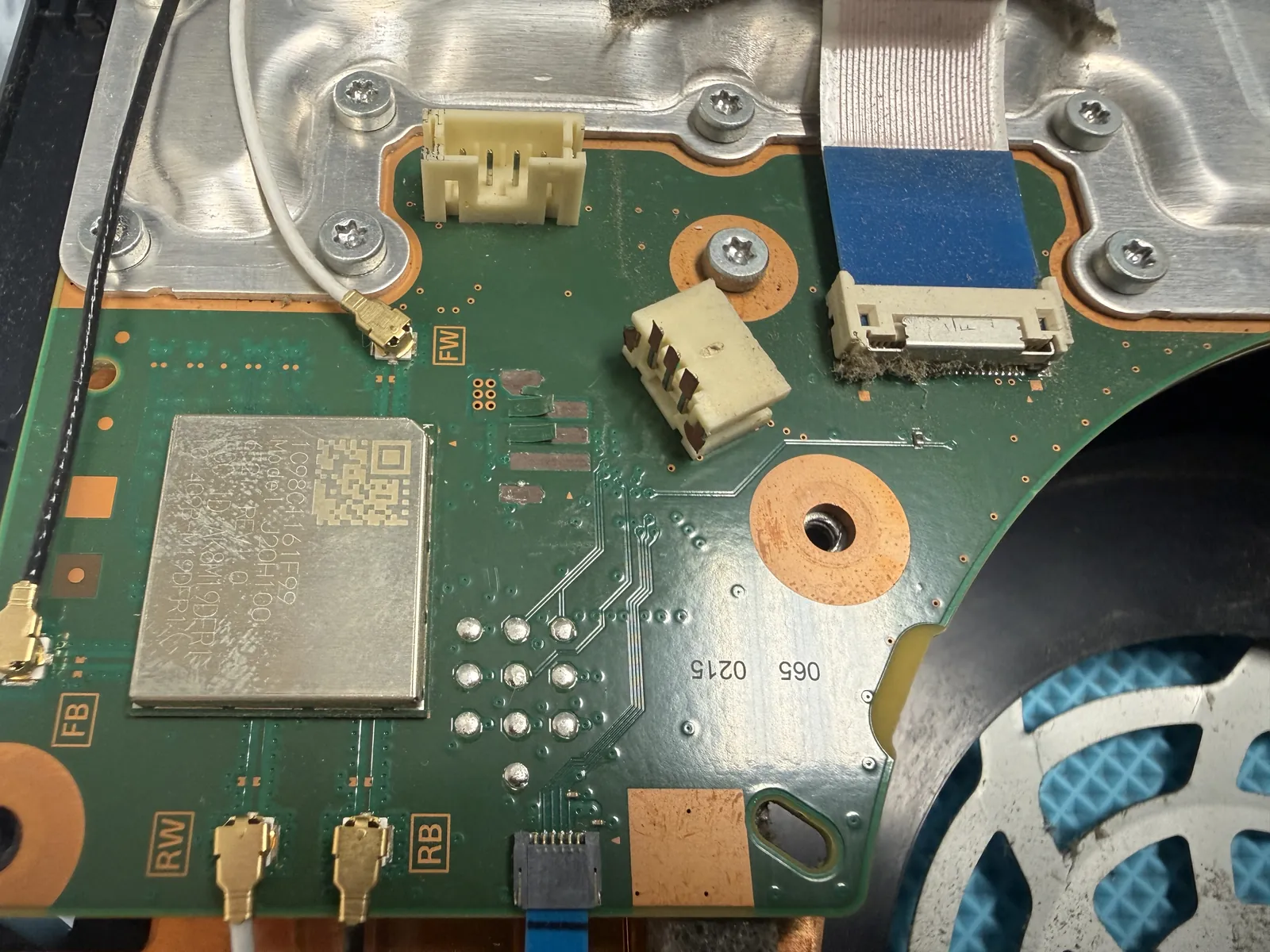
A PS5 Slim is a lot of screws, a few shields and a fan, and then the heatsink assembly lifts away from the main board. None of it is difficult on its own — but everything has to come apart in the right order and go back the same way, and that is most of why this is a two-to-three hour job rather than a twenty-minute one.
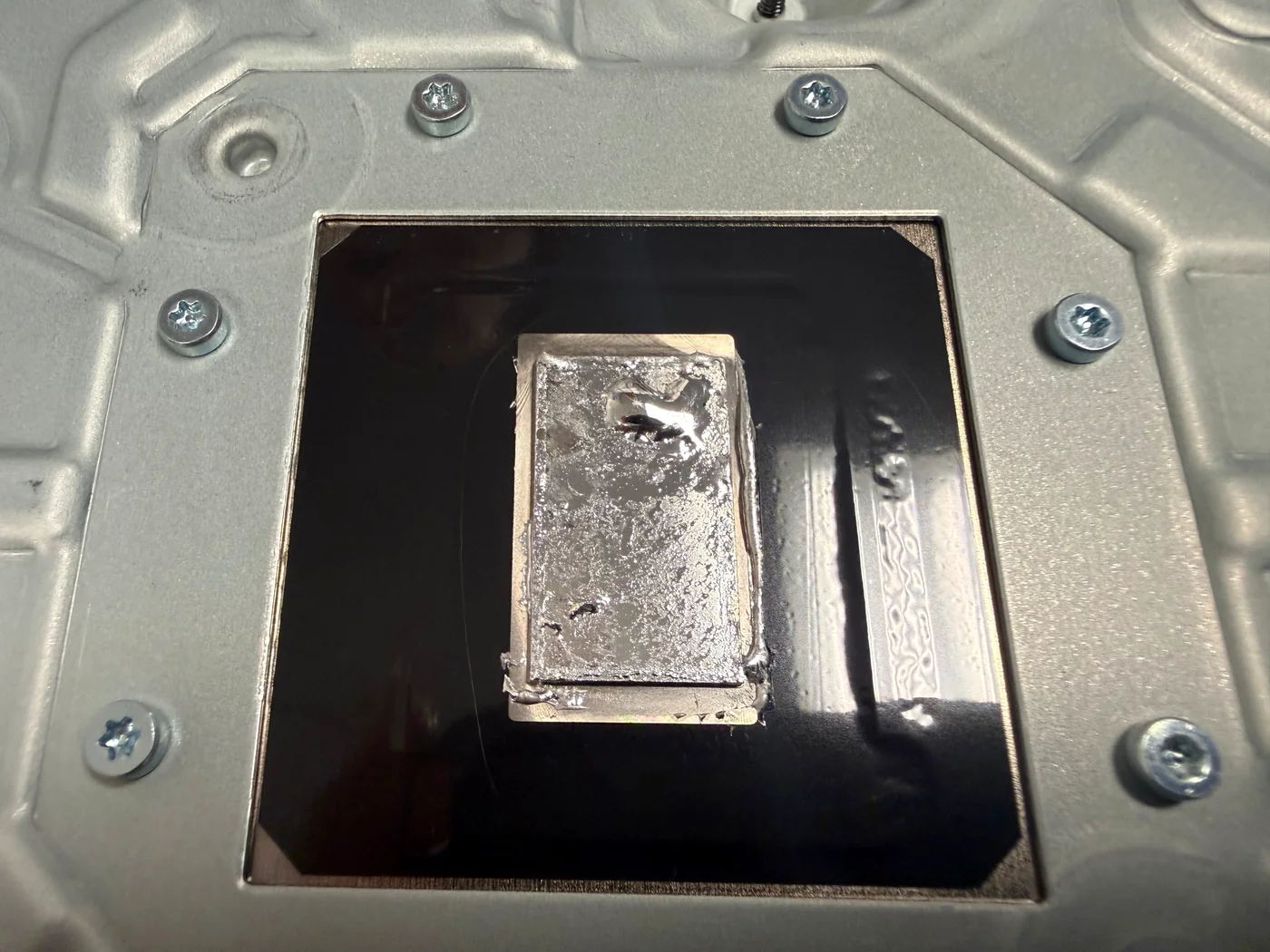
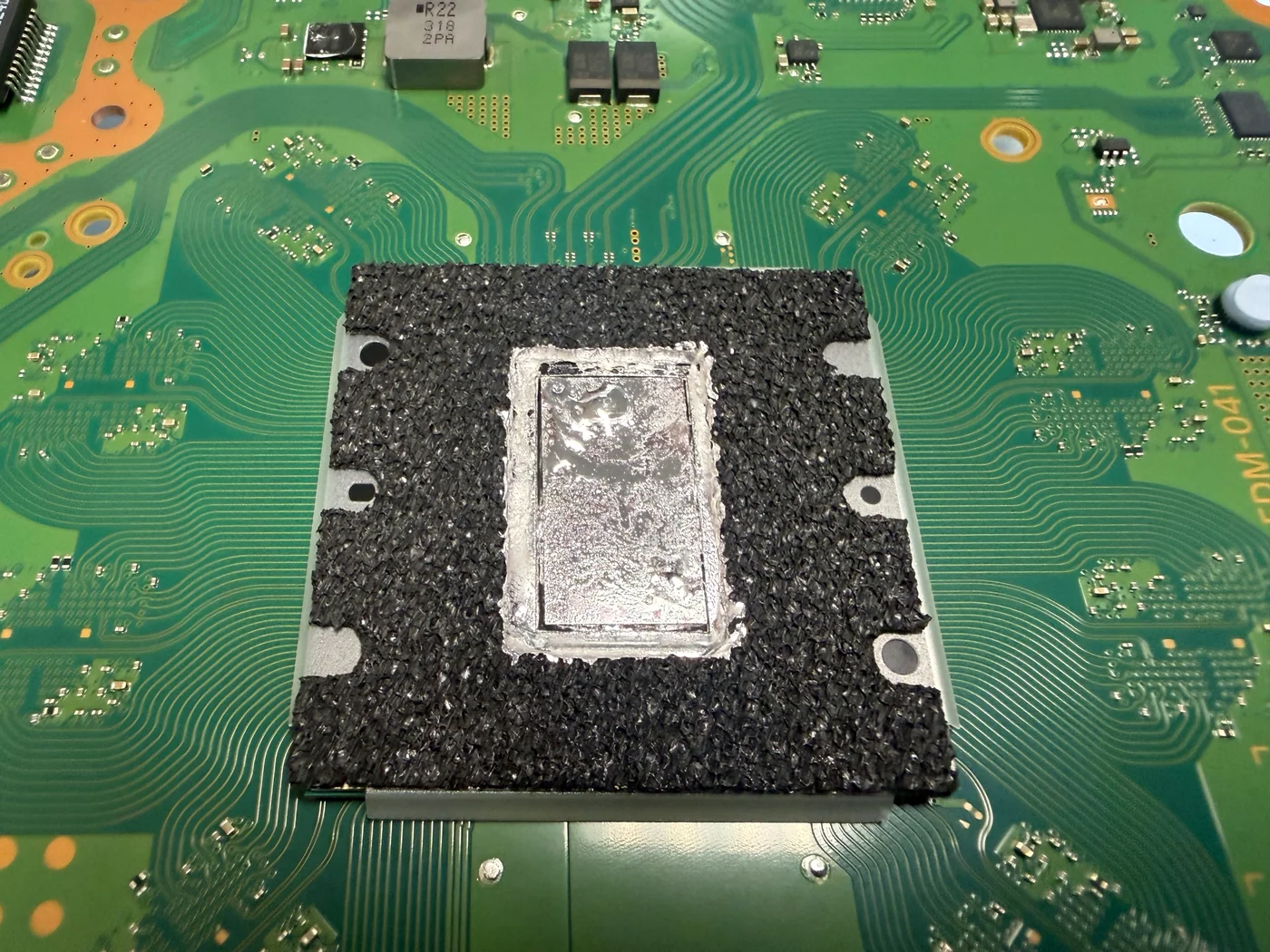
And there's the shutdown
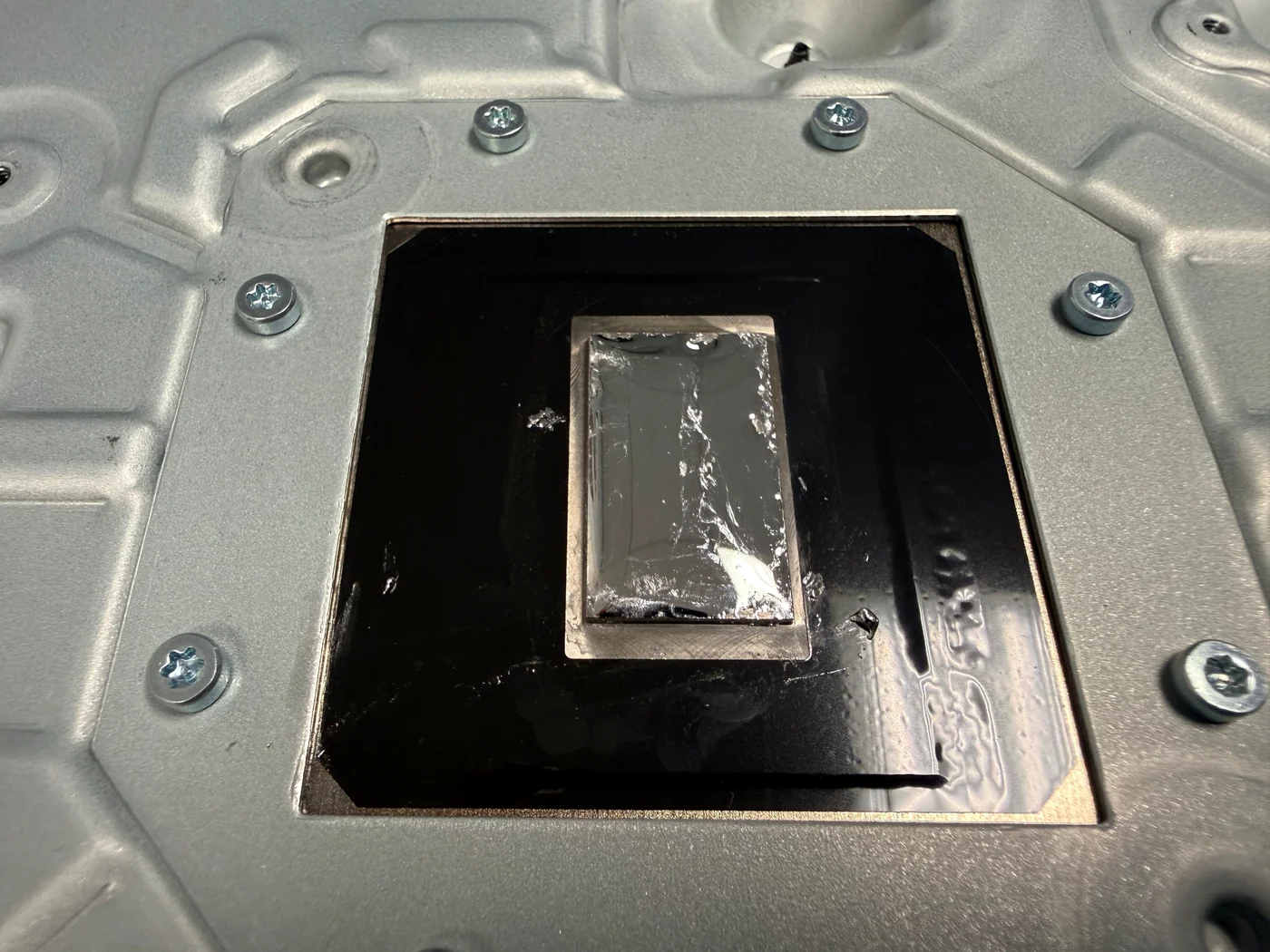
This is the liquid metal exactly as it arrived, on both surfaces — the heatsink's contact plate and the APU die itself. Healthy metal is a bright, even mirror across the whole rectangle. This had gone dull and grainy and crept toward one edge, leaving the middle thin — so the hottest part of the chip was the worst-cooled part of the chip. Under game load the temperature runs away, the console shuts itself down to protect the hardware, and in the living room that just looks like the screen going black.
The part you can't rush
First the old metal has to come off. It gets worked into a single bead with a fine needle and lifted away, and then the plate is cleaned and polished back to bare metal — fresh liquid metal won't wet a dirty surface, it beads up and rolls instead of spreading. Only then does the new metal go on, in one controlled drop, worked out to the edges of the contact area: close to the border, never past it. More is not better here. Too much has nowhere to go but over the edge, and over the edge is the main board.
Then the putty, which is half the job
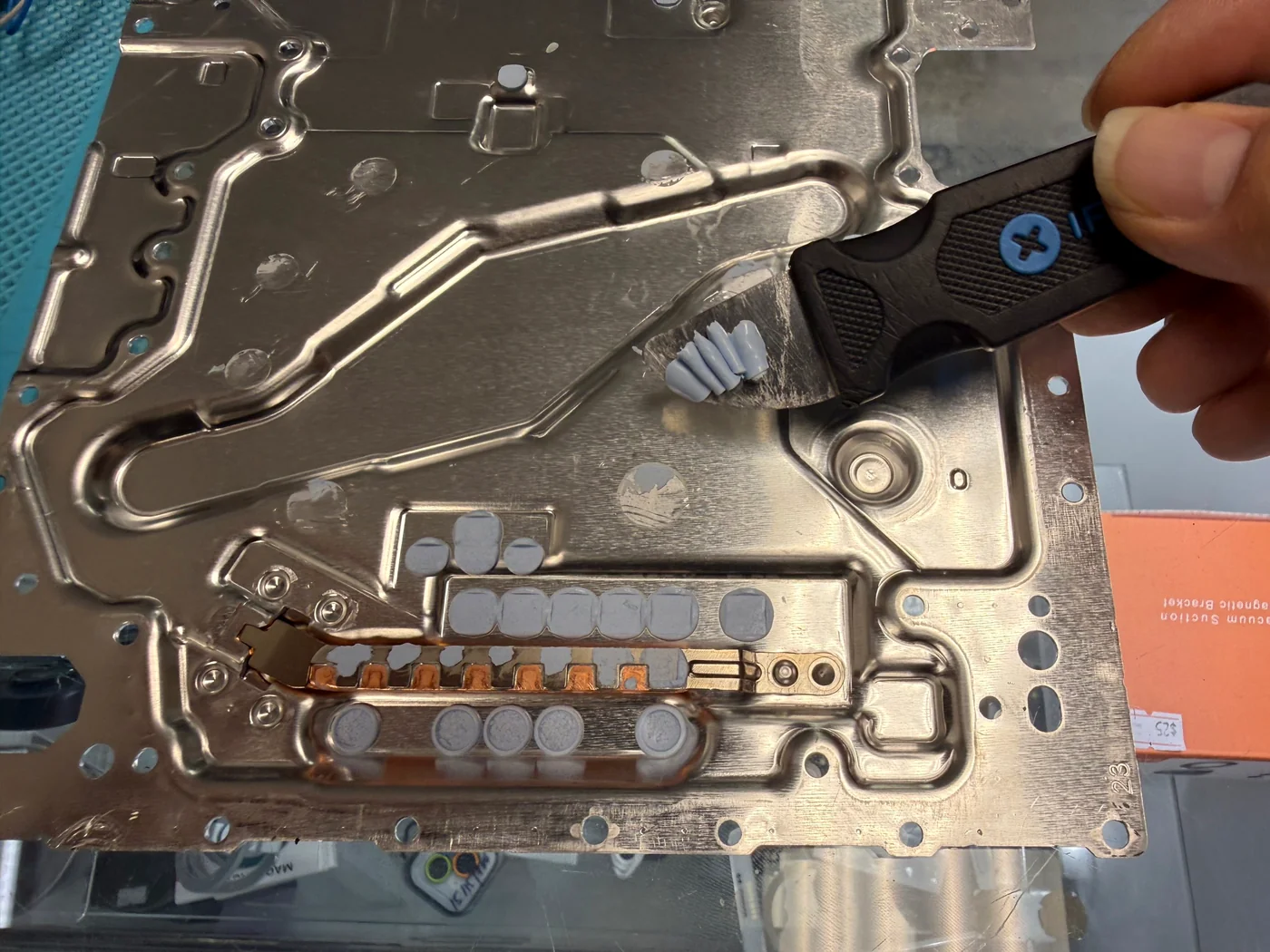
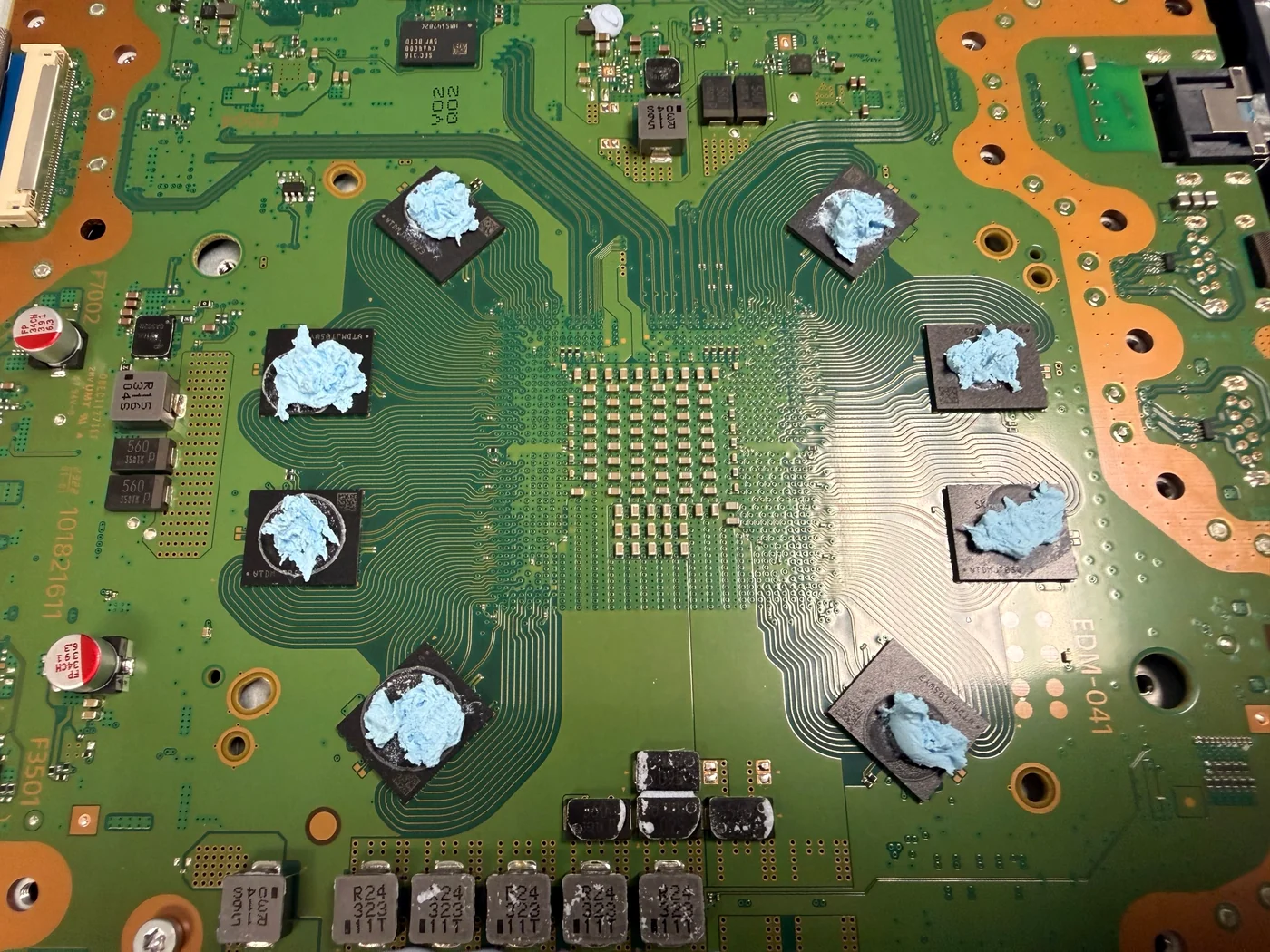
With the metal done, the old thermal putty comes off. Fresh putty should squash like soft clay; this came away in dry curls. It has to be cleared from the heatsink pads and from the chips on the board, both sides, because any old material left behind holds a gap open exactly where heat needs to cross.
New metal, new putty, closed up
Fresh putty on every chip, then run hard on the bench before it goes home.
It stays on now
New putty goes onto every memory and power chip at the right height — enough to meet the heatsink under pressure, not so much that it squeezes out where it shouldn't. Then the console is closed up and run until it's properly hot, the point where it used to quit. The fan settled into a steady note instead of climbing, and it kept going. He dropped it off that morning and picked it up in the afternoon, which is how most of these go when nothing unexpected turns up inside.
What LA gamers ask us about PS5 overheating
Straight answers, as always.
My PS5 Slim keeps shutting off while I'm playing. Is it overheating?
Usually, yes — especially if the fan gets loud first and it only happens once a game has been running a while. Dried liquid metal and hardened thermal putty are the common cause, and replacing both fixes it. But a console that cuts out mid-game can also have a board or power-supply fault, and that will not be fixed by new thermal material. We check which one it is before you pay for anything, and the diagnosis is free.
How much is PS5 liquid metal and thermal putty replacement in Los Angeles?
$120 flat for liquid metal and thermal putty replacement — not "starting at." Deep cleaning is $120 on its own, but if you add it while we already have the console open for the thermal service it's $30 more, so $150 for both. Overheating jobs often need the cleaning too, because dust in the fins undoes the work we just did. We'll tell you on the bench if yours needs it. Here's our full breakdown of what PS5 overheating repair costs.
How long does it take, and do I have to leave it overnight?
2–3 hours of actual work. Drop it off in the morning and you're picking it up that afternoon. If it comes in during the afternoon, it's ready the next morning or afternoon. We'd rather give the job its full time than hurry it — this is a repair where rushing costs you the console, not just the quality.
Can I replace the liquid metal myself?
We'd rather you didn't. The disassembly is where most home repairs end badly — torn fan connectors, stripped standoffs, broken clips — and liquid metal is electrically conductive, so a single bead that escapes onto the board turns a $120 repair into a replacement console. Between tools and materials you'd spend close to the repair price for one attempt with no second try. If your PS5 is already open and something came off, bring it in anyway; that's a normal day for us.
What else do you fix on a PS5 in Downtown LA?
HDMI port replacement is our other big one — no picture, no signal, a bent or broken pin inside the port — plus interior and exterior deep cleaning and the thermal service on this page. You can see the whole list on our game console repair page. Booking ahead is best, but walk-ins are fine.
More PS5 repairs from our Downtown LA bench
Same bench, same philosophy, different consoles.
PS5 shutting off mid-game in Los Angeles?
Free diagnosis, liquid metal and thermal putty replacement for $120, deep cleaning $30 more while it's open, and most consoles go home the same day. FIXSTORY DTLA, 810 S Flower St, Suite B, Los Angeles. Booking ahead is best, but walk-ins are welcome — call 424-270-4369 and ask us anything.