

Your PS5 Is Breathing Through ThatPS5 Deep Cleaning Service — Downtown LA
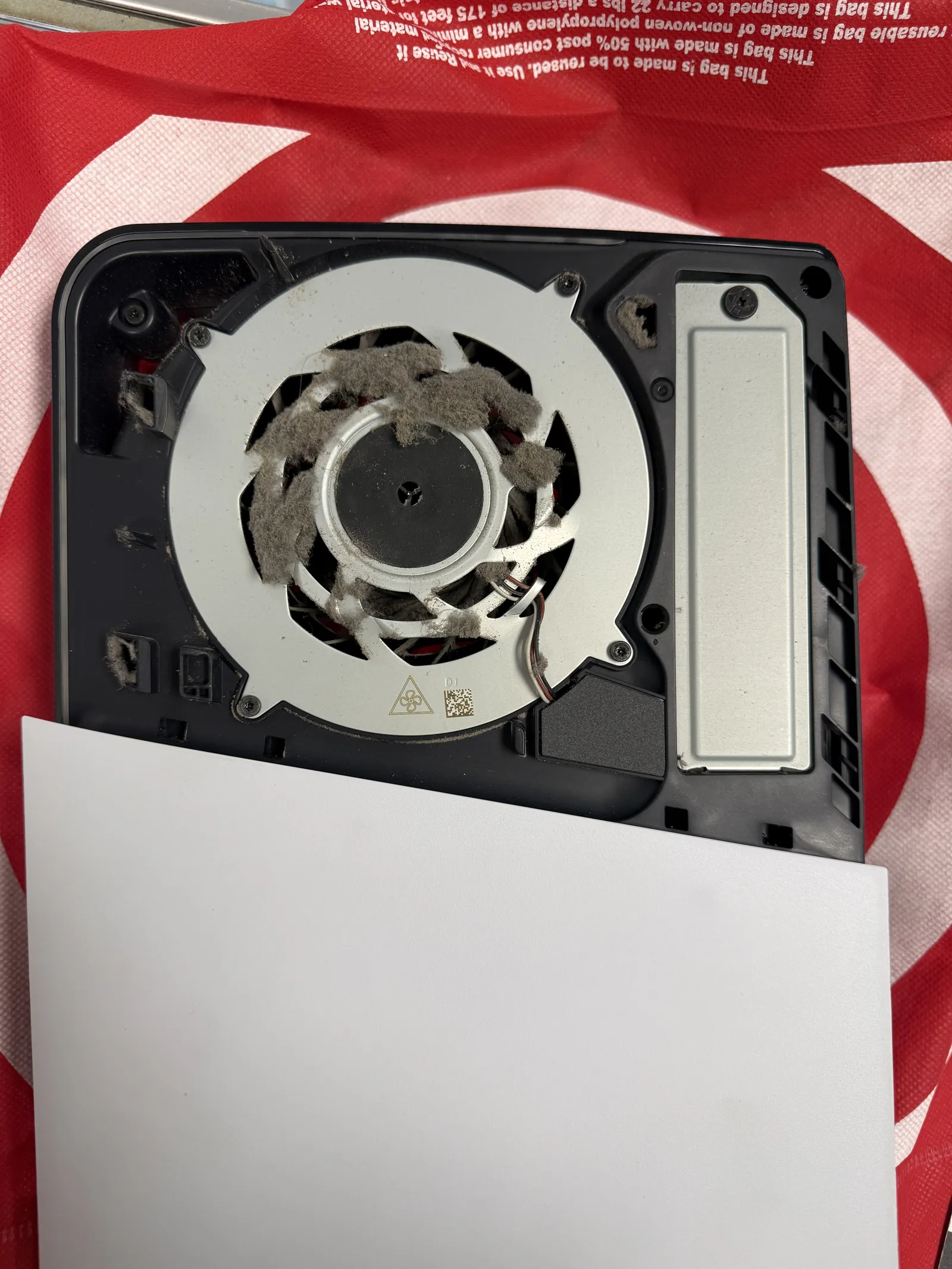
This PS5 came in loud, hot, and shutting down mid-game. One look inside told the whole story: the fan was packed solid with dust, and a console that can’t breathe can’t cool itself. The good news on this one — no roaches, which made it a quick job. Yes, that’s a thing we check for, and yes, we find them. Here’s what a proper deep cleaning looks like, what it costs, and when it’s worth adding fresh liquid metal.
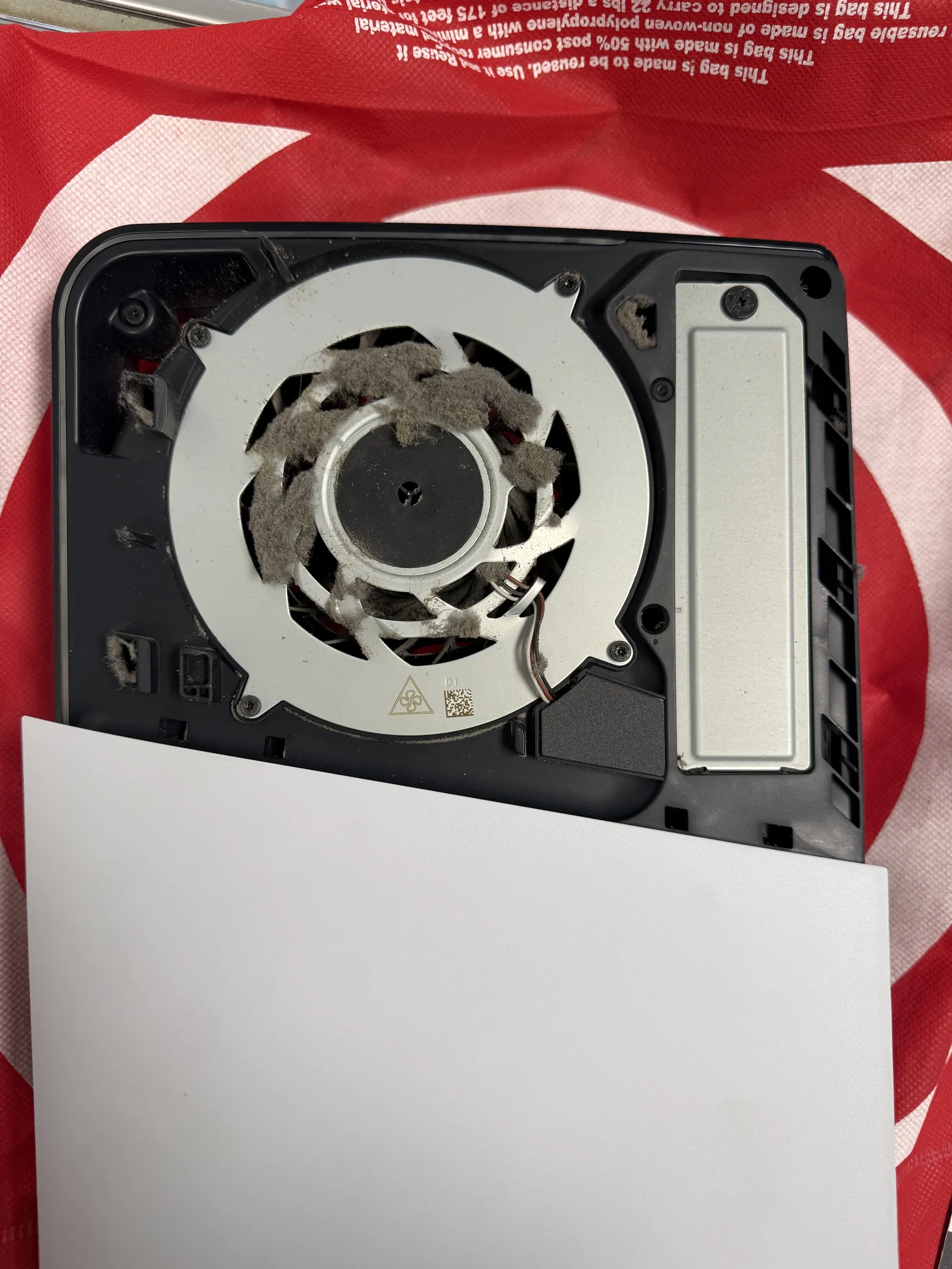
Loud fan, heat, shutdowns mid-game
$120 · no roaches on this one
Spotless inside, back the same day
The service, on one card
What a PS5 deep cleaning costs and how long it takes — no surprises at the counter.
| Model | PS5 · heavy dust, thankfully no roaches |
|---|---|
| Service | Full teardown deep cleaning — fan out, heatsink cleared, every vent and corner |
| Price | $120 · $150 if roaches are found · liquid metal +$30 with cleaning |
| Bench time | 2 to 3 hours · roach jobs can run 3 to 4 hours longer |
| Turnaround | Drop off in the morning, pick up that afternoon. Afternoon drop-offs are usually ready the next afternoon, depending on the day’s queue. |
| Teardown | Careful work3 / 5 |
| Tech’s note | Honestly, none of this is difficult work — but the teardown and the reassembly punish carelessness, and doing it properly just takes time. That’s the whole skill: patience and attention, not tricks. Now, here’s the honest math on liquid metal. A PS5 dusty enough to need this cleaning has usually run hard enough that the liquid metal on the processor is near the end of its life too. Applying it while the console is already open adds $30. Coming back for it later means opening everything again — and as a standalone job it runs $120. Same work, four times the price, purely because of the teardown. If your PS5 looks like this one did, do both in one visit. And one caution from experience: we’ve soldered fan connectors back onto boards for people whose DIY cleaning went one pull too far. The teardown is the risky part — let it be our risk. |
What dust actually does to a PS5
The PS5 moves a lot of air, and everything in that air stays inside. Sooner or later it adds up to this.
Choked fan, cooked console
Dust builds on the blades and vents until the fan moves noise instead of air. Heat has nowhere to go, and the PS5 protects itself the only way it can — by shutting down mid-game.
Roaches. Yes, really.
A warm, dark box with airflow is prime real estate. Their droppings corrode boards, and a heavy infestation can kill a console for good — some of those never turn back on, even after cleaning. Catching it early is the whole game.
Liquid metal wears out too
The thermal compound on the processor ages with heavy use. A console dusty enough to overheat has usually earned a fresh application — and doing it during the cleaning costs a fraction of doing it alone.
All the way down, all the way clean
A real deep cleaning is a full teardown — not compressed air through the vents.
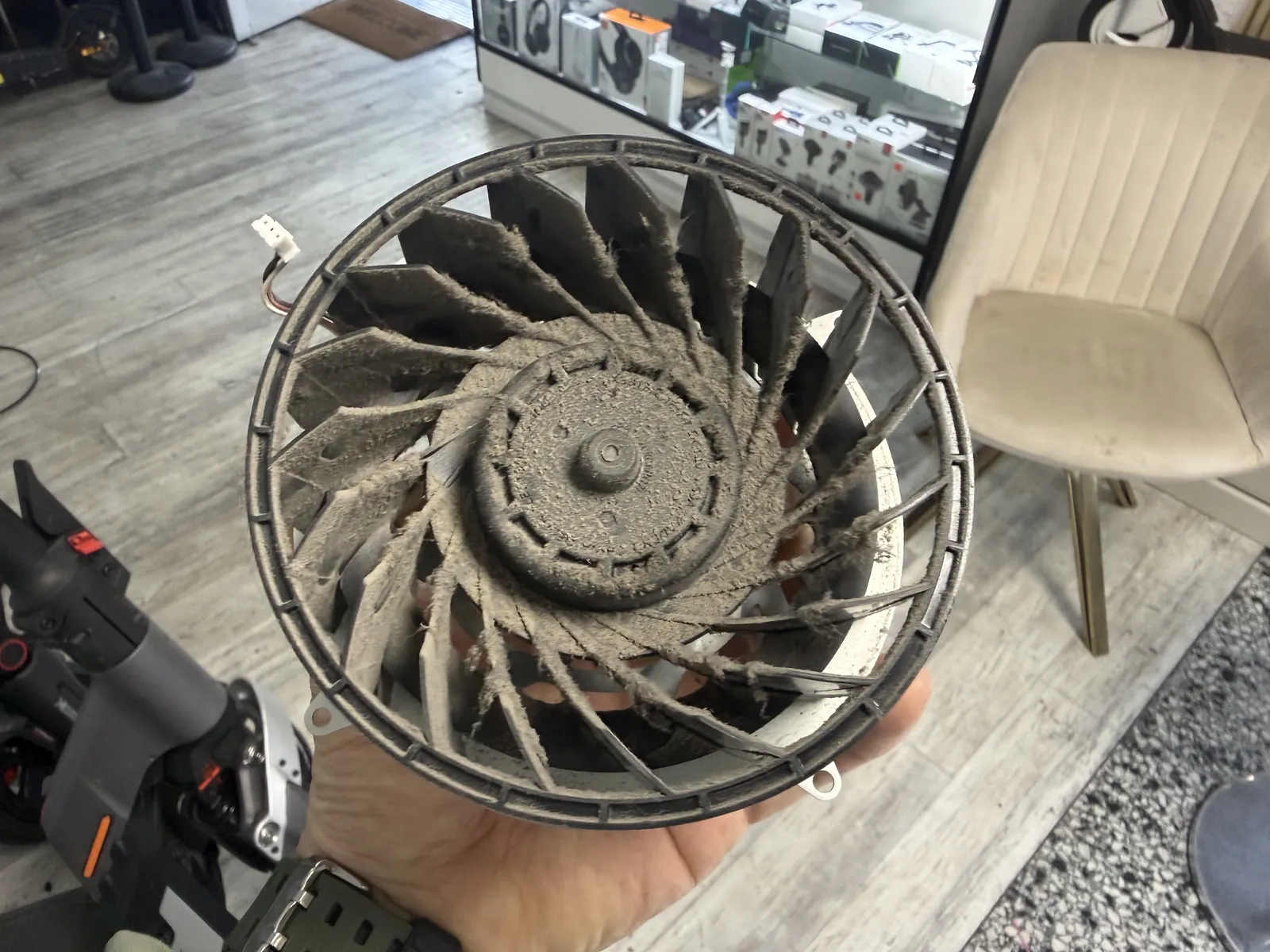
The fan comes all the way out
No shortcuts: the console comes apart until the fan is in hand. This one had every blade caked — a fan in this state spins slower, moves less air, and works the motor harder, all at once. Blowing air at it from outside just relocates the problem.
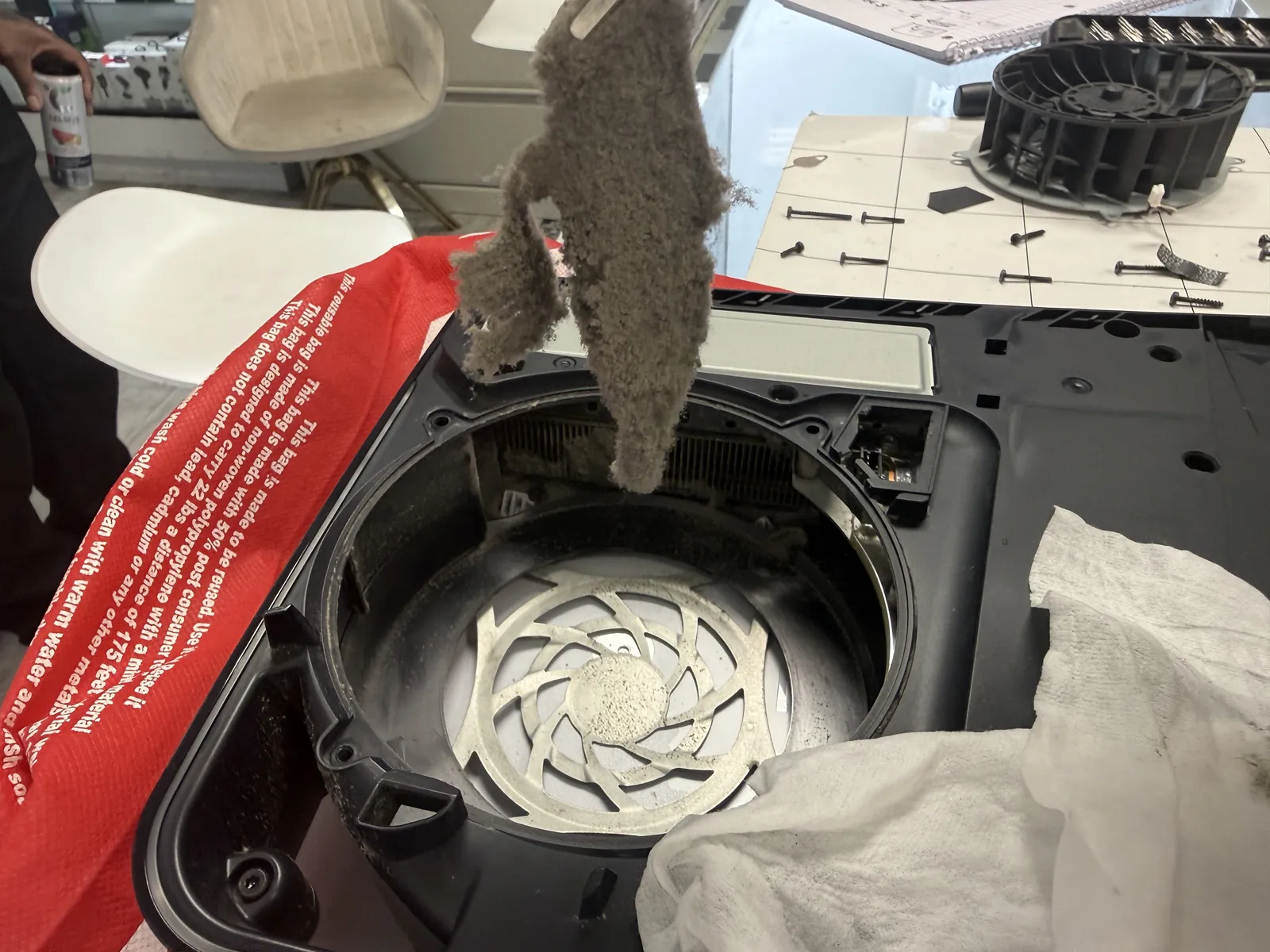
Years of dust, out in one piece
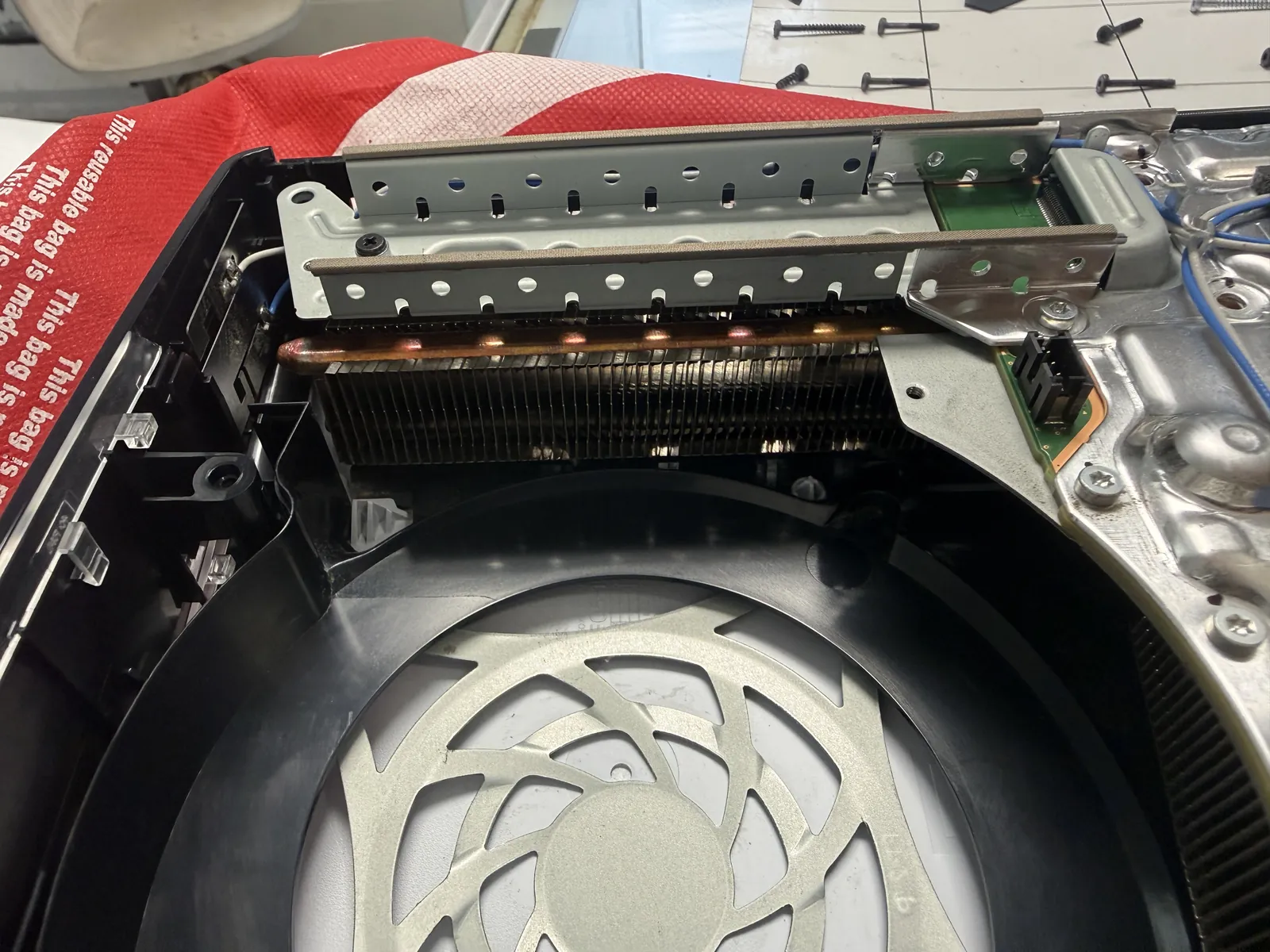
The buildup inside comes out as a solid felt of dust — this sheet was sitting between the fan and the heatsink, exactly where the cooling air has to pass. Every duct, vent, and corner gets cleared the same way, down to bare plastic and metal.
Breathing room, restored
Clean metal, clear vents, and a fan that only has to move air.
Cool, quiet, and back the same day
Heatsink fins clear, fan housing spotless, every vent open. Reassembled, run under load on the bench, and sent home quieter than it arrived — no more mid-game shutdowns, no more jet-engine soundtrack. This one dropped off in the morning and went home the same afternoon.
PS5 loud, hot, or shutting down?
Drop it off in the morning, pick it up in the afternoon — $120 for the full deep cleaning, and we’ll tell you honestly whether fresh liquid metal is worth adding. Walk-ins welcome in Downtown Los Angeles.