

The Cleaning Went Fine. Then a Connector Came Off With the Plug.PS5 Fan Connector Repair — Downtown LA
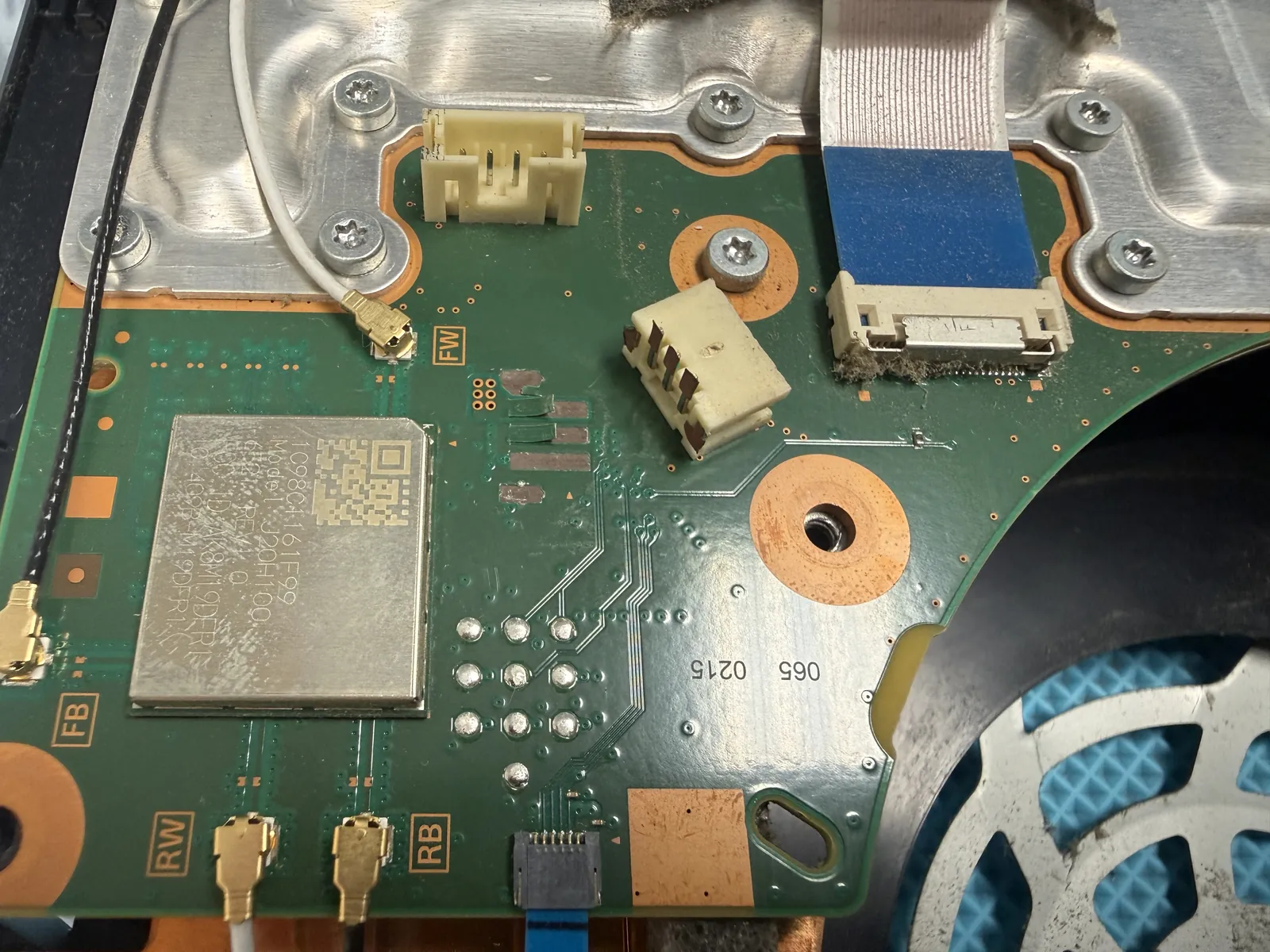
A PS5 came in after a home cleaning that mostly went well — right up until the fan cable. Those little sockets sit tight, and if you pull hard enough, the whole socket rips off the board with the plug still in it. There’s no DIY way back from that. But there’s a soldering iron way back, and this is it.
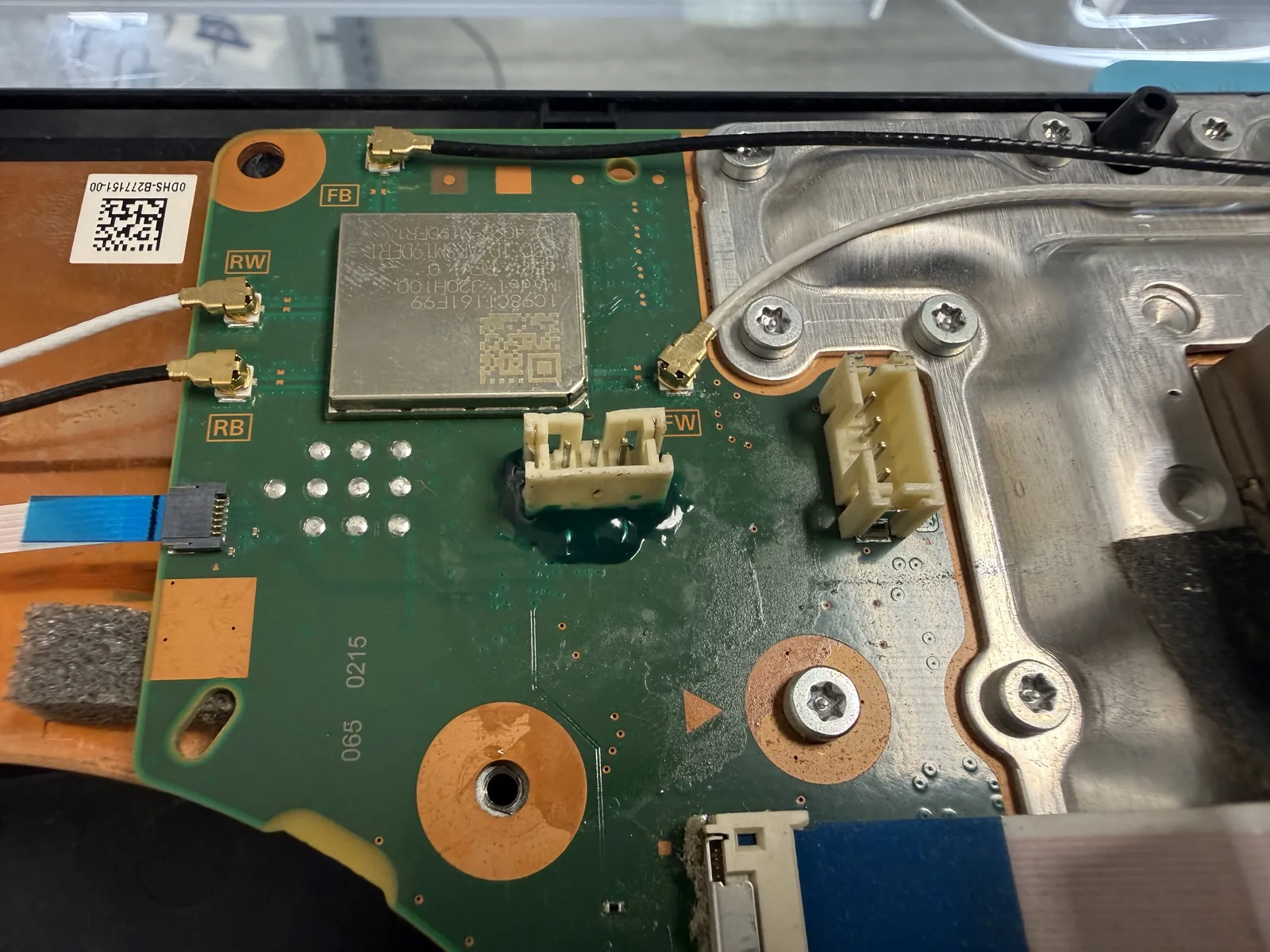
Socket ripped off during a DIY cleaning
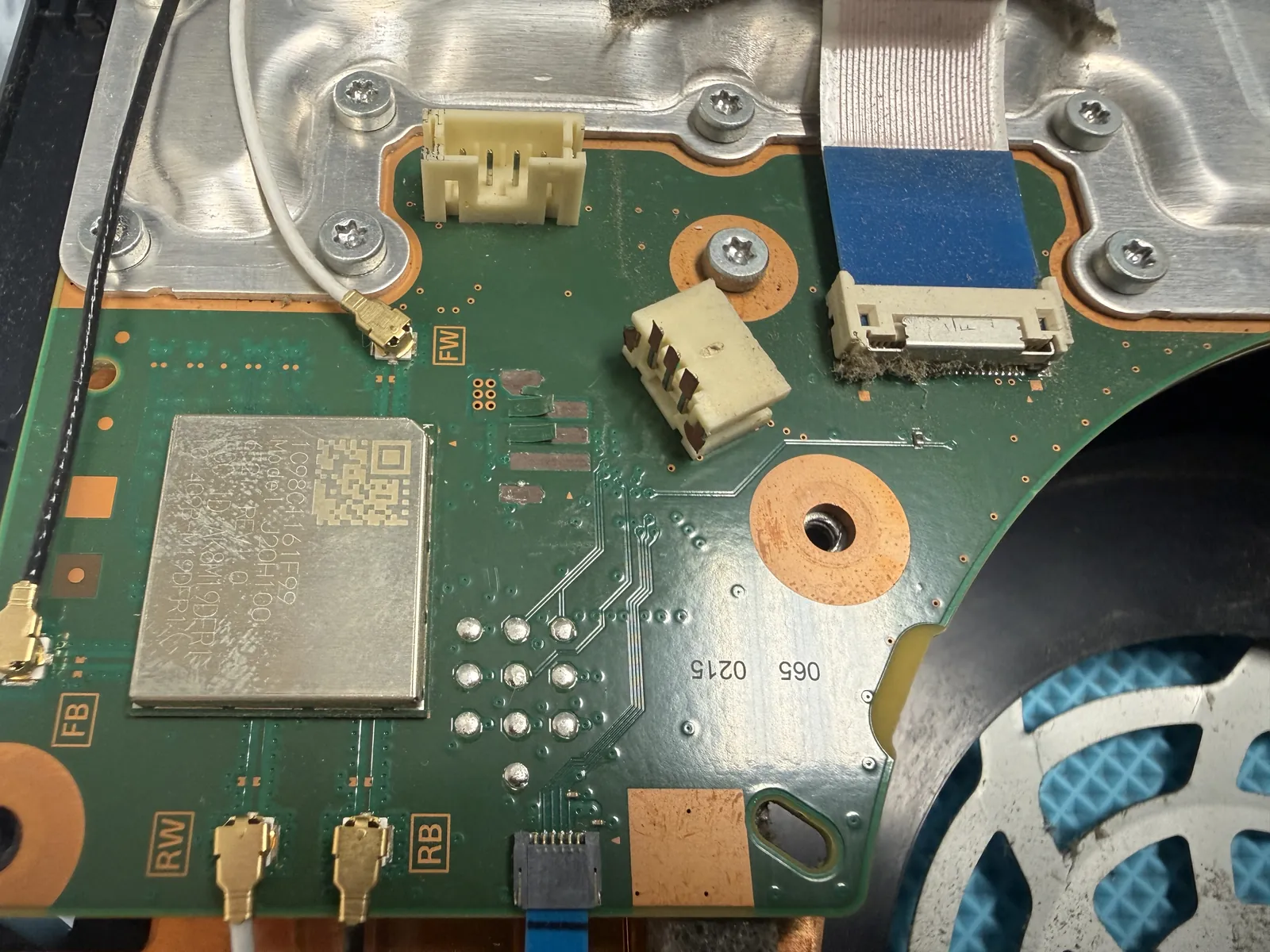
Pads exposed, traces survived
Original position, locked with resin
The job, on one card
Everything that matters about this repair, before the story.
| Model | PS5 · came in after a DIY internal cleaning |
|---|---|
| Problem | The fan’s board socket was pulled clean off the motherboard along with the plug. No fan means no cooling. |
| Repair time | Same day · 2 to 3 hours |
| Warranty | 30 days on the soldering work |
| Teardown | Expert only5 / 5 |
| Tech’s note | Whether this is fixable comes down to what the tear took with it. If the copper pads and traces rip out of the board, the repair gets long and sometimes impossible. This one was lucky — the traces under the socket survived, so rejoining it was straightforward for us. We did weigh one option: extending the wires out so the owner could unplug the fan easily next time. In the end, back in the original spot is the better repair. Our advice instead: if the inside needs cleaning again, swing by — we’ll pop the connectors for you. That part takes us seconds. |
How a cleaning kills a fan
PS5s pull in a lot of dust, and cleaning them out is a good instinct. The connectors are where it goes wrong.
The sockets sit tight
PS5 fan plugs are small and stiff. Without knowing the release angle, the natural move is to pull harder — and the wires transfer all that force straight into the socket.
The socket goes with the plug
The plastic grip is stronger than the solder underneath. So the plug doesn’t come out of the socket — the socket comes off the board, pads and all if you’re unlucky.
No fan, no PlayStation
With the fan dead, a PS5 overheats and shuts itself off minutes into a game. It’ll keep doing that every session until the connector is back on the board.
Soldering the socket back home
No replacement parts — the original socket went back on, joint by joint.
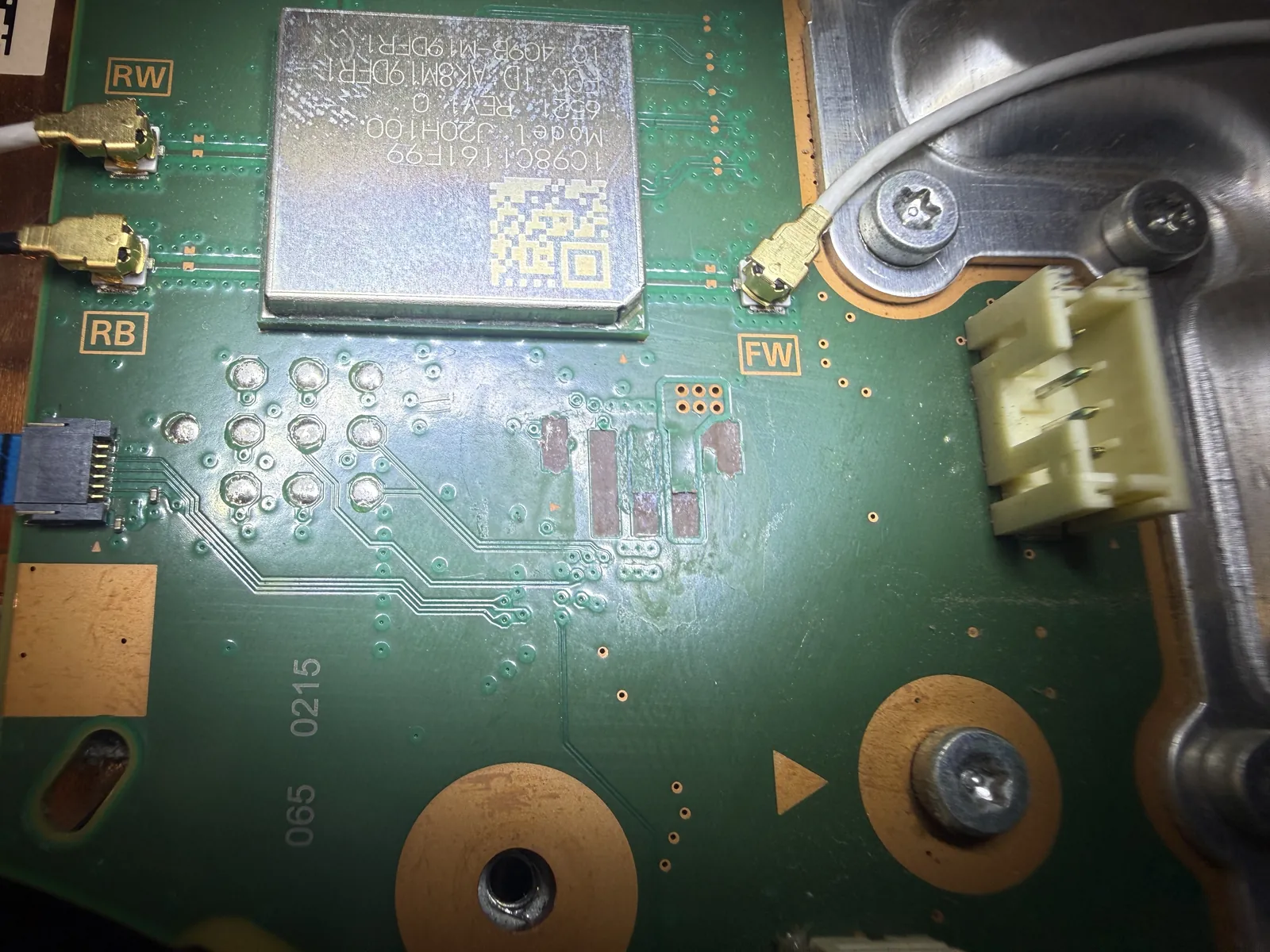
Reading the damage first
Under magnification, the question is what the tear took with it. On this board the copper pads and traces under the socket had survived — which is the difference between a clean repair and one that might not be possible at all.
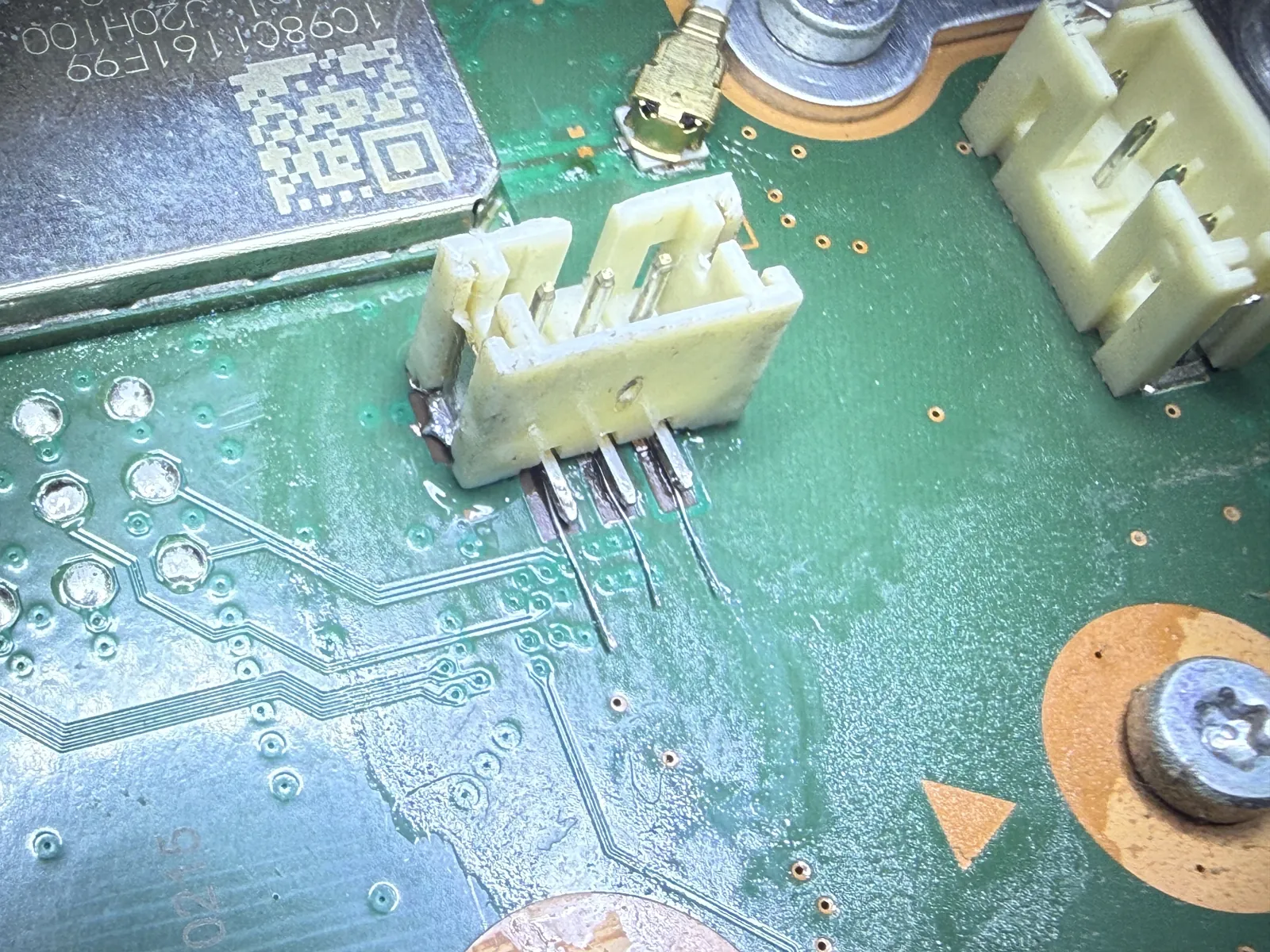
Legs rebuilt, socket rejoined
The socket’s legs get extended and soldered back onto the surviving pads one joint at a time. Everything here is small enough that one bridged joint or one overheated pad undoes the whole job, so it goes slowly and gets inspected as it goes.
Locked down so it never moves again
Solder alone would work — until the next time someone pulls on the plug. A layer of strong adhesive and UV resin over the joints means future tugs land on the glue, not on the solder. It’s now sturdier than it left the factory.
Fan back on, temps back down
Reconnected, reassembled, and run long enough to trust it.
Spinning like nothing happened
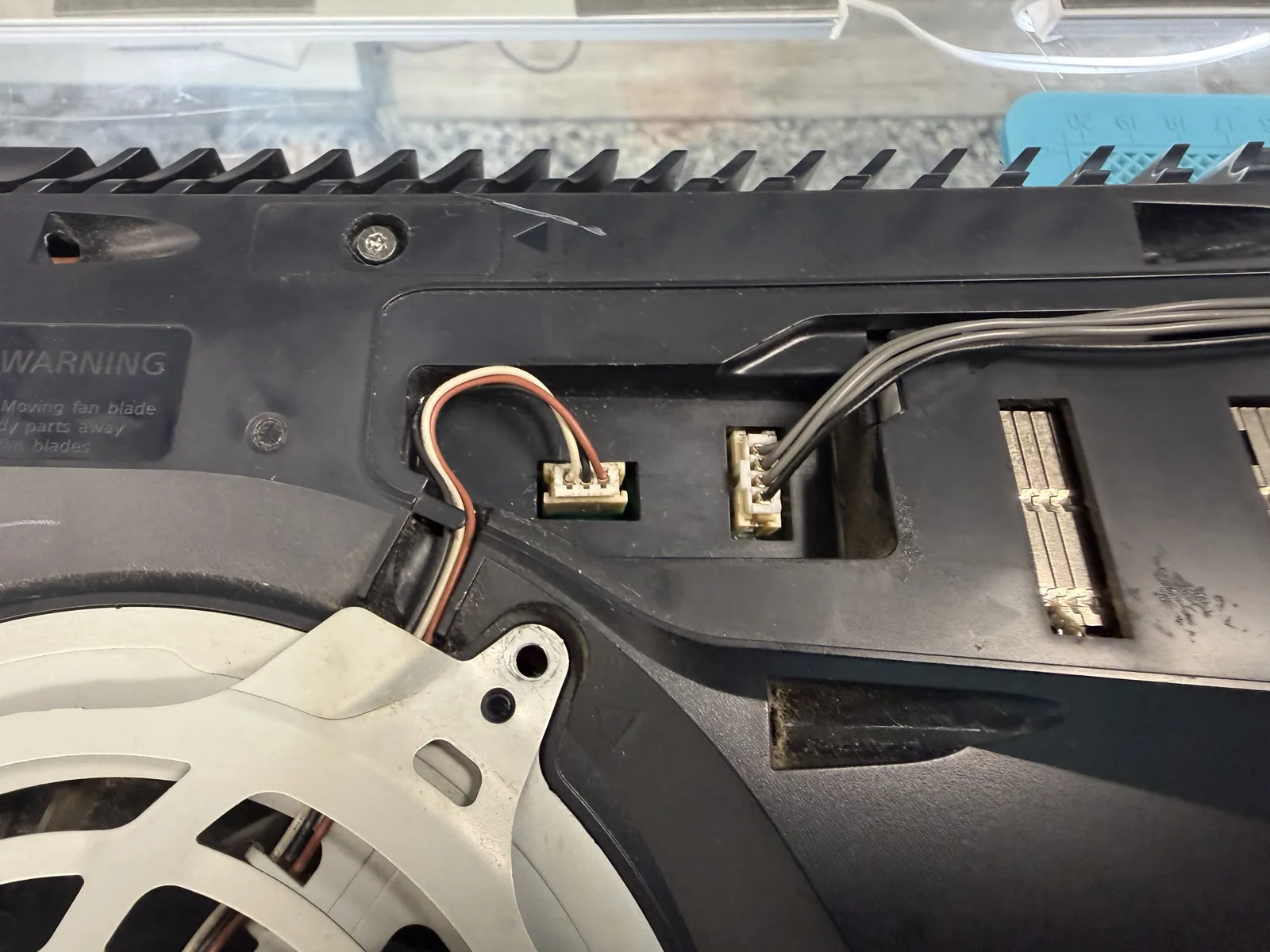
Fan cables back in the repaired socket, console reassembled, and left running on the bench — fan spinning up and down with load, no thermal shutdowns, no error screens. We sent it home with one piece of advice: next time the inside needs a clean, come by first. Unplugging these connectors takes us seconds, and it beats another soldering job.
PS5 cleaning gone wrong?
Bring it in — diagnosis is free, most connector repairs are done the same day, and you only decide once you know what’s actually wrong. Walk-ins welcome in Downtown Los Angeles.