

Shattered Front, New ScreenSamsung Galaxy Tab S6 Lite (SM-P615) Screen Replacement — Downtown LA
The front was shattered corner to corner and held together with packing tape. It still turned on, which surprises people, but it was never going back to normal with tape on it. The replacement screen for a Tab S6 Lite comes as one piece — glass and LCD already bonded together at the factory — so the old screen comes out in full and a complete new assembly goes in. Here is the repair, from the first heat pass to the finished tablet.
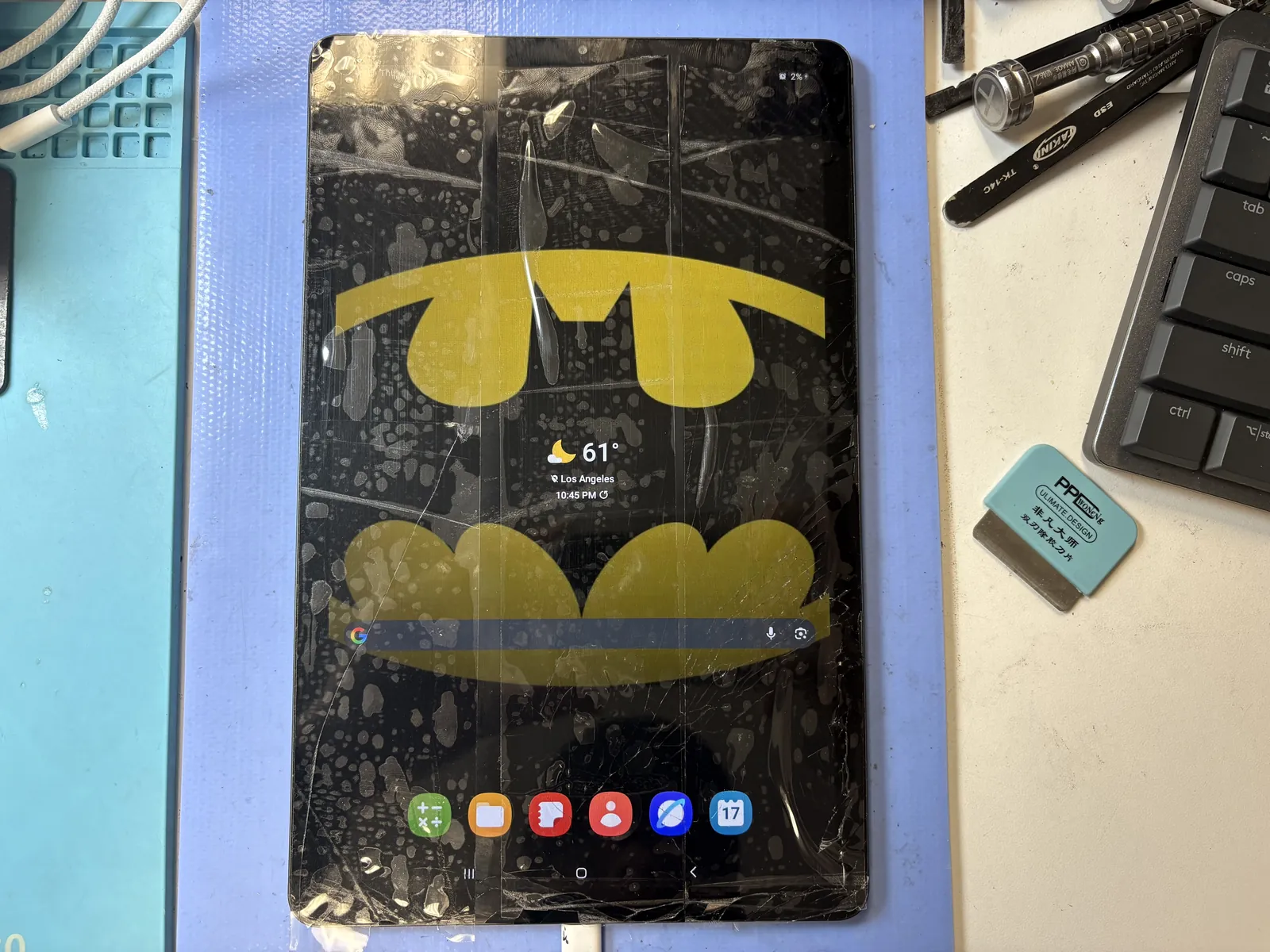
Cracks across the whole screen, taped over
Glass and LCD replaced as one bonded unit
About 2 hours on the bench once the part arrived
The job, on one card
Everything that matters about this Galaxy Tab S6 Lite screen replacement, before the story.
| Model | Samsung Galaxy Tab S6 Lite · SM-P615 · 10.4" · LTE |
|---|---|
| Problem | Front glass shattered end to end and taped down so the shards would not fall out. It still powered on and the touch still answered, but the screen was finished. |
| Repair | Complete screen assembly replaced — the glass and LCD come pre-bonded as a single part, so the whole screen was swapped, not just the glass. |
| Repair time | About 2 hours on the bench · screen ordered in for this model |
| Teardown | Moderate2 / 5 |
| Tech’s note | On Samsung tablets, the board mounted behind the screen has to come off the old screen and move over to the new one. Pull it off carelessly and you can damage the board. Taking that board off cleanly is the whole point of this repair — and once you know that, it is not a difficult job. |
How tablet glass breaks
A 10.4-inch sheet of glass over an air gap has nowhere to hide. Almost every cracked tablet we see arrives one of three ways.
It lands on a corner
Off the couch, off a car seat, off the kitchen counter. The corner takes the whole impact and the crack runs diagonally across the panel from there — exactly the pattern on this one.
Pressure in a bag
A tablet stacked under a laptop in a backpack flexes across the middle. No drop, no visible impact point, just a spiderweb that appears one morning.
Weeks of tape
Most people keep using it. Tape holds the shards in, but the crack keeps spreading, the touch starts dropping out in places, and grit works its way down the edge into the frame — which is the part that turns a straightforward screen swap into extra work.
From heat gun to finished screen
The Galaxy Tab S6 Lite screen assembly replacement, in the order it actually happened on the bench.
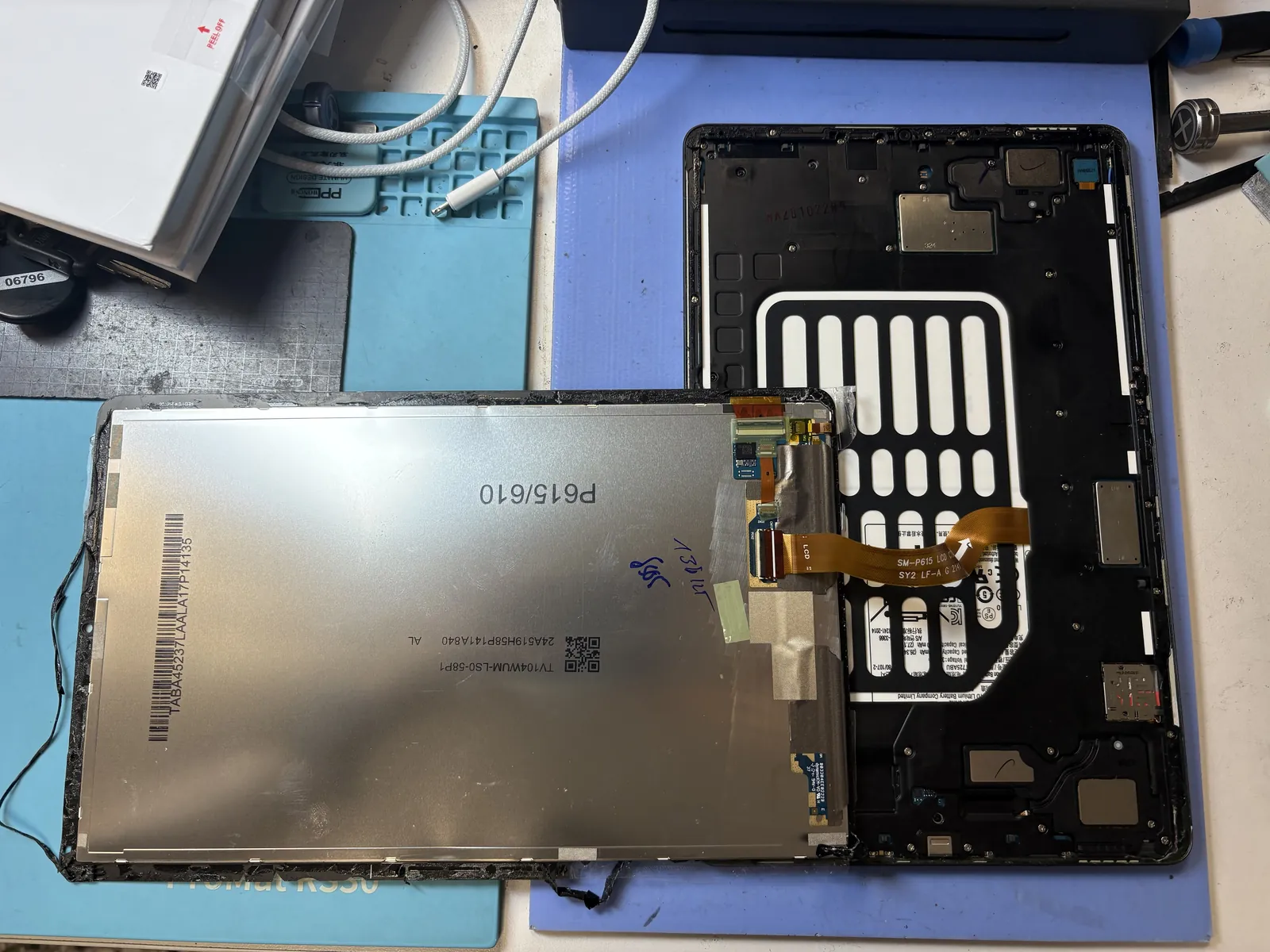
Heat, separate, lift
The broken screen comes off the front — heat around the perimeter, then thin steel worked slowly under the bond line. The customer’s tape actually helps here: it keeps the shards in one sheet instead of scattering them across the frame. The panel is lifted clear of the chassis with the battery and the flex cables left untouched underneath.
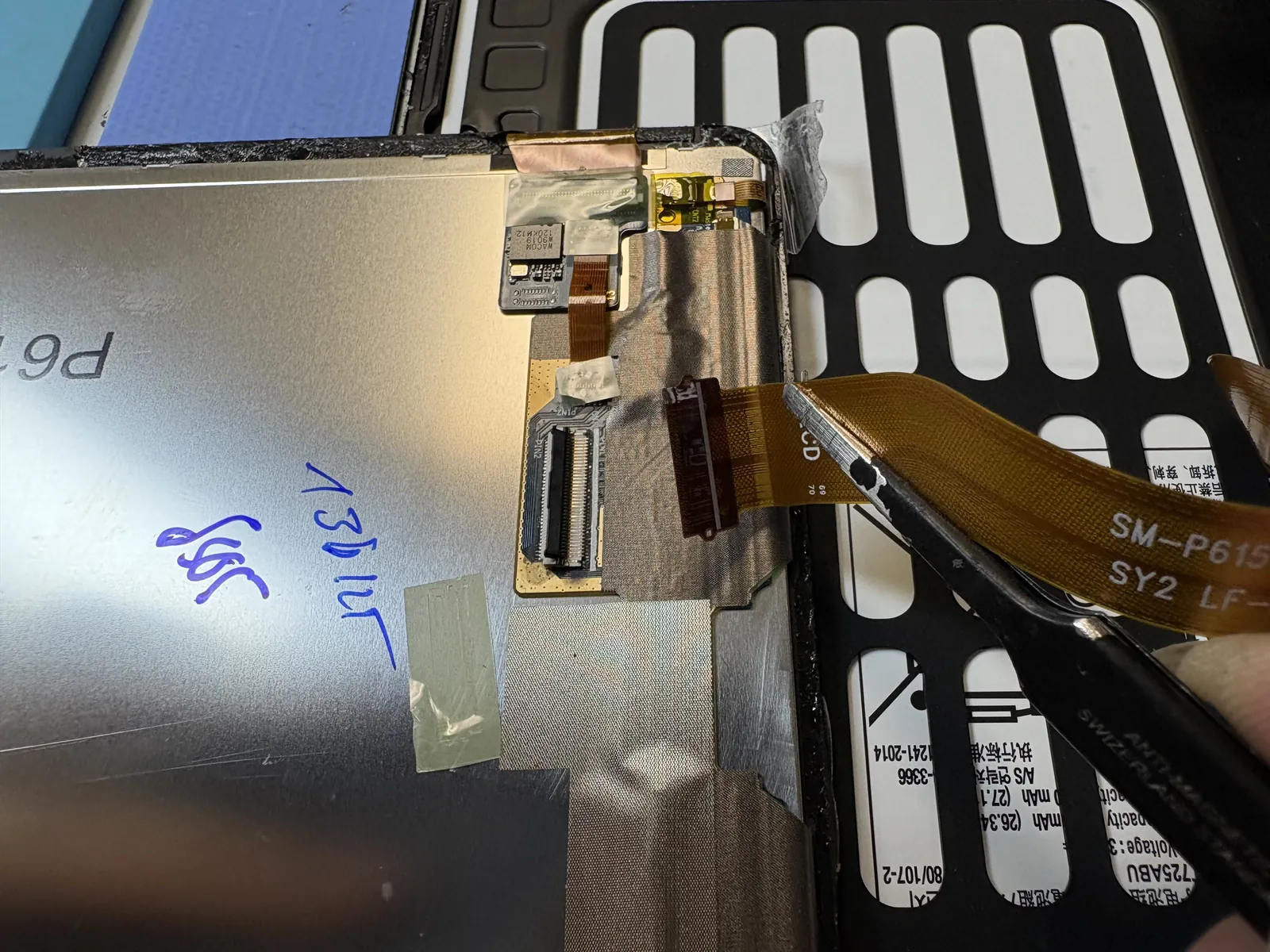
The board moves to the new screen
The display flex is released and the old screen comes away complete — glass and LCD as one bonded unit. Then the careful part: the small board mounted on the back of the screen has to be lifted off the old panel and transferred to the new one. It is held on with adhesive, and prying at it without thinking is how boards get damaged. Slow and flat, and it comes off clean.
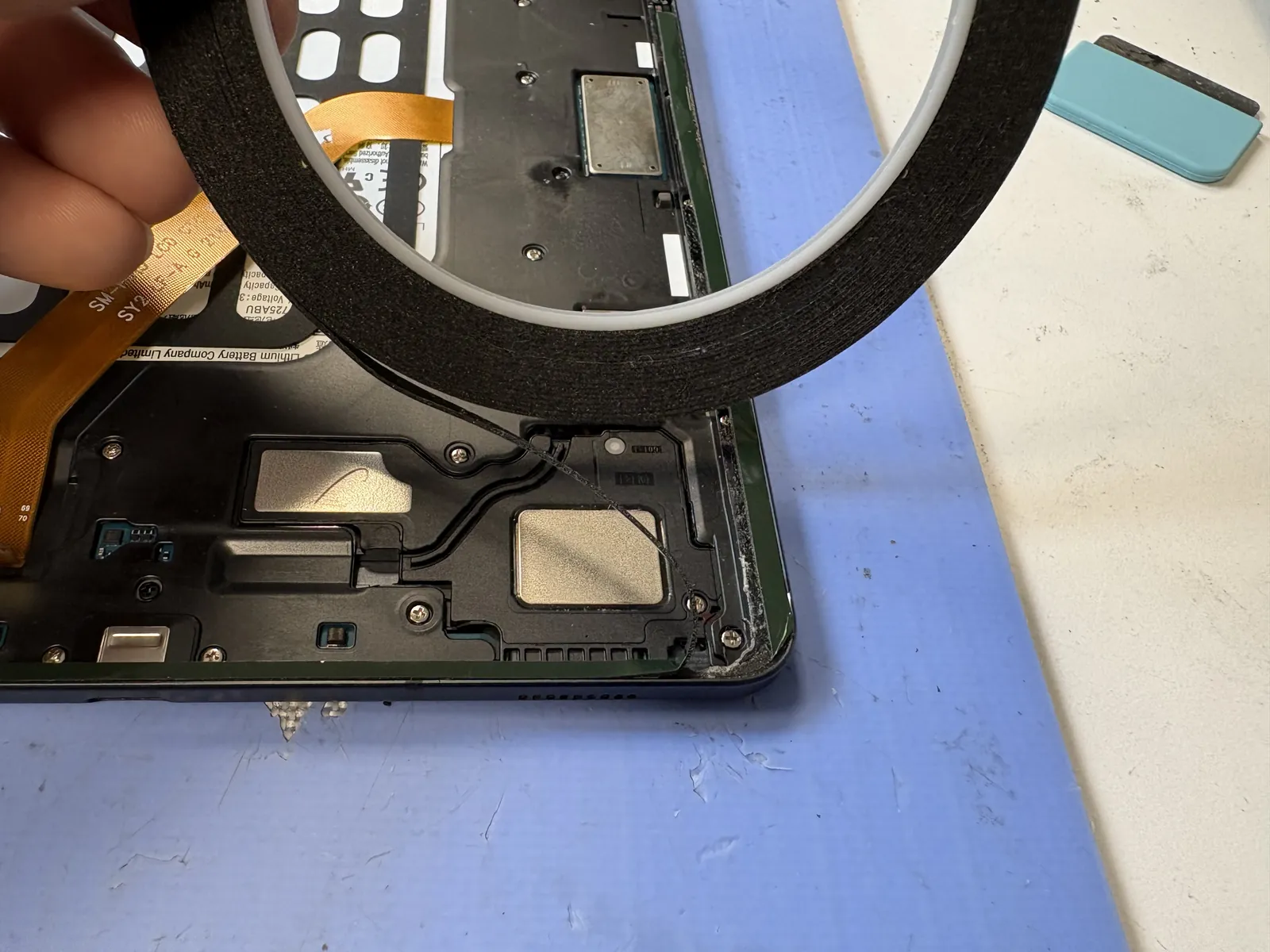
Every last shard out of the frame
The slowest step, and the one that decides whether the repair looks factory or homemade. Old adhesive is scraped off the whole rail and the frame is checked corner by corner under magnification. A single grain of glass left in the channel holds the new screen a fraction of a millimetre high — and that gap becomes the next crack.
New screen on, then clamps
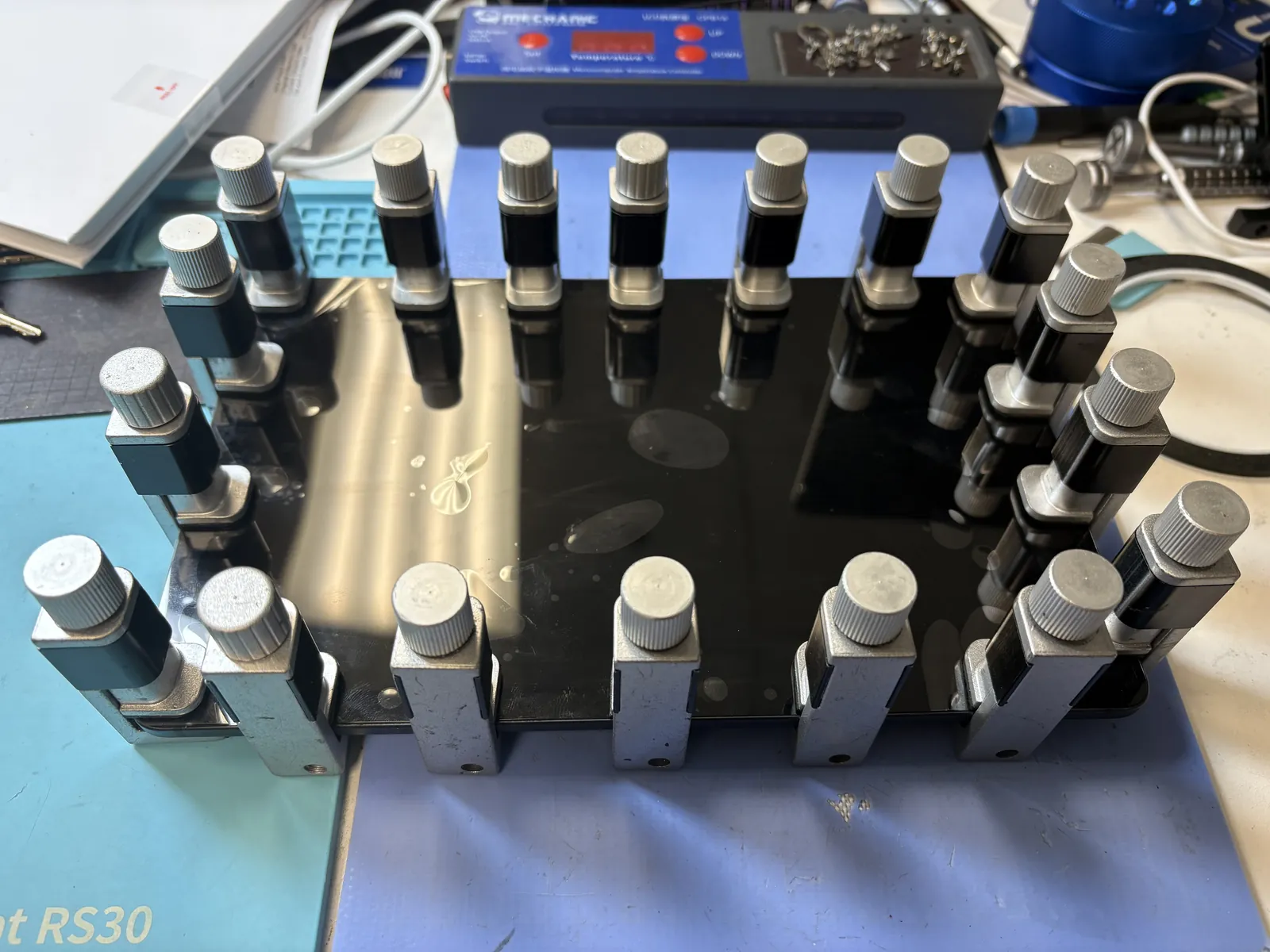
Fresh adhesive around the rail, the new assembly aligned dry first and tested before it is stuck down, then pressed in and clamped along every edge. The clamps stay on while it cures. Skipping this is why some repaired tablets creak at the corners or lift after a month — the bond needs even pressure the whole way around, not thumb pressure for thirty seconds.
Back to a flat, clean screen
Reassembled, powered up, and tested before it went back to the counter.
New screen, same tablet
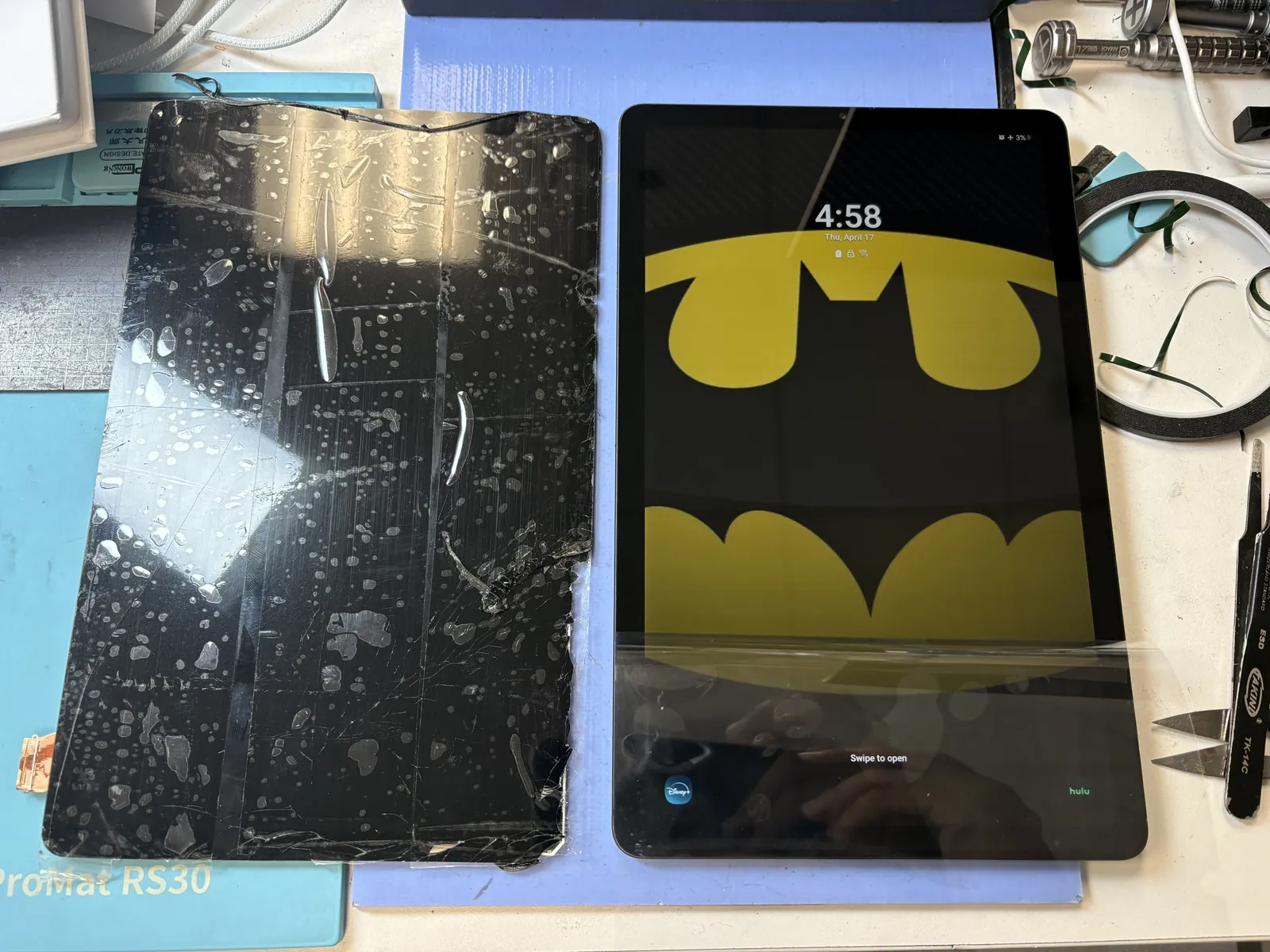
It booted straight to the lock screen with the customer’s wallpaper exactly as it was — nothing wiped, nothing reinstalled, no setup to redo. We ran a touch grid across the full panel, checked brightness and colour against a known-good unit, looked at the edges and corners where a bad bond shows up first, and confirmed the S Pen tracked all the way out to the corners before calling it done.
The old screen is on the left in the photo — glass and LCD, still stuck together as the single part they came out as. That is what a Tab S6 Lite screen replacement actually removes.
Galaxy Tab screen repair, answered
What customers ask us at the counter before they hand over a cracked tablet.
Is the Galaxy Tab S6 Lite screen replaced as one piece?
Yes. The replacement screen for the Tab S6 Lite comes as a complete assembly with the glass and the LCD already bonded together, so the old screen comes out whole and a whole new one goes in. That is what was done in this repair — a full screen replacement, not a glass-only job.
My display still works — can you just replace the cracked glass?
Not on this model, and it is worth knowing before you compare quotes. The glass is factory-bonded to the LCD as a single part, so the whole assembly is replaced either way. The upside is that the price does not change if the display turns out to be damaged too — there is no upcharge once we open it.
Will the S Pen still work after a screen replacement?
Yes. The board that reads the S Pen sits behind the screen, and during the repair it is carefully transferred from the old panel to the new one. We test the pen out to all four corners before handing the tablet back.
How long does a Galaxy Tab screen repair take?
The work itself is about two hours on the bench — most of that is the new screen curing under clamps, which cannot be rushed without the corners lifting later. What usually adds time is the part: tablets come in hundreds of screen variants, so we cannot stock them all, and most models are ordered in. Once the screen is in hand, the repair is done the same day. Bring the tablet by or send us the exact model number and we will tell you whether yours is on the shelf or a few days out.
Will I lose my photos or apps?
No. A screen repair does not touch storage, and this tablet came back with the same wallpaper, apps and files it arrived with. We still recommend backing up before any repair, simply because it costs nothing to be safe.
Which Samsung tablets do you repair in Los Angeles?
We handle Galaxy Tab S6 Lite, Tab S7, S8 and S9, the Tab A and A7 series, and Tab Active models, along with iPad and other tablet brands. Walk in to our Downtown Los Angeles shop — we also see customers from Koreatown, Arts District, Echo Park and the surrounding neighborhoods.
Cracked Galaxy Tab screen?
Bring it in — diagnosis is free, and you get the price before anything comes apart. We order the exact screen for your model, and once it arrives the repair is done the same day. Walk-ins welcome in Downtown Los Angeles.