

We Got the iPad to Turn On Again. Then We Told Him Not to Fix ItiPad 11-inch (2025), bent frame, no power, 5,000 photos inside — when data transfer beats repair, Downtown Los Angeles
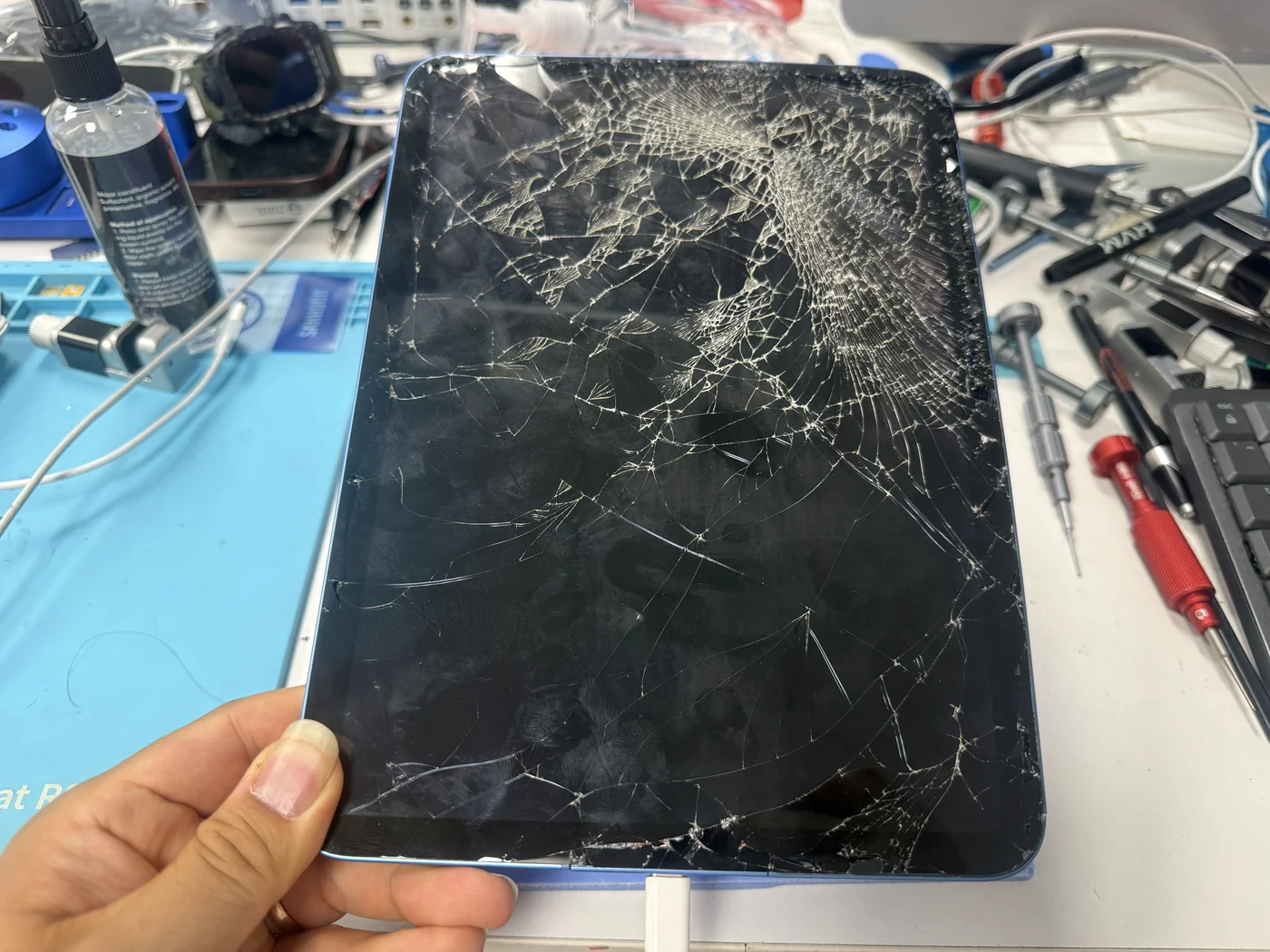
The iPad came in completely dead. No picture, no backlight, not a flicker of light from the screen. The glass was shattered and, worse, the whole body was twisted — the right side and the bottom edge bent, the frame no longer flat. The customer had one priority: the data. On the bench, with a genuine test digitizer and LCD connected, it booted straight to the lock screen. The photos were all there. And that's exactly when we told him the honest thing: don't repair this one. Move the data to a new iPad instead.
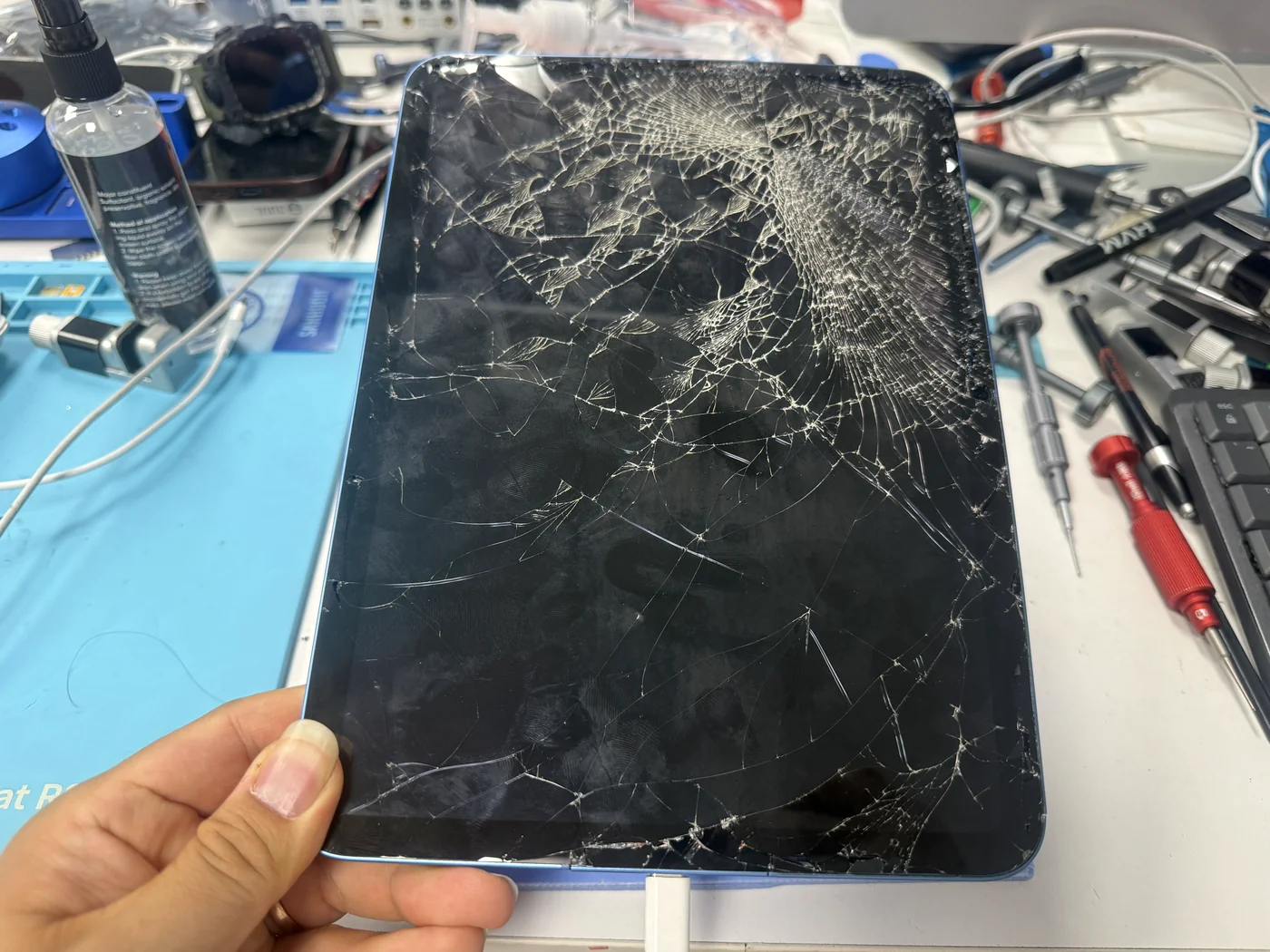
No power, no backlight, glass shattered. Housing twisted along the right side and bottom edge.
With a genuine test display connected, the iPad booted and unlocked. Storage and photos intact.
A full fix would cost close to a used iPad and risk the data. New iPad plus data transfer is the safer route.
The job, on one card
What was wrong, what we found, and what we recommended.
| Model | Apple iPad 11-inch (2025), cellular |
|---|---|
| Problem | No power and no display after a drop. Digitizer shattered. Housing bent on the right side and bottom edge with an overall twist. Customer's priority: the data (about 5,000 photos) |
| Diagnosis | Full teardown → cracked digitizer and original LCD removed → genuine test digitizer and LCD connected → iPad boots to lock screen and unlocks. Logic board functional, but seated in a bent frame |
| Recommendation | Do not repair. Buy a replacement iPad and have the data transferred ($150, 2–3 hours, bring the new device) |
| Diagnostic fee | None |
| Full repair, if done | Not advised5 / 5 |
| Tech's note | Getting it to turn on was the easy part. A genuine digitizer and LCD on the bench and it booted, which told us the board survived the fall. The hard part was what to say next, because the customer wanted it fully fixed, and I had to tell him I wouldn't recommend it. Here's the math. Genuine LCD and glass alone run over $200 in parts, so the quote with labor was $300. That gets you a working screen in a frame that's still bent. To do it properly you'd also need a new housing, and moving a logic board that's been sitting bent into a new housing carries a real chance of damaging the board — at which point the data is gone for good. Meanwhile a used cellular iPad, even last year's model, is around $400. So you'd be spending most of the price of a replacement iPad on a repair that puts the one thing he cares about at risk. He mentioned AT&T would swap it for a different one if it was repaired first, and that $300 felt like a lot. I understand that. But the parts cost what they cost, and we don't discount repairs — that's a rule I keep for every customer so the price is the same for everyone. The right move here wasn't a cheaper repair, it was a different plan. He asked if there was a diagnostic fee. There isn't. He said he'd buy a new iPad and come back for the transfer, and thanked us on the way out. |
Three reasons we said no to our own job
We turn down work when the numbers or the risk don't add up for the customer. Here they didn't.
The body is bent, not just the glass
A new screen in a twisted housing never sits right: uneven pressure on the glass, a display that lifts at one corner, and a frame that keeps stressing the board underneath. A real fix means a new housing too, which means moving every part across.
Moving the board could lose everything
The board has been sitting in a bent frame since the drop. Prying it out and re-seating it in a new housing is where boards crack and traces break. Right now the data is alive. A housing swap is the one step that could change that permanently.
$300 for a screen, $400 for a whole iPad
Genuine LCD and digitizer are over $200 in parts; with labor the screen alone is $300, and that's before a housing. A used cellular iPad from last year is about $400. Spending most of that on a partial repair that risks the photos isn't a good deal, and we'd rather say so.
Five frames from the bench
How we found out the board was alive, and what the frame looked like along the way.
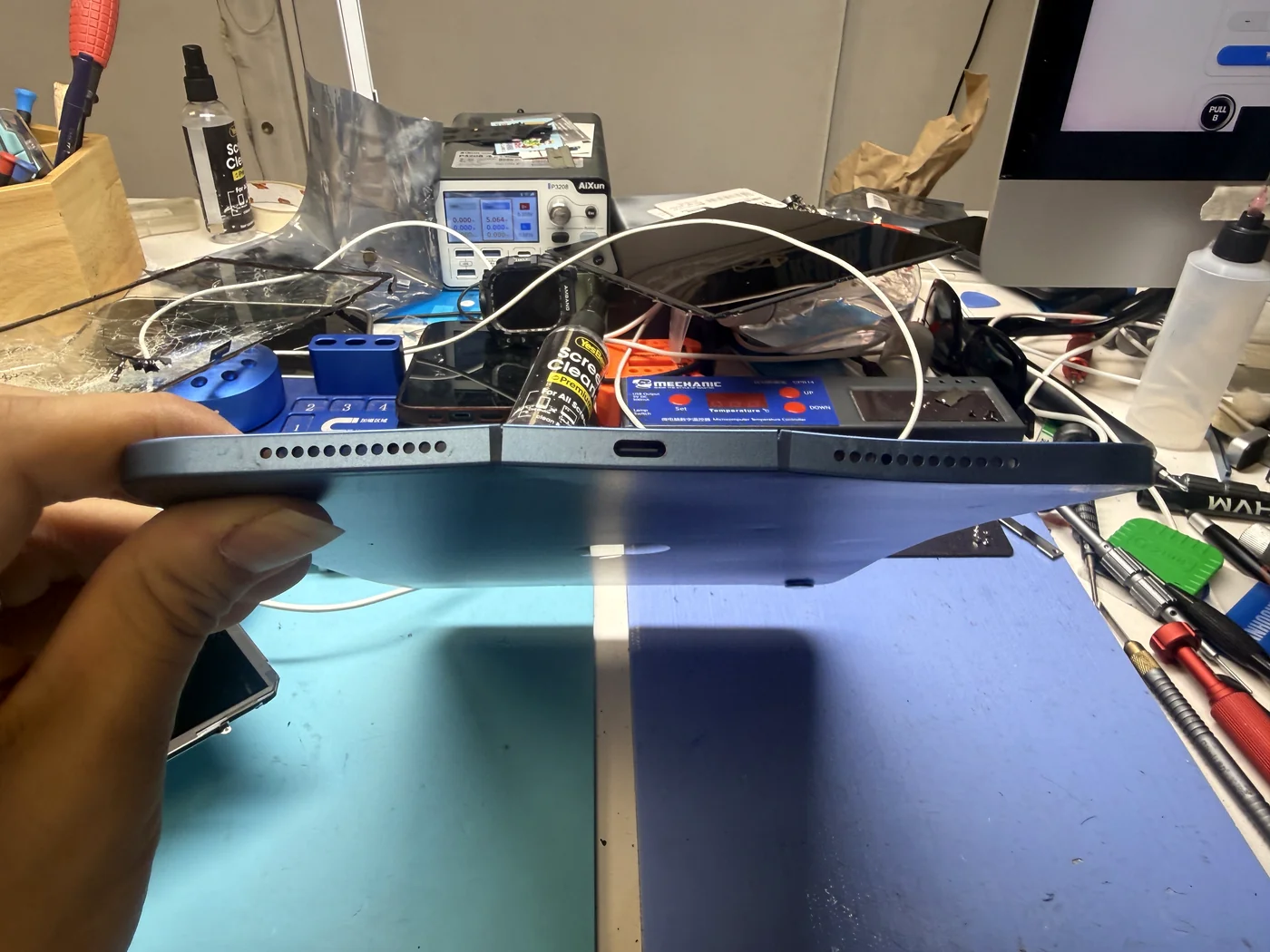
The bend shows before anything comes apart
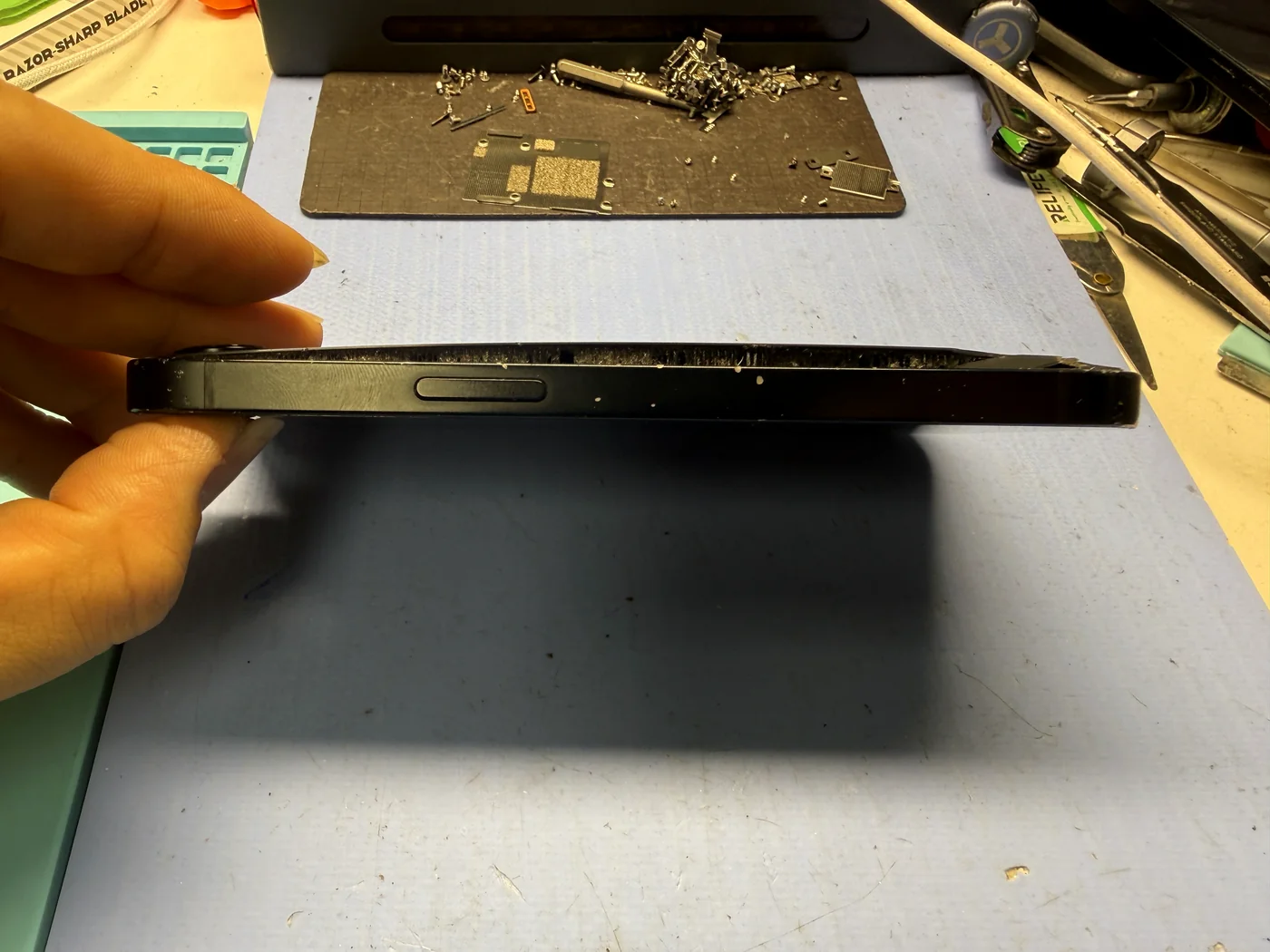
Hold the iPad at eye level and look along the edge. The bottom is bowed and the right side kicks out; the whole slab has a twist in it. This is the part no screen replacement can fix, and it's the reason the conversation later went the way it did.
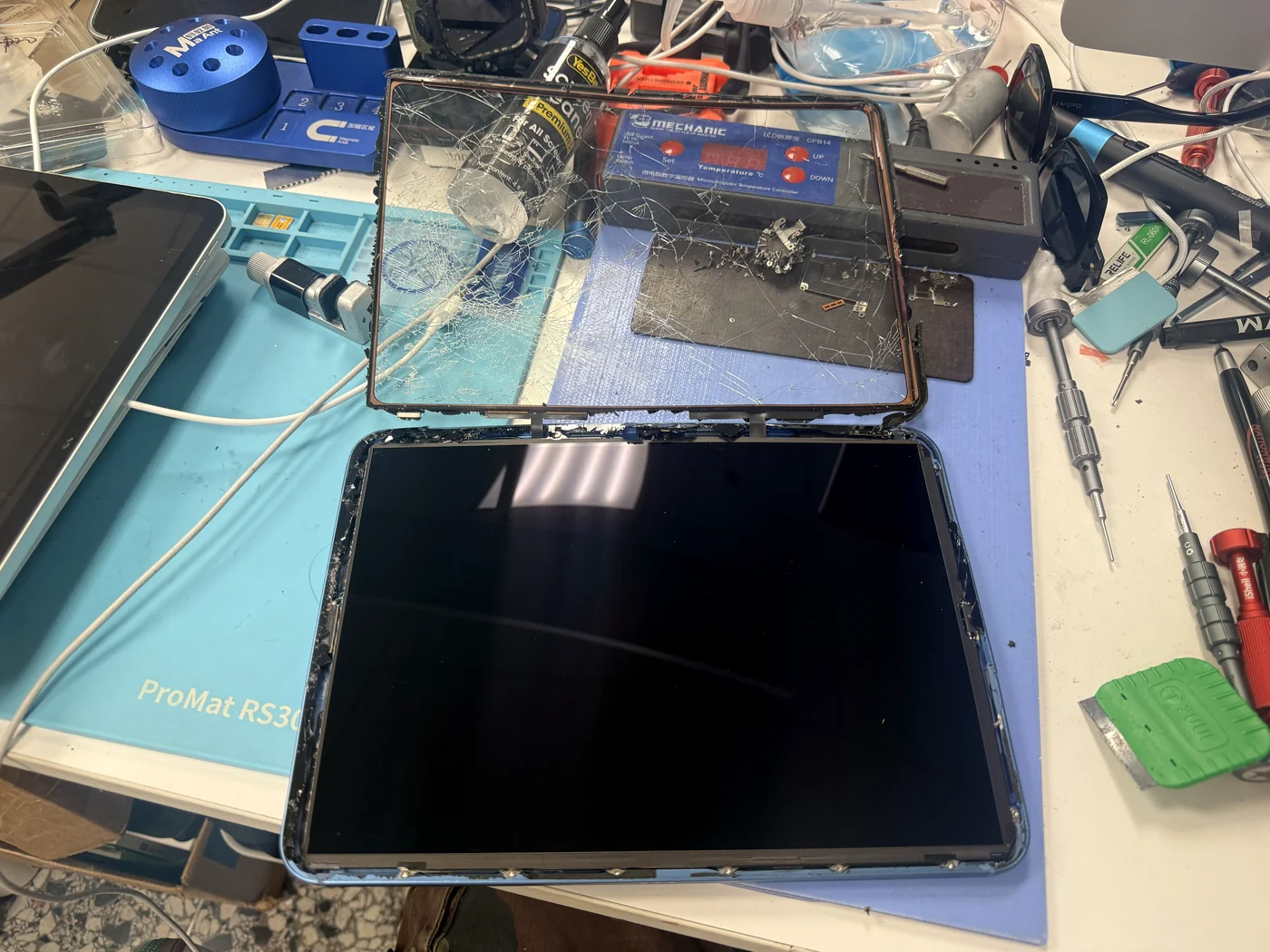
Digitizer off, carefully
On this iPad the glass and the LCD are separate layers, which is what makes a bench test possible without committing to parts. The shattered digitizer comes off under heat with the face stabilized so nothing falls into the body. Underneath, the LCD looked intact but showed nothing, so the question was still open: dead display, or dead board?
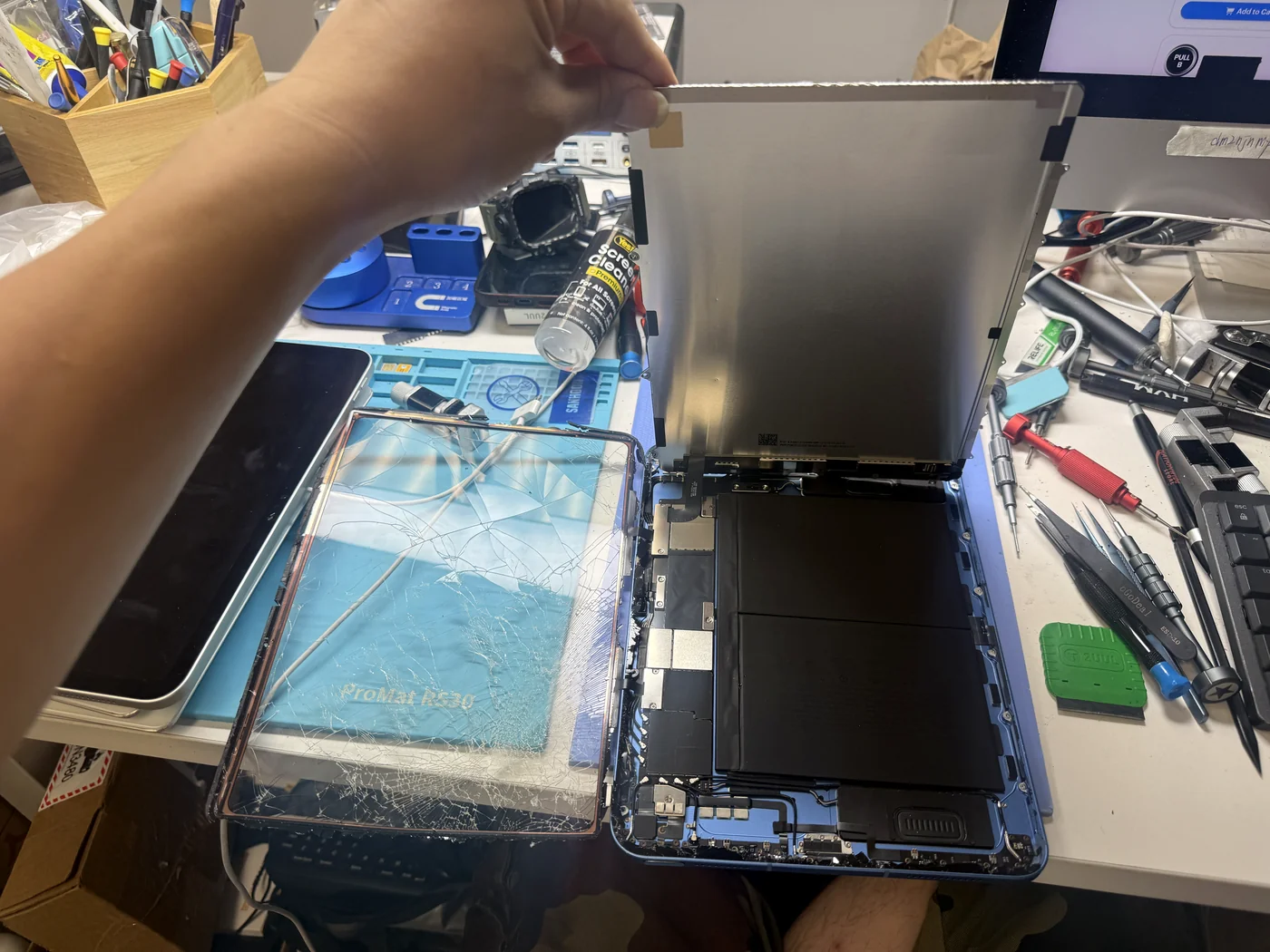
LCD out, frame exposed
With the LCD lifted you can see the battery and the board, and how the frame around them no longer lies flat. Everything inside has been living under that stress since the drop. Nothing gets forced here; the board stays where it is.
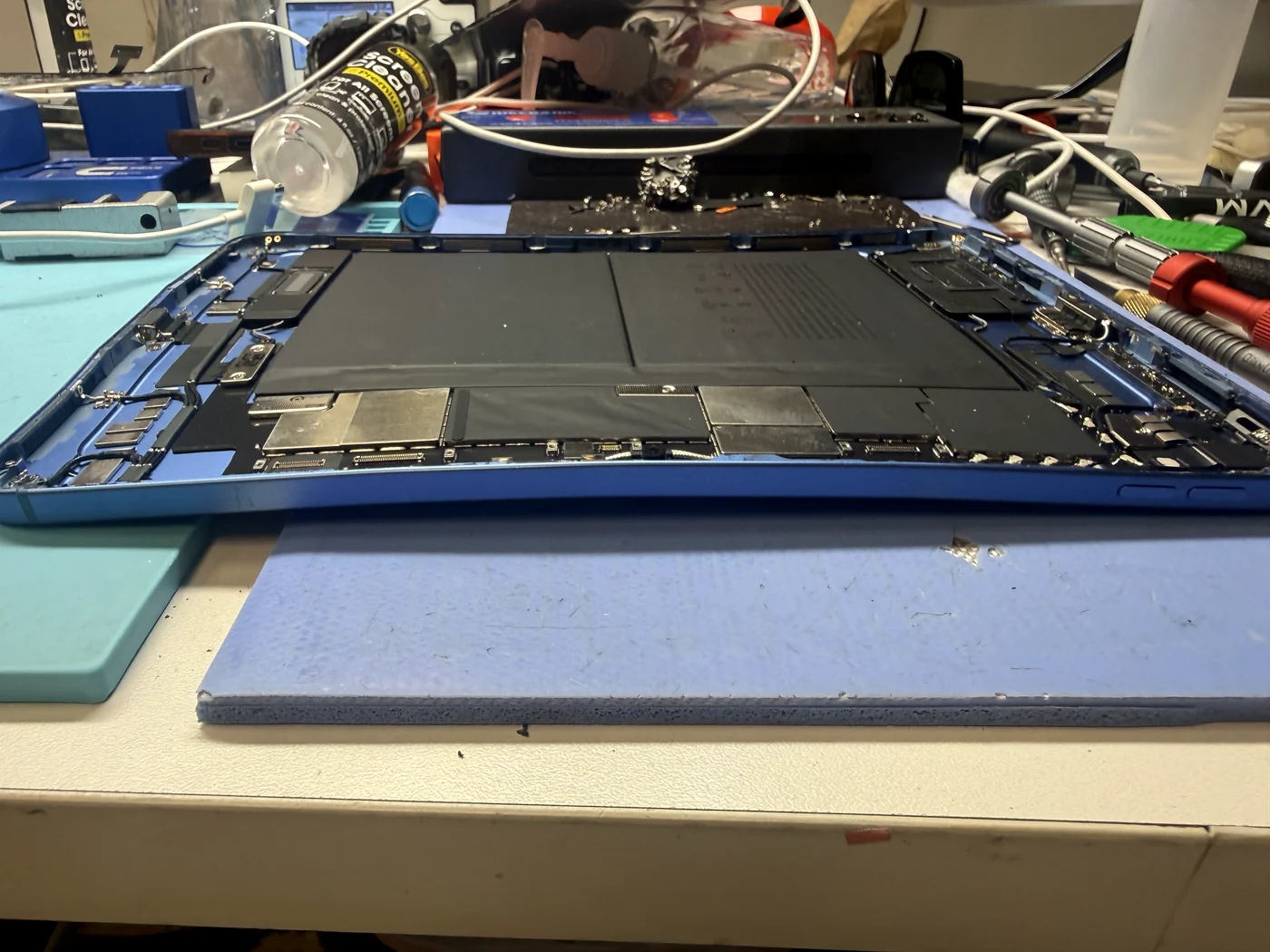
The twist, from the inside
Seen edge-on with the display removed, the housing rises at one end and dips at the other. This is what a new housing would have to replace, and what the board would have to be lifted out of. It's the photo we showed the customer when we explained the risk.
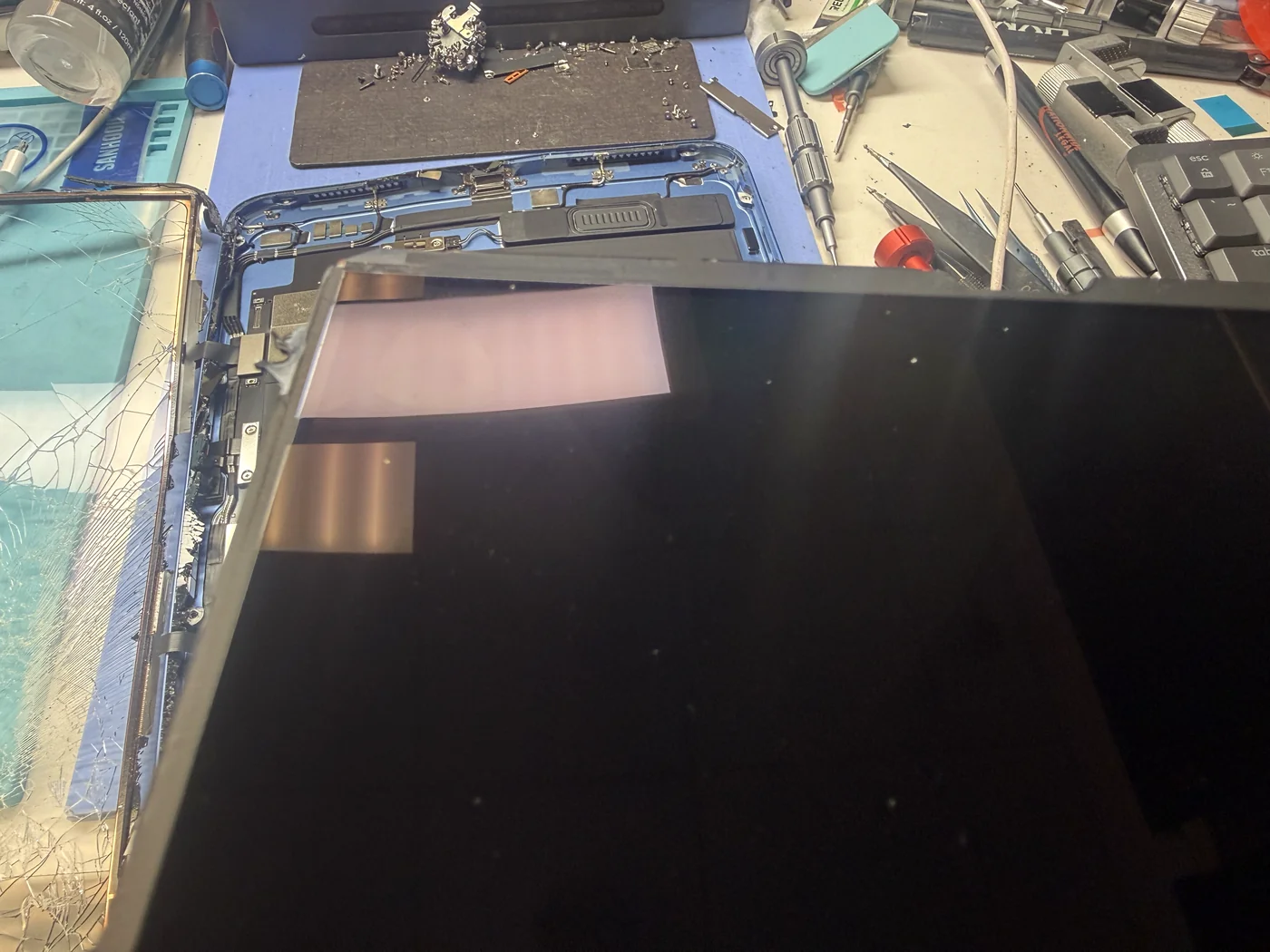
Genuine test display connected
We keep genuine digitizers and LCDs for exactly this: connect them to the board without fitting anything, press power, and see what happens. This is how you find out whether the customer is looking at a display repair or a dead board, before anyone spends money on parts.
It booted. The photos are safe. The plan changed.
A working board, a bent frame, and an honest recommendation.
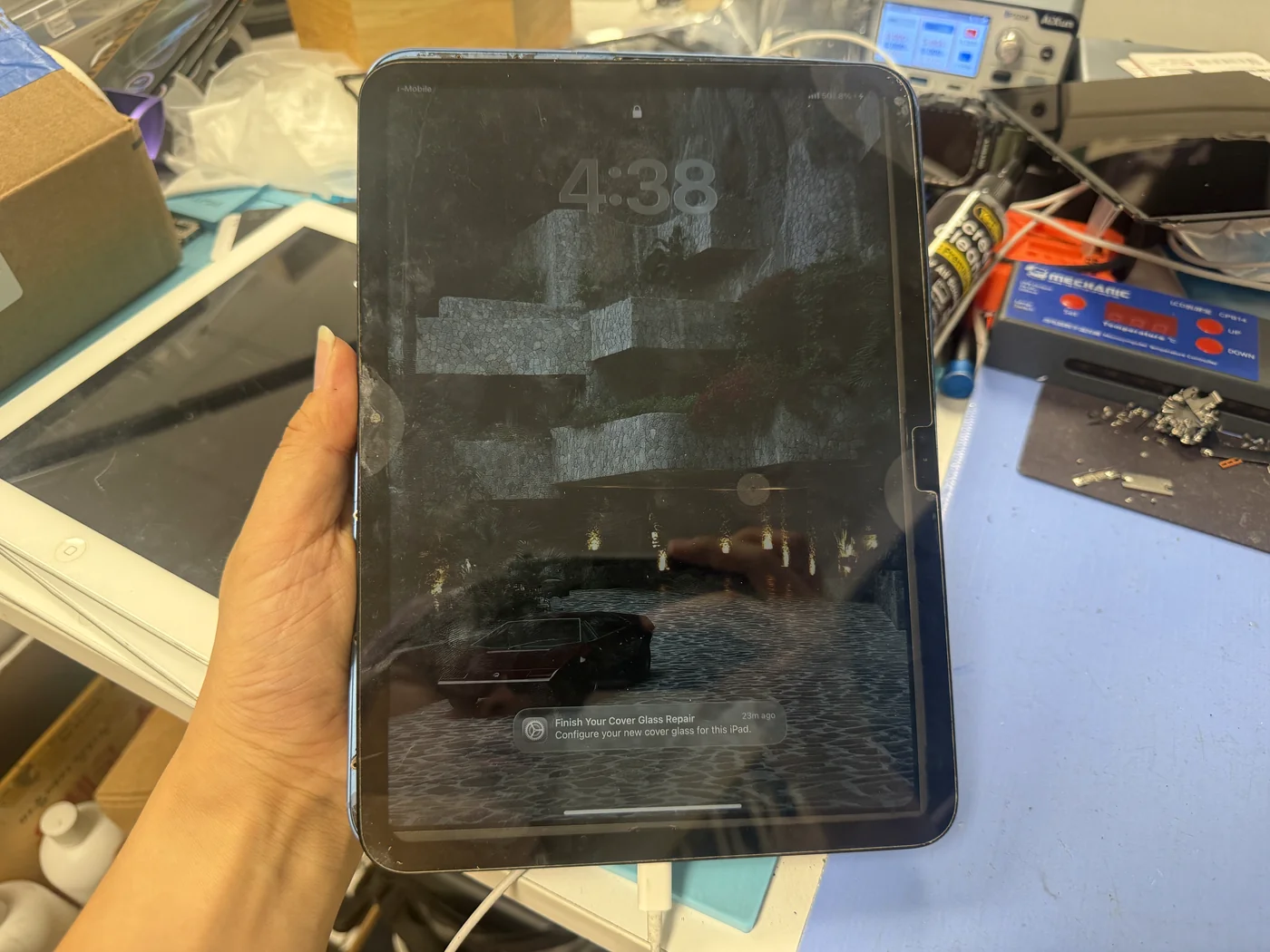
Lock screen, unlock, 5,000 photos still there
With the genuine test display connected, the iPad powered on, reached the lock screen and unlocked. Storage is intact. The only thing standing between this customer and his photos is a working display and a careful transfer — not a repair. He'll bring in a replacement iPad and we'll move everything across for $150, which takes two to three hours.
The questions that usually follow
Straight answers, as always.
My iPad won't turn on and shows no light at all. Is it dead?
Not necessarily. On this one the board was fine and only the display was gone. A dead-looking iPad can be a display, a battery, a charging port or a board, and the only way to tell is to open it and test. Bring it in; there's no charge to find out.
Can you check it over the phone first?
Honestly, no. There's nothing we can diagnose from a description of a black screen. Walk in and we'll test it in front of you.
How much does an iPad 11-inch (2025) screen replacement cost?
With genuine LCD and digitizer, parts alone are over $200, and the job comes to $300 with labor. If the frame is bent, add a housing, which is why we sometimes recommend against it.
Why did you recommend not repairing it?
Because the frame is bent. A new screen in a bent housing won't sit right, a proper fix means a new housing too, and moving the board into a new housing risks losing the data. At that point the cost is close to a used iPad, and the risk falls on the one thing the customer cares about.
Can I just get my photos off it?
Yes. If the board works, we connect a test display, and transfer everything to your new iPad. $150, two to three hours, and you bring the new device.
Is there a diagnostic fee?
No. Diagnosis is free, whether or not you go ahead with a repair.
Do you give discounts on repairs?
No. Parts cost what they cost, and we keep one price for everyone. What we will do is tell you when a repair isn't worth it, and suggest something better.
More honest repair stories
Same bench, same philosophy, different repairs.
iPad won't turn on? Bring it in. We'll test it for free and tell you the truth.
Sometimes that's a screen. Sometimes it's a new iPad and a $150 data transfer. Either way you'll know before you spend anything. Downtown Los Angeles, walk-ins welcome.