

iPhone 14 Plus Water Damage Repair — Cracked, Black Screen and Water in the Camera HoleCleaned, Dried & Fixed With an OLED Screen — Downtown Los Angeles, near USC
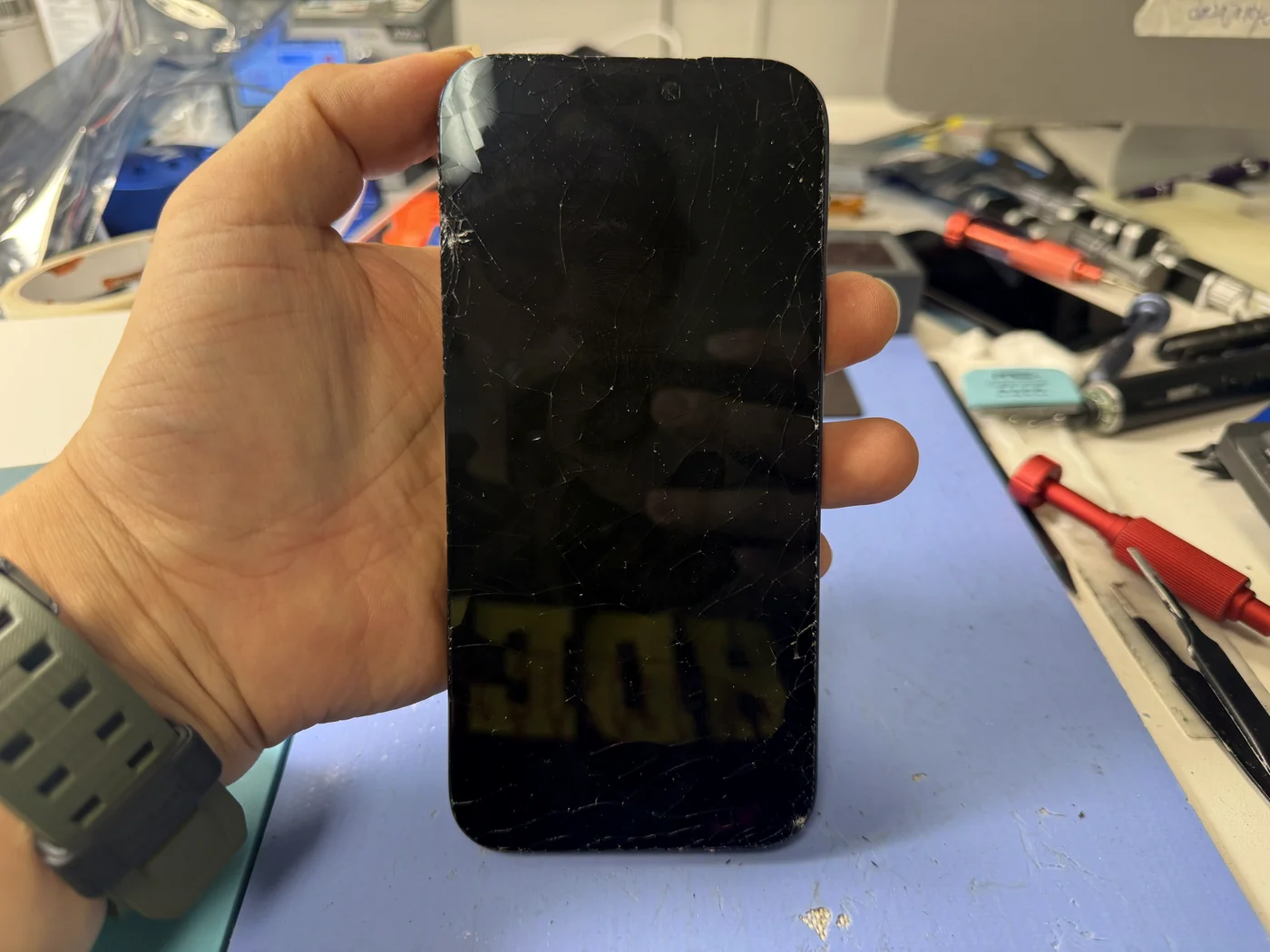
Two USC students came in with an iPhone 14 Plus that had gotten wet. The screen was cracked and showed nothing at all — just thin green stripes of color along the top. Inside the front camera hole you could see tiny water droplets, and that was what worried them most: on top of the dead screen, they were afraid the camera had been ruined too. The phone itself was still running underneath, which told us the water damage wasn’t severe. A cleaning, a proper drying, and a new OLED screen brought it back — and along the way, the phone told us a little more about where the water came from than the story did.
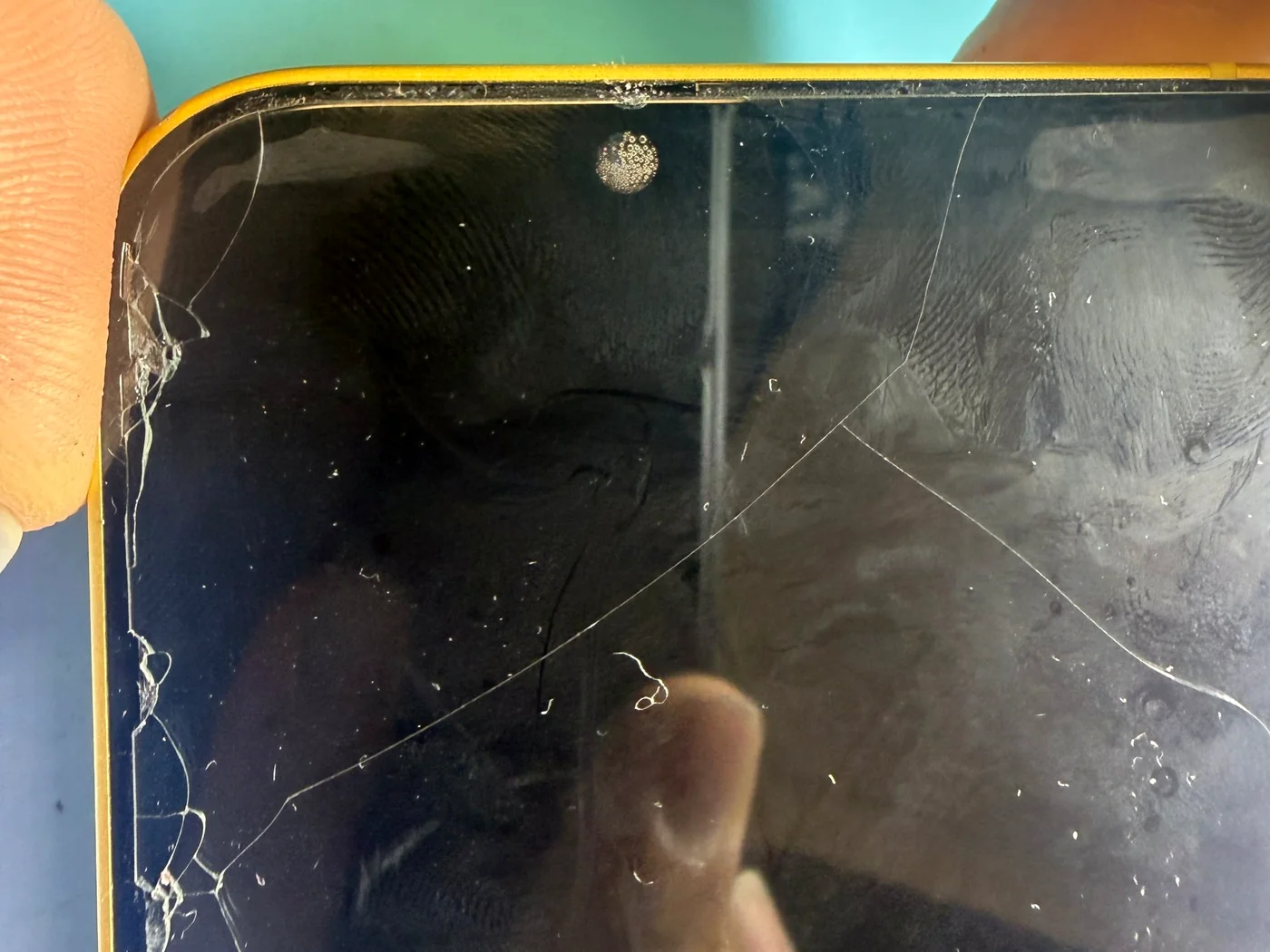
Nothing showing, green stripes at the top, water in the camera hole
Water damage cleaned and dried, damaged screen replaced with OLED
Back on the lock screen — with an honest talk about what water can do later
The job, on one card
What came in, what we found inside, and what we recommended.
| Model | iPhone 14 Plus |
|---|---|
| Problem | Got wet; screen cracked and showing nothing except thin green stripes along the top. Water droplets inside the front camera hole — the students were worried the camera was damaged too. The phone still responded underneath |
| Found inside | Water had already damaged the screen at both the top and the bottom edges — residue and marks on the back of the display and around its connectors |
| Repair | Opened → water-damaged screen removed → areas inside the phone where water had been wiped clean and dried → new OLED screen installed → tested and working |
| Screen | OLED, recommended — the same display type the iPhone 14 Plus ships with |
| Price | Quoted after a free diagnosis · 424-270-4369 |
| Teardown | Cleaning + screen3 / 5 |
| Tech’s note | The green stripes and the droplets in the camera hole said “water in the screen.” The fact that the phone was still alive underneath said “not too deep.” In cases like this, a screen replacement plus a proper cleaning and drying usually solves it. Once we opened it, though, the screen had already taken water damage at the top and the bottom. A screen that’s been damaged by water doesn’t recover — it has to be replaced. I recommended OLED and walked them through the difference from LCD, because the iPhone’s original screen is OLED, and OLED simply does more things better. |
Three things to know when your iPhone gets wet
What we told these two students, and what we tell everyone who walks in with a wet phone.
A water-damaged screen doesn’t come back
Stripes, color lines, or a dark panel after water mean the display itself has been hurt. Drying won’t undo it. The screen has to be replaced — the good news is that when the phone is still running underneath, that’s often all it needs, along with a thorough cleaning.
The kind of water changes the cleaning
Rain, a pool, a drink, a toilet — each one leaves something different behind inside the phone. Telling us exactly what happened isn’t embarrassing; it’s the single most useful thing you can do, because it tells us how far and how carefully we need to clean.
Water can strike again later
Even when a phone works after repair, water that reached the logic board can cause a failure days or even weeks later. It’s common with water-damaged phones. We always say so up front, so you can back up your data and keep an eye on it.
From a wet, dark screen to a working phone
Open it, find where the water went, clean and dry, then a new screen.
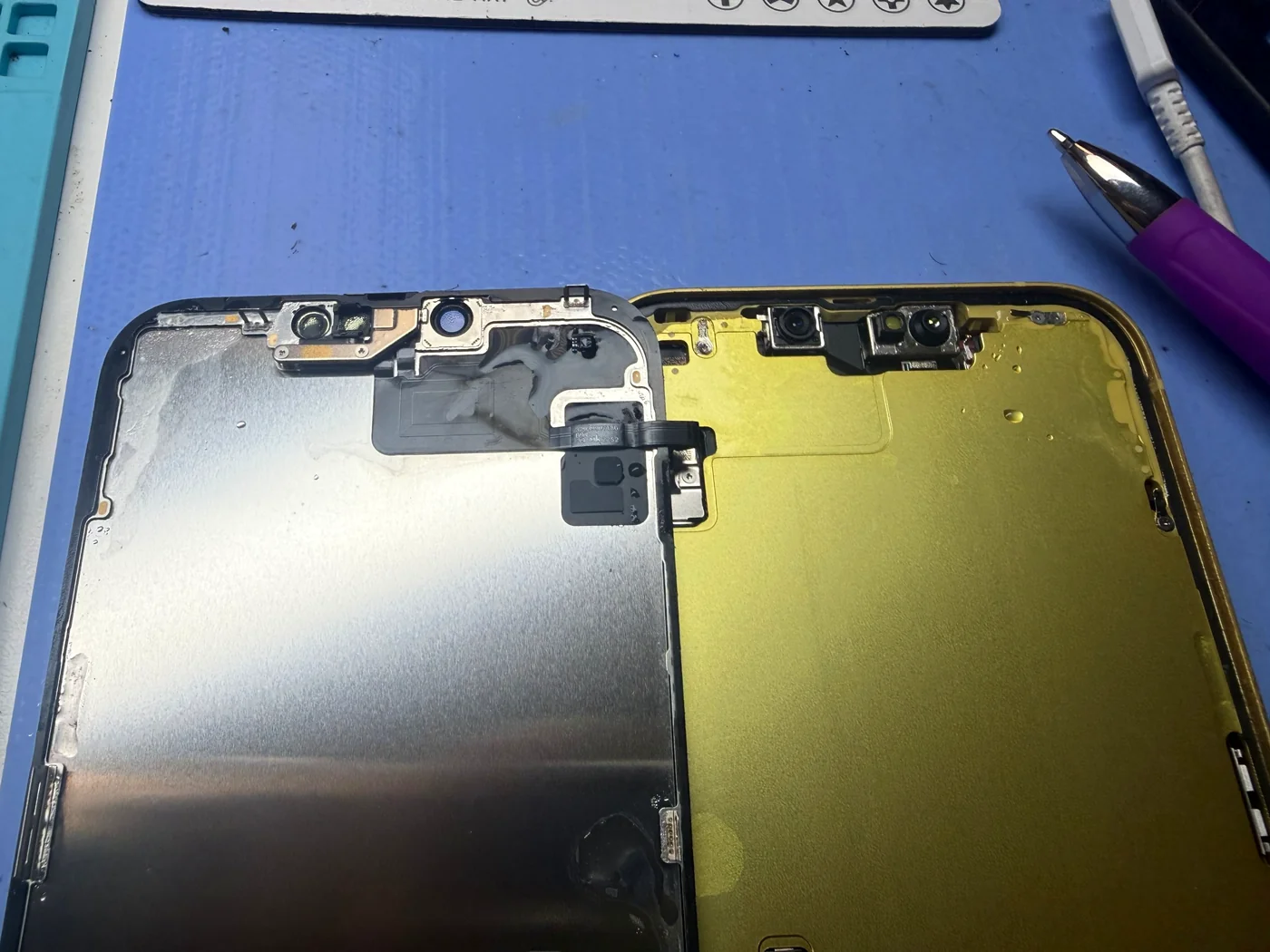
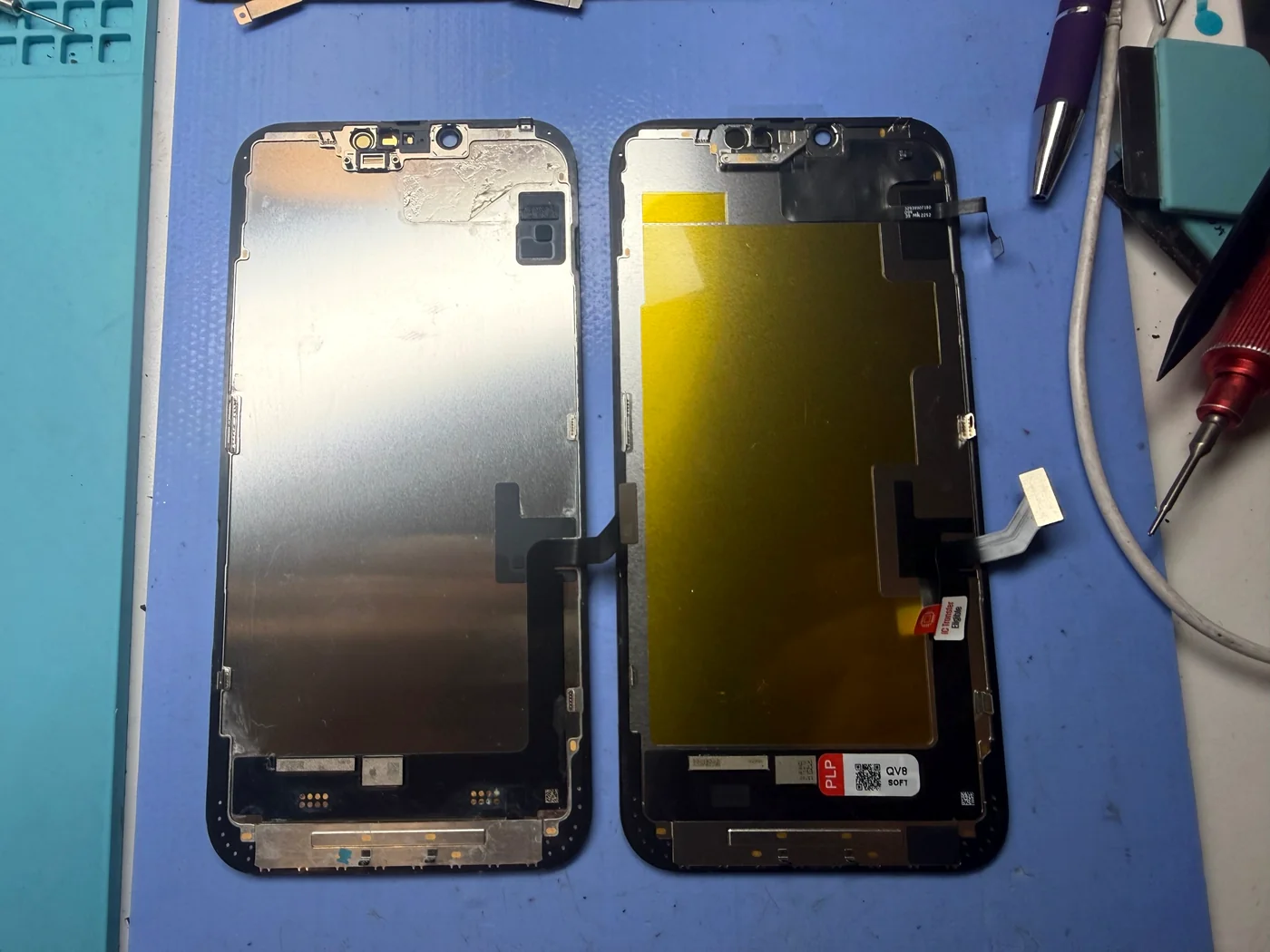
Opened: water at the top
With the screen lifted, the residue was right where the symptoms pointed — across the top of the display, around the front camera and sensor bracket. That’s where the green stripes had been showing.
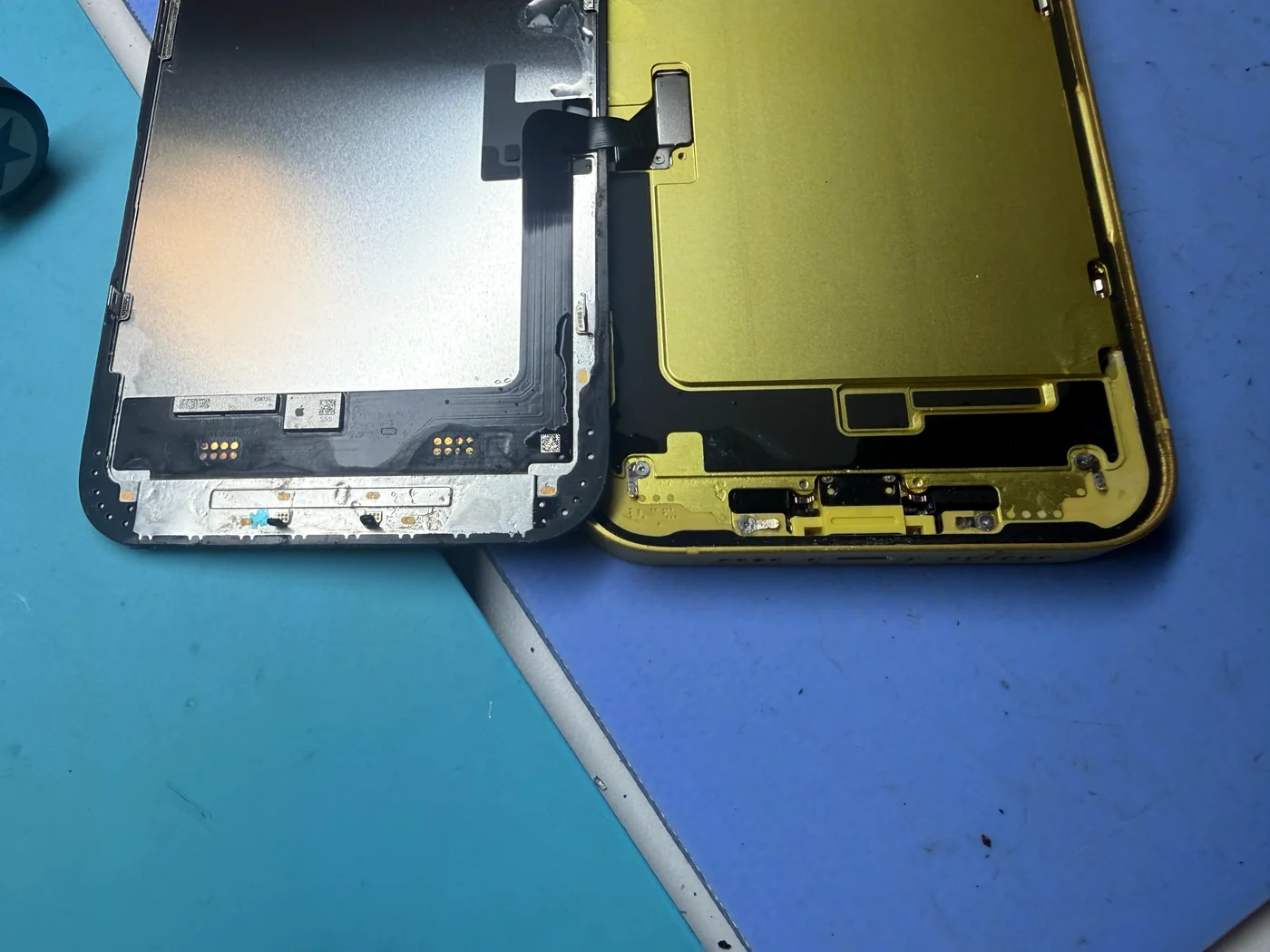
And at the bottom
The lower edge had taken water too, on the screen and inside the frame. Damage at both ends of the display confirmed it: this screen wasn’t coming back.
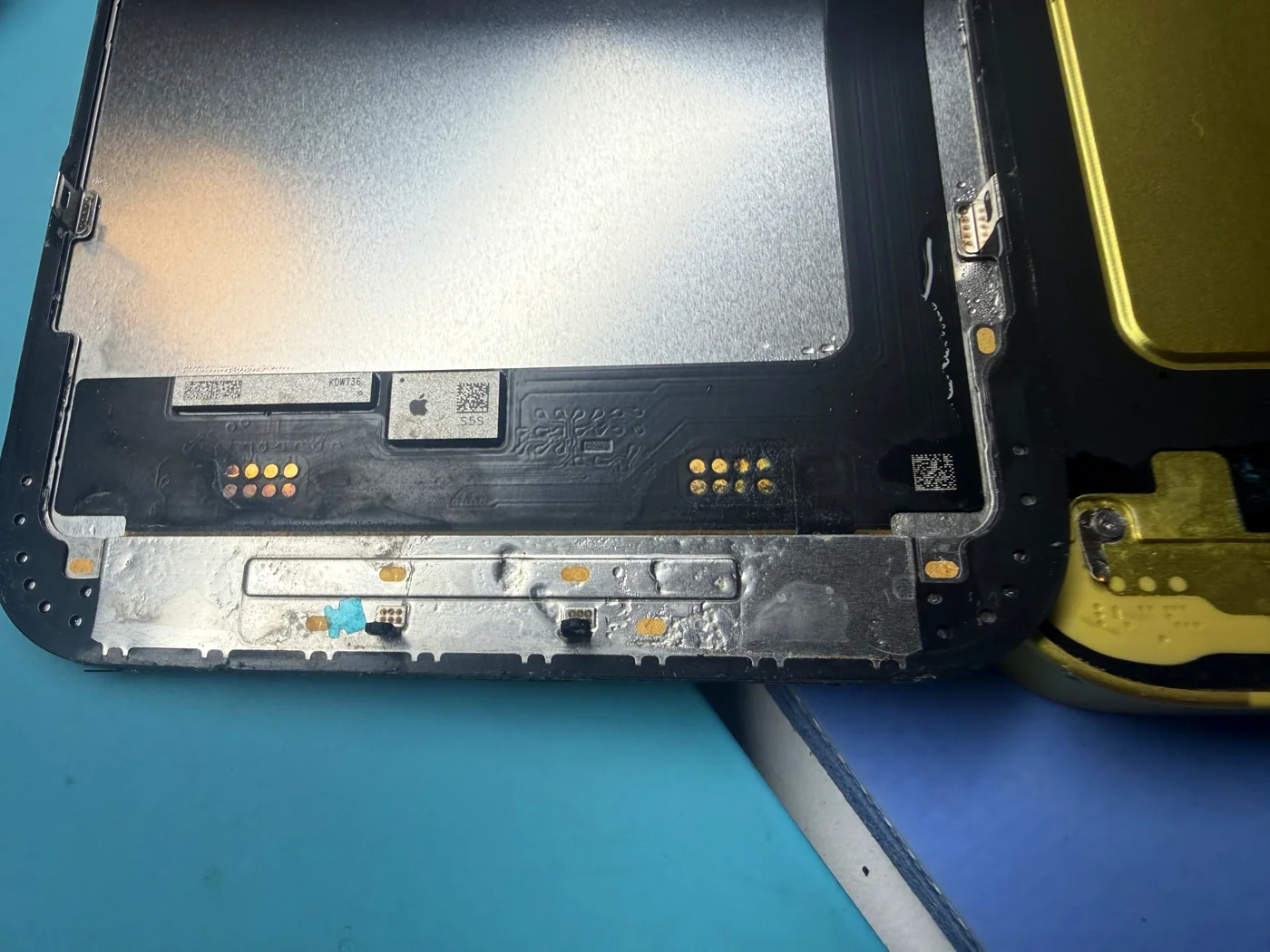
Old screen out, phone cleaned and dried
Up close, the old screen showed water stains and corrosion. A screen that’s been damaged by water can’t be used again — it’s thrown away and replaced with a new one. Inside the phone, we wiped off every spot where the water had been and dried it thoroughly. This step is where the source of the water really matters — and where this phone made its own case about where it had been.
A new OLED goes in
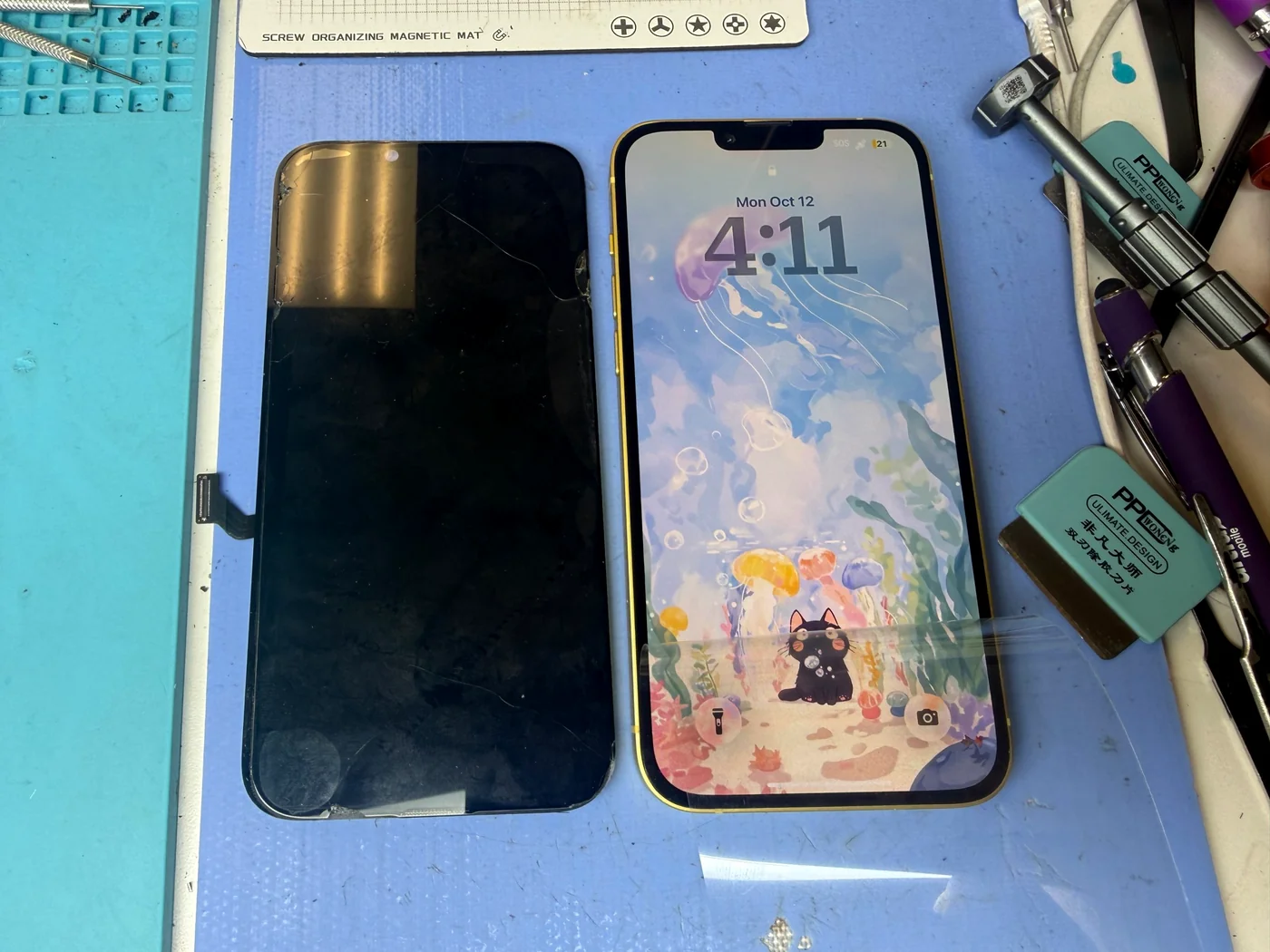
The iPhone 14 Plus ships with an OLED display, so we recommended staying with OLED: sharper picture, more natural color, the same smooth touch, thin bezels that match the original, and better battery life than an LCD. Front camera and sensor parts are moved over, and the new screen goes on.
Back on the lock screen
Clean, dry, and a new OLED — the phone came straight up.
Working again
With the inside cleaned and dried and the new OLED connected, the iPhone booted straight to its lock screen — clear display, no stripes, touch responding normally, and the droplets cleaned out of the front camera hole they had been so worried about. Before handing it back, we explained that water damage can resurface later if it reached the board, and to back up their data. They thanked us for getting it working and headed back to campus.
The two questions everyone asks
Straight answers, as always.
Can a water-damaged iPhone be fixed?
Often, yes — especially when the phone is still running underneath, like this iPhone 14 Plus. If water has damaged the screen, the screen is replaced, and the inside is cleaned and dried. Water that reached the logic board can still cause problems days or weeks later, so back up your data. Turn the phone off, don’t charge it, and bring it in as soon as you can. Our iPhone water damage guide walks through exactly what to do next.
OLED or LCD — which replacement screen should I choose?
OLED. The iPhone 14 Plus ships with an OLED display — it’s what the phone was designed around — and OLED is better on every point that matters day to day: sharper picture quality, more natural color, smooth touch response, thin bezels that match the original, and lower battery drain. An LCD has thicker bezels that sit noticeably off the frame and uses more battery. See all three screen options side by side in our iPhone screen options guide.
More iPhone repair stories
Same bench, same philosophy, different iPhones.

iPhone got wet and the screen went dark?
Water damage cleaning and OLED screen replacement in Downtown Los Angeles, a short trip from USC. Turn it off, don’t charge it, and bring it in — and tell us exactly what happened. Call 424-270-4369 and ask us anything.