

The iPhone 8 We Told Them Not to FixiPhone 8 Screen & Battery Replacement — Downtown LA
This iPhone 8 came in with the display already peeled off the frame, a battery that was done, and a battery connector on the board that looked rough. A used iPhone 8 sells for under a hundred bucks, so I said the honest thing: skip the repair, let's just move your data. The customer wanted this phone back, data and all. So we fixed it, and it works.
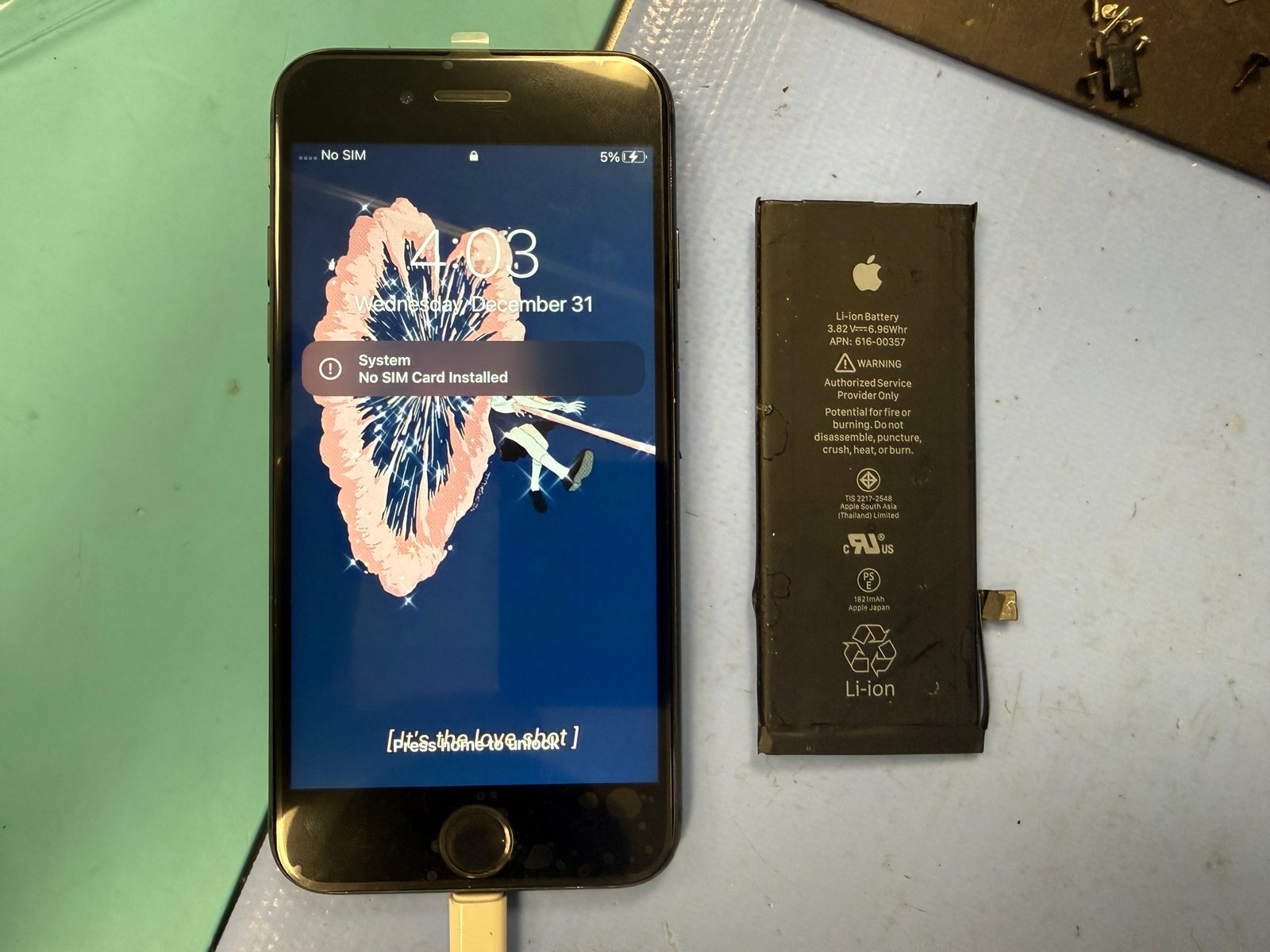
Arrived with the display separated from the body. Screen shot, battery worn out, and no guarantee it would power on.
Screen and battery both needed replacing. The battery connector on the board looked rough too. The logic board itself was healthy.
Powered on with the new screen and battery. Every photo and message still on the phone.
The job, on one card
A quick repair with one step that isn't allowed to be quick.
| Model | iPhone 8 |
|---|---|
| Problem | Display detached on arrival, screen and battery both failed, battery connector on the board looked rough. |
| Part | Display assembly + battery. Original Touch ID home button moved over to the new screen. |
| Repair time | 10–20 min |
| Warranty | 30 days |
| Teardown | Routine, careful hands2 / 5 |
| Tech's note | I'll say it plainly: I tried to talk this customer out of the repair. A used iPhone 8 costs less than most people think, and putting parts into a phone worth that little rarely adds up. My suggestion was to skip the fix and move the data to a newer phone. They thought about it and still wanted this one fixed. Fair enough. It's their phone and their call, and I'd rather a customer say yes knowing the math than say yes because nobody told them. What I actually worried about was the state it arrived in. A phone that shows up with the screen already off the frame has had its cables and connectors tugged by whoever or whatever pulled it apart. You don't know what else got stressed until you test. It came back the moment the new screen and battery went on. On an iPhone 8 the screen and battery swap is quick. The home button is what separates a good job from a bad one. Touch ID is paired to that specific button, so it has to come off the old screen and go onto the new one, and that flex cable doesn't forgive rough hands. Damage it and the button may still click, but fingerprint unlock is gone for good, and no new part brings it back. Easy repair, one moment of real care. |
Easy parts, one unforgiving step
Three things explain most of this job.
A screen that's already off
Once a display separates from the frame, every flex cable running to the board is at the mercy of gravity and pocket friction. Sometimes it's just the screen. Sometimes a connector goes with it. You don't know until you test.
An old battery looks like a dead phone
A worn cell can drop so low the phone won't hold a charge or won't boot at all. It reads as "dead," but the board underneath is usually fine. Swap the battery and it wakes up.
The fingerprint lives in the button
Touch ID is married to the logic board. A new screen doesn't include it and can't replace it. The original button has to move over intact, and that's where a careless tech ruins an otherwise easy job. Sometimes the button stops working because the screen itself is faulty, which is why we test before and after.
Strip the old screen, build the new one
Two frames from the bench.
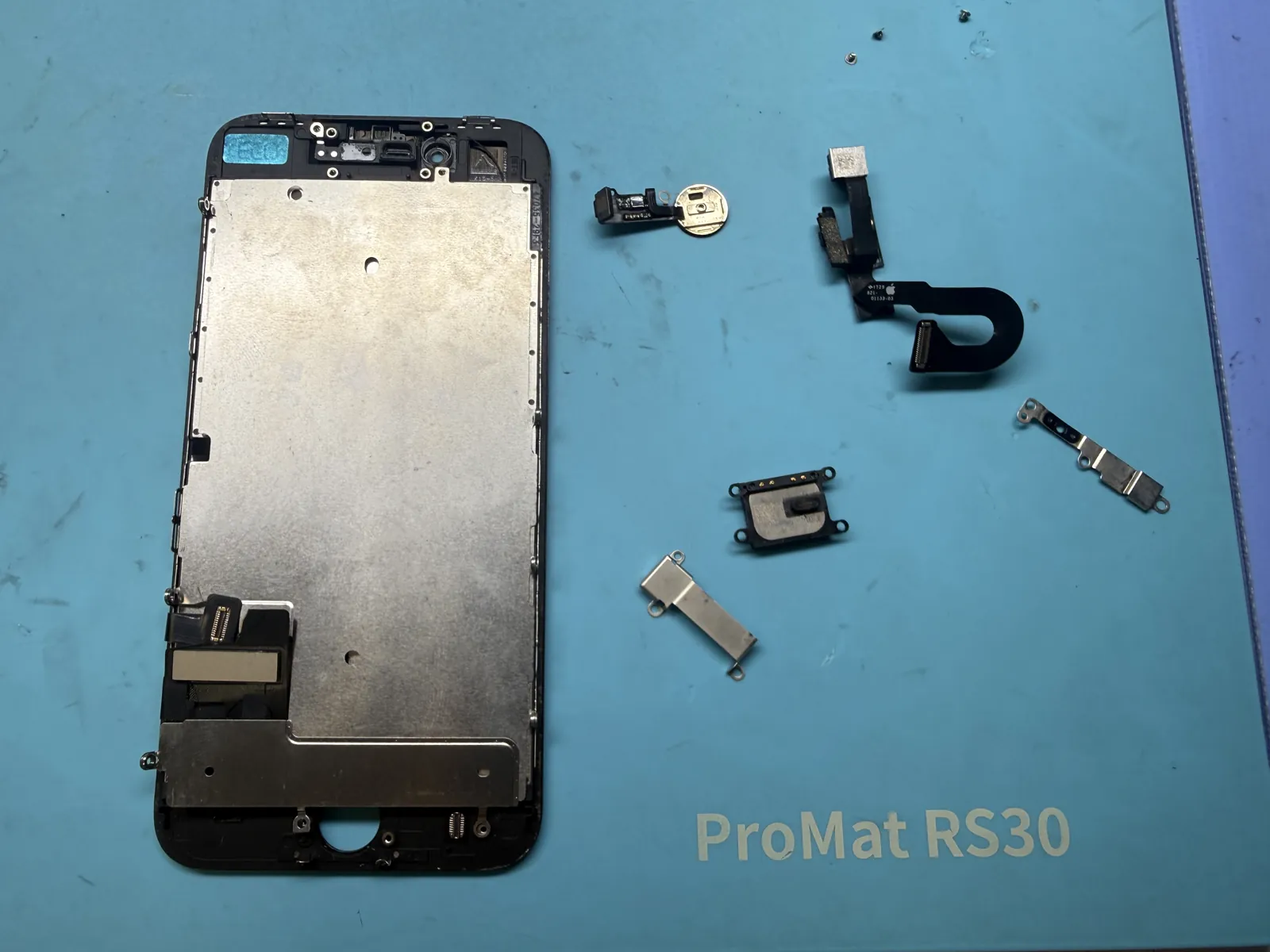
Strip the old display
The home button, front camera flex, earpiece and the small brackets all come off the old screen. The home button is the one you slow down for. It lifts from underneath with heat and patience, never with force on the cable.
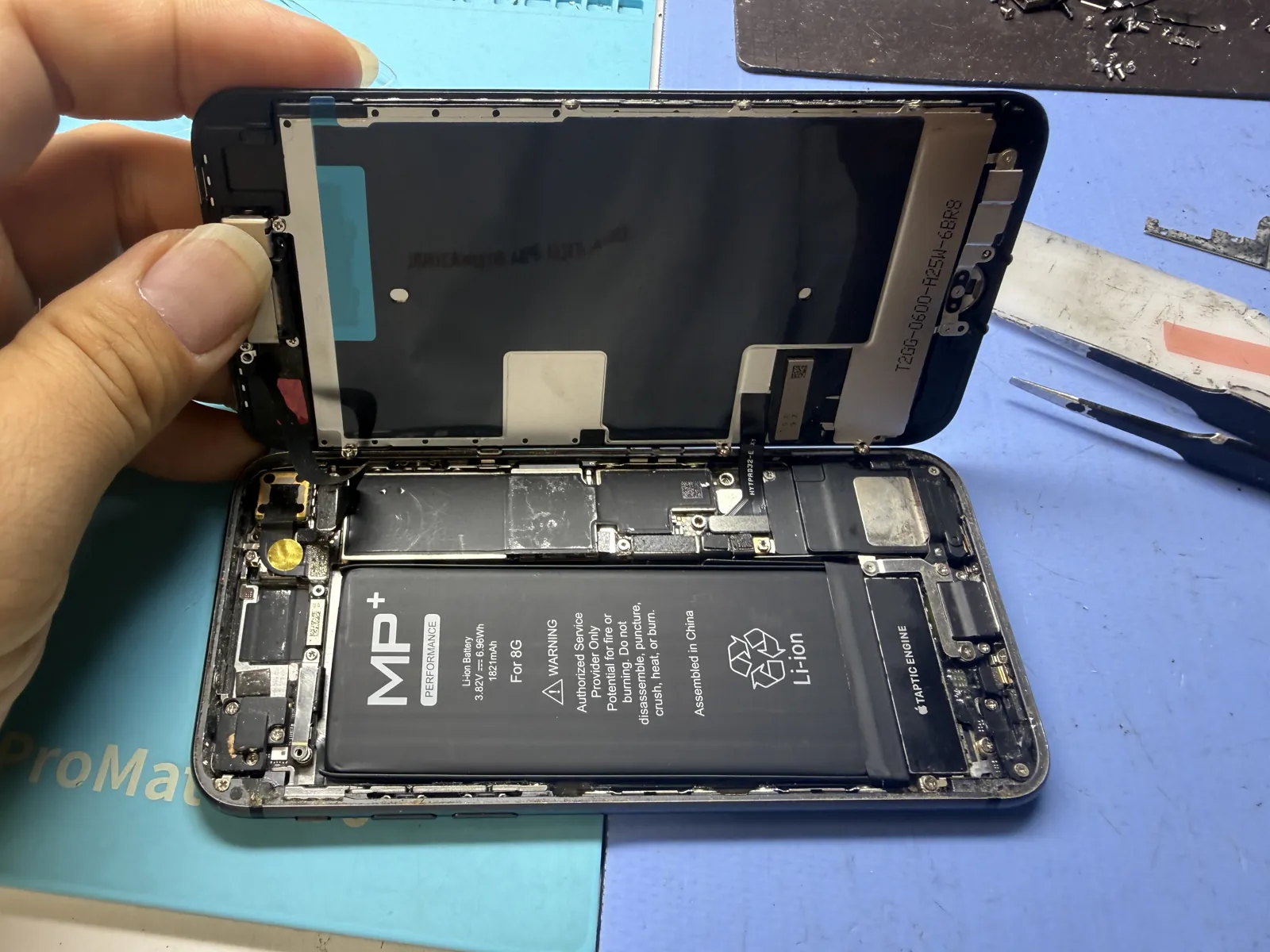
New battery in, new screen on
Fresh battery seated in the frame, original parts fitted to the new display, then the screen connects to the board. Before anything is sealed, it gets powered on to see if this phone is actually coming back.
Booted straight to the lock screen
Display, touch, charging and the home button all checked out. The data was exactly where they left it.
Old phone, new screen, same photos
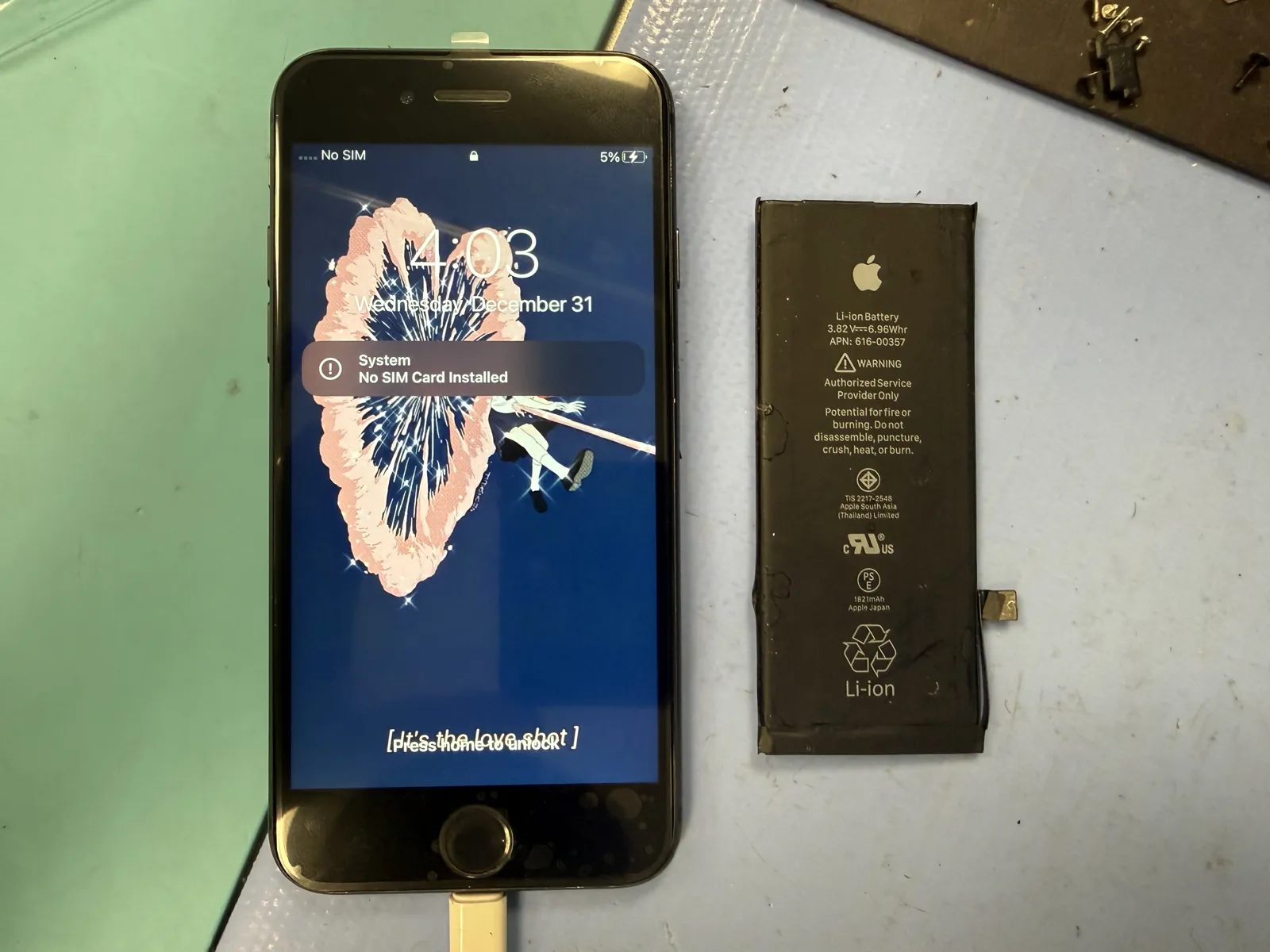
The hero photo up top is the whole result: working iPhone 8 on the left, the tired original Apple battery on the right. The customer left with the phone they wanted to keep.
The questions that usually follow
Straight answers, as always.
Is my data safe during a screen or battery replacement?
Yes. Nothing is erased or reset. The phone comes back with everything on it, and the job itself takes about 10 to 20 minutes.
Can you do it the same day?
If the screen and battery are in stock, it's usually done while you wait. Checking stock takes about five minutes.
Is an iPhone 8 even worth repairing?
Often not, and we'll tell you so. If the only thing you want is what's on the phone, moving the data to a newer device can make more sense than replacing parts. We'll lay out both options before touching anything.
Why does Touch ID sometimes stop working after a screen replacement?
Because the fingerprint button is paired to your phone's board and has to be transferred from the old screen. If that flex cable gets damaged in the move, fingerprint unlock is gone and no replacement button restores it. That's why we treat it as the most careful step of the job.
More honest repair stories
Same bench, same philosophy, different repairs.
Old iPhone, cracked screen, photos you can't lose?
Bring it in and we'll tell you honestly whether it's worth fixing or whether you just want the data moved. Screen and battery jobs on older iPhones are usually done while you wait. Walk-ins welcome in Downtown Los Angeles.