JOURNAL
Xbox Series S / HDMI port replacement
Five years in.One bent pin.
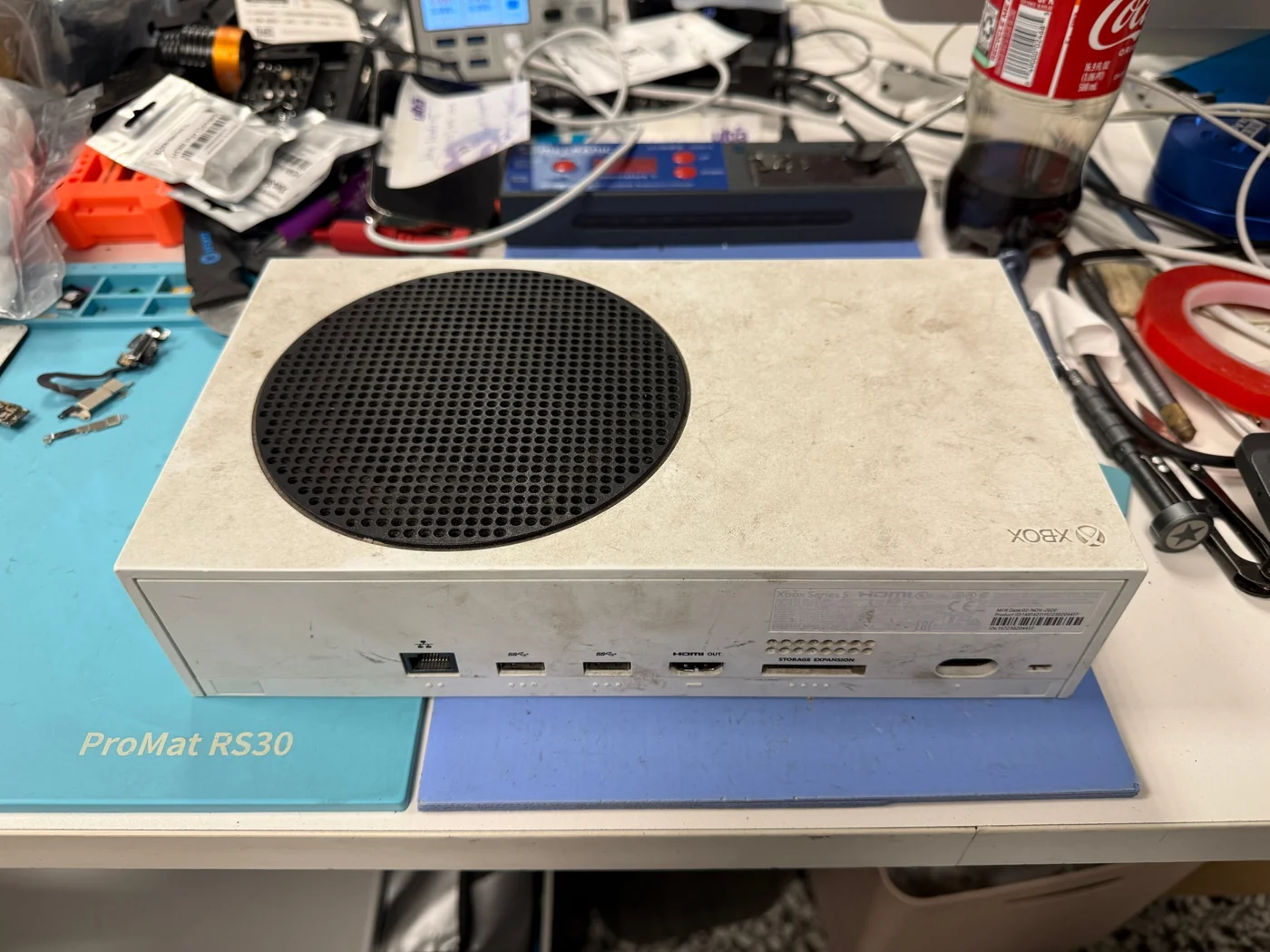
An Xbox Series S built in November 2020 powered on but showed nothing on the TV. We replaced the HDMI port, and GTA VI was back on the home screen.
- Device
- Xbox Series S
- Symptom
- Powers on, no signal
- Repair
- HDMI port replacement
- Result
- Picture and sound restored
01.
The problem
What came in?
The light comes on. The TV stays black.
The console started up normally, but the TV showed “no signal.” We tried a different HDMI cable and our own bench monitor first. Still nothing.
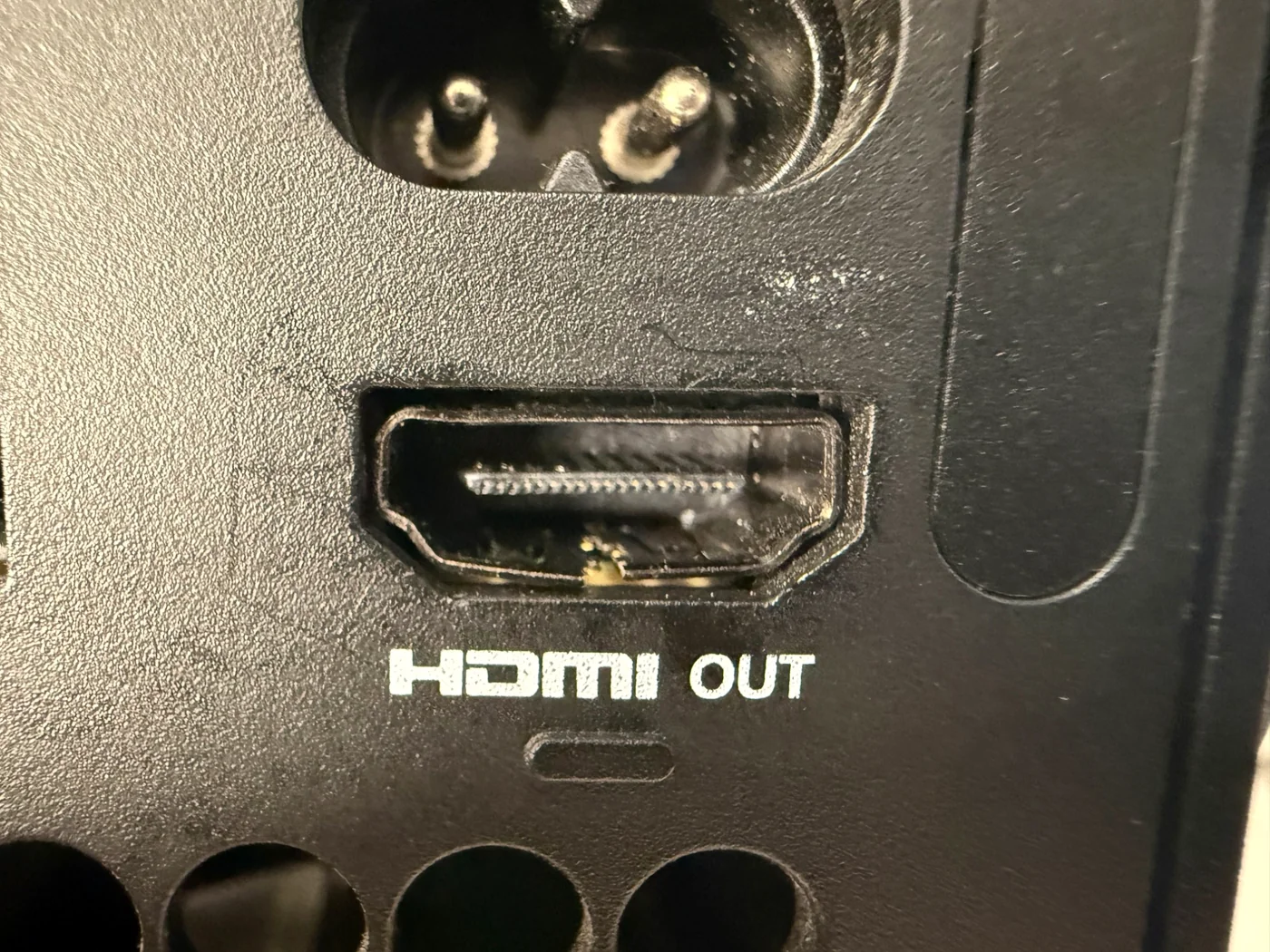
A close look at the port showed why. At the right end of the pin row, the pins were bent out of line. When that happens, the cable can’t make full contact, and the picture never reaches the TV.
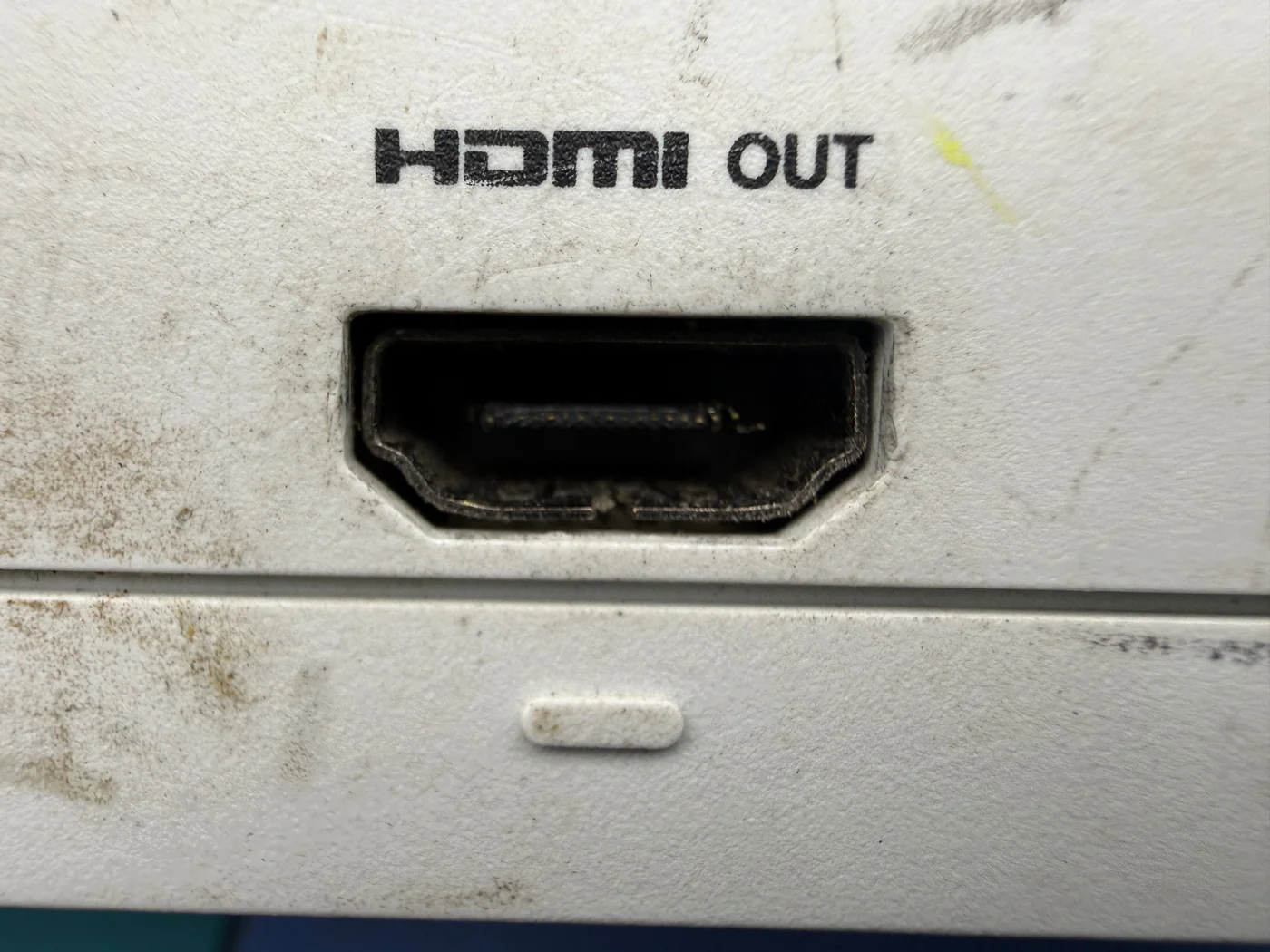
The HDMI port sends picture and sound from the console to your TV. If its pins are bent, the Xbox can run perfectly and still show nothing on screen. Bent pins can’t be trusted again, so the port gets replaced.
02 / The work log · 5 steps
From the first screw to the first picture.
What we did and why it matters,
step by step.
01Open
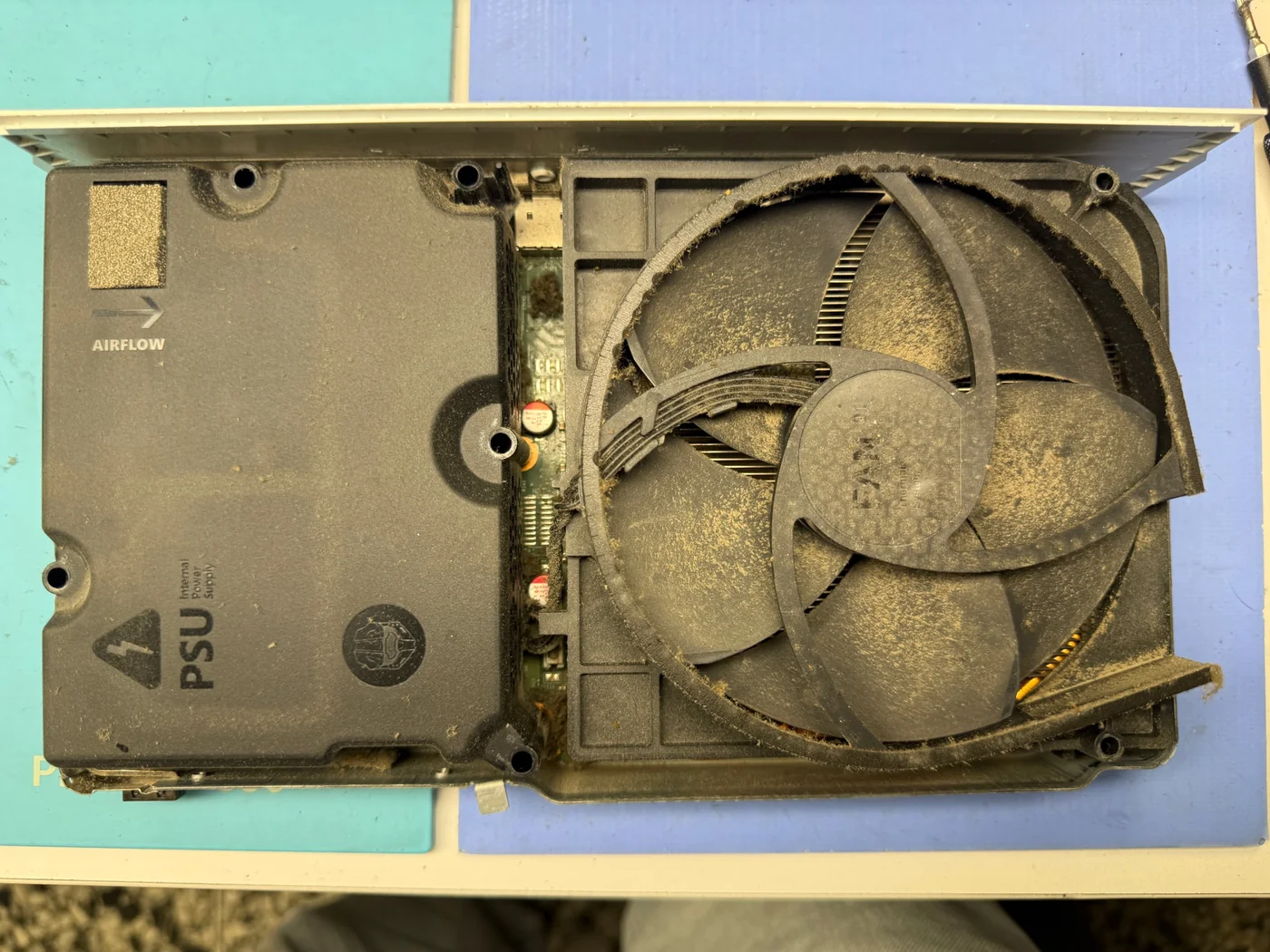
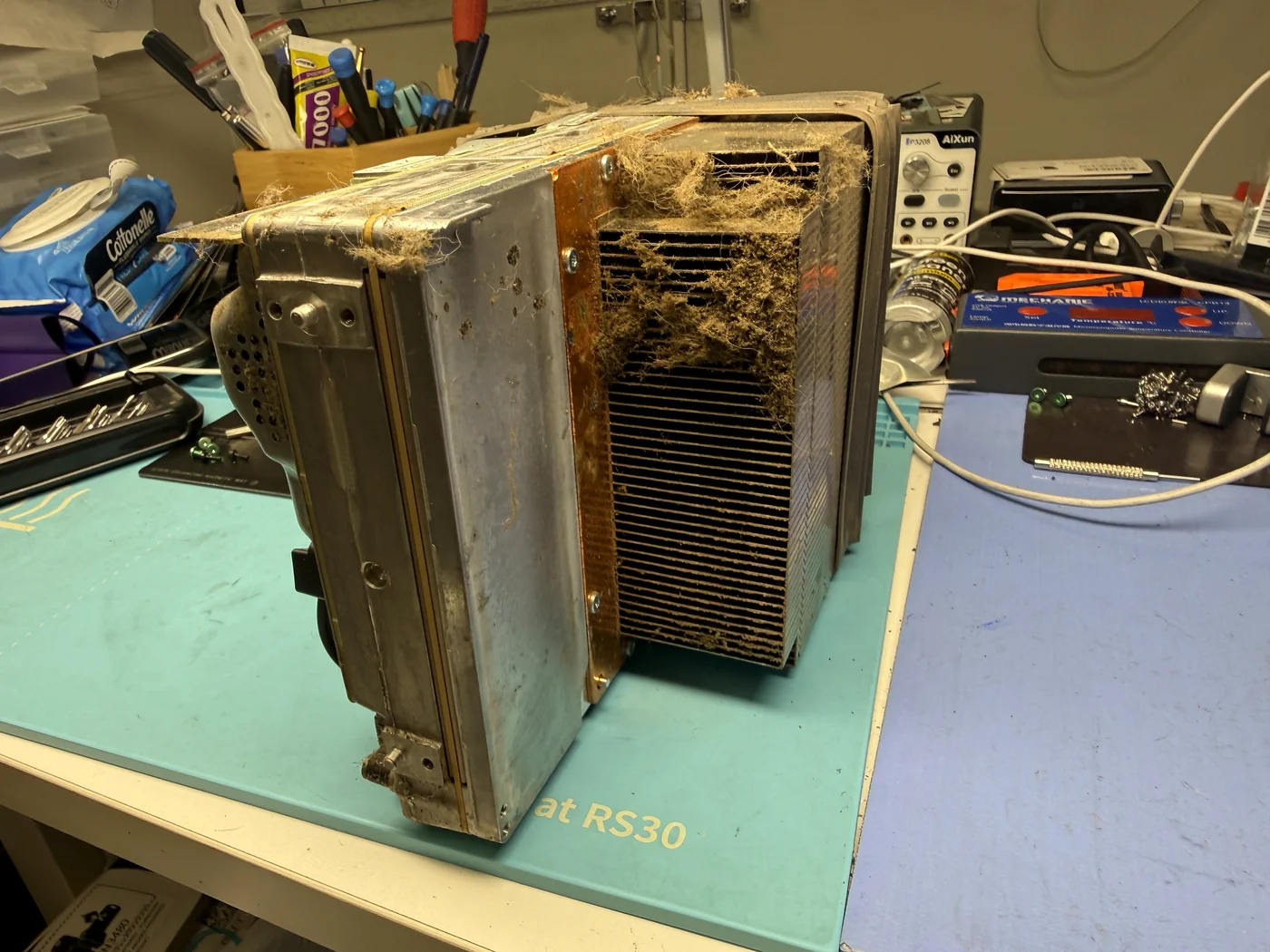
Five years of dust inside.
With the shell off, the fan and the power supply were coated in dust. That isn’t why the picture was gone, but dust like this holds heat. When a console is already open for a repair, a deep clean is $30 more.
02Inspect
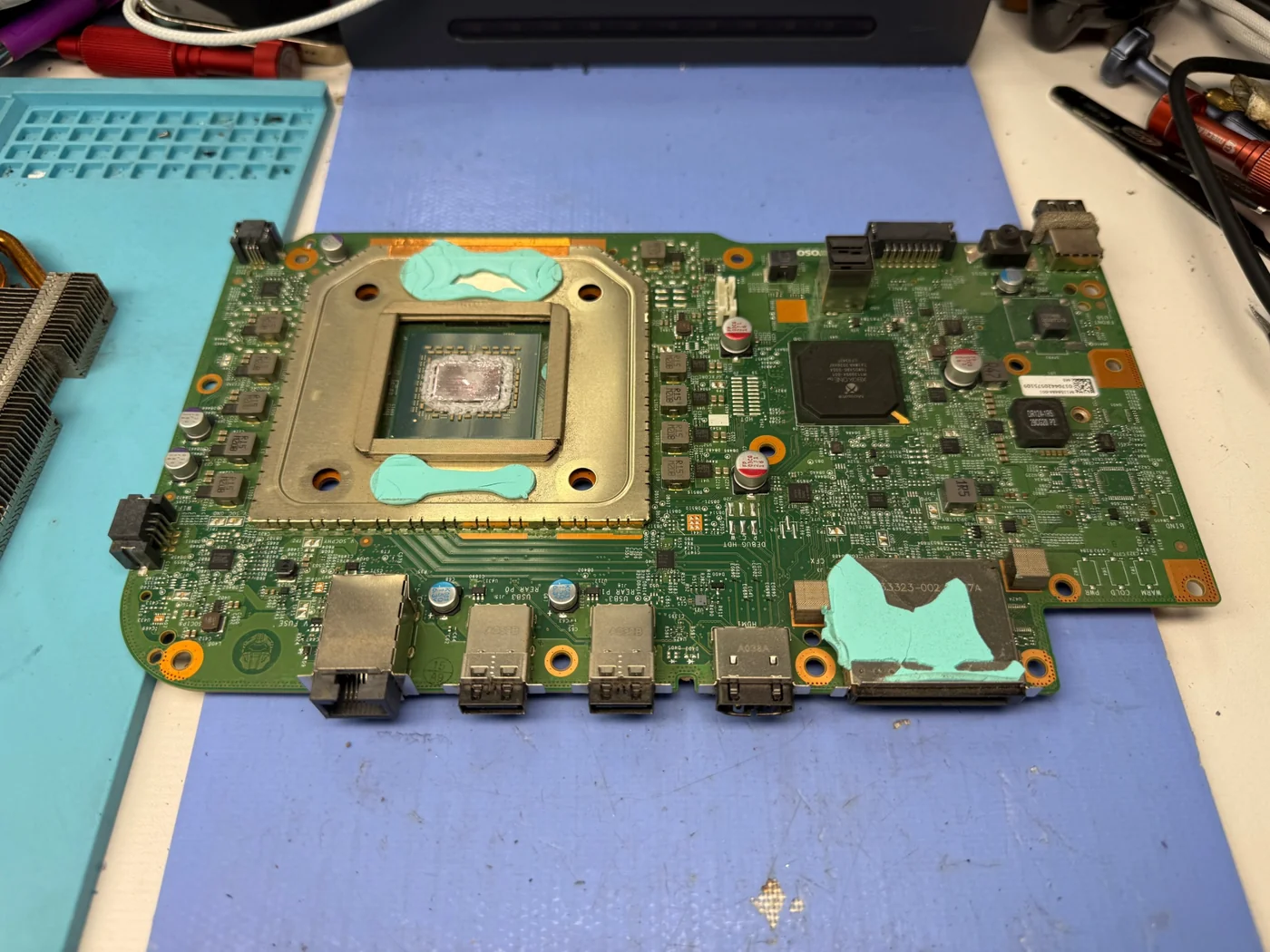
We took the board out to reach the port.
The HDMI port is soldered straight onto the motherboard, so the board has to come out of the case. Once it was out, we could work on the port from every side.
03Prepare
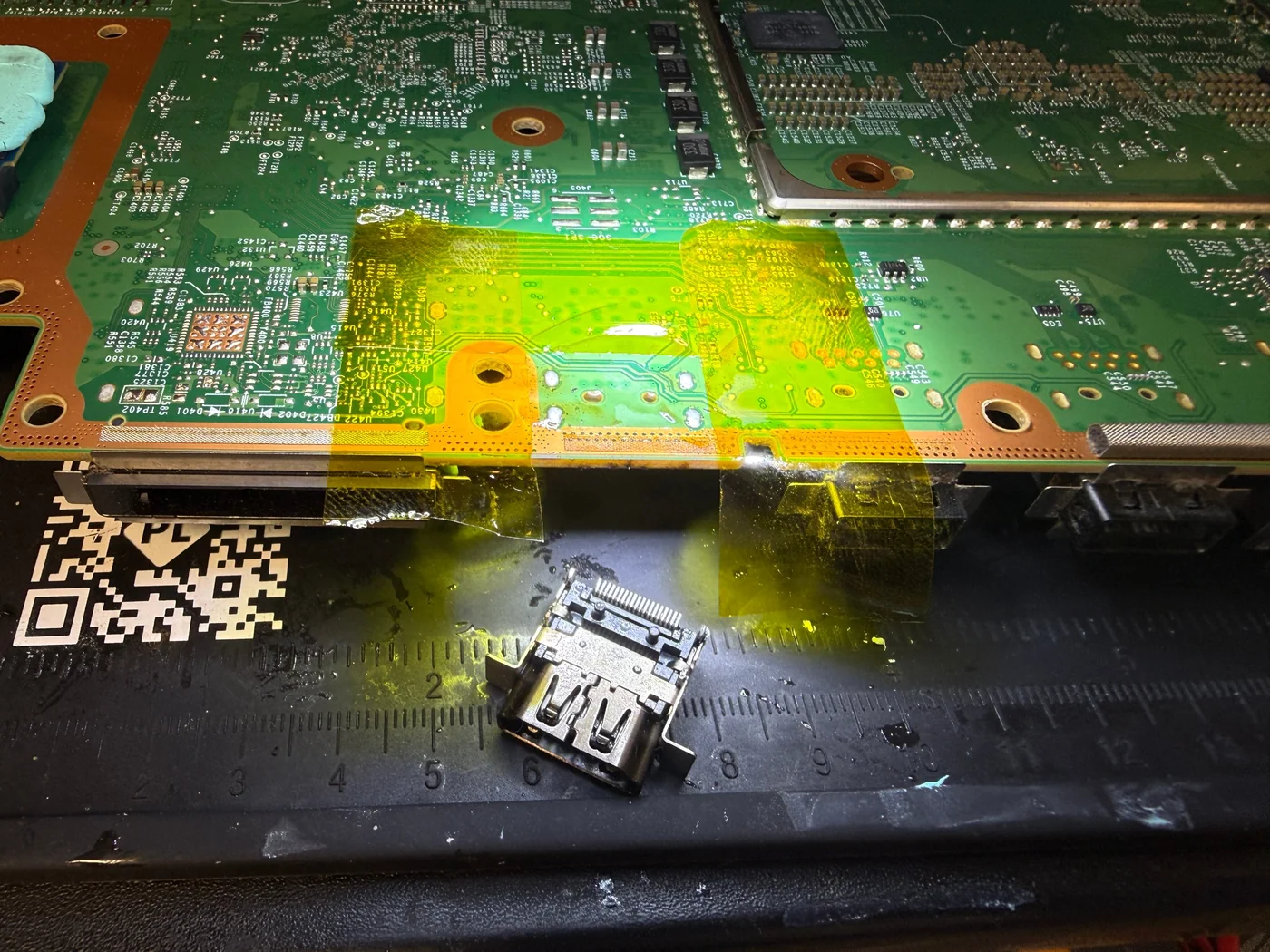
Old port off, nearby parts covered.
We removed the damaged port and cleaned the solder pads. Kapton tape covers the parts around it, so the heat from the next step stays on the port and nowhere else.
Video / 0:29
The new port goes in.
Held square with pliers
while hot air melts the solder.
04Replace
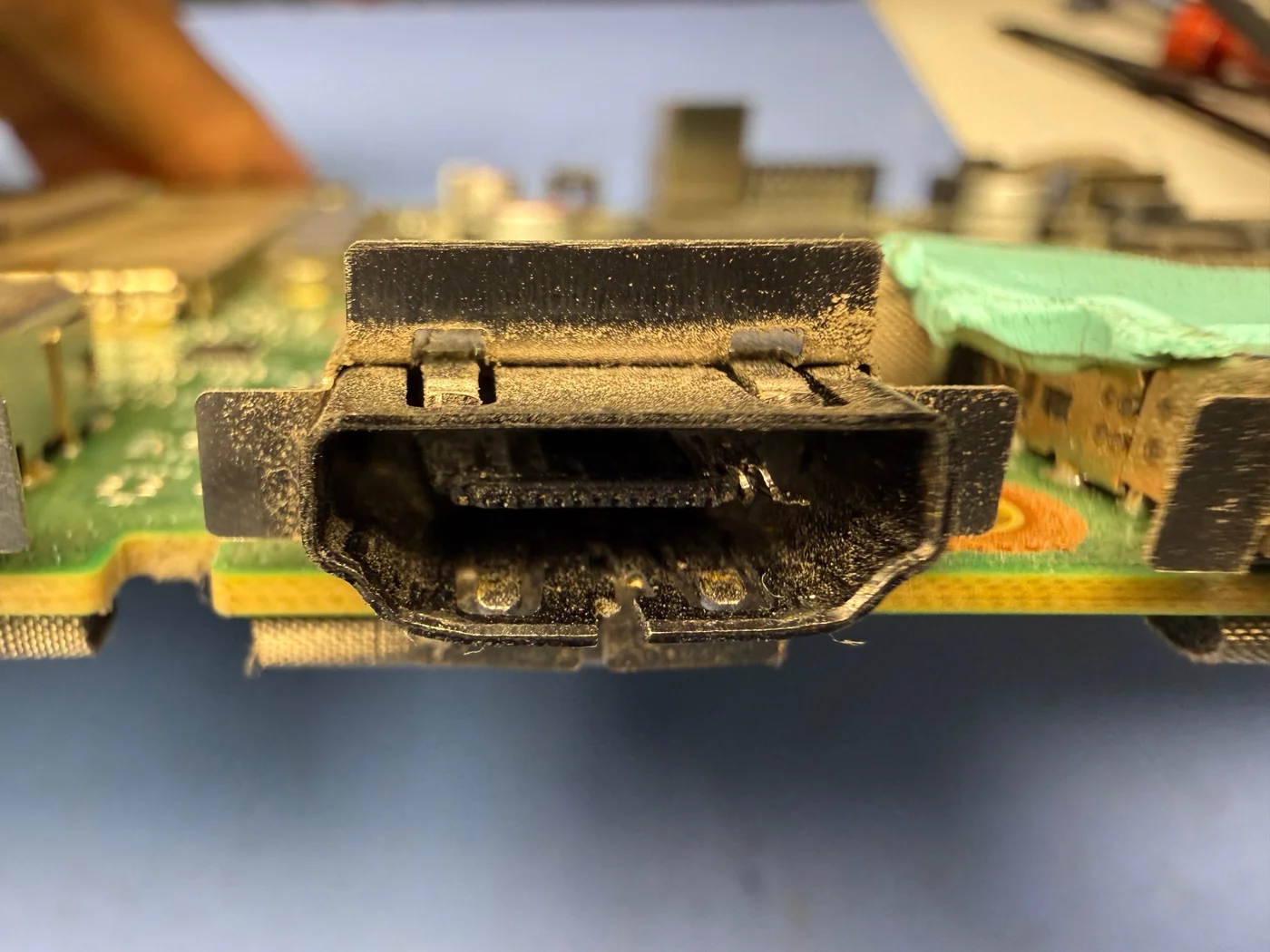
A new port, set straight.
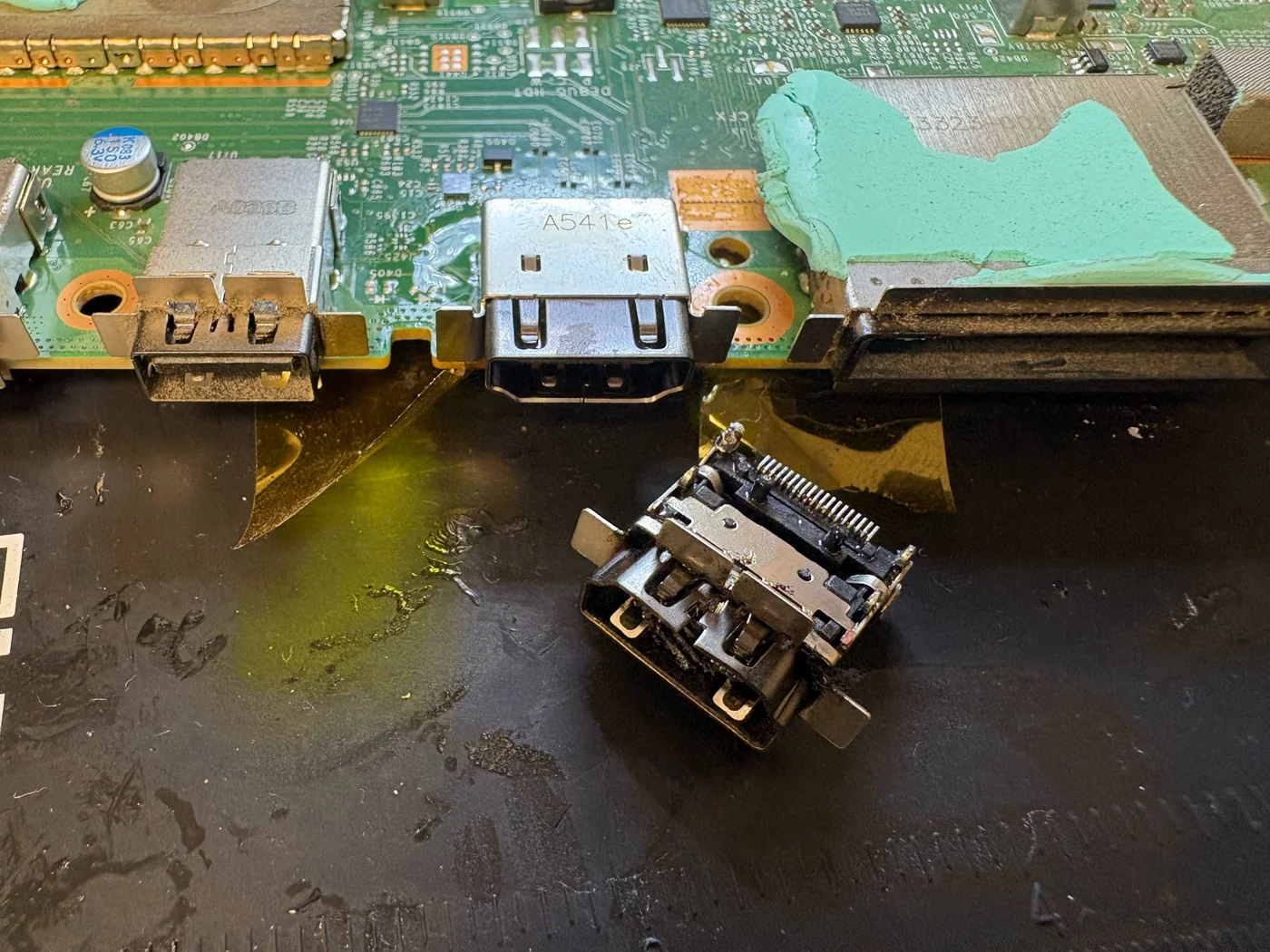
The new port has to sit flat and square to the edge of the board. If it tilts even a little, the cable won’t line up with the opening in the case. Here is the old port next to the new one: dust and bent pins on the left, a clean straight row on the right.
05Test
Wiped down, plugged in, tested.
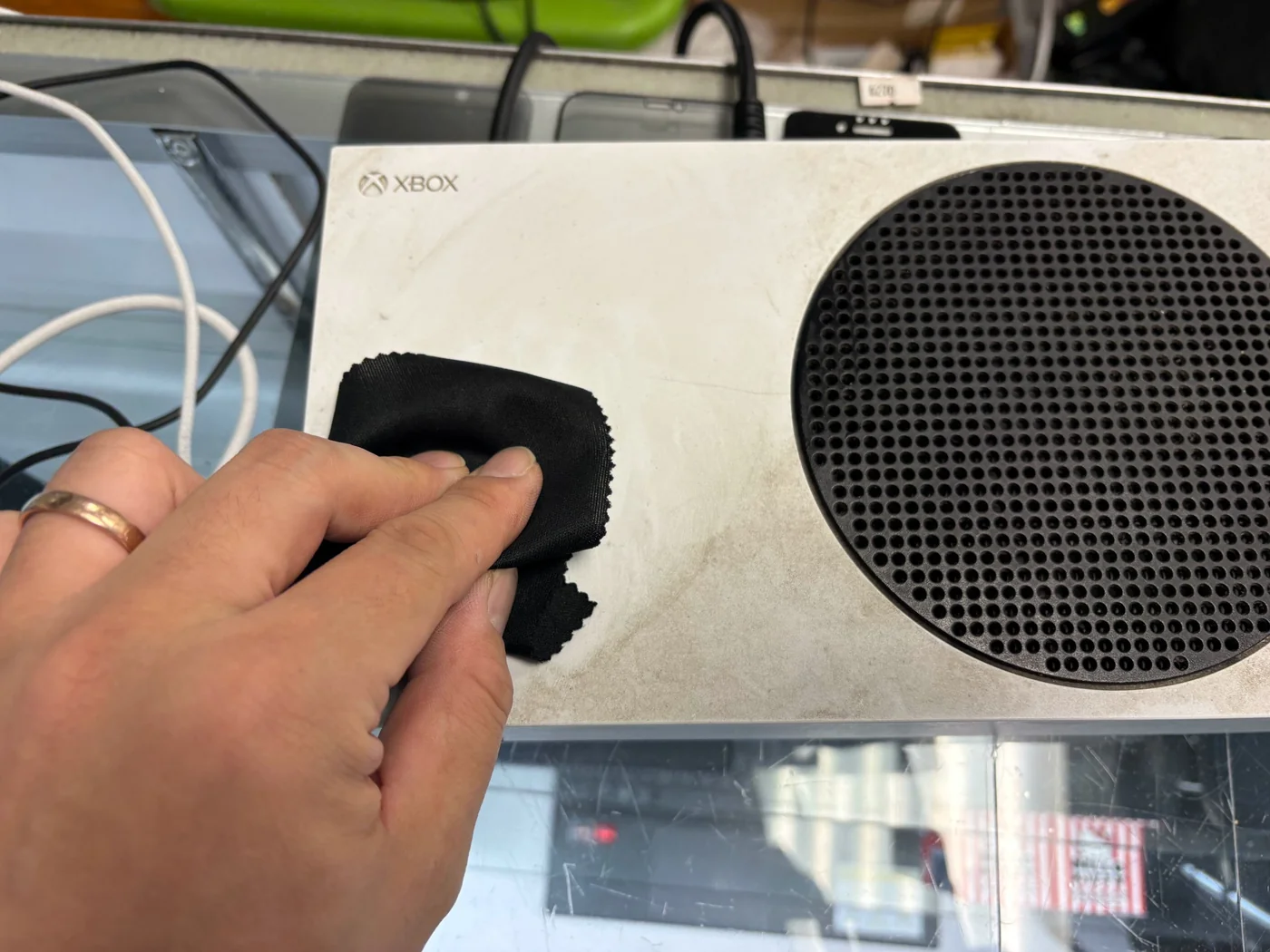
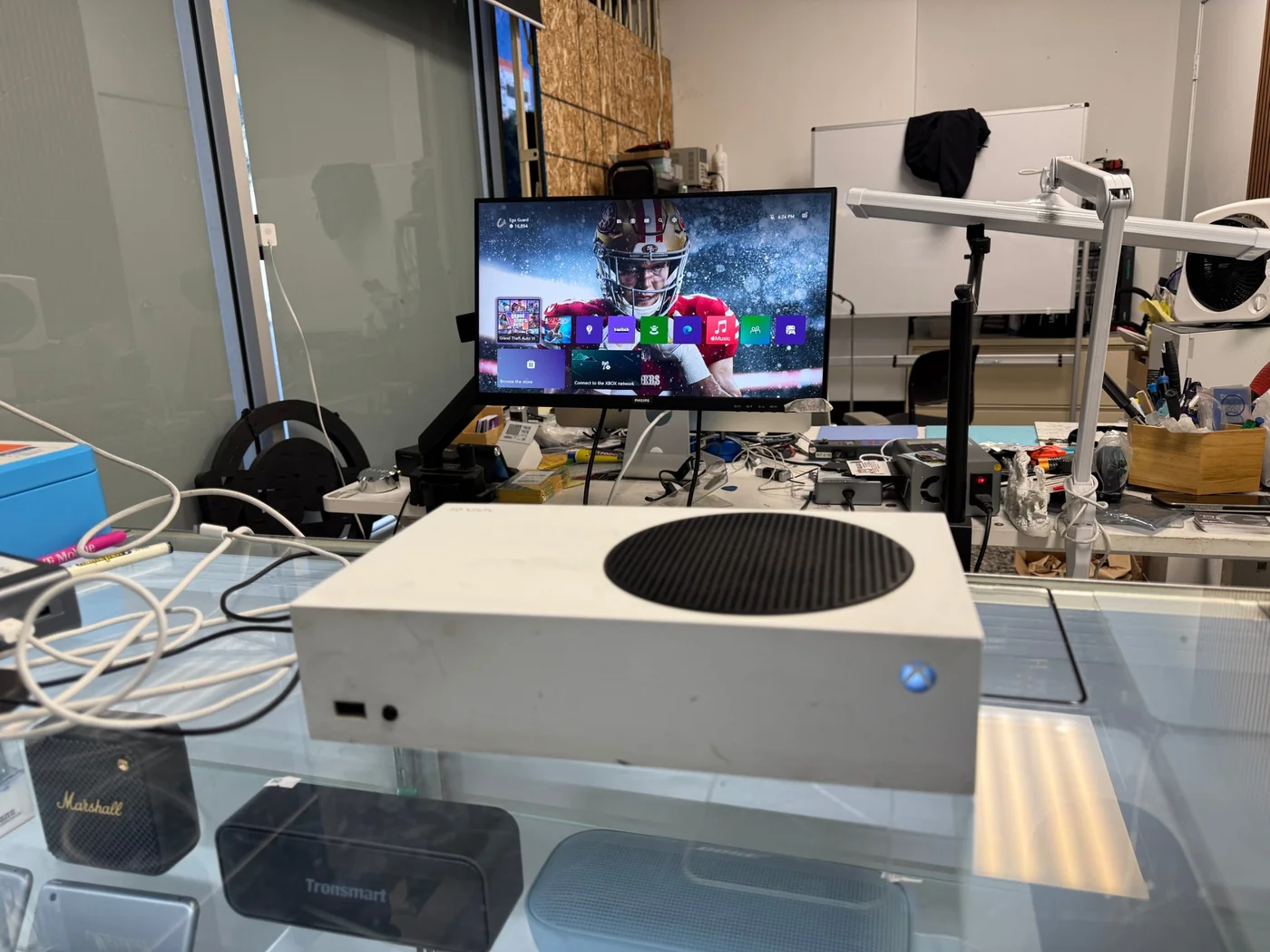
After reassembly we wiped down the shell, connected it to our bench monitor, and checked picture, sound, and how firmly the cable seats.
03.
Back to everyday
Home again
Same console, new port.
The repair itself takes under two hours. Drop it off in the morning and it’s usually ready that afternoon. A few habits help keep the new port healthy.
- Push the cable straight in. Never force it at an angle.
- Leave space behind the console so the cable isn’t bent against the wall.
- Unplug by holding the connector, not the cable.
- If a pin was bent, replace the HDMI cable too.
FAQ
Xbox Series S HDMI repair, answered.
Q.My Xbox Series S turns on but shows no signal. Is it the HDMI port?
Often, but not always. Try a different HDMI cable and TV input first. If the screen is still black, look inside the port for bent pins, then bring it in. We test with a known-good cable and monitor before opening anything, and diagnosis is free.
Q.Can you fix my Xbox the same day?
Often, yes. Drop it off in the morning and it’s usually ready that afternoon. Drop it off in the afternoon and it’s usually ready the next day, in the morning or afternoon. The repair itself takes under 2 hours. Because we’re often working on several devices at once, we plan for about 3 to 4 hours from drop-off.
Q.How much does Xbox Series S HDMI port replacement cost?
$130. If the inside is dusty, a deep clean is $30 more while it’s open. Full details are on our Xbox HDMI port repair page, and everything else we fix is on the game console repair page.
Q.Can I keep using my old HDMI cable?
Not if pins in the old port were bent. The cable may be damaged too, and it can do the same to the new port.
More from the bench
 Open in Google Maps
 Open in Apple Maps