

Galaxy S20 FE 5G Won’t Turn On or Charge — The Port Was Bad, and So Was the CableCharging Port + Flex Cable Replacement — Downtown Los Angeles
A returning customer — we’d replaced the screen on his Galaxy S24 Ultra before — came back with a Galaxy S20 FE 5G that was completely dead. It wouldn’t turn on, and on our USB tester it drew zero current. A new charging port didn’t change a thing. The real answer turned up when we pressed on a connector by hand: the cable that links the charging port to the main board had failed too. Both parts at once is rare, and it made for a longer diagnosis than usual.
Wouldn’t turn on, drew no charging current at all
New charging port and new port-to-board flex cable
Samsung logo, then a steady charge on the bench
The job, on one card
What came in, how we narrowed it down, and why it took a little longer than usual.
| Model | Samsung Galaxy S20 FE 5G |
|---|---|
| Problem | Phone arrived powered off and wouldn’t turn on. USB tester read 0 A — no charging current at all. No visible damage on the outside |
| Diagnosis | Charging port replaced first → still 0 A → thermal camera check: no short on the board → pressing the connector of the new port by hand brought brief bursts of current → port-to-board flex cable also faulty |
| Repair | New charging port + new port-to-board flex cable → boots, charges normally |
| Parts | Ordered for this repair — arrived in 2 days |
| Price | Quoted after a free diagnosis · 424-270-4369 |
| Diagnosis time | Usually under 10 min · this one 20–30 min |
| Teardown | Tricky diagnosis3 / 5 |
| Tech’s note | When a phone shows zero current on the tester, it usually means one of two things: a short somewhere, or a fault in the board’s charging circuit. So when the new port didn’t help, I honestly suspected the board. The thermal camera said no short, though. Then I pressed on the new port’s connector with my finger — and every so often, a little current came through. That pointed to the cable between the port and the main board. Swapping it fixed everything. This is a rare one: it’s almost always the charging port alone that fails, not the cable along with it. And there was no sign of a drop or impact on this phone, so it wasn’t damage — just two parts wearing out together. |
What “won’t turn on, won’t charge” can really mean
A dead Galaxy isn’t always a dead board. Here’s how we tell the difference.
Zero current is a clue, not a verdict
A USB tester reading 0 A usually points to a short or a charging-circuit fault on the board. But a broken path between the port and the board looks exactly the same from the outside. That’s why we test before we quote.
The charging path has more than one part
On the Galaxy S20 FE, power travels from the USB-C port, on its own small board, through a long flex cable to the main board. Any link in that chain can fail — and once in a while, two fail at once, like this one.
Rule things out before blaming the board
A thermal camera shows whether a short is heating up a part of the board. No hot spot, no short — so we kept tracing the charging path instead of writing the board off. That saved this phone from an expensive board repair it didn’t need.
From zero current to a full boot
Replace the obvious part, rule out the board, then follow the current.
Two faulty parts, out
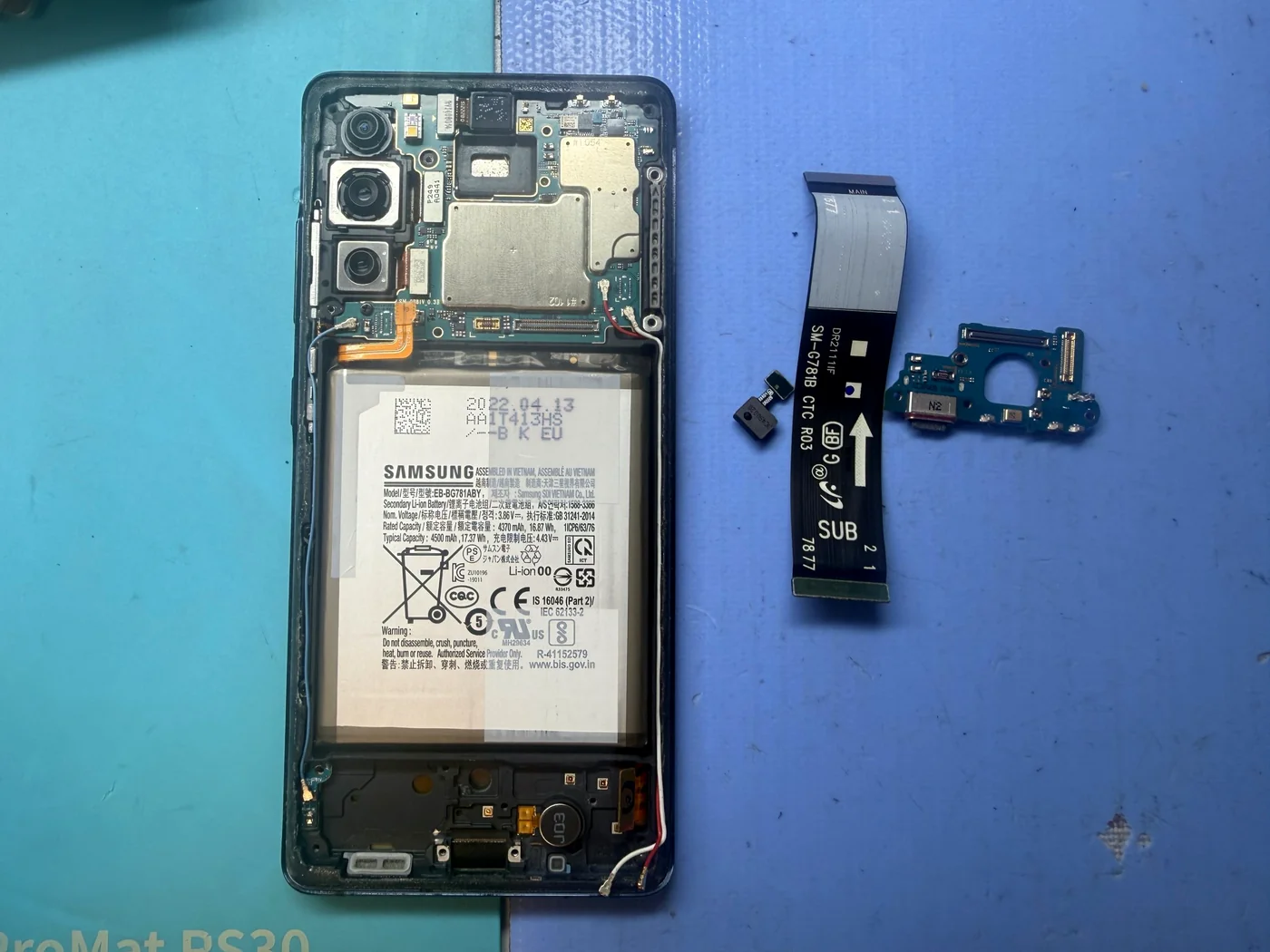
The charging port is the usual suspect, so it was replaced first — but the tester still read zero. A thermal camera showed no hot spots, so no short on the board. Pressing the new port’s connector by hand made current flicker on now and then, which pointed to the cable between the port and the main board. These are the two faulty parts that came out of the phone: the charging port board and that cable.
The cable arrives, the phone boots
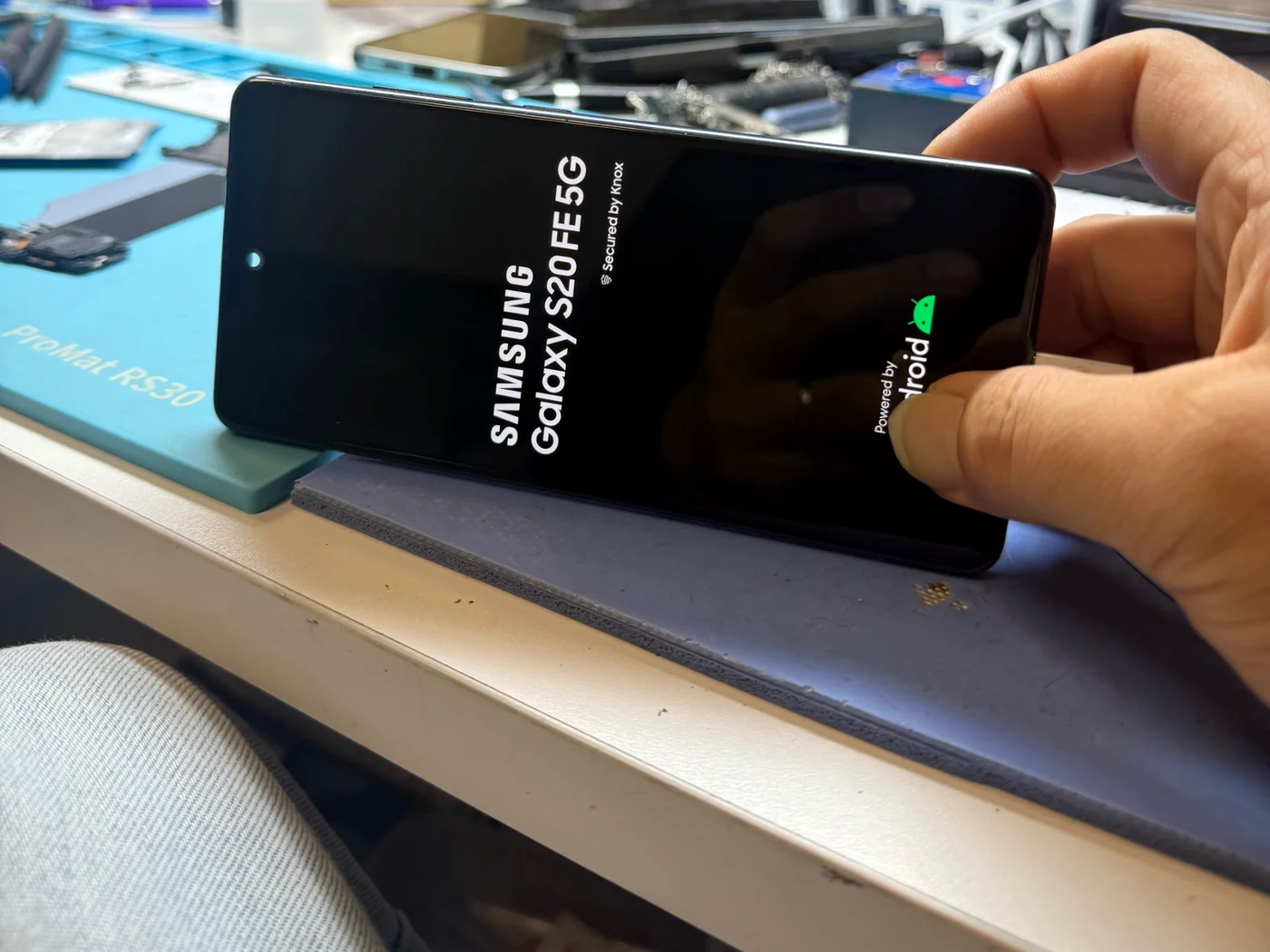
We can’t stock every part for every model, so the cable was ordered for this repair and arrived in two days. With the new port and the new cable both in, the S20 FE came straight up to the Samsung logo.
Boots, and charges steadily
New port, new cable, and current flowing the way it should.
Charging again
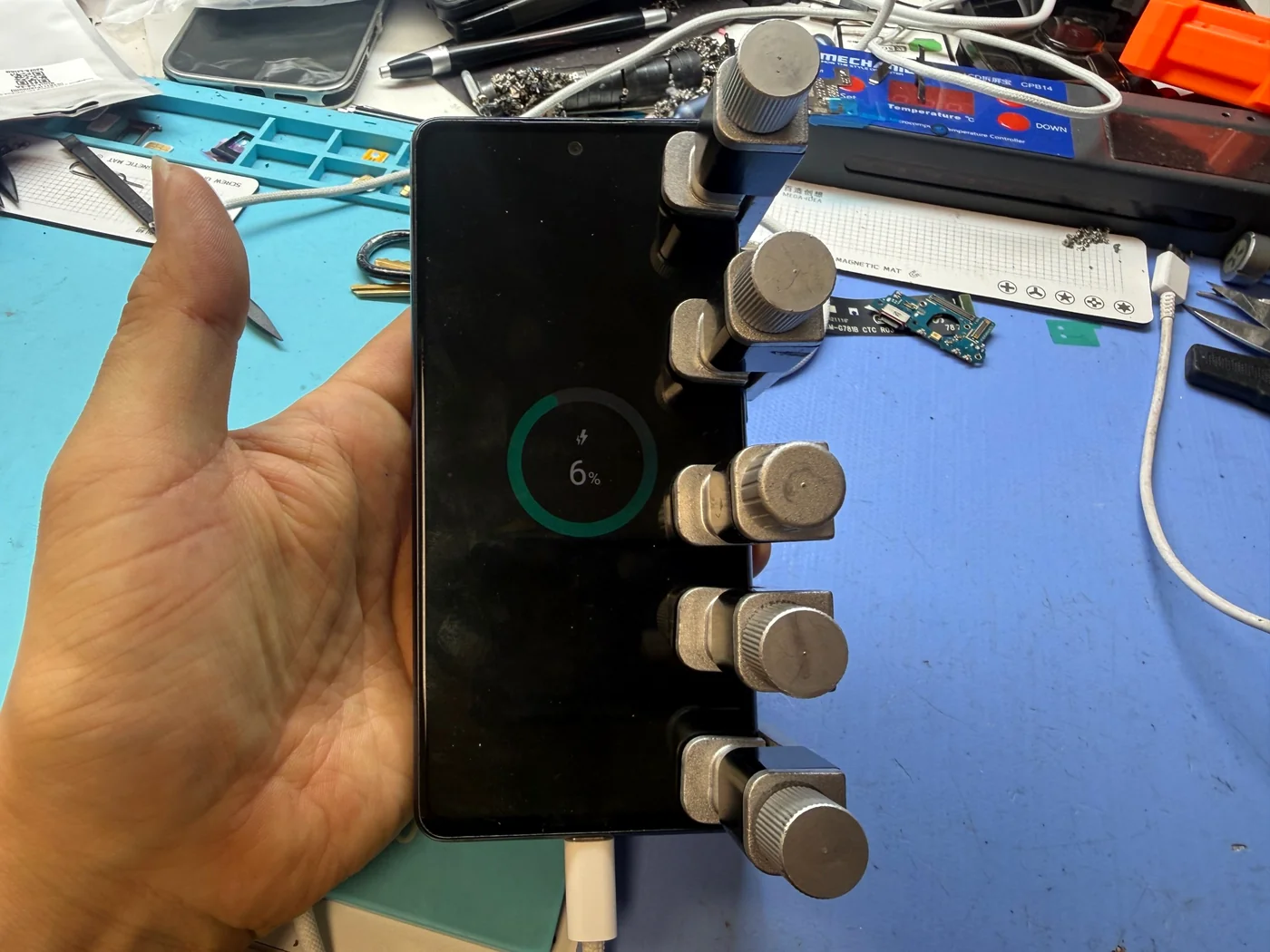
On the bench, the S20 FE took a steady charge from a near-empty battery, no pressing or wiggling required. The board turned out to be perfectly healthy — the whole problem lived in the charging path between the port and the board.
The two questions everyone asks
Straight answers, as always.
My Galaxy S20 FE won’t turn on or charge. Is the board dead?
Not necessarily. A dead S20 FE that shows no charging current can have a bad charging port, a bad port-to-board cable, a short, or a charging-circuit fault — and the first two are far cheaper to fix. We test with a USB tester and a thermal camera before quoting, and the diagnosis is free. See another charging port repair from our bench.
How long does a Galaxy charging port repair take?
When the part is in stock, a charging port replacement is usually done the same day. We can’t keep every part for every model on hand, so less common parts are ordered — this S20 FE cable took two days to arrive. Call 424-270-4369 and we’ll tell you right away whether your part is in stock.
More Samsung repair stories
Same bench, same philosophy, different Galaxys.
Galaxy won’t turn on or won’t charge?
Free diagnosis with a USB tester and thermal camera, charging port and cable repair in Downtown Los Angeles. Booking ahead is best, but walk-ins are welcome. Call 424-270-4369 and ask us anything.