

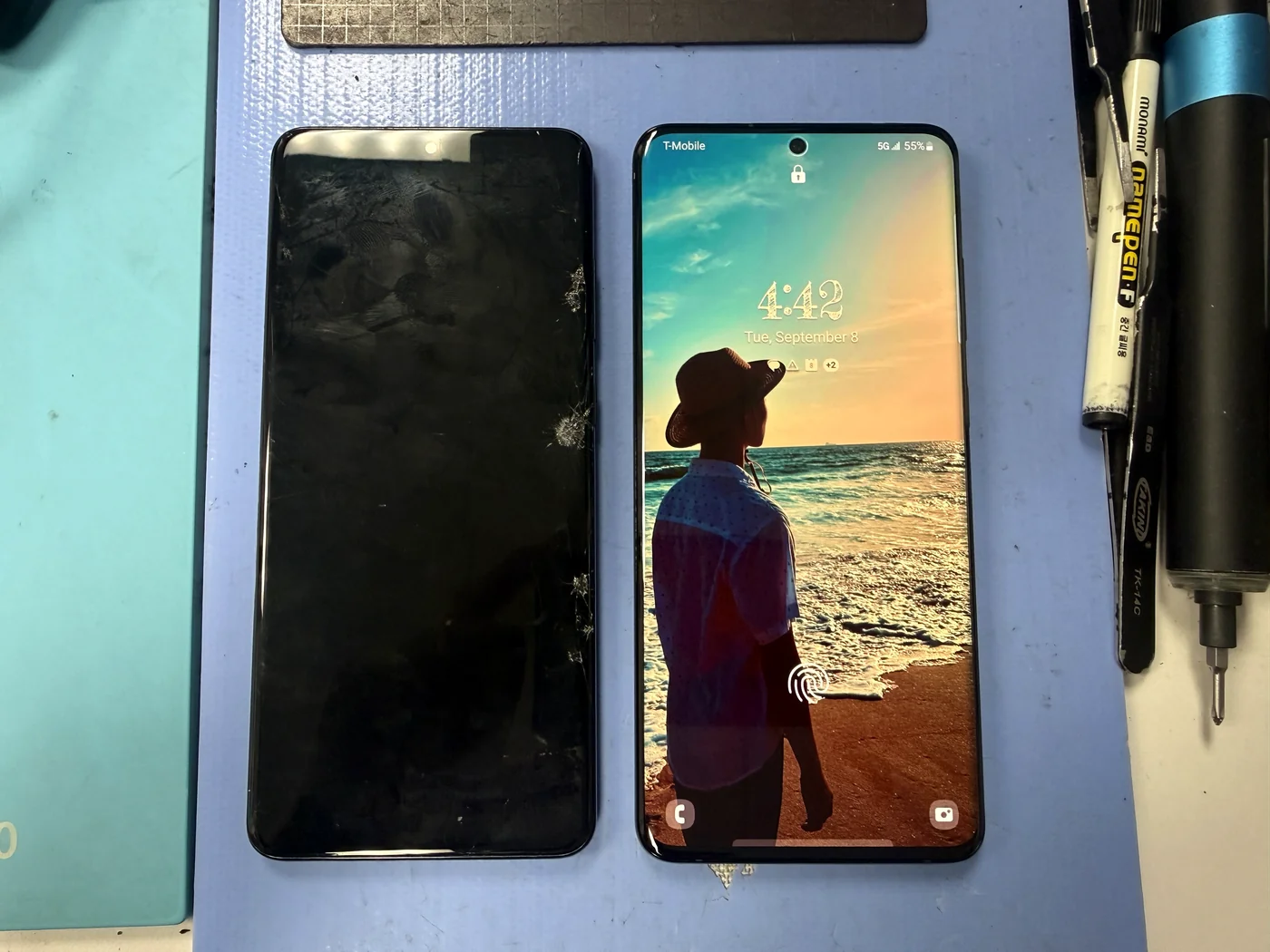
Three Problems, One Teardown, All Genuine PartsGalaxy S20 Ultra — Screen, Battery and Camera Replaced in Downtown LA
This S20 Ultra came in with a cracked screen and a green line down the right side, but that wasn't the whole story. The battery was draining fast and photos were coming out soft and blurry. The customer wanted genuine Samsung parts, so all three went in during one teardown. Here's what came out, what went back in, and the honest version of why I keep pushing people toward genuine parts even when the aftermarket option saves them money today.
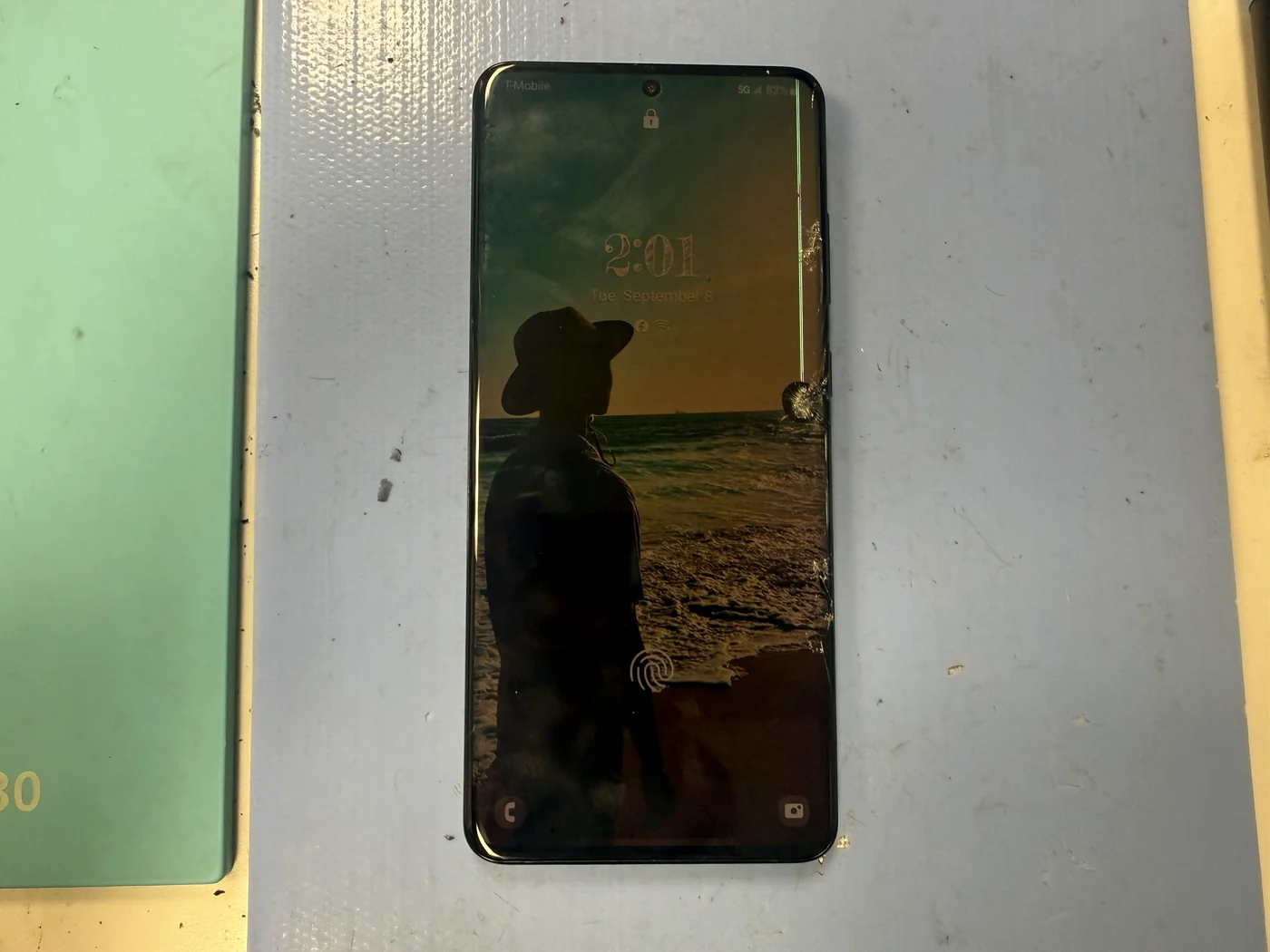
Cracked screen with a green vertical line, a battery that wouldn't hold a charge, and photos that came out blurry.
Screen assembly, battery and rear camera module — all genuine, all chosen by the customer after we went through the options.
Sharp display, full battery life, clear photos. One teardown covered all three repairs.
The job, on one card
What was wrong, what went in, and why this model takes longer than the newer ones.
| Model | Samsung Galaxy S20 Ultra 5G |
|---|---|
| Problem | Cracked display with a green vertical line, rapid battery drain, and blurry photos from the rear camera |
| Parts | Genuine Samsung screen assembly, genuine Samsung battery, genuine Samsung rear camera module |
| Why genuine | The customer asked for genuine, and on this phone it's what I'd have recommended anyway. Every internal part had to come out regardless, so doing all three at once meant one teardown instead of three. |
| Repair time | About 1 to 2 hours |
| Teardown | Moderate3 / 5 |
| Tech's note | The S20 Ultra is built a little more awkwardly than the Galaxy phones that came after it. More brackets, more flex cables routed over each other, more of the board to lift before you can get at anything. It adds a few minutes at every stage, and it's why I quote this model closer to two hours than one. On parts, I'll be straight with you. I recommend genuine to almost everybody, and the reason isn't loyalty to Samsung — it's that I see the aftermarket ones come back. Sometimes it's a few dollars' difference, sometimes a few tens of dollars, and for that gap you get a screen that holds its color, responds the way the phone was designed to, and survives a drop that would spider a cheaper panel. Same story with batteries and cameras. That said, everyone's budget is different, and I'm not going to pretend otherwise. If genuine doesn't work for you, tell me and we'll find the part that does. We go through the options together, you pick, and nothing gets replaced until you've said yes. But if you do go with a cheaper screen, please use a screen protector and a case. The glass really is weaker, and I'd rather you never come back for the same repair twice. |
Where you actually feel the difference
Three things you notice on a screen, and why the same logic applies to batteries and cameras.
Color, brightness, black levels
Put a genuine Samsung panel next to an aftermarket one and the difference shows up immediately in color accuracy and how deep the blacks go. It's the kind of thing you stop noticing after a week — until you hold the phone next to someone else's.
How fast it answers your finger
Aftermarket digitizers lag. Not dramatically, but enough that typing feels slightly off and fast scrolling doesn't track. The genuine panel responds the way the phone did the day it was new, because it's the same part.
What happens when you drop it
This is the one that costs people money. Aftermarket glass is measurably weaker, so a drop the original would have shrugged off can crack it. If you go the budget route, a screen protector and a case aren't optional extras — they're what makes the cheaper screen worth choosing.
Everything out, everything genuine going back
Four frames from the bench.
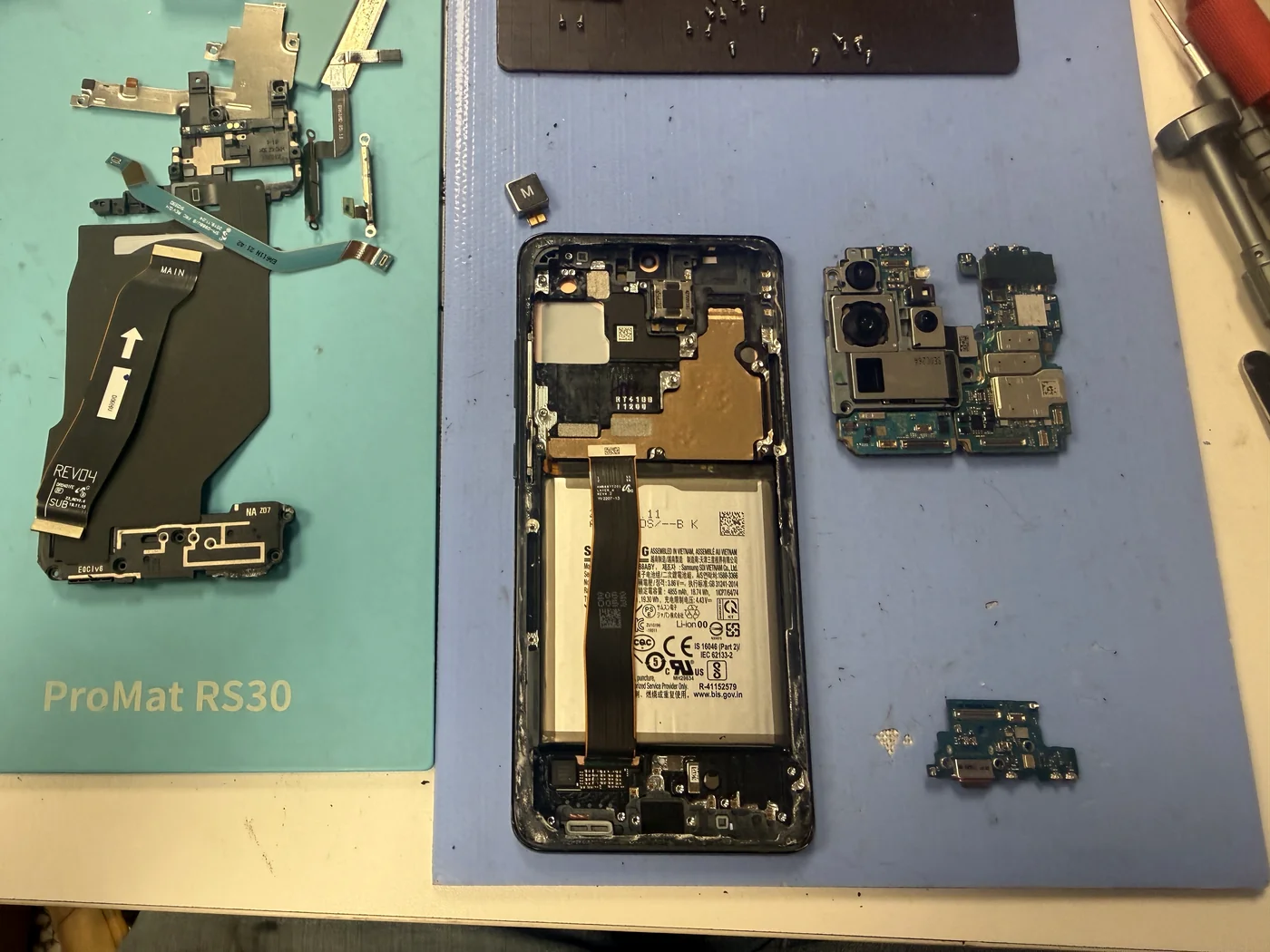
Strip the phone down
On the S20 Ultra the screen isn't a part you lift off — it comes bonded to the frame, so every internal component has to move to the new one. Back glass, board, cameras, charging port, speaker, brackets, all of it out and laid in order. This is the stage where the model's extra complexity shows up.
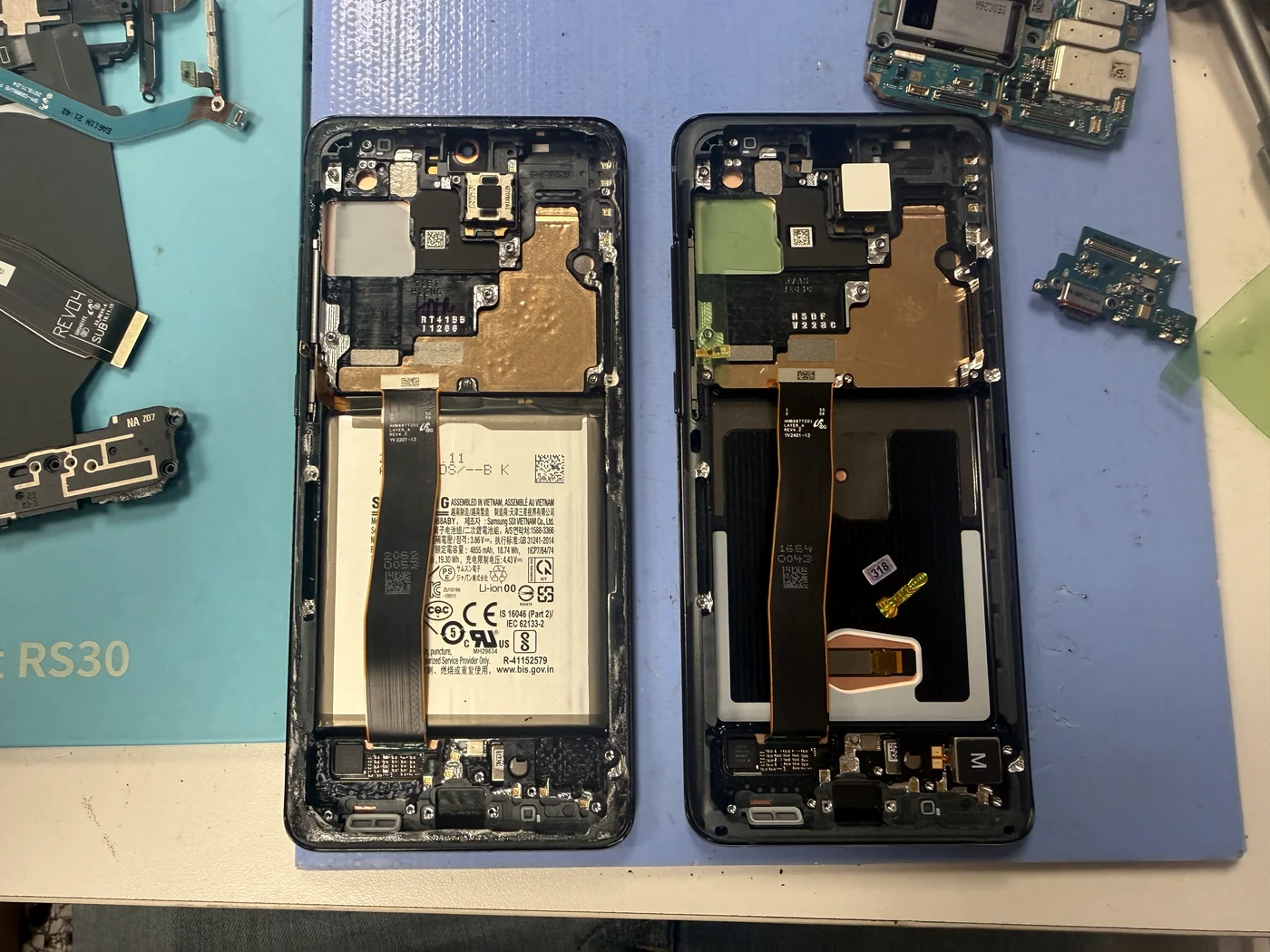
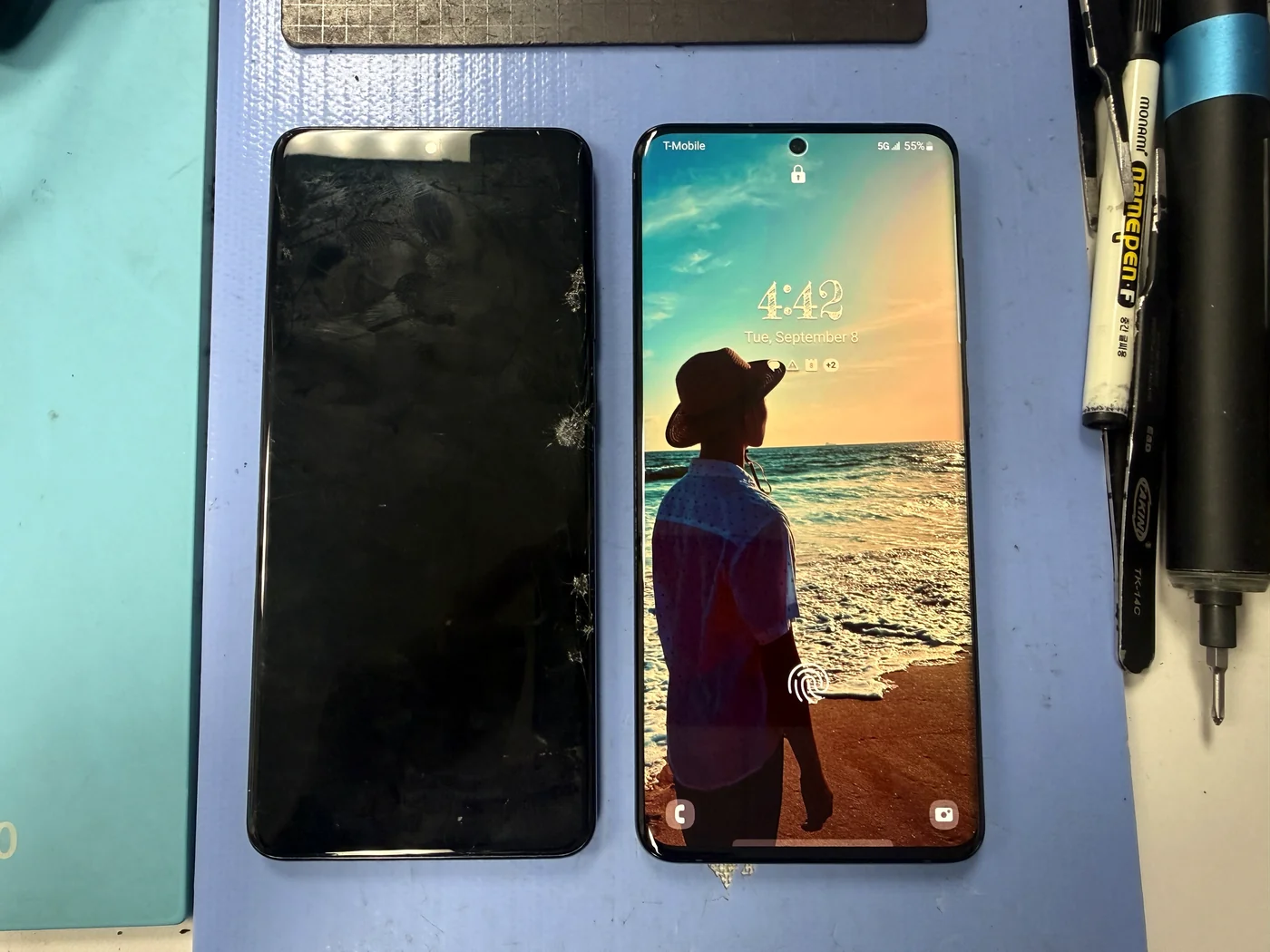
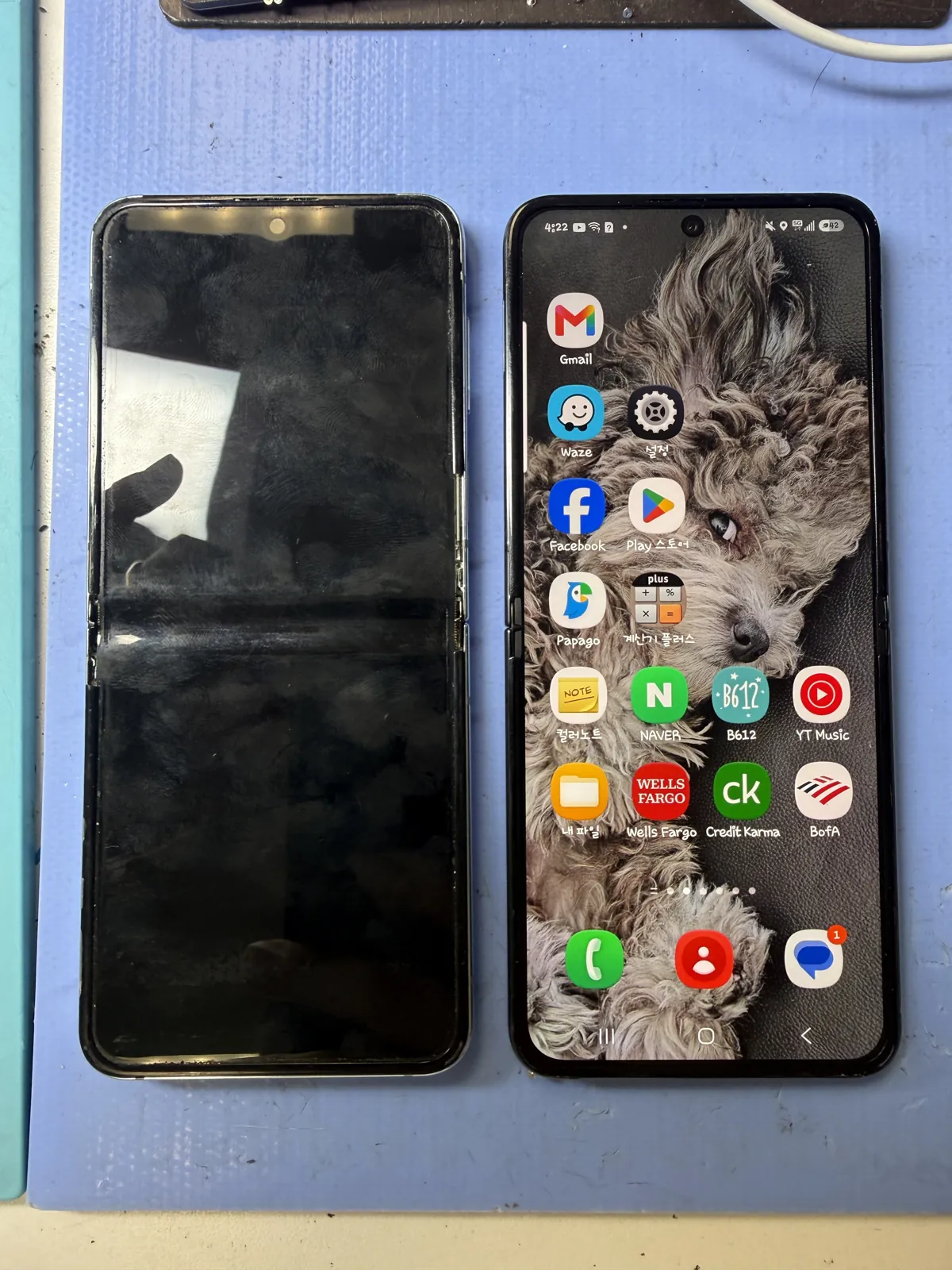
The new genuine screen, side by side
The replacement on the right is a complete genuine Samsung screen assembly with its own frame. Everything that came out of the old one gets rebuilt into it. Seeing them together is also the clearest way to show a customer what they're paying for — this is a whole chassis, not a pane of glass.
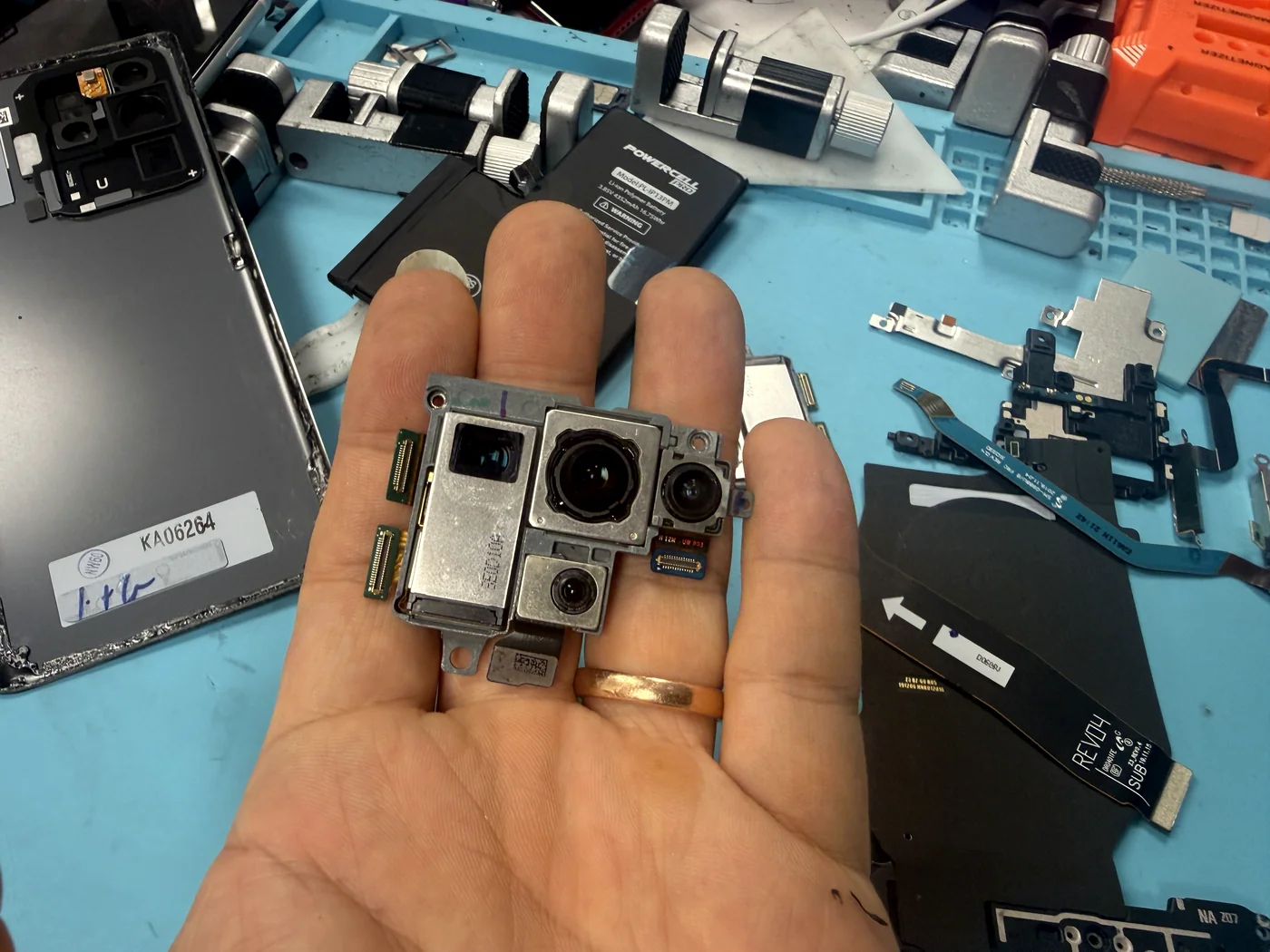
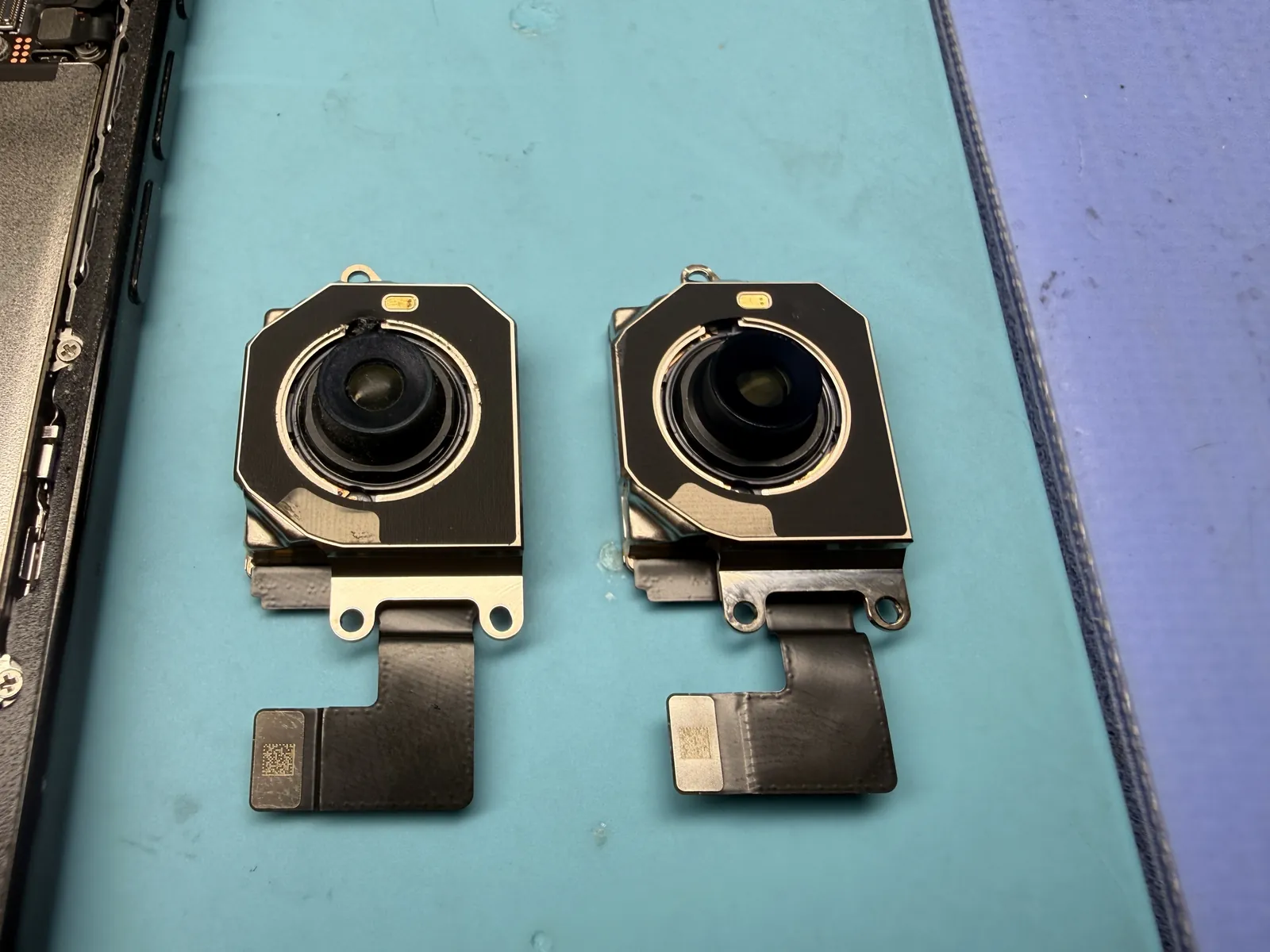
Swap the blurry camera
Photos had been coming out soft, which on this generation usually means the stabilisation or focus mechanism inside the module has given up. It's not something you clean or recalibrate — the module gets replaced. Because the board was already out, this cost almost no extra time.
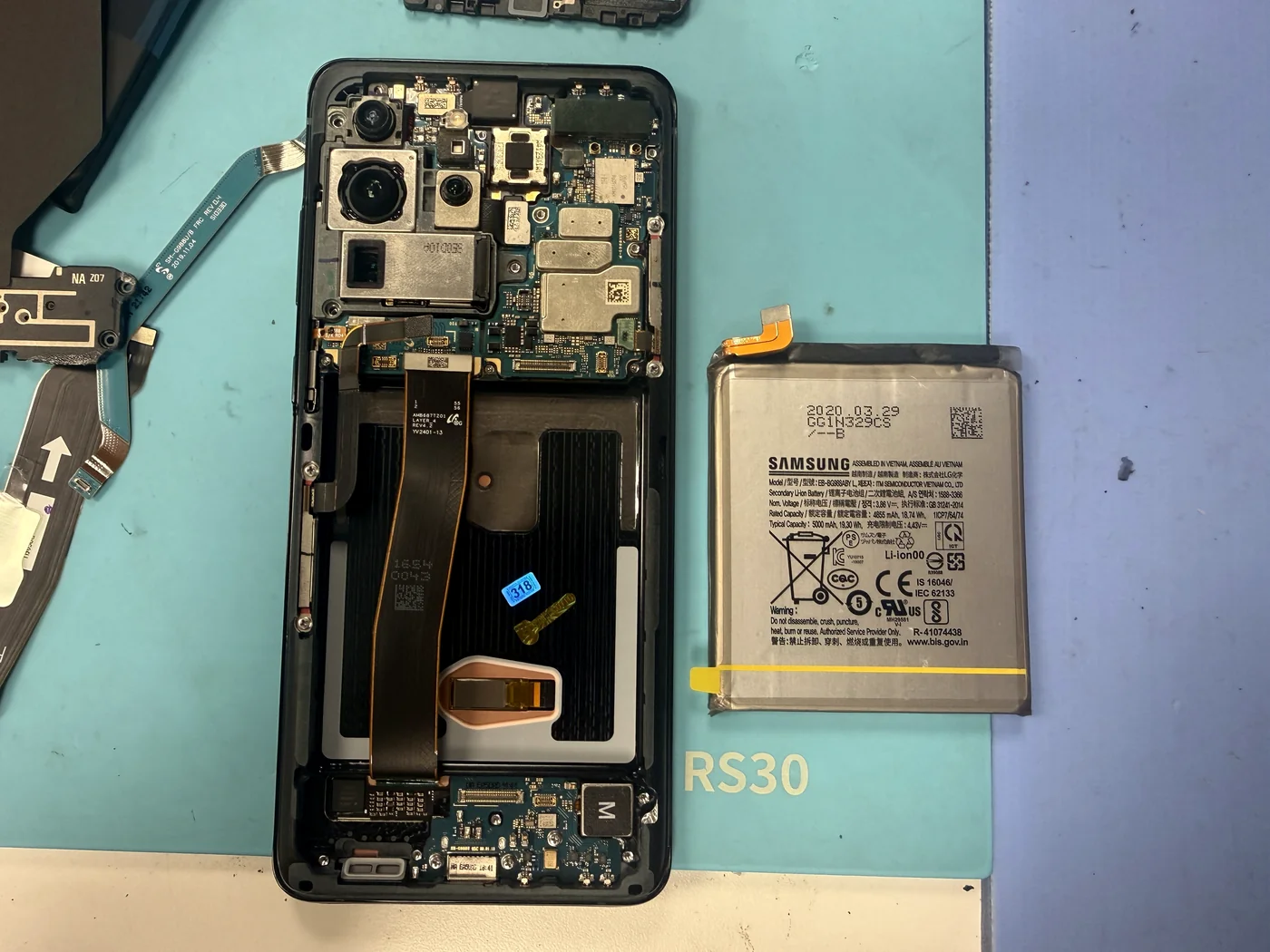
Genuine battery into the rebuilt frame
The original was years old and no longer holding a charge. With the board already seated in the new frame, the genuine battery drops in last, gets its adhesive, and the phone closes up. Then a full test: display, touch across the whole panel, both cameras, charging, speakers and buttons.
A four-year-old phone, behaving like new
Same phone, same data, three parts replaced.
Clean display, real battery life, sharp photos
No green line, no dead touch zones, and colors back to where they should be. The battery holds a full day again and the camera focuses properly. Everything on the phone stayed exactly where it was — a repair like this doesn't touch your storage.
The questions that usually follow
Straight answers, as always.
How long does a Galaxy S20 Ultra screen replacement take?
About 1 to 2 hours. The S20 Ultra is built more awkwardly than the Galaxy models that came after it, so it takes a few minutes longer at nearly every stage. Adding the battery and camera to the same job barely changed the total, because the phone was already apart.
Is a genuine Samsung screen really worth the extra cost?
In my experience, yes. You're paying somewhere between a few dollars and a few tens of dollars more, and in return you get better color and brightness, faster touch response, and glass that's genuinely stronger in a drop. The aftermarket ones are the ones I see come back.
What if genuine doesn't fit my budget?
Then we'll find the part that does. We go through every option with you, you choose, and nothing gets replaced without your approval. If you pick a cheaper screen, use a screen protector and a case — that glass is weaker, and those two things are what keep the savings real.
Why are my photos suddenly blurry?
On older Galaxy phones this is usually the camera module itself rather than a dirty lens or a software issue — the focus or stabilisation hardware inside it wears out. Cleaning won't fix it. The module gets replaced, and a genuine one restores the original picture quality.
Can you replace the screen, battery and camera in one visit?
Yes, and it's the sensible way to do it. All three sit behind the same teardown, so combining them saves you both time and repeat labour. Tell us everything the phone is doing wrong when you drop it off, not just the obvious crack.
Will I lose my photos or messages?
No. Screen, battery and camera replacements don't touch your storage. Everything stays on the phone exactly as it was.
More honest repair stories
Same bench, same philosophy, different repairs.
Cracked screen, dying battery, blurry camera? Get them all looked at once.
We'll go through the genuine and aftermarket options with you, tell you what each one actually changes, and only start once you've decided. Walk-ins welcome in Downtown Los Angeles.