

The Service Center Said No. The Corrosion Said Why.Galaxy Watch 7 44mm Water Damage Repair — Downtown LA
A Galaxy Watch 7 44mm came in with a strange half-life: it charged just fine, but the power button was dead, so the watch couldn’t actually be used. Water had gotten in. The owner tried the Samsung service center first and was told it couldn’t be repaired there — so the watch found its way to our bench instead. We opened it, and the green crust on the contacts told the whole story.
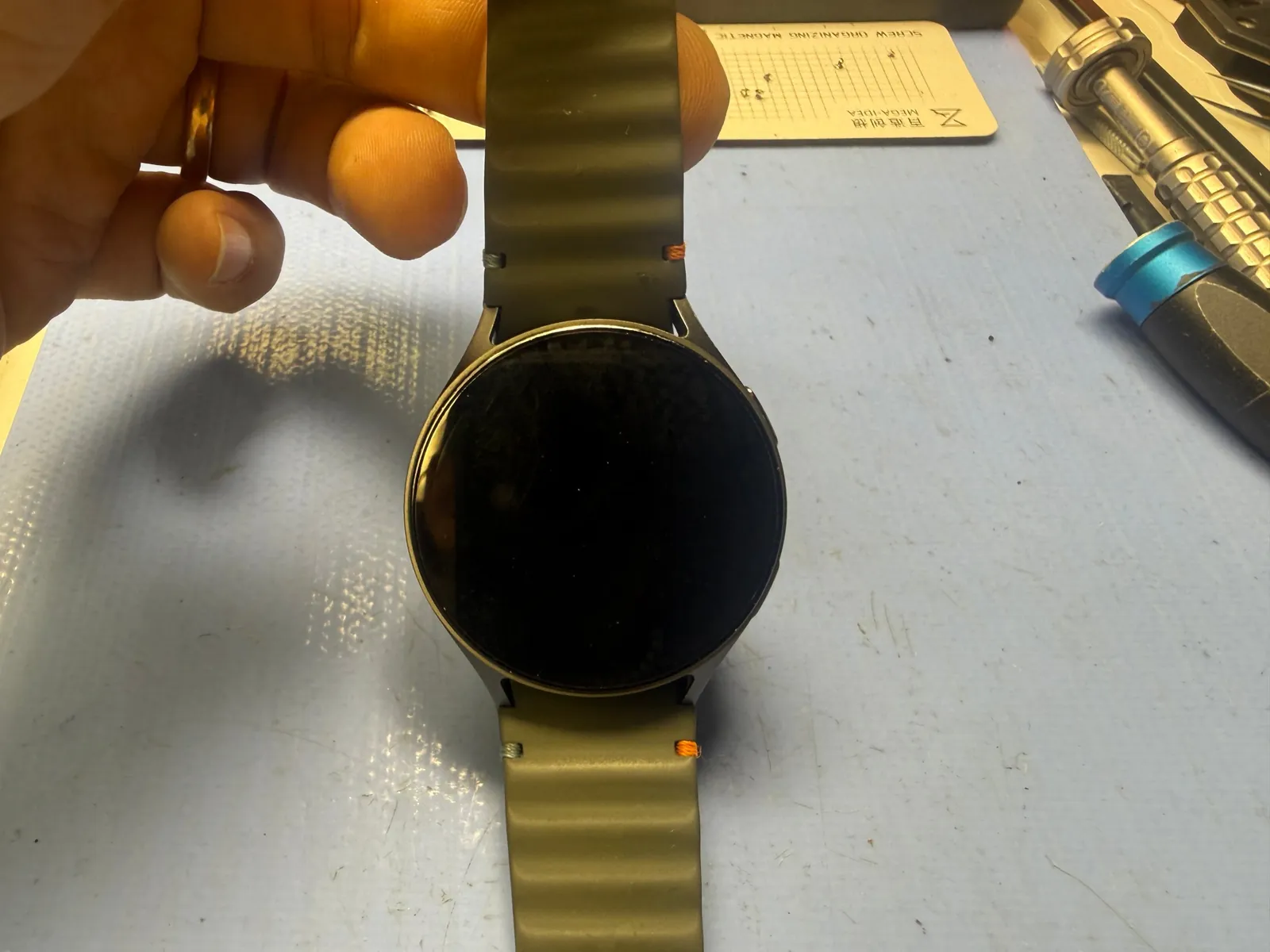
Charges fine — power button does nothing
Water damage eating the button contacts
New button flex · 20 minutes on the bench
The job, on one card
What was wrong, what went in, and how the work went.
| Model | Galaxy Watch 7 · 44mm |
|---|---|
| Problem | Water damage. The watch charged normally, but corrosion had killed the power button — so it couldn’t be woken or used at all. |
| Part | New power button flex assembly — ordered for this watch, about 2 days to arrive |
| Repair time | About 20 minutes on the bench · ~2 days total for the part |
| Teardown | Difficult4 / 5 |
| Tech’s note | I’ll say this part carefully, because it matters. The owner did the right thing and went to the service center first — and was told the watch couldn’t be repaired. Once we opened it, the problem was one corroded button flex. Twenty minutes of actual work. In my honest opinion, a repair this small is exactly what a service center should be able to say yes to — that’s what the name promises. When the answer is no, a perfectly good watch gets written off over one tiny part. So it came here, we ordered the flex, and two days later the button clicked like new. The watch and everything on it never skipped a beat. |
What water really does inside a watch
A watch that half-works after getting wet is the classic pattern. Here’s why.
Water goes for the buttons first
Buttons are moving parts sitting in holes — the natural weak point in any watch’s sealing, and the gaskets only get older. When water finds a way in, this is usually the doorway.
Corrosion keeps eating after the water dries
That green crust isn’t a stain — it’s an ongoing chemical reaction chewing through contacts. That’s why water damage so often shows up as a half-failure: charging fine, button dead, and worse the longer it waits.
“Unrepairable” often means “we don’t repair that”
At parts level this watch was completely fixable — one flex assembly. If you’ve been told a water-damaged device is a lost cause, it’s worth one more opinion before it becomes e-waste.
Following the corrosion to the button
Watch internals are tiny and tightly packed — the teardown is where the care goes.
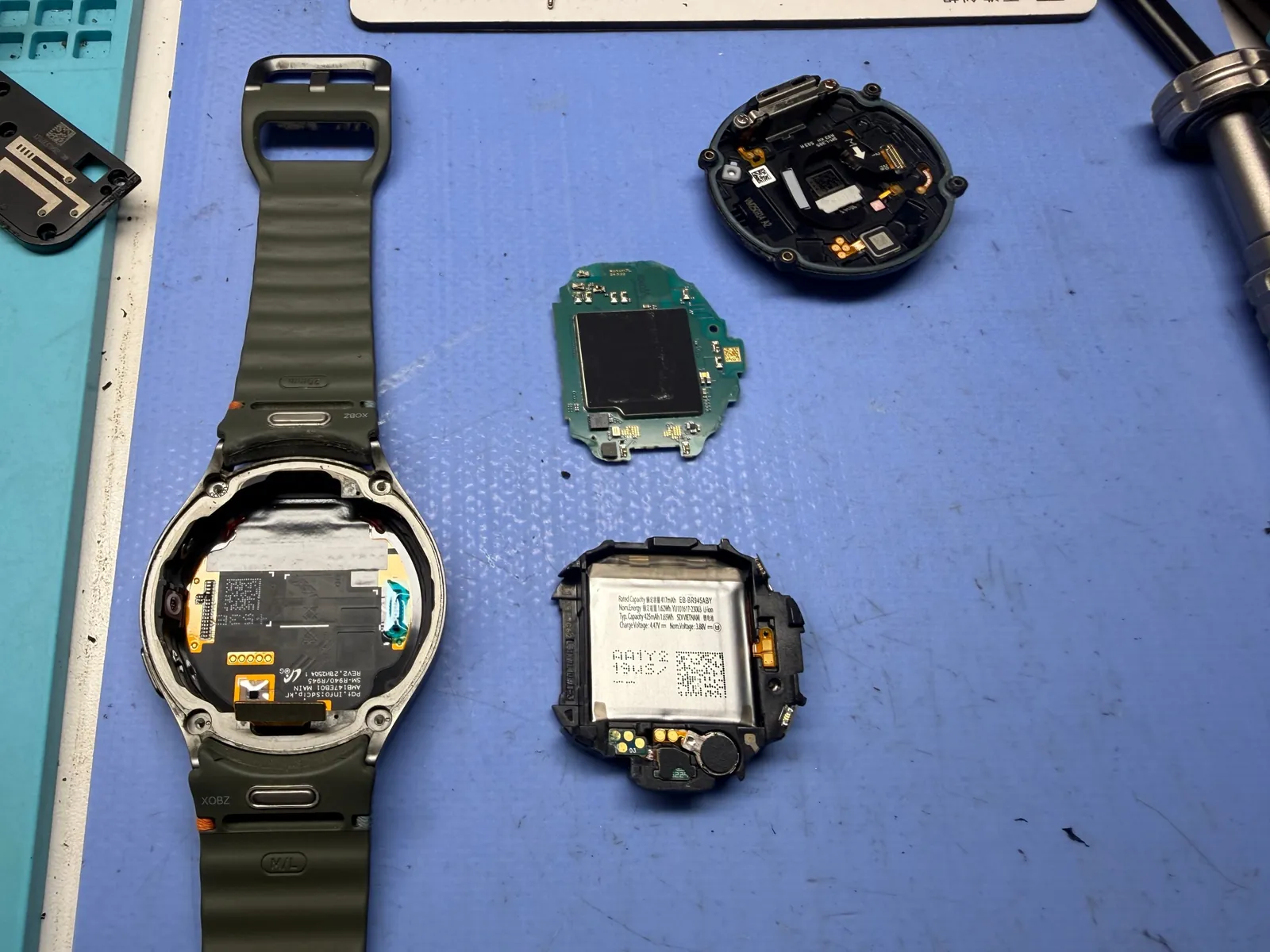
Everything comes apart
The back cover comes off, the battery housing lifts out, and the main board separates from the frame. A watch packs a phone’s worth of parts into a few centimeters, so every flex and gasket gets handled like it costs a fortune — because in here, it does.
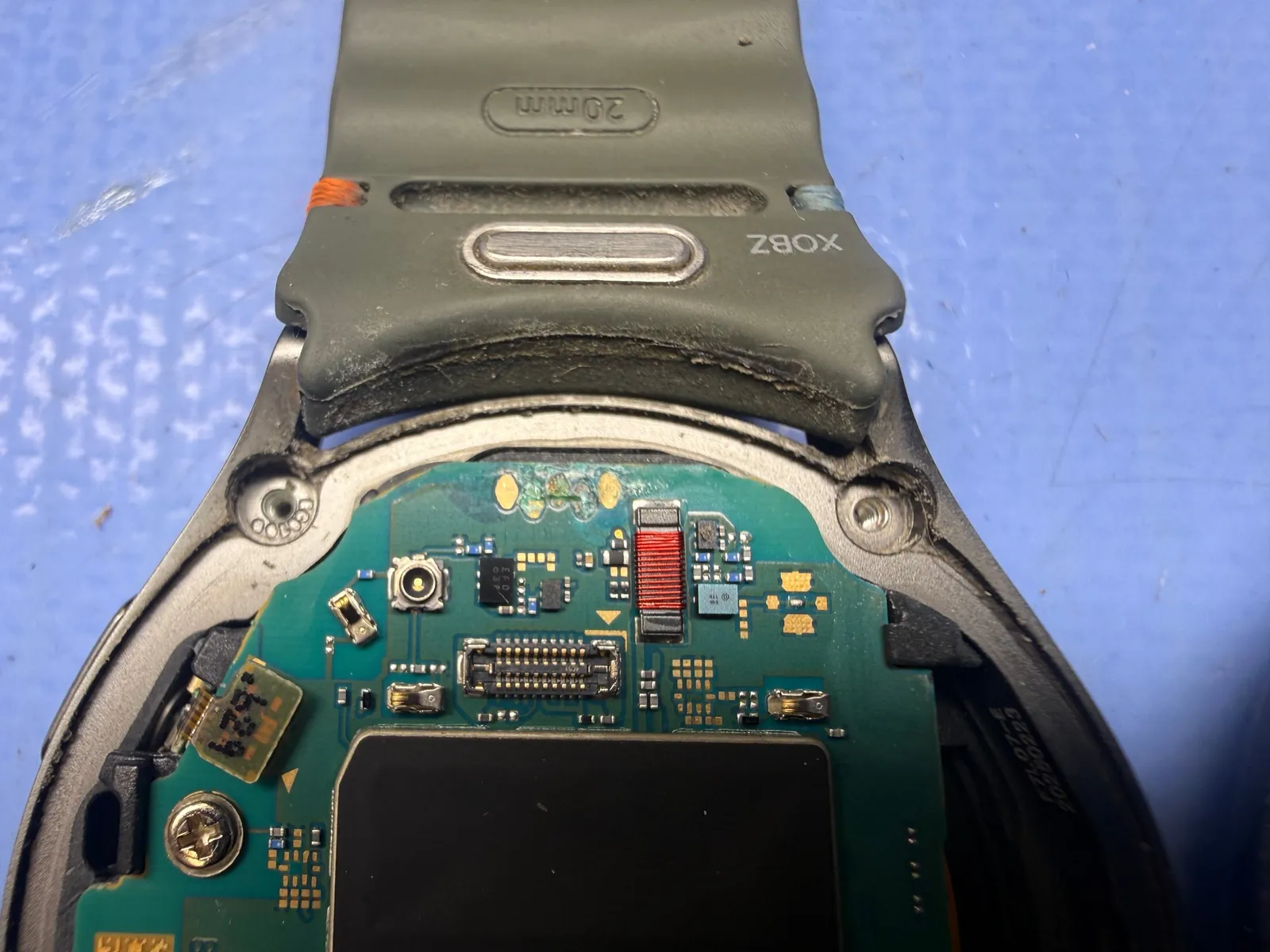
First trace: the main board
The hunt starts where the water did. Green corrosion sits on the board contacts — the unmistakable signature of water that got inside and stayed. The board itself survived; the damage picked a smaller victim.
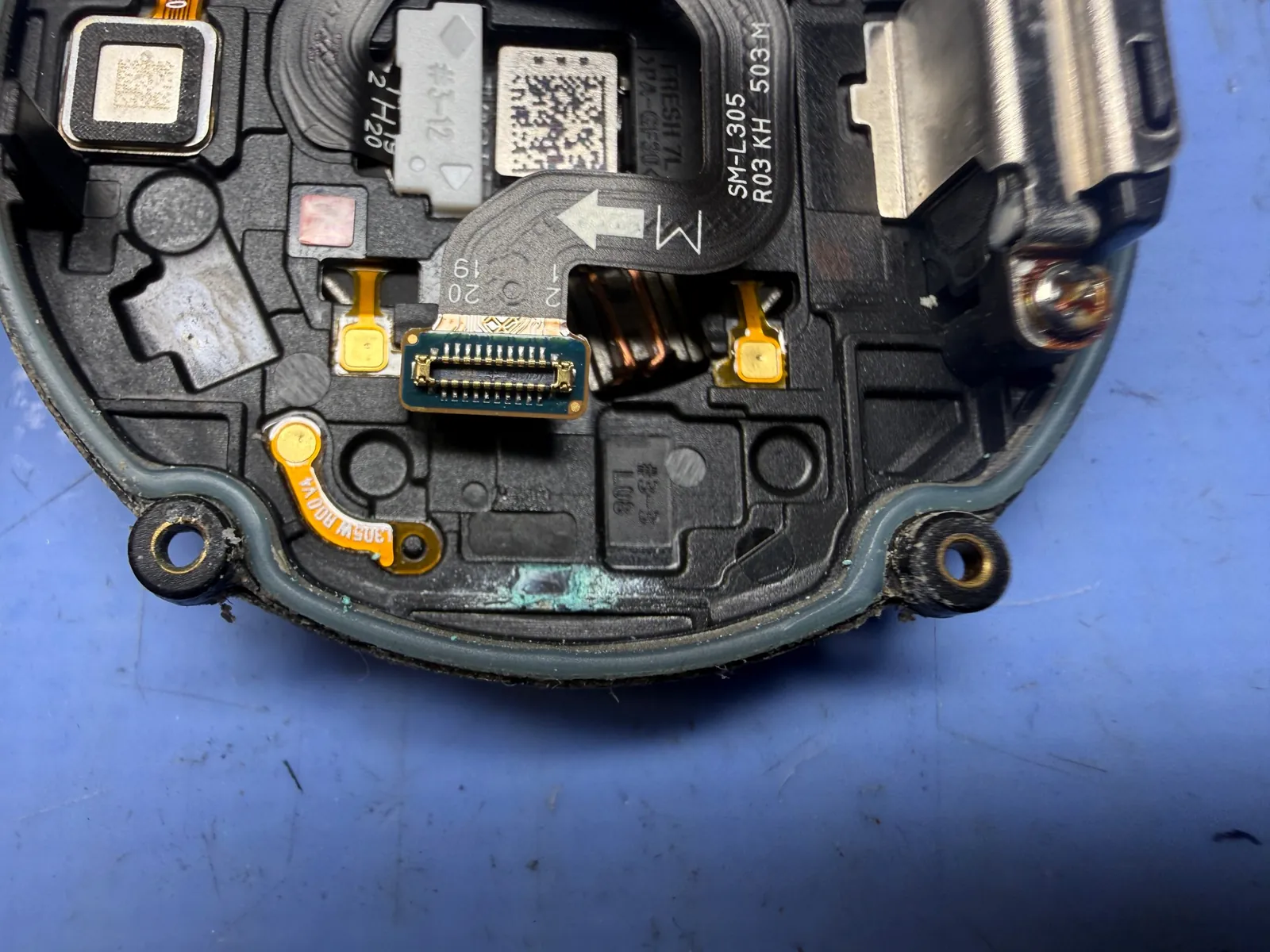
Second trace: inside the back cover
More residue around the connector inside the back cover — mapping how far the water traveled. Checking every stop on that path is the difference between a repair that lasts and one that comes back.
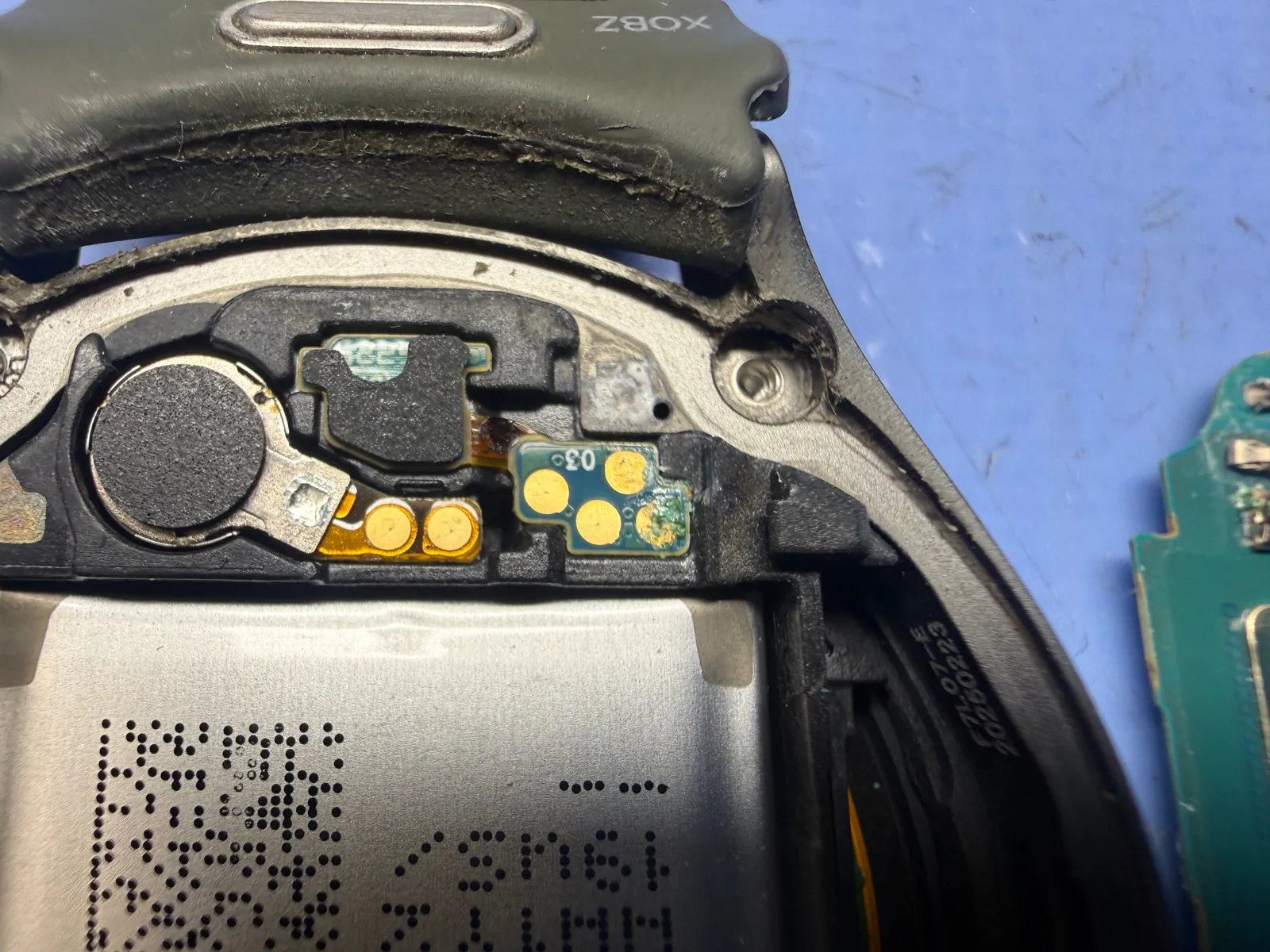
The corrosion, up close
Zoomed all the way in, this is what water leaves behind — a crusted green film creeping over the contacts. A symptom photo, plain and simple. And this same corrosion had formed on the power button’s contacts too — which is exactly why a charging, healthy watch couldn’t be switched on.
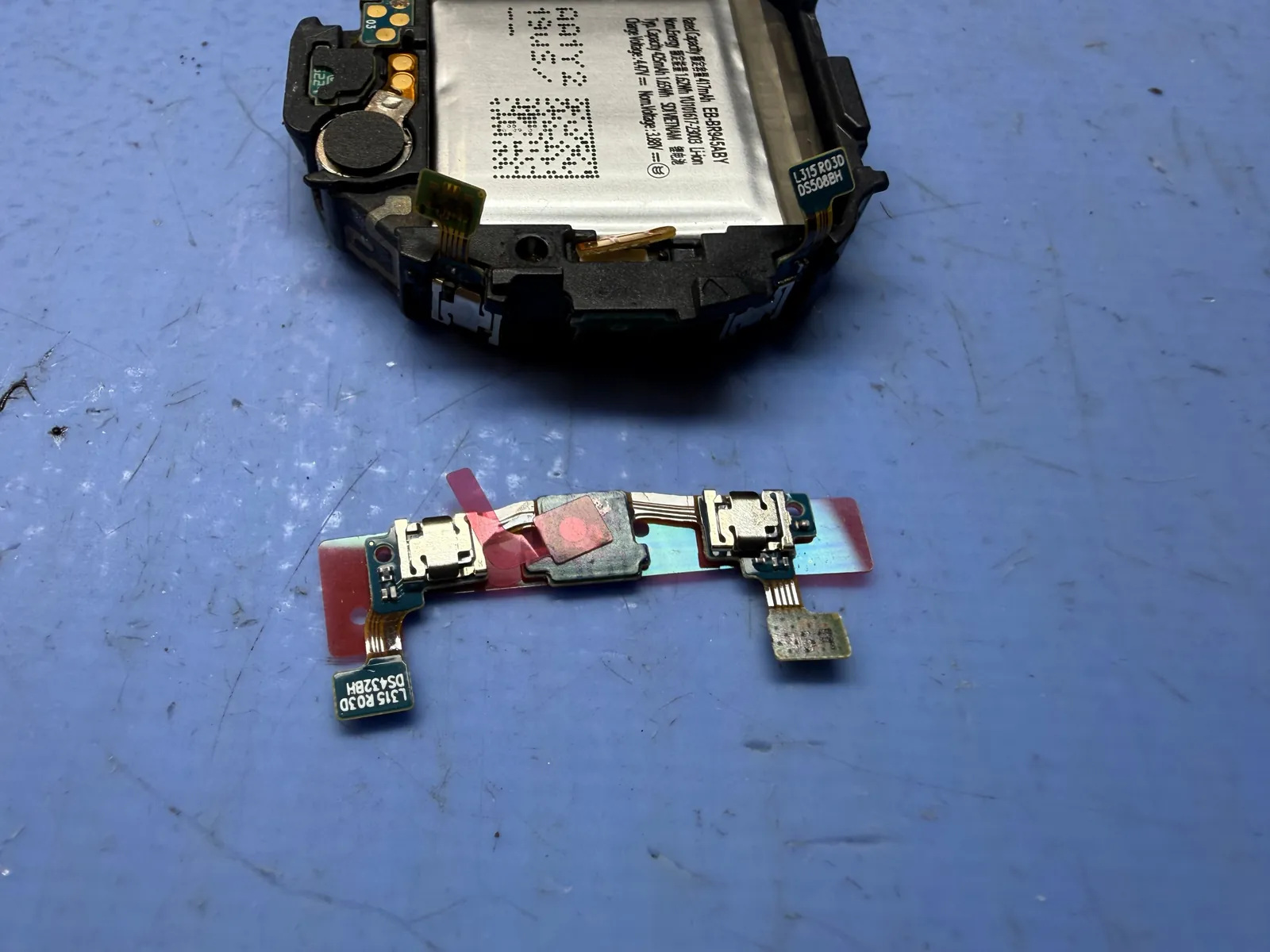
The new flex goes in
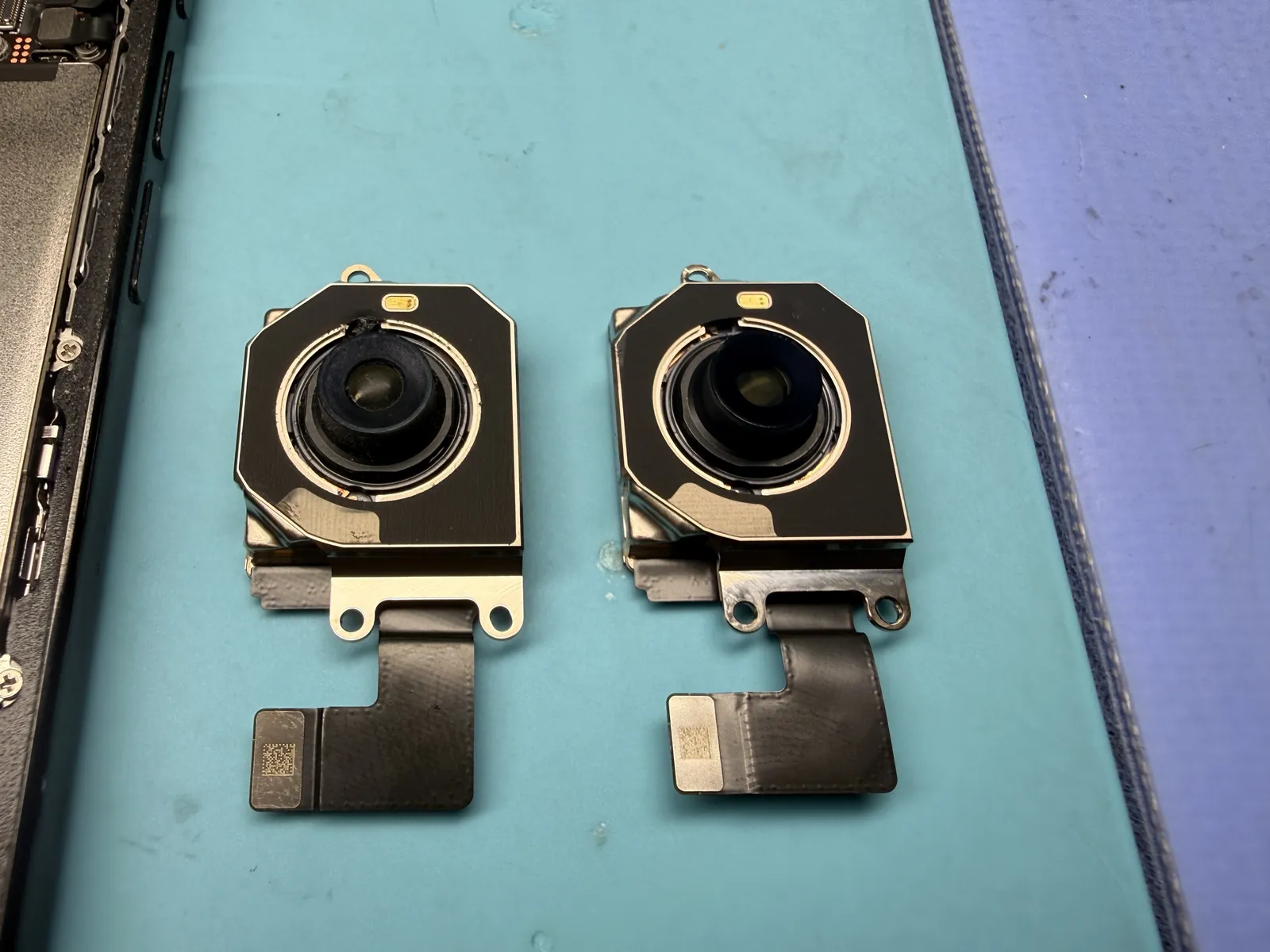
That corrosion had reached the power button’s contacts, so the fix was a new button flex — it settles in where the corroded one lived, with the surrounding contacts cleaned along the way. Two days of waiting for the part; the swap itself is careful, quick work.
One click, back to life
The test that ends every button repair — on video.
Button clicks, watch wakes, nothing lost
Power button pressed, screen on, every function checked before the watch went back together for good. About twenty minutes of bench work once the part landed — and a watch that was headed for a drawer went home on a wrist instead, with all its data exactly where it was.
The two questions everyone asks
Straight answers, as always.
Does my data survive the repair?
Yes — completely. A button repair never touches the watch’s storage, and this one went home with every setting, workout, and pairing intact. Data staying put is the standard here on every repair — even board-level work like this dead iPad Pro 11 goes home with every file untouched.
My device just got wet — what should I do right now?
Power it off and don’t charge it — feeding power to a wet board is how small corrosion becomes big corrosion. Then bring it in soon: the earlier we open it, the more often the fix is a cleaning or one small part, like this watch. The work itself is usually quick; some parts, like this button flex, take a couple of days to arrive.
More honest repair stories
Same bench, same philosophy, different devices.
Water got into your watch or phone?
Bring it in before the corrosion spreads — diagnosis is free, and you’ll know in minutes whether it’s a cleaning, a small part, or something bigger. Second opinions welcome. Walk-ins welcome in Downtown Los Angeles.