

The Side Was Lifting Open, and He Didn't Know WhyiPad 3 Swollen Battery Replacement — Downtown Los Angeles
A Korean gentleman came in holding an iPad and said he wasn't sure what was wrong with it. All he knew was that the screen wouldn't turn on. The edge answered the question before I opened anything: the right side had lifted far enough away from the housing that you could see straight inside. That's a swollen battery, and it's the one iPad repair I'd rather nobody attempted at home.
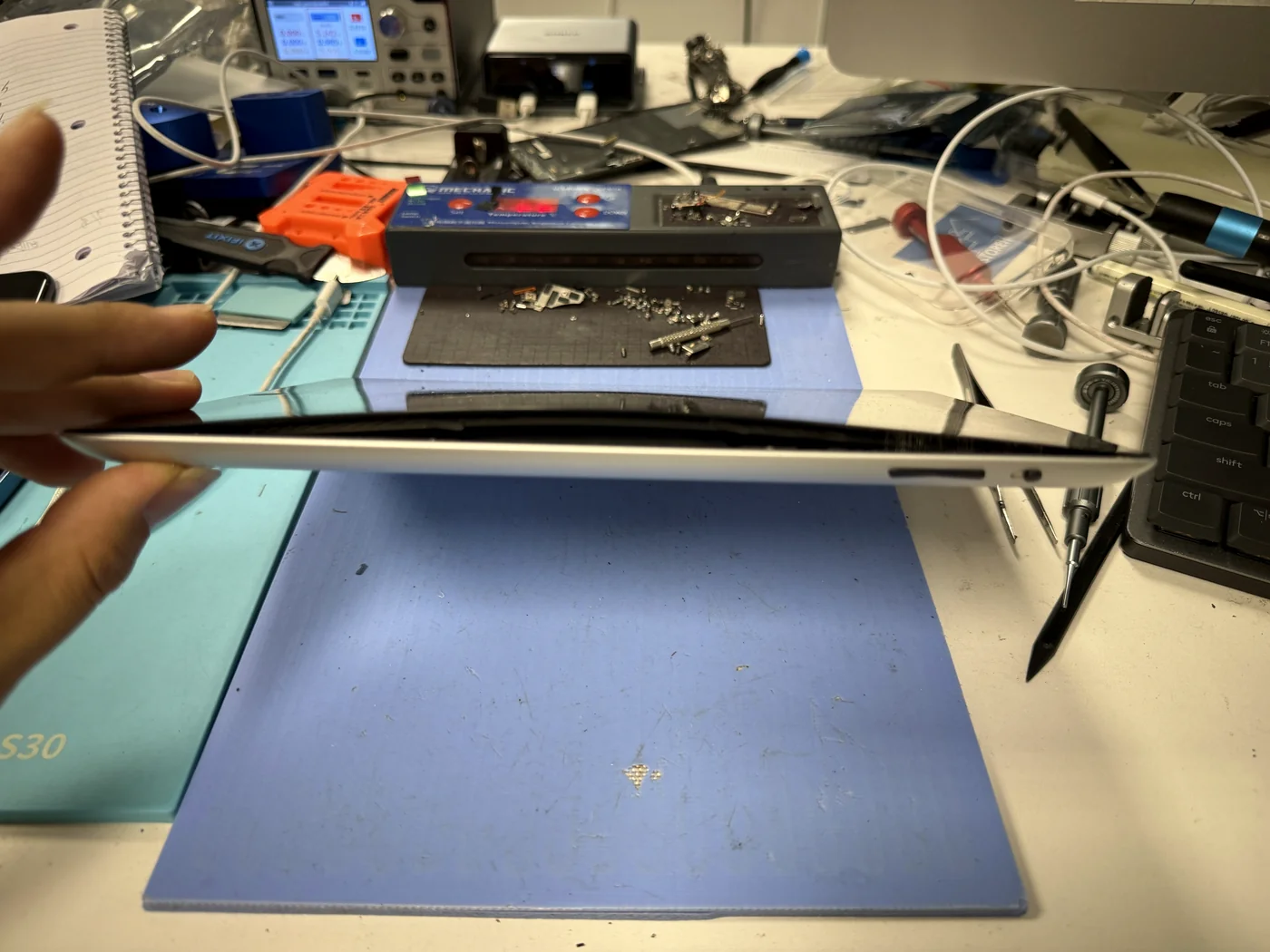
The customer knew something was wrong but not what. The visible clue was the right edge lifting away from the body.
The battery sits behind the LCD. As it swelled it lifted the LCD, and the LCD pushed the digitizer out of its frame.
The LCD came out intact, which is never a given on these. Battery replaced, digitizer re-bonded, iPad back on.
The job, on one card
What was wrong, what it took, and the part that made me nervous.
| Model | Apple iPad 3 |
|---|---|
| Problem | Display not turning on, with the right side of the housing visibly separated and a gap into the interior |
| Cause | Battery swelling. The cell had expanded far enough to lift the LCD, and the LCD pushed the digitizer out of its frame. |
| Repair | Digitizer removed, LCD lifted clear, swollen battery removed, new battery fitted, fresh perimeter adhesive, reassembled in reverse order |
| Repair time | 1 to 2 hours |
| Teardown | Difficult4 / 5 |
| Tech's note | The risky part of this job isn't the battery swap. It's the few minutes spent separating a glued digitizer from a frame that a swollen cell has already pushed out of shape. The LCD sits directly underneath, held under pressure the whole time. Some arrive cracked already. Some crack during removal. This one came out clean and went back in as the original panel, which saved the customer a second part. I want to be blunt about the cell itself. A swollen lithium battery is a bomb that hasn't gone off yet. Puncture it, crease it, or pry against it with a metal tool, and it can vent hard and fill a room with smoke in seconds. I see people attempt this at home, pulling batteries out of tablets on a kitchen table with a screwdriver, and it's the one repair where I'd rather you paid someone than saved the money. If your device is swelling, stop charging it and bring it in. We replace batteries on every model, and iPads are what this shop is set up for. Most battery jobs are finished within one to two hours. |
What a swelling battery actually pushes on
The gap at the edge is the end of the chain, not the start.
It pushes from behind the LCD
On an iPad the battery sits under the LCD, and the LCD sits under the digitizer you touch. A swelling cell has nowhere to expand except upward, so it lifts the LCD, and the LCD lifts the glass out of its frame. By the time you can see a gap from outside, all three layers have already moved.
Sometimes the LCD cracks
A panel held under constant upward pressure is waiting to break. Some arrive cracked already; others crack while the glued digitizer is being separated. Going slowly is the whole technique here. This one came out perfect and went straight back in.
A cell that's already failing
Swelling means the battery is producing gas inside its pouch. It isn't worn out, it's damaged. Handled roughly it can vent, ignite and put out a lot of smoke very quickly. That is the point where a repair stops being a home project. Stop charging the device and let someone with the right tools open it.
Glass off, panel clear, cell out
Five frames from the bench.
Separate the digitizer
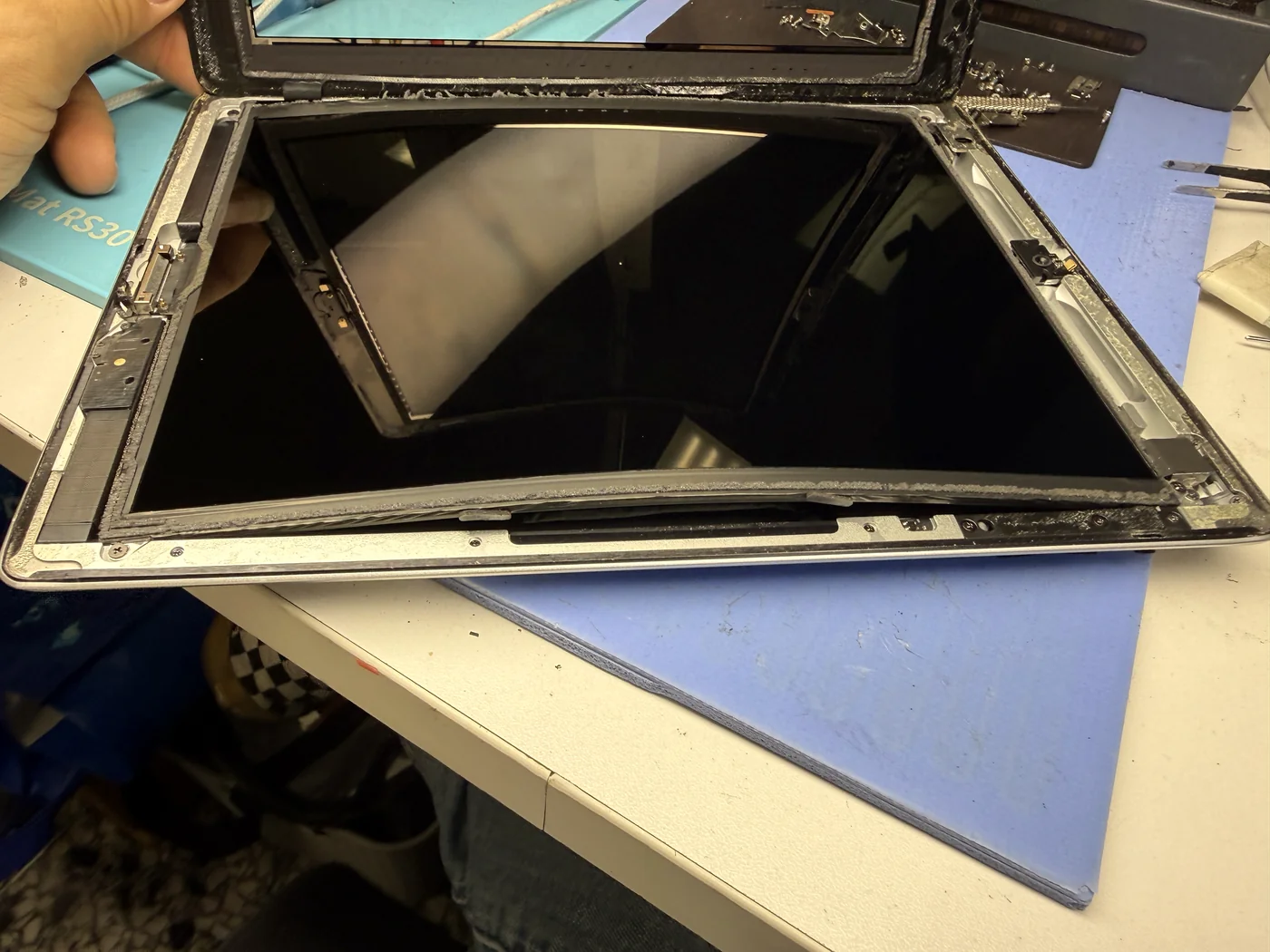
Heat is worked around the perimeter, then the glued glass comes away slowly. With a swollen battery underneath, the frame is no longer flat, so nothing sits where it should. You can see the curve in the panel in this photo. That is the shape the cell has forced into it.
Lift the LCD without breaking it
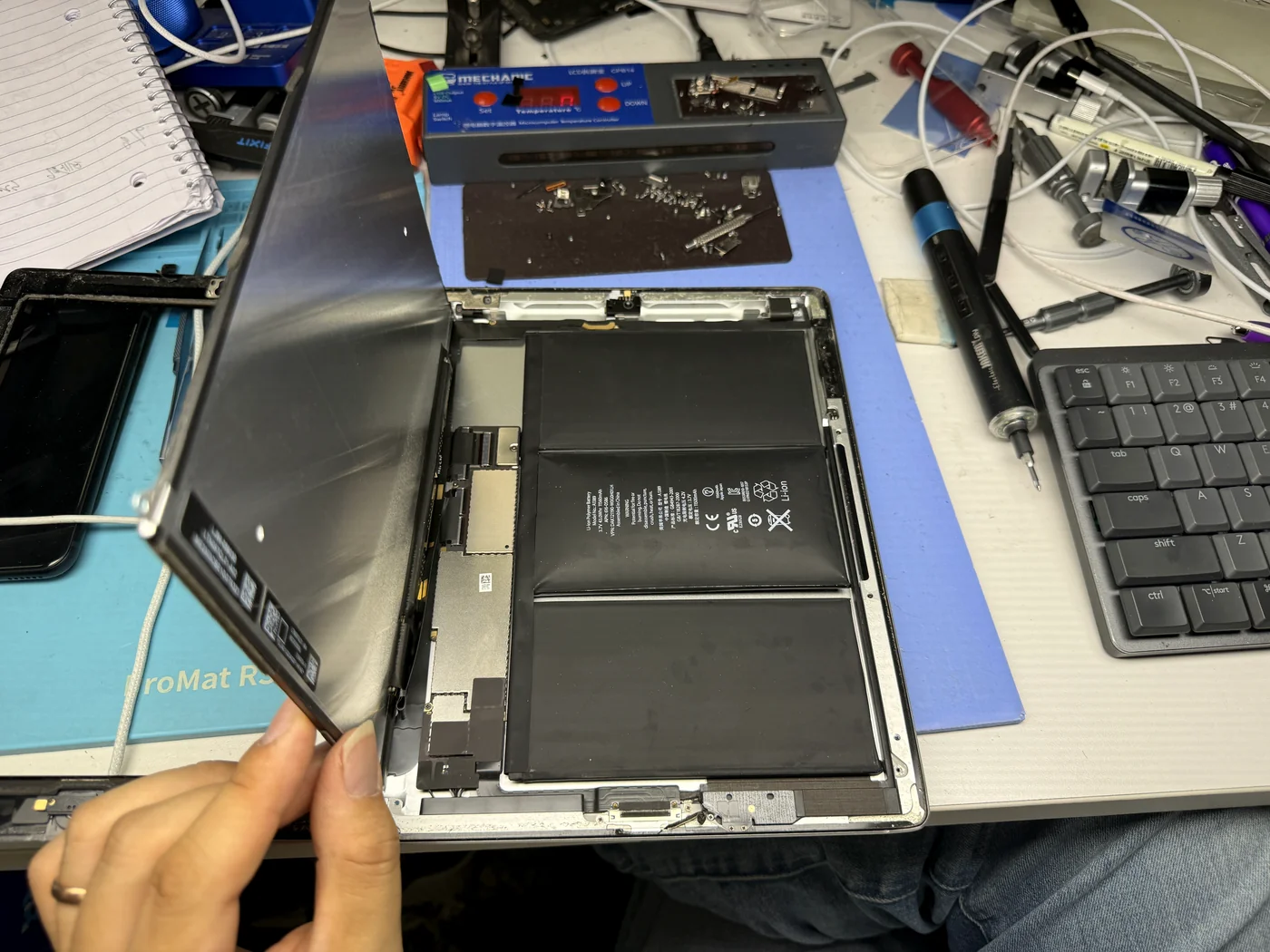
This is where the repair is won or lost. The panel is being pushed from below and has to come away without flexing past its limit. Slow, even, and no prying against the cell. Once it was clear it relaxed back to flat and tested perfectly, so the customer kept his original screen.
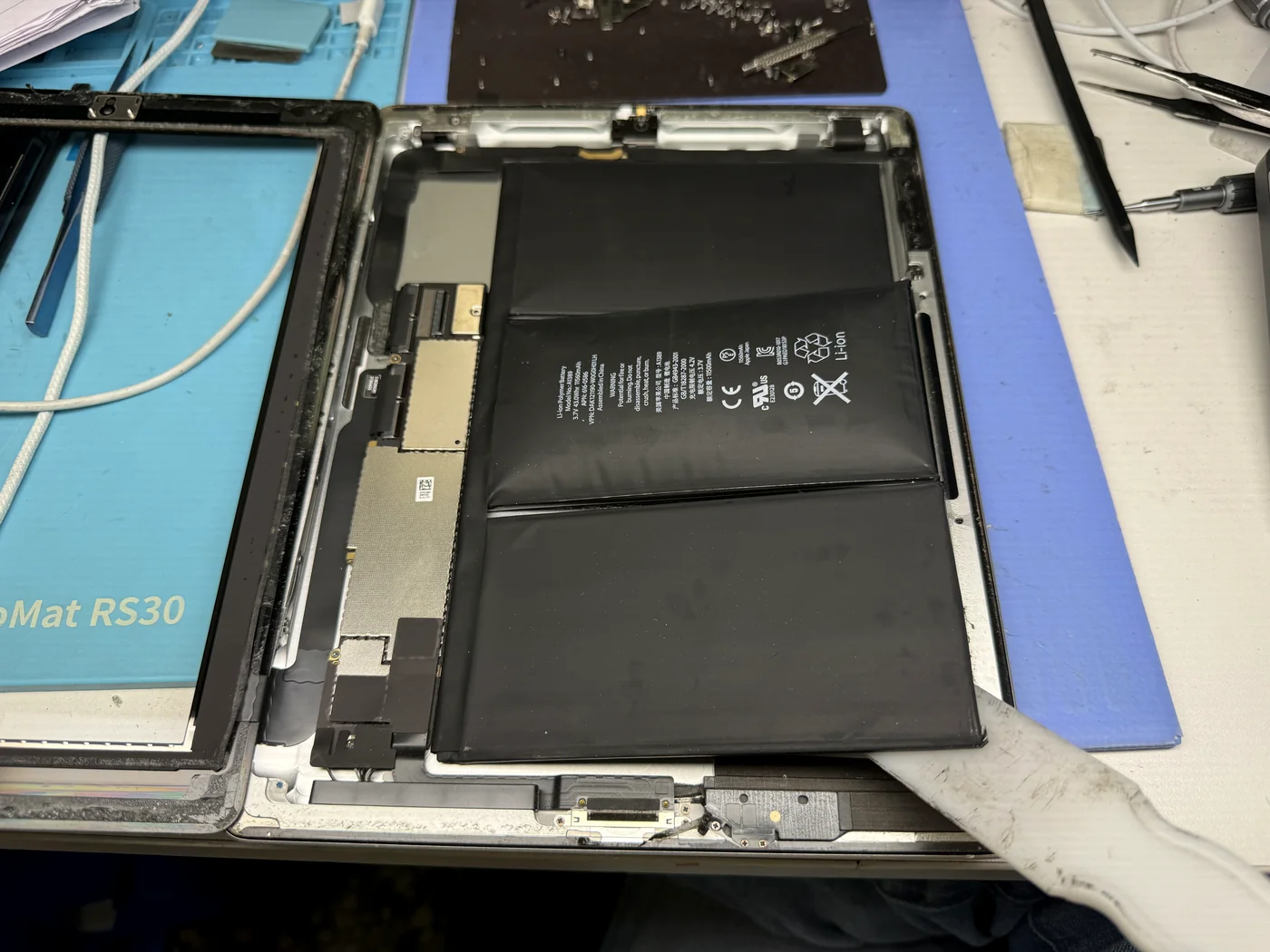
Free the swollen cell
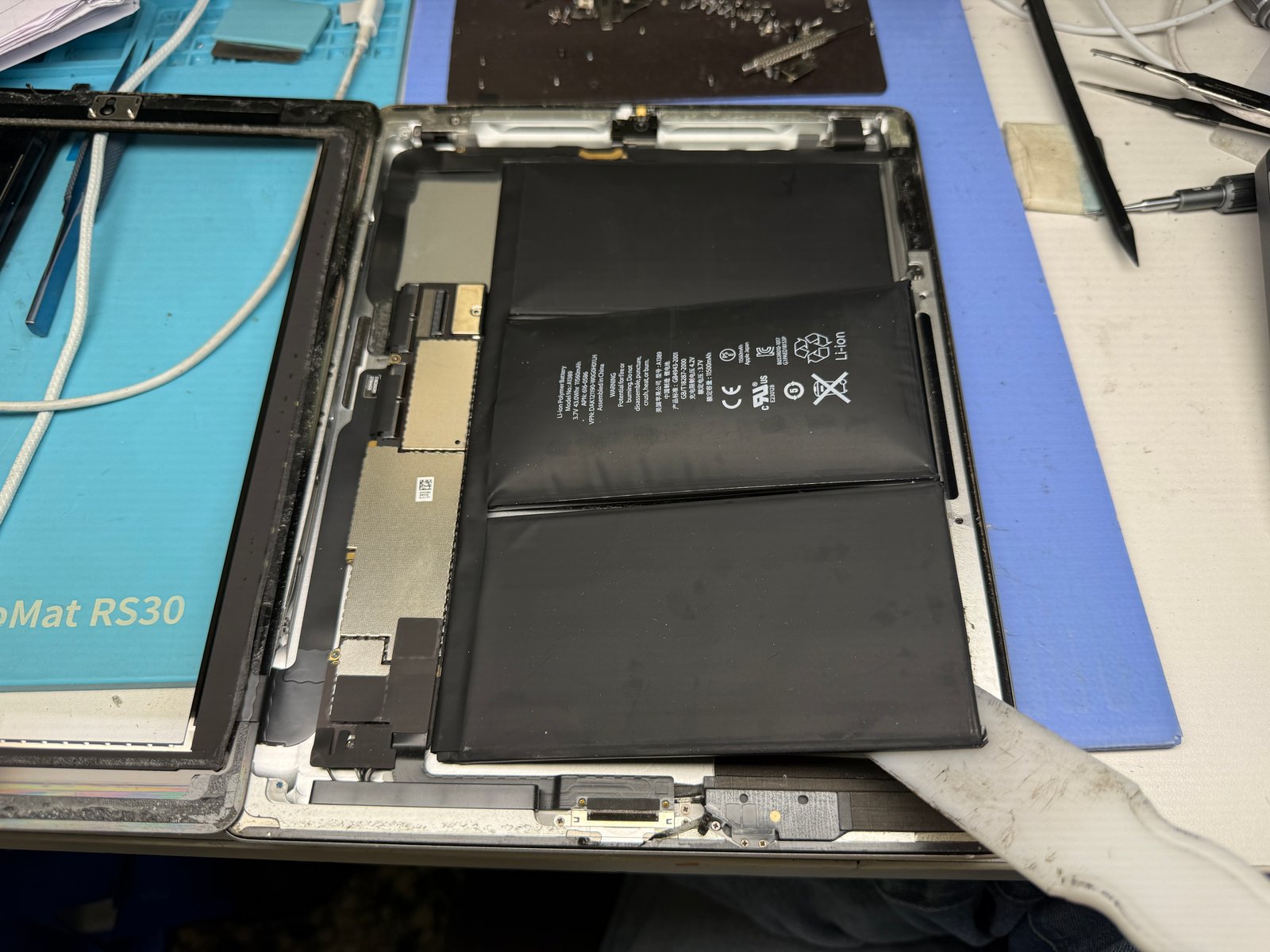
Apple bonds the battery to the rear housing with long adhesive strips. On a healthy cell that is just tedious. On a swollen one it is delicate, because the pouch is under pressure and must not be punctured or creased. No metal tools against the cell, and it lifts out in one piece.
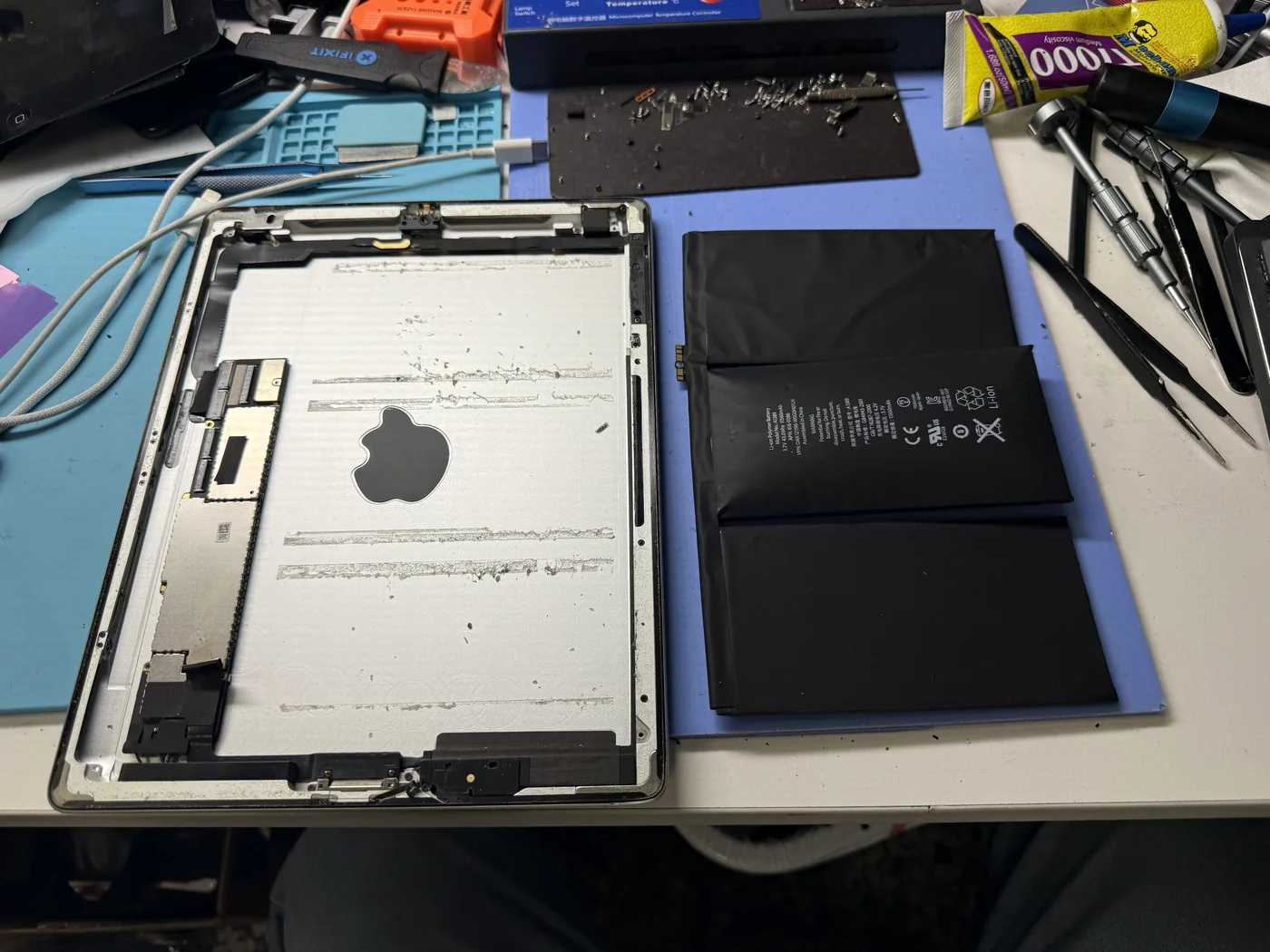
The cell, out and intact
Next to the empty housing the swelling is obvious: the pouch has gone from flat to pillowed. That extra thickness is exactly what was pushing the glass out of the frame. The old cell goes to proper battery disposal, never in the trash.
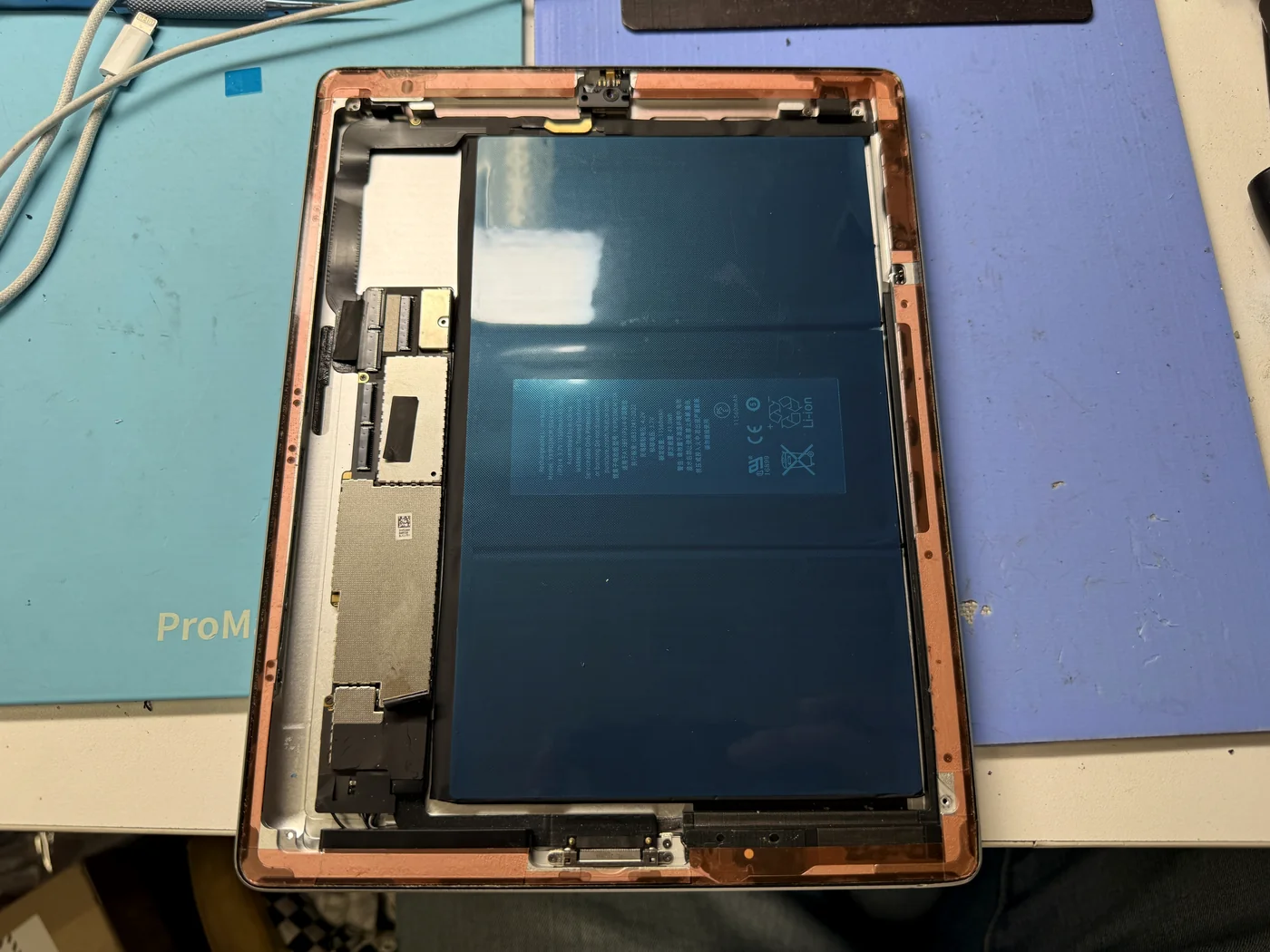
New battery, then new adhesive all round
New cell in, then every trace of old adhesive comes off the frame and fresh double-sided tape goes down around the full perimeter. Skip that and the glass lifts again within weeks. With a flat battery underneath, the digitizer finally sits where it belongs.
Closed flat, and back on
Reassembled in reverse order, original LCD retained.
Home screen, flat frame, no gap
The iPad boots and holds a charge again, the display is the one it arrived with, and the edges close flat the way they should. Nothing on the device moved; a battery replacement doesn't touch storage.
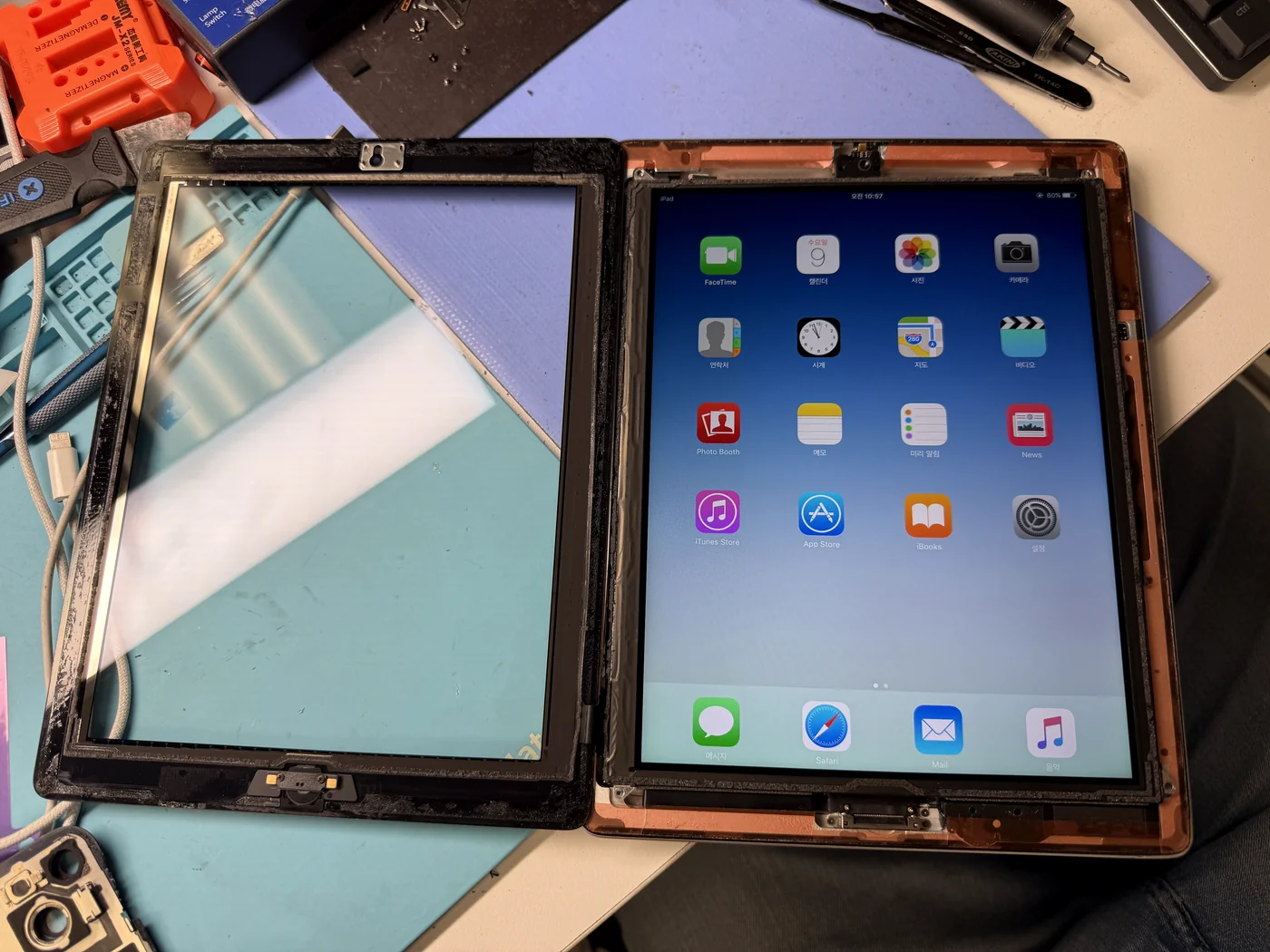
The questions that usually follow
Straight answers, as always.
How long does an iPad battery replacement take?
Usually 1 to 2 hours, and we do it on every model. iPads are a core service here, so the glued-glass work that slows other shops down is routine for us.
How do I know my battery is swelling?
The clearest signs are physical rather than on-screen: the screen lifting at an edge, a visible gap into the housing, a device that no longer sits flat on a table, or a case that suddenly won't close. A screen that won't turn on can be the first thing you notice, as it was here.
Is a swollen battery dangerous?
Yes. A swelling cell is already damaged and producing gas inside the pouch. Puncture it, bend it, or pry against it with a metal tool and it can vent, catch fire and produce a lot of smoke very quickly. Stop charging the device and don't try to press it flat.
Can I replace an iPad battery myself?
Technically yes, but this is the repair I would most strongly advise against doing at home. The glass is glued down, the LCD sits directly on top of the cell, and the cell itself is a fire risk if it is mishandled. The money you save doesn't cover a cracked panel, let alone a fire.
Will my screen need replacing too?
Not always. On this iPad the LCD survived and went back in as the original. But a panel held under pressure by a swollen cell can crack, either before it reaches us or during removal, so we check the screen before quoting and tell you if it's a risk.
Will I lose my data?
No. A battery replacement doesn't touch storage. Photos, apps and accounts stay exactly where they are.
More honest repair stories
Same bench, same philosophy, different repairs.
Screen lifting at the edge? That's a battery, and it shouldn't wait.
iPad, iPhone, Galaxy — battery replacement on every model, usually inside one to two hours. Stop charging it, bring it in, and we'll take it out safely. Walk-ins welcome in Downtown Los Angeles.