Another Shop Had It for a Month and Never Opened ItiPad Pro 11-inch (M4, 2024) USB-C Charging IC Replacement — Downtown Los Angeles
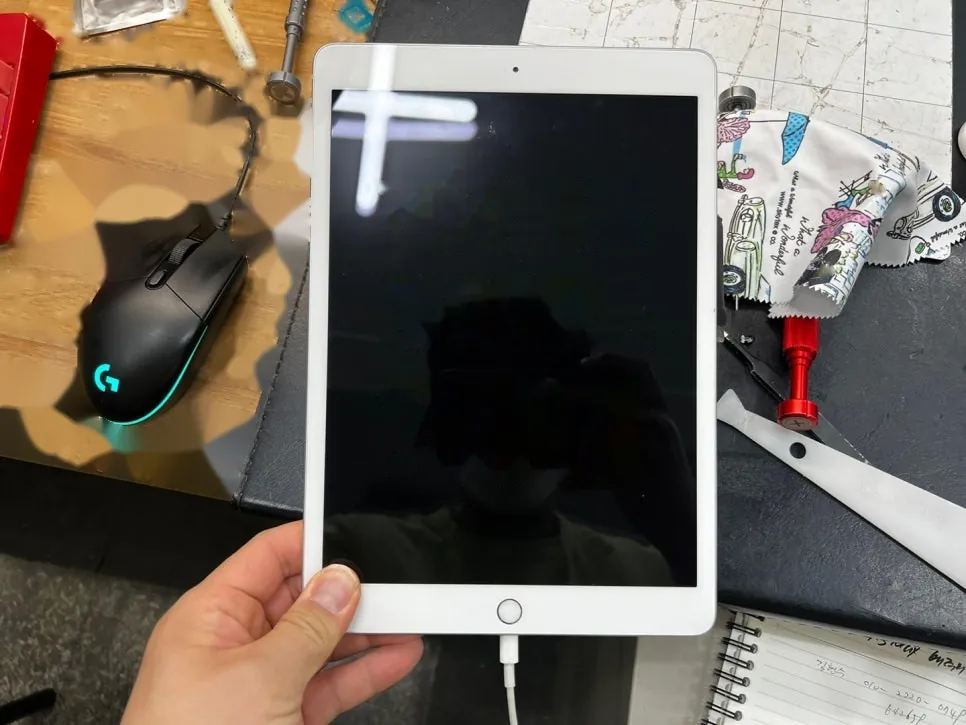
It stopped charging one day, the way these things do — no drop, no spill, nothing to blame. The owner left it at another shop and waited about a month. When it finally reached our bench, the first thing I looked at wasn't the port. It was the seam around the screen: clean, tight, untouched. Nobody had opened it in all that time. I understand the hesitation better than most, and I'll explain exactly why below — but a month of waiting still ends with an iPad that doesn't charge.
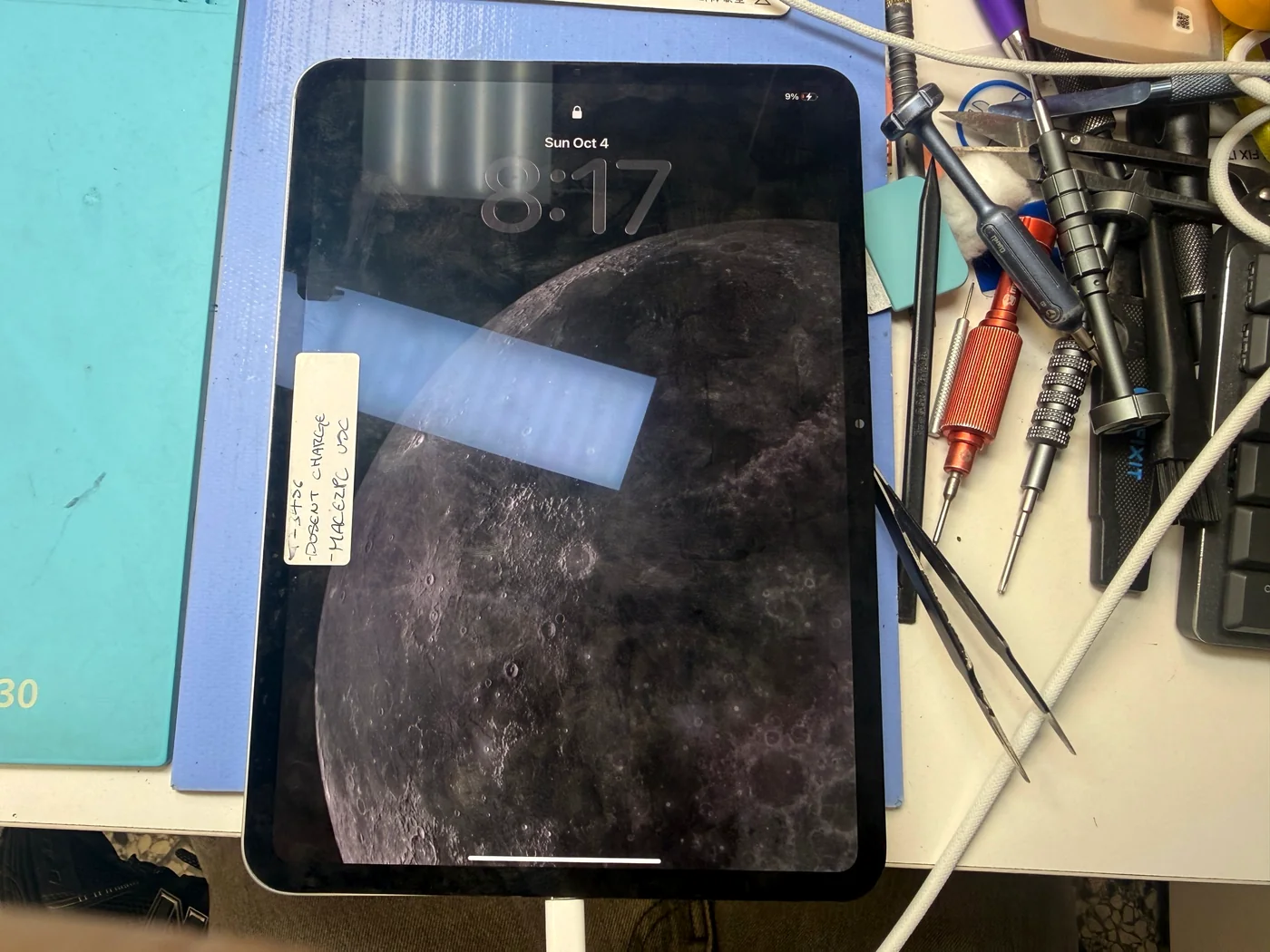
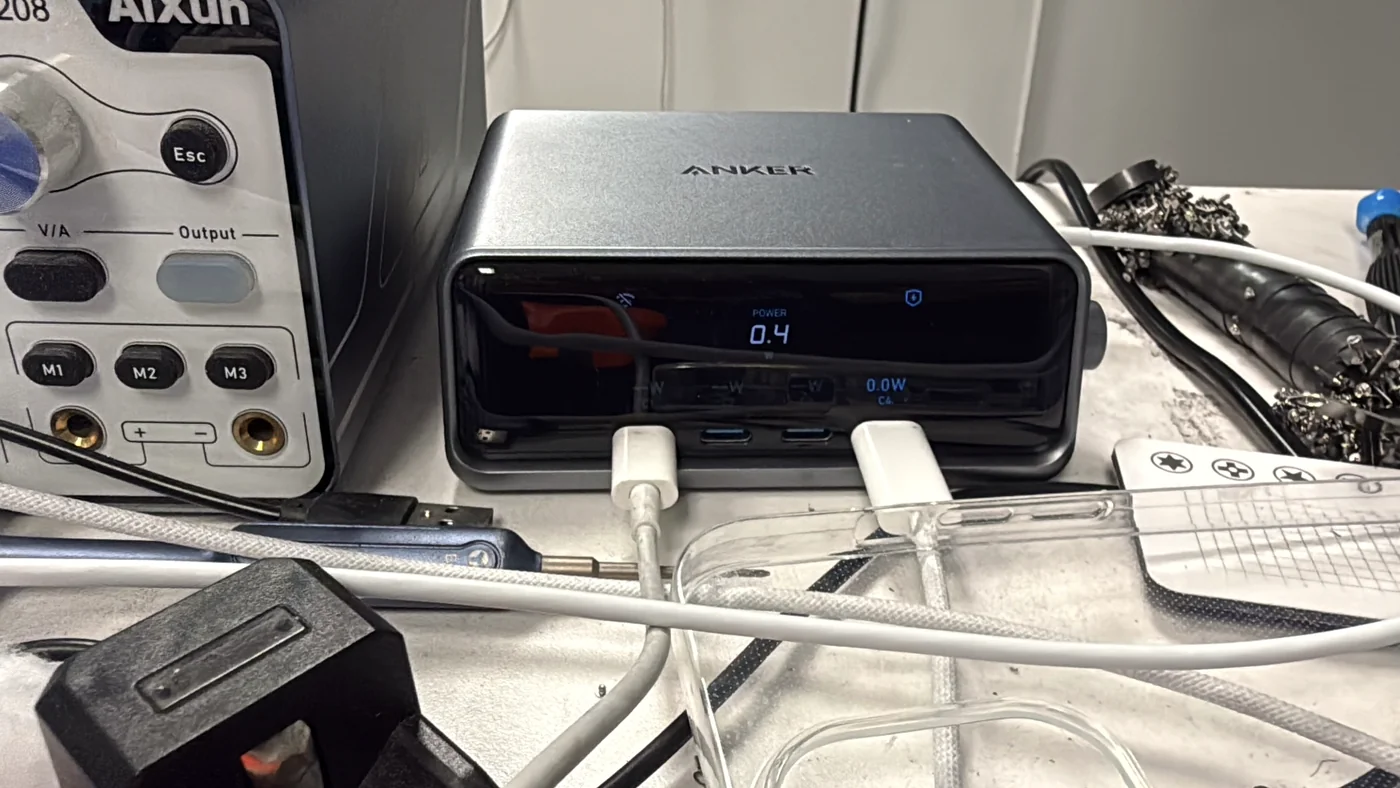
Plugged in, but the current never moved at all
USB-C power delivery controller, at board level
A few hours on the bench once the part was in hand
The job, on one card
What came in, what the tester said, and why this model gets turned away so often.
| Model | iPad Pro 11-inch (M4, 2024) · A2926 |
|---|---|
| Problem | Stopped charging with no warning and no damage. It had sat at another shop for roughly a month and arrived with the screen seal still intact — no sign anyone had opened it |
| Diagnosis | On a USB tester with a PD charger attached, current sat flat at 0.5 mA. A healthy device negotiates with a fast charger — you watch the current step up, overshoot and settle. None of that happened, which puts the fault at the power delivery controller rather than the port |
| Repair | USB-C power delivery controller removed, the pad area cleaned, the replacement placed and reflowed, board refitted and charging verified before closing |
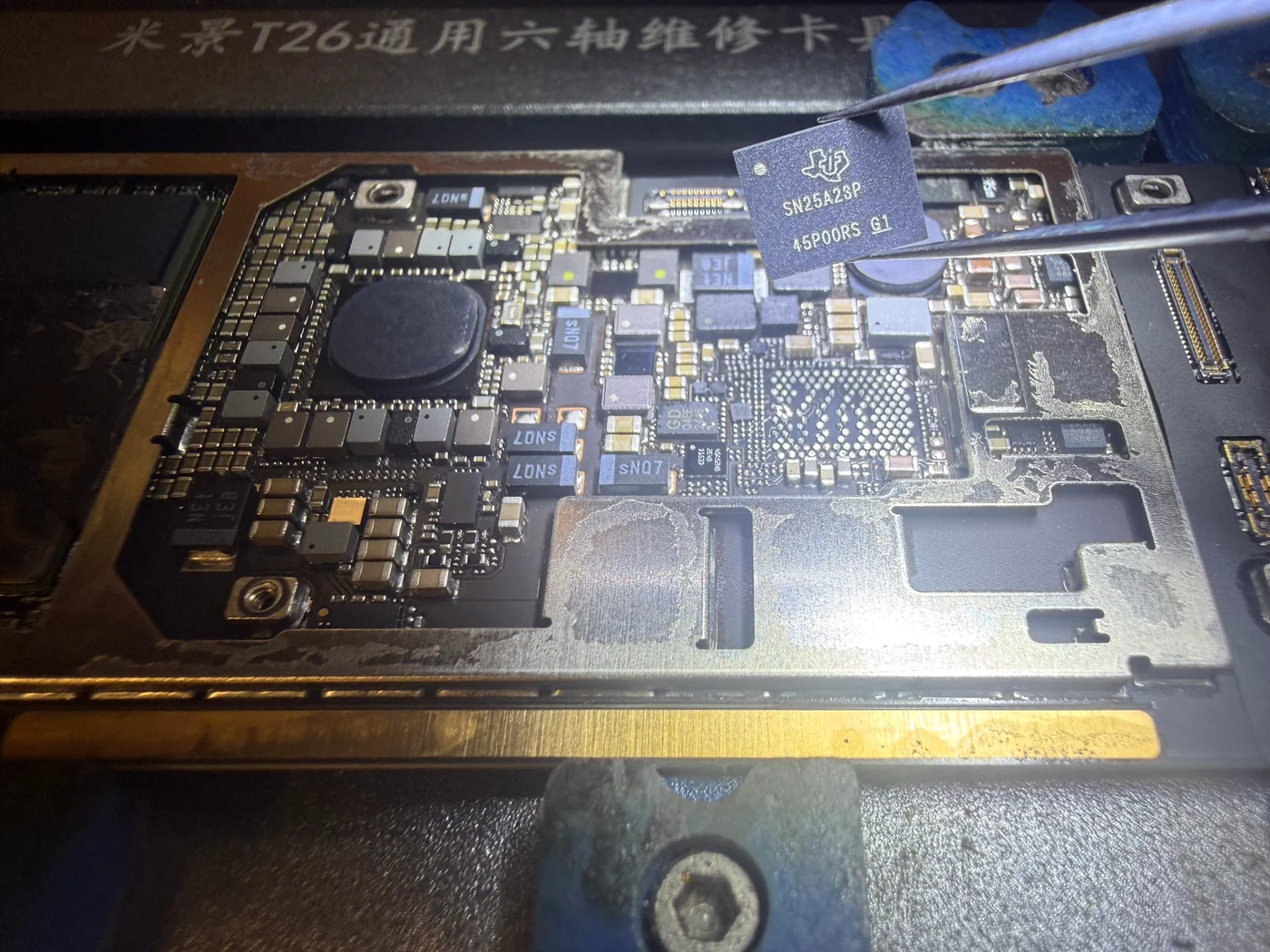
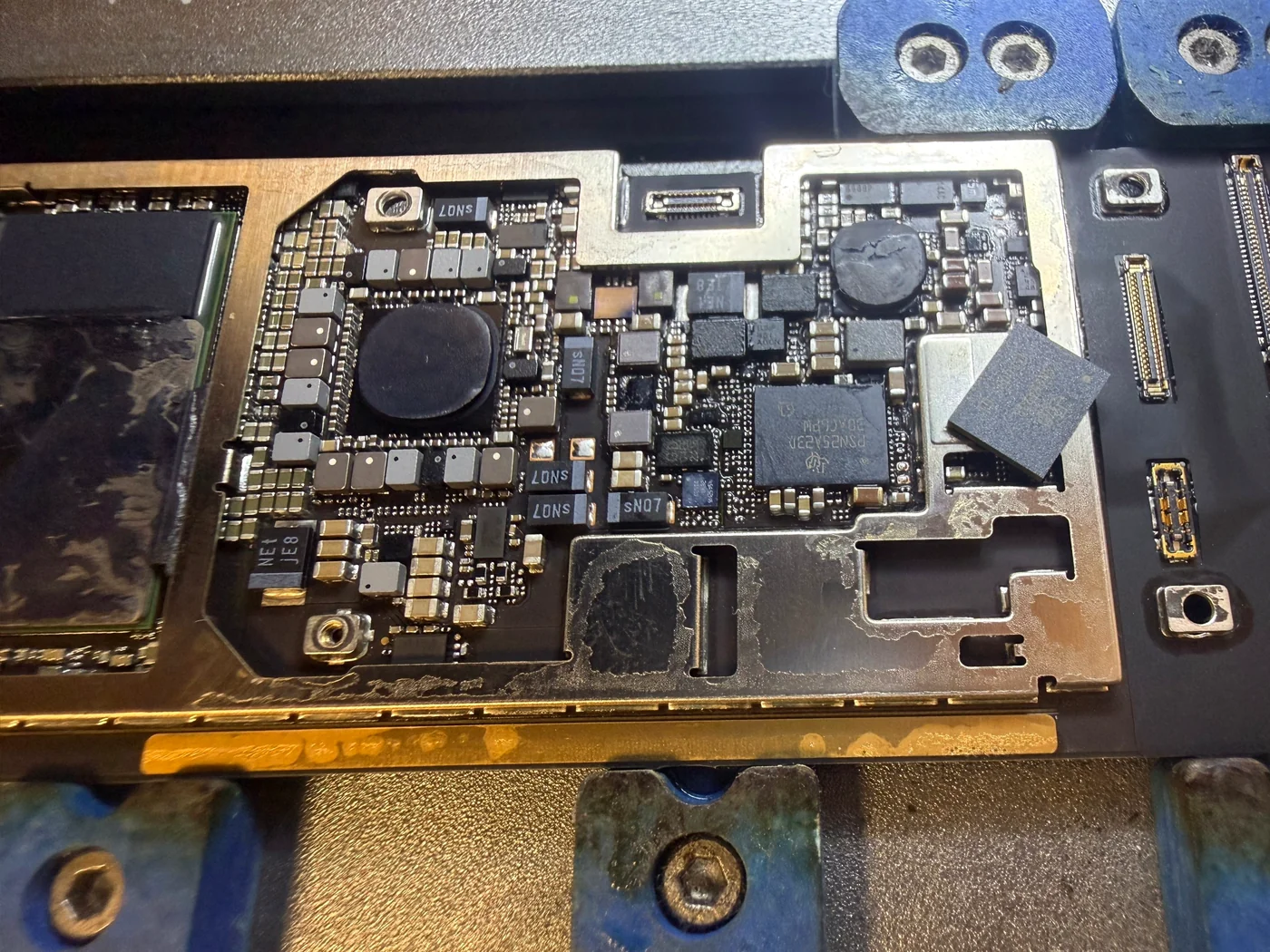
| Parts | The chip that came off was a Texas Instruments SN25A23P. The replacement arrived marked PSN25A23D — a different number and a slightly smaller package. Cross-checked as a compatible equivalent before it went anywhere near the board |
| Price | Quoted after a free diagnosis · 424-270-4369 |
| Turnaround | A few hours of bench work · same day with the part in stock, 3–4 days when it has to be ordered |
| Teardown | The screen is the whole risk5 / 5 |
| Tech's note | Fifteen years in, somewhere past ten thousand iPads, a thousand or so a
year — and I still get a knot in my stomach the first time I open a model I haven't opened before. On the M4 it's
the screen. Thirty minutes of heat and patience just to lift it, glass that doesn't forgive a wrong angle, and a
part that costs around eight hundred dollars at cost — my own supplier is north of seven, and eBay is no kinder.
That's the real arithmetic behind a shop saying no: a modest repair fee on one side, a very expensive screen on
the other. I don't blame anyone for passing. What gets me to open it anyway is closer to appetite than courage. A charging fault on a brand-new Pro is exactly the kind of problem I want to take apart. So I settle one thing before I start — if I break it, I buy it and fit a new one — and after that my hands are free to work. That seam doesn't respond to tools, it responds to feel, and feel is the one thing fifteen years actually buys you. |
Why a charging fault on an M4 is hard to get fixed
It isn't that the repair is complicated. It's that getting to the repair is expensive if it goes wrong.
The screen is worth more than the job
An M4 Pro display runs roughly eight hundred dollars at cost, and it has to come off before anyone can even look at the board. Crack it and a modest repair turns into a bill bigger than the fault you were hired to fix. That calculation, not skill, is why this model gets turned away.
The port and the chip are different faults
Power from a USB-C cable passes through the port, but the negotiation that lets a charger deliver real current happens at the power delivery controller just behind it. That chip sits first in line, takes the surges, and in our experience accounts for the large majority of Apple charging failures. Replacing a port on a dead controller changes nothing.
A month of silence is the expensive part
Saying no to a repair is legitimate. Holding the device while you decide is not. Our rule is simple: you hear from us the same day about whether we'll take it on, and if the answer is no, the device goes home that day so you can take it somewhere that will.
Thirty minutes to open, a few hours to fix
Getting inside is the slow part. The repair itself is a chip, a clean pad area, and a steady hand.
The part nobody wants to do
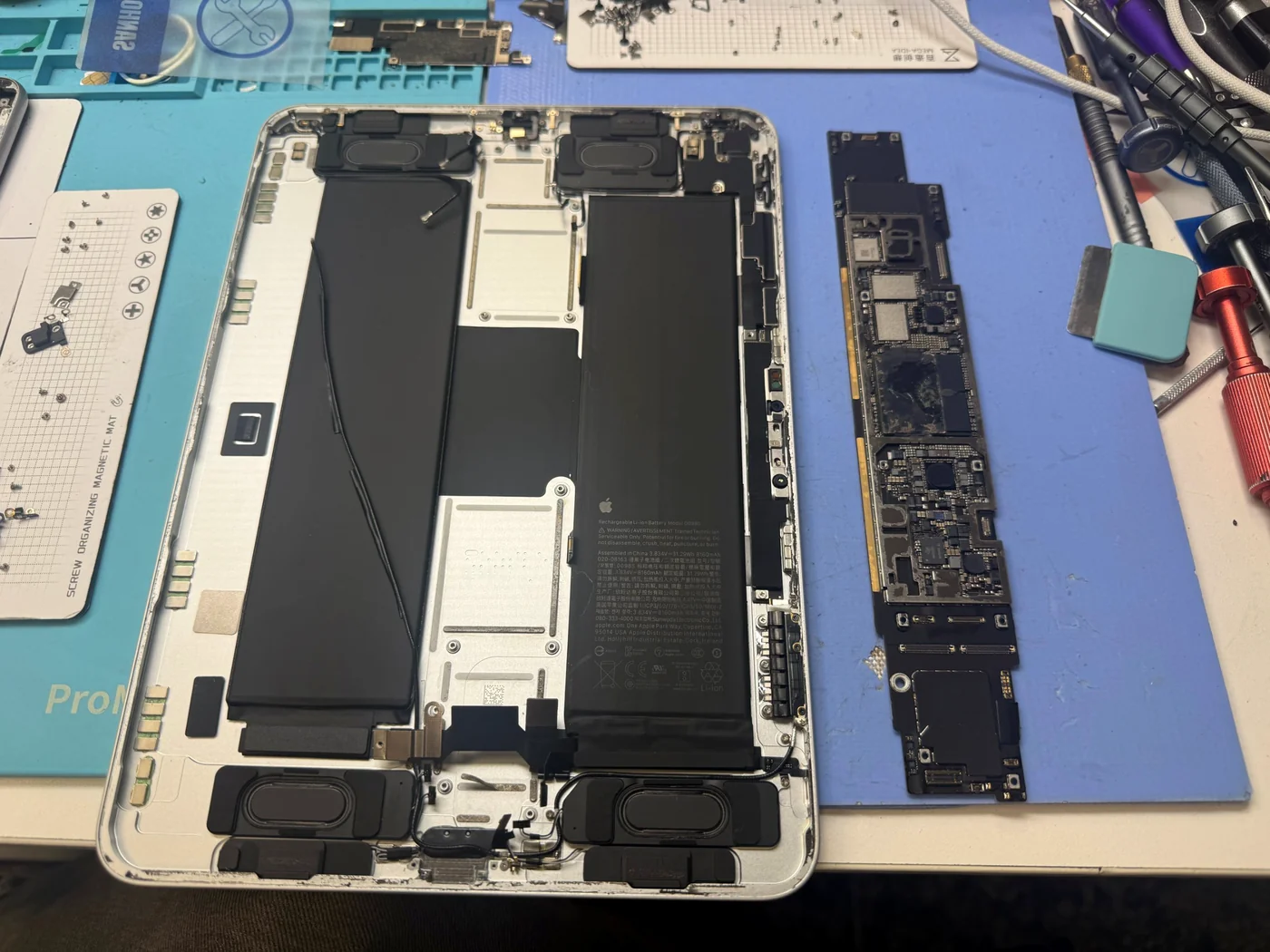
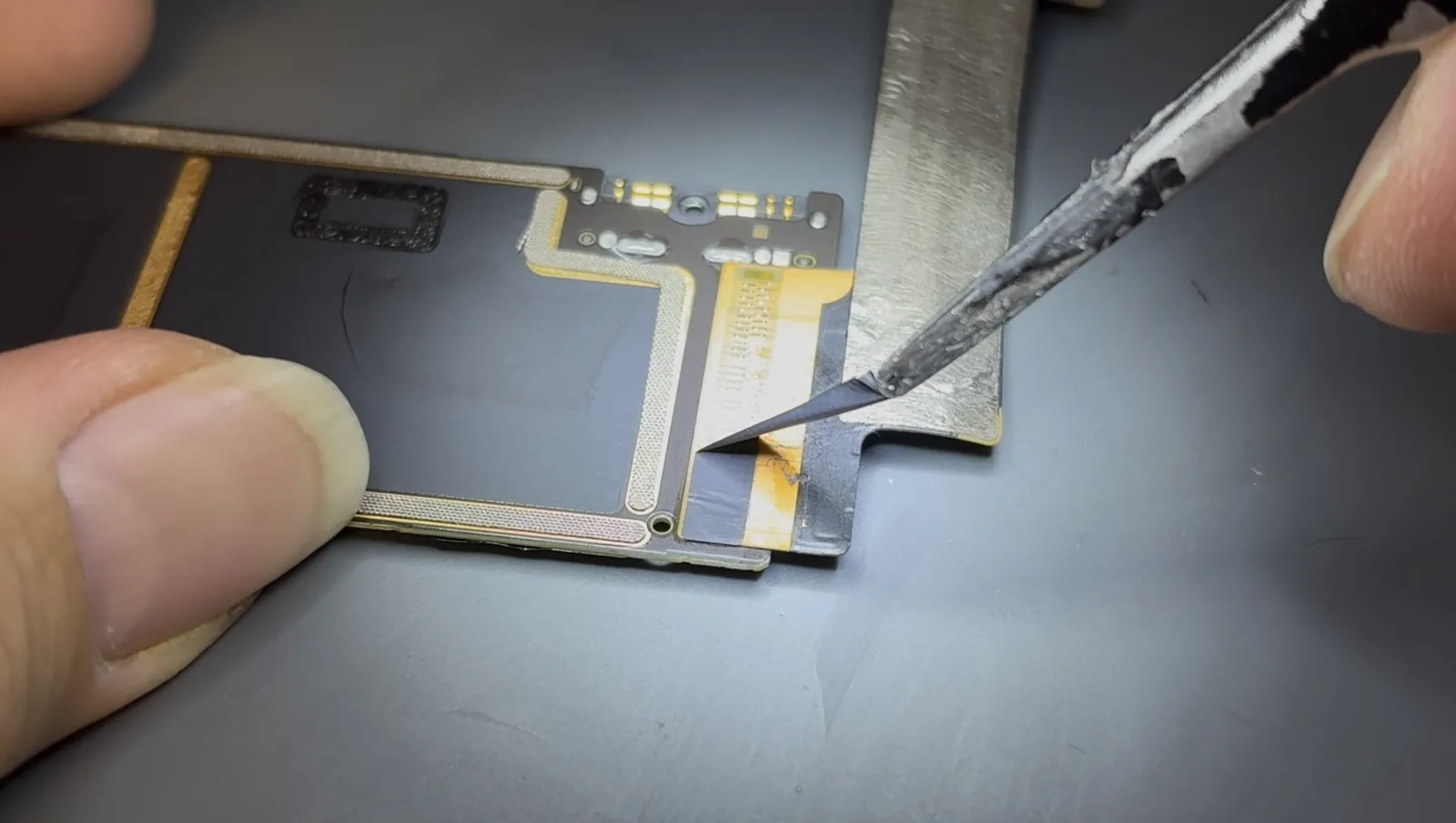
Heat, wait, lift a hair, heat again. More than thirty minutes of it before the screen is clear, and the whole time you're working above ribbon cables that a careless pry will cut. Then the shields, the battery, the antennas, and the board finally lifts out. Nothing here is clever — it's patience, and knowing by feel when the adhesive has let go and when it hasn't.
The chip that was never negotiating
This is the power delivery controller, the part that talks to your charger and agrees on how much current may flow. A flat 0.5 mA means that conversation never started. It comes off with hot air and a steady hand — the one in the tweezers is the original, a Texas Instruments SN25A23P. What matters more than the chip is what's underneath it: a lifted pad turns a straightforward repair into a difficult one, so the bare pad array you can see here is the real result of this step.
A different number on the replacement
The part that arrived was marked PSN25A23D — a different number from the SN25A23P that came off, in a slightly smaller package. That is worth stopping over rather than shrugging at, because a wrong part on a board this expensive is not a mistake you get to undo. Cross-referenced as a compatible equivalent, it went down on the cleaned pads and reflowed into place, and here it is seated on the board.
The number finally moved
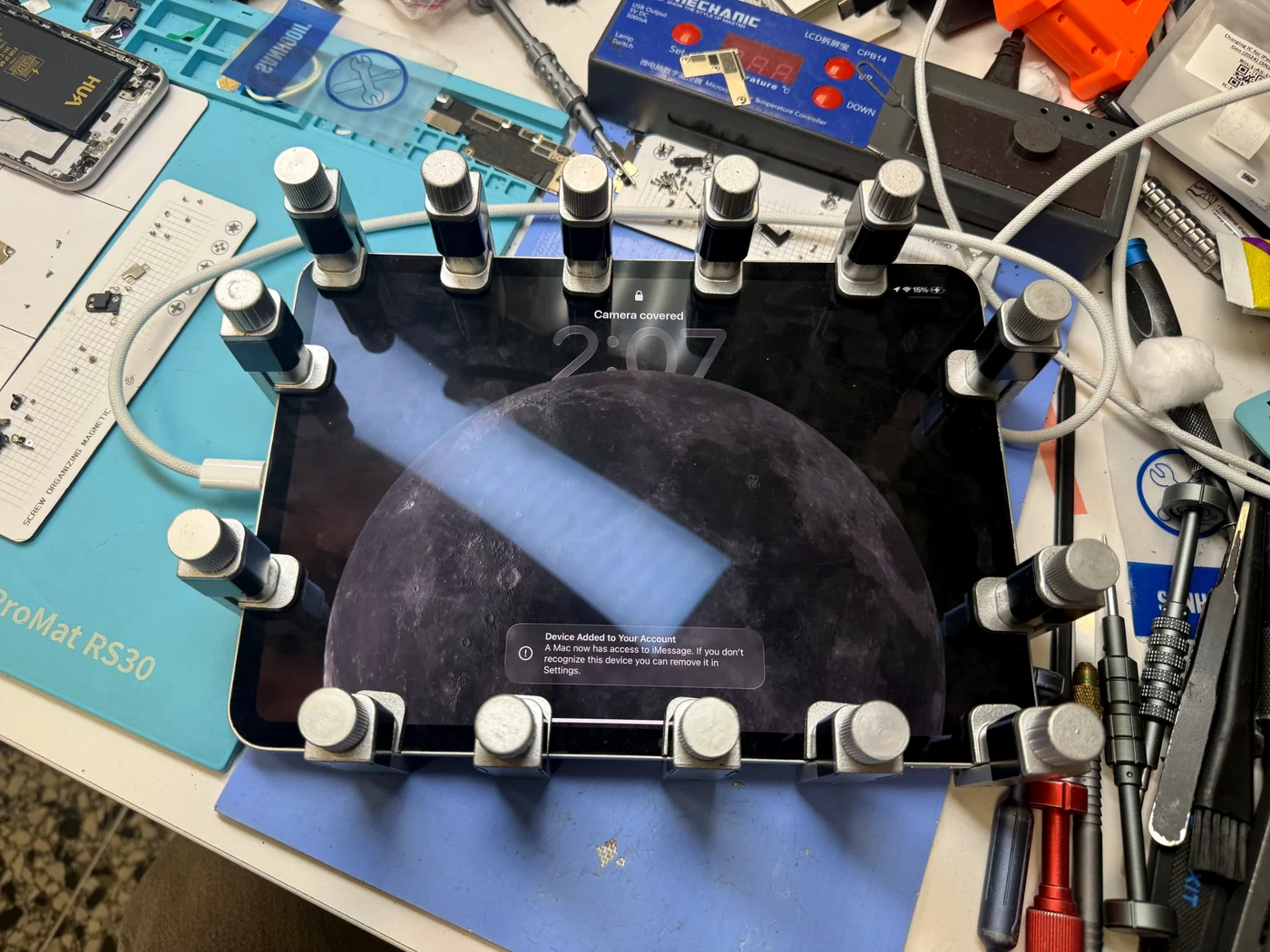
Charger in, current stepping up the way it should, battery percentage climbing.
Charging again
With the new controller in, the tester did what it had refused to do all morning: the current stepped up, settled, and stayed there. That step is the handshake — the charger and the iPad agreeing on terms — and it is the whole difference between a device that charges and one that just sits there drawing half a milliamp. It went back together, got clamped while the adhesive set, and charged on the bench until I was satisfied it would keep doing it.
What people ask about an iPad that won't charge
Straight answers, as always.
My iPad Pro won't charge. Is it the port or something on the board?
Both are common, and they look identical from the outside. A USB tester tells them apart quickly: a worn or damaged port usually gives you intermittent or low current, while a dead power delivery controller gives you a flat reading that never responds to the charger, like this one. We check before quoting, and the diagnosis is free. We've written up the port version too — see this iPad Air 4 USB-C port replacement.
How much does an iPad charging IC replacement cost in Los Angeles?
It depends on the model and on what the diagnosis finds, so we quote after we've looked rather than before. The diagnosis itself is free and there's no charge if we can't fix it. Call 424-270-4369 with your model and symptom and we'll tell you what we're likely looking at.
How long does it take?
The bench work is a few hours. With the part in stock, that means same day. When the chip has to be ordered it's usually 3–4 days door to door, and we'll tell you which one you're looking at before you leave.
Another shop said they couldn't repair it. Do you take the newest models?
Yes — including the M4 iPad Pro, which is the one most shops decline. If we decide a repair isn't worth doing, you'll hear that the same day with the reason, and you'll get the device back rather than waiting on us. Board-level work is what we do; here's a dead iPad brought back by replacing one chip.
Can I replace the charging chip myself?
Realistically, no. Getting an M4 Pro open without breaking an $800 screen is the first hurdle, and removing a fine-pitch chip without lifting its pads is the second. A failed attempt usually costs more than the original repair. If yours is already open and something came loose, bring it in anyway — that's a normal day for us.
More iPad repairs from our Downtown LA bench
Same bench, same philosophy, different iPads.
iPad not charging in Los Angeles?
Free diagnosis, board-level charging repair including the newest iPad Pro M4, and an answer the same day — even when the answer is no. FIXSTORY DTLA, 810 S Flower St, Suite B, Los Angeles. Booking ahead is best, but walk-ins are welcome — call 424-270-4369 and ask us anything.