

Apple Said "Board Fault, Can't Be Repaired." It Was the Charging Port.iPad Pro 12.9-inch (3rd Gen) Charging Port Replacement — Downtown Los Angeles
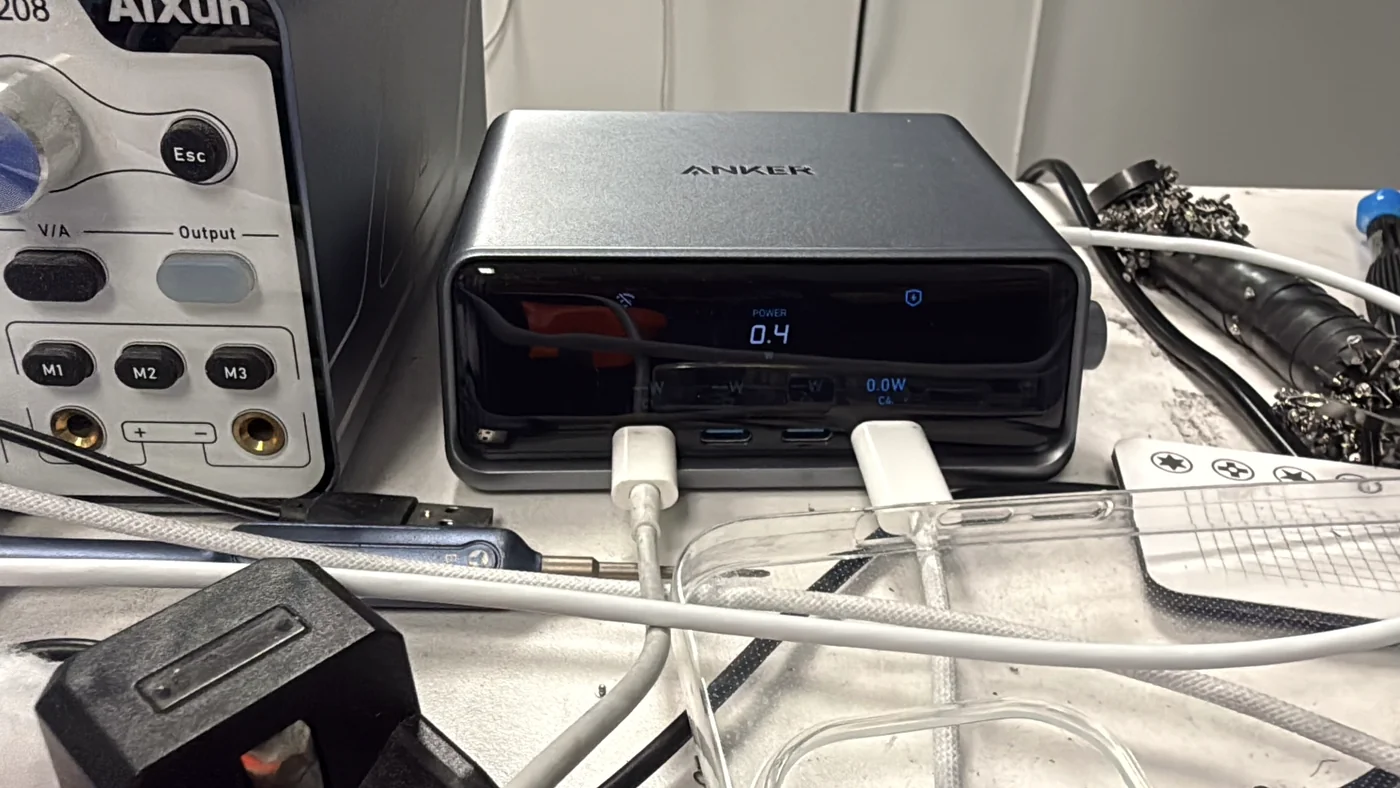
We weren't the customer's first stop. He'd taken this dead iPad Pro 12.9-inch 3rd generation to an official Apple service center first, and was told it was a logic board fault and couldn't be repaired. So he came to us. Before opening anything we looked at the charger's display. The video below is the iPad as it arrived. The number hovers between 0.4W and 0.8W, and that is the pattern of a blocked charging port, not a dead board.
Apple service had called it a board fault and declined the repair before the customer came to us.
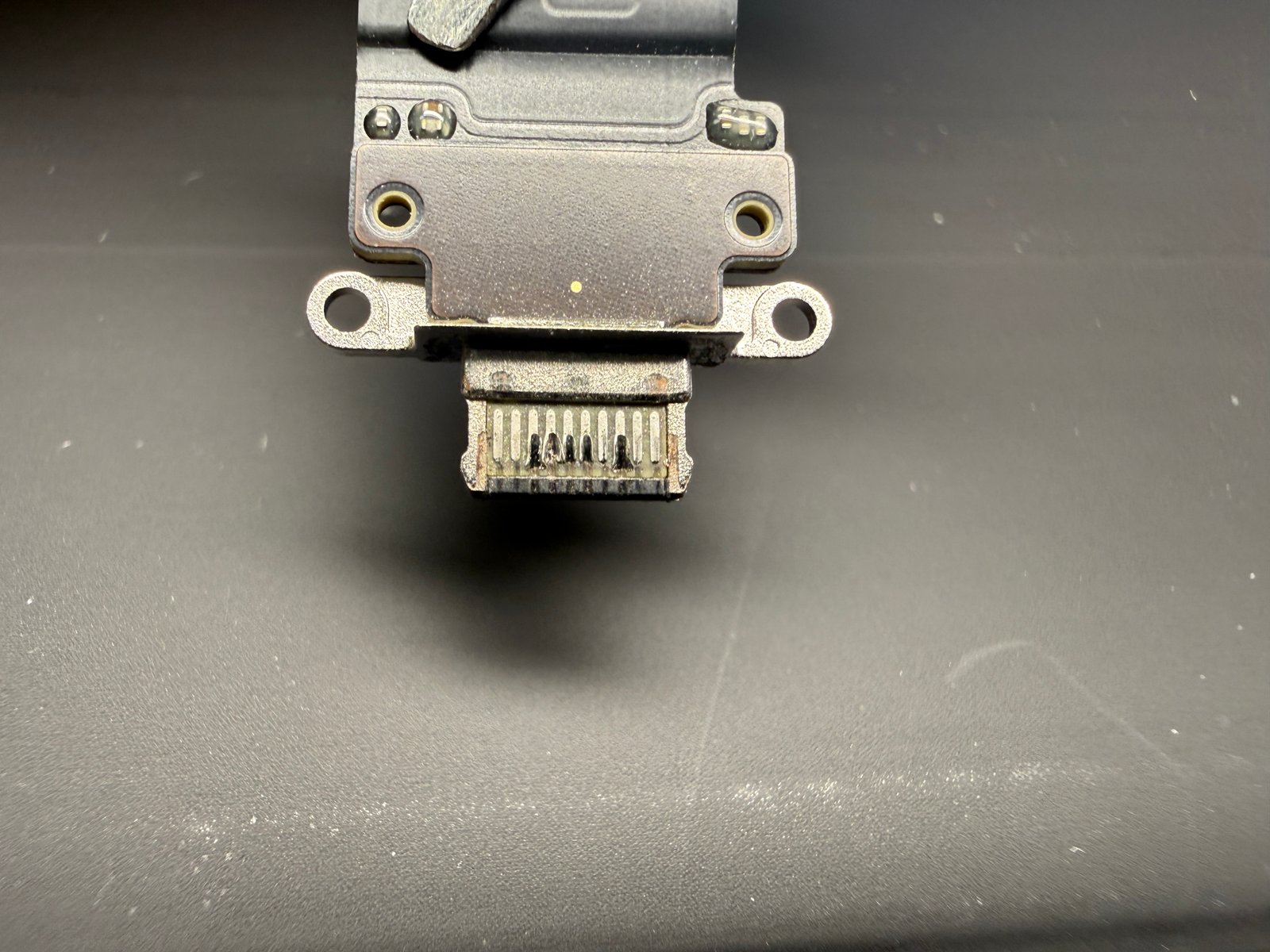
Damaged pins inside the port. The iPad couldn't draw even half its normal charging power.
New port fitted, power draw back to 2.0W, iPad booted. The customer picked it up two and a half hours later, tested.
The job, on one card
What was wrong, how we confirmed it, and how long it took.
| Model | Apple iPad Pro 12.9-inch, 3rd generation (2018) — models A1876 / A1895 / A1983 / A2014 |
|---|---|
| Problem | Would not power on even with a charger connected |
| Diagnosis | Charger display showed power draw fluctuating between 0.4W and 0.8W. On this model with an empty battery, roughly 2W is the normal range |
| Cause | Damaged charging port pins. The contacts weren't seating properly, so the iPad couldn't pull the power it needed |
| Repair | Display separated → charging port flex disconnected → new charging port fitted → power draw re-checked → reassembled and boot-tested |
| Repair time | 1 to 2 hours (this one: 2.5 hours including testing) |
| Teardown | Difficult4 / 5 |
| Tech's note | The first thing the customer said was, "Apple told me it's the board and it can't be fixed." That's understandable. Apple doesn't repair iPads at the component level; it swaps the whole unit, so there's no reason for them to chase down which part failed. A dead iPad tends to come back labeled "board." We're the opposite: we replace parts, so finding the right part is the whole job. That's why we looked at the charger display before touching a screw, and the number pointed at the port. The hard part of an iPad charging port replacement isn't the port. It's getting the display off. iPad screens are glued to the body, and while you're heating the edge and easing the panel away, the slightest overflex cracks it. Crack it and the customer is now paying for a screen on top of a port, so there is no reason to hurry through this step. The charger does the diagnosing for us. The Anker charger on our bench shows the power a connected device is pulling, in watts, right on its display. With an empty battery, this model should sit somewhere around 2W. This iPad only managed 0.4W to 0.8W. For reference, once a battery passes 80% the draw drops, and it keeps falling as it approaches 100%. That isn't a fault; it's the battery pulling less as it fills. The problem is when the battery is nearly empty, should be pulling hard, and the number stays low anyway. The customer got the iPad back the same day, tested, and left happy. Apart from logic board work, finishing iPad repairs within the day is the rule here. And before handing it back, we ran one more check on the cable he'd brought in. Passing on our bench gear means nothing if it fails on the cable he uses at home. |
An iPad that won't charge is usually one of three things
Same symptom, completely different repair.
Charging port — 80% or more
Open up an iPad that won't turn on when plugged in and eight times out of ten it's the port. Pins get pushed in or corroded, the contacts stop seating, and the device can't draw the power it needs. A common culprit is a cheap USB-C cable that grips the port too hard and wears the pins down a little at a time. If swapping cables and chargers changes nothing, this is where we look first.
A battery at the end of its life
On older iPads the battery has often simply given out. The port is fine, but the cell can no longer hold voltage, so nothing wakes up. The fix there is a new battery.
Swollen battery or board fault
Sometimes the battery has swelled and is pushing on the internals, or the logic board itself is damaged. Board work is a different kind of job and takes longer. That's why we don't guess before opening it. We check the power draw first and narrow the field.
Check the draw, swap the port, check again
Six frames from the bench.
Start with the power draw
Known-good cable, known-good charger, then a look at the charger's display. With an empty battery this iPad should be pulling close to 2W. It wavered between 0.4W and 0.8W. That means the device can't draw power, which points straight at the port before we've touched a screw.
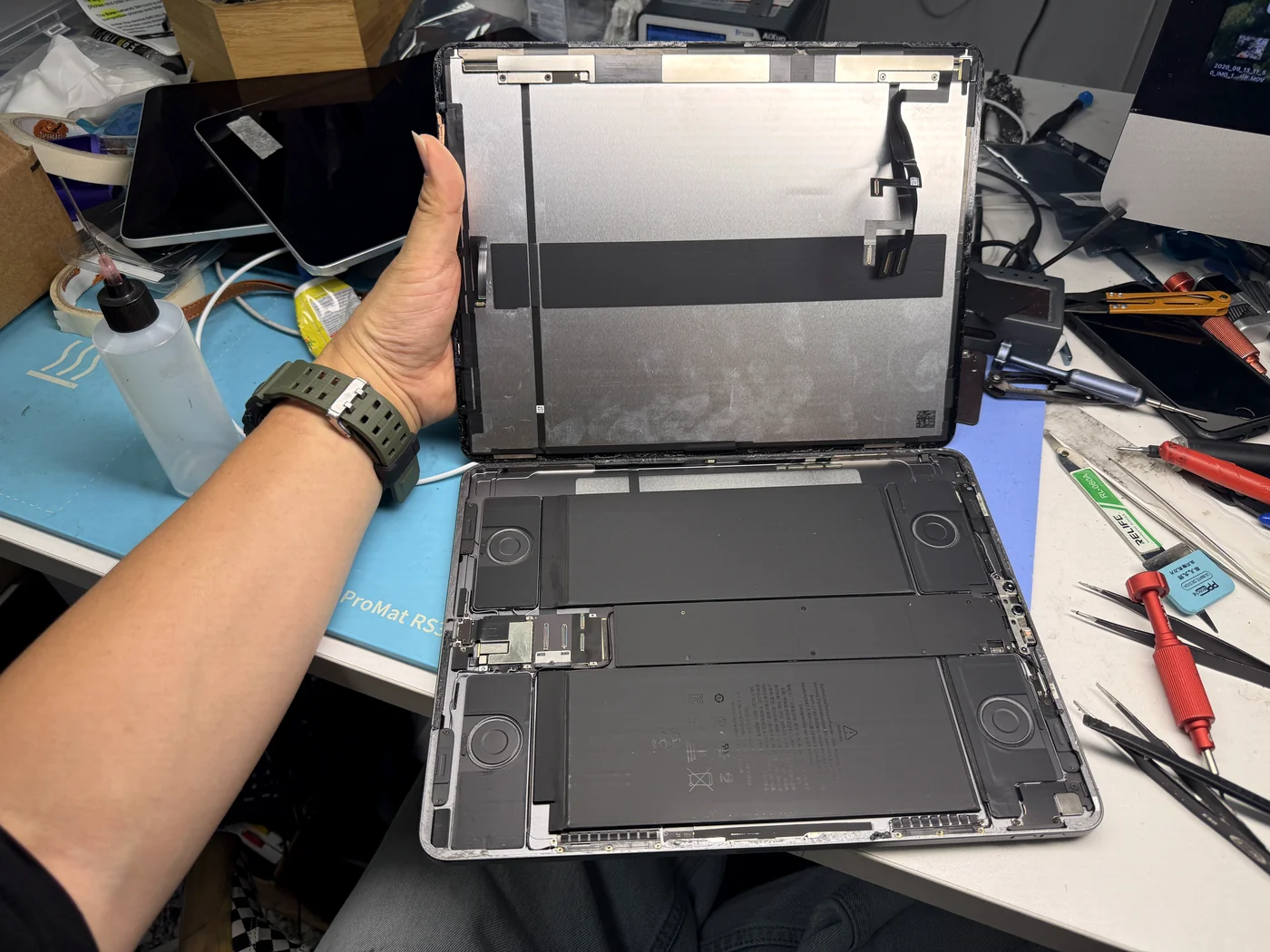
Separate the display — the hardest step
iPad screens are glued into the body. Heat goes evenly around the edge, then the panel comes away slowly. Push in one spot and it cracks. Most of the one-to-two-hour repair time lives right here.
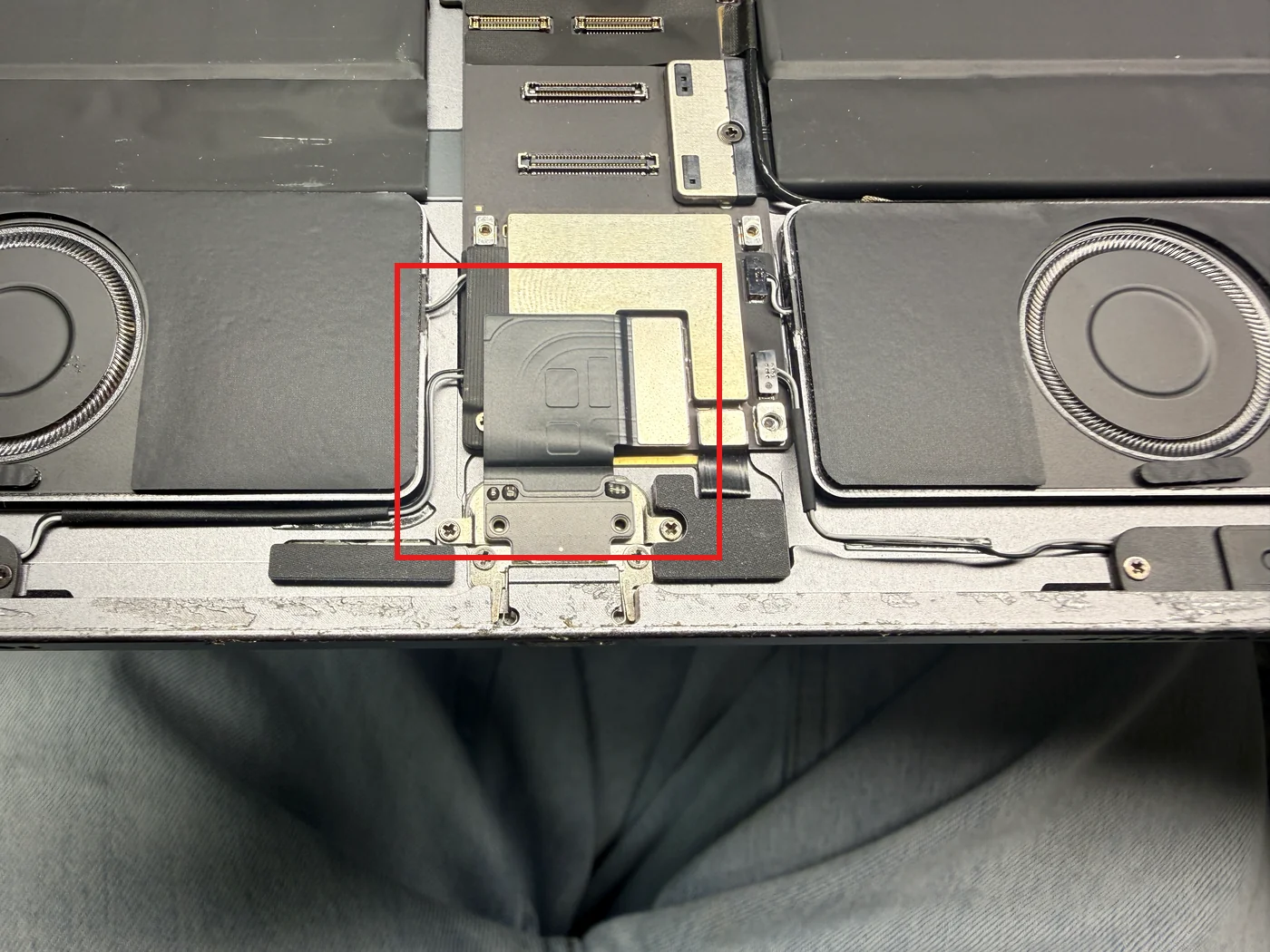
Locate the port, then disconnect it
The red box is the charging port. The port itself sits in the bracket at the bottom, and its flex runs up to a connector on the board. On this model the port plugs in rather than being soldered, so it can be replaced without board work. Battery disconnected first, then that connector is released, the bracket screws come out, and the port lifts away. On models where it's soldered directly, the job is a completely different animal.
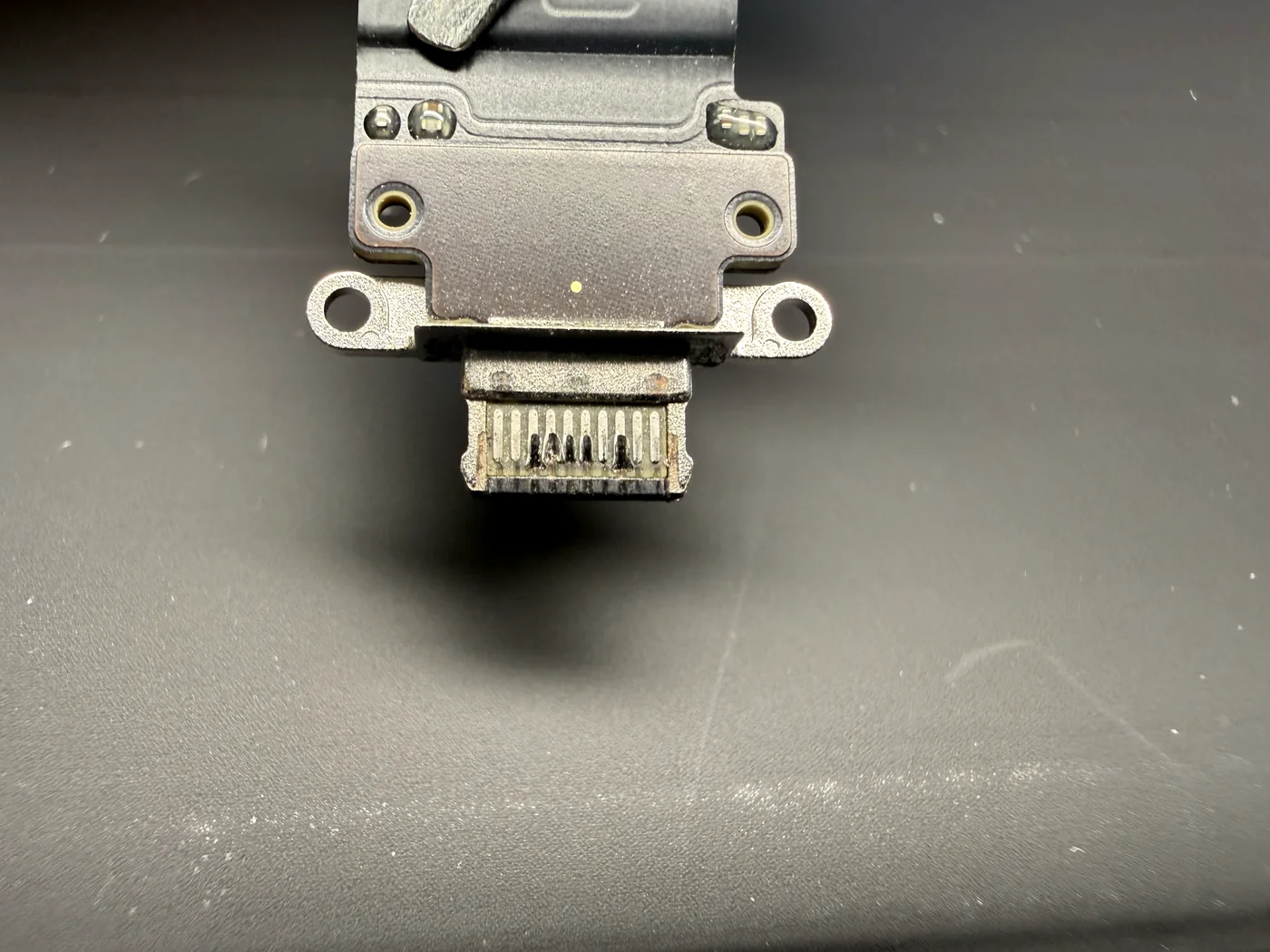
Confirm the cause
Under magnification the old port shows several inner pins bent and discolored. This is why the draw was under half. The cause is a cheap, low-quality USB-C cable. Out-of-spec cables grip the port far too tightly, and every plug and unplug pushes and scrapes the pins. Enough cycles and this is the result.
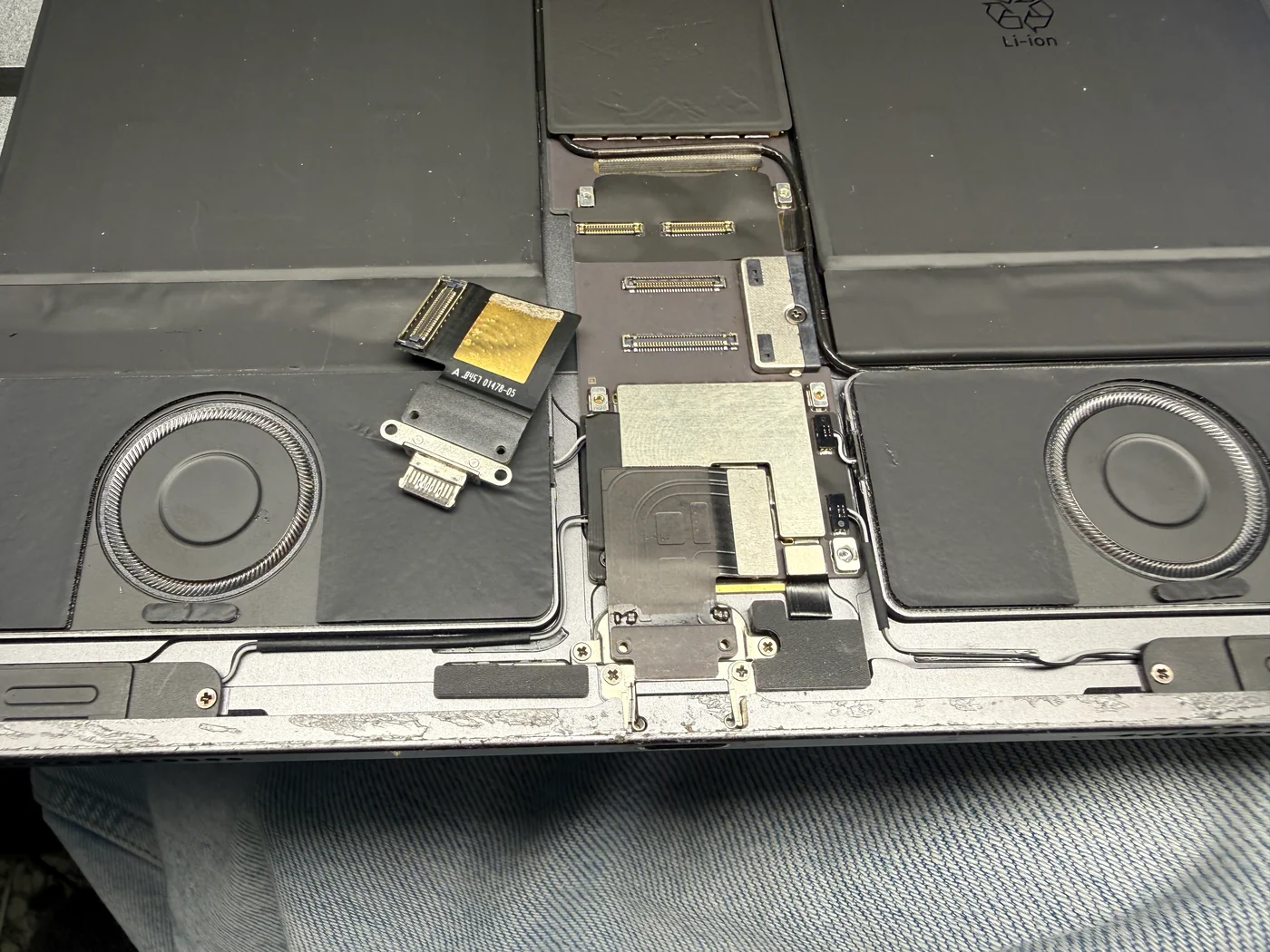
Fit the new port
The new port goes into its seat, the flex plugs into the board connector, and the brackets and screws go back exactly where they came from. A charging port takes plug-and-unplug force every day, so we check the retaining screws are properly seated before moving on.
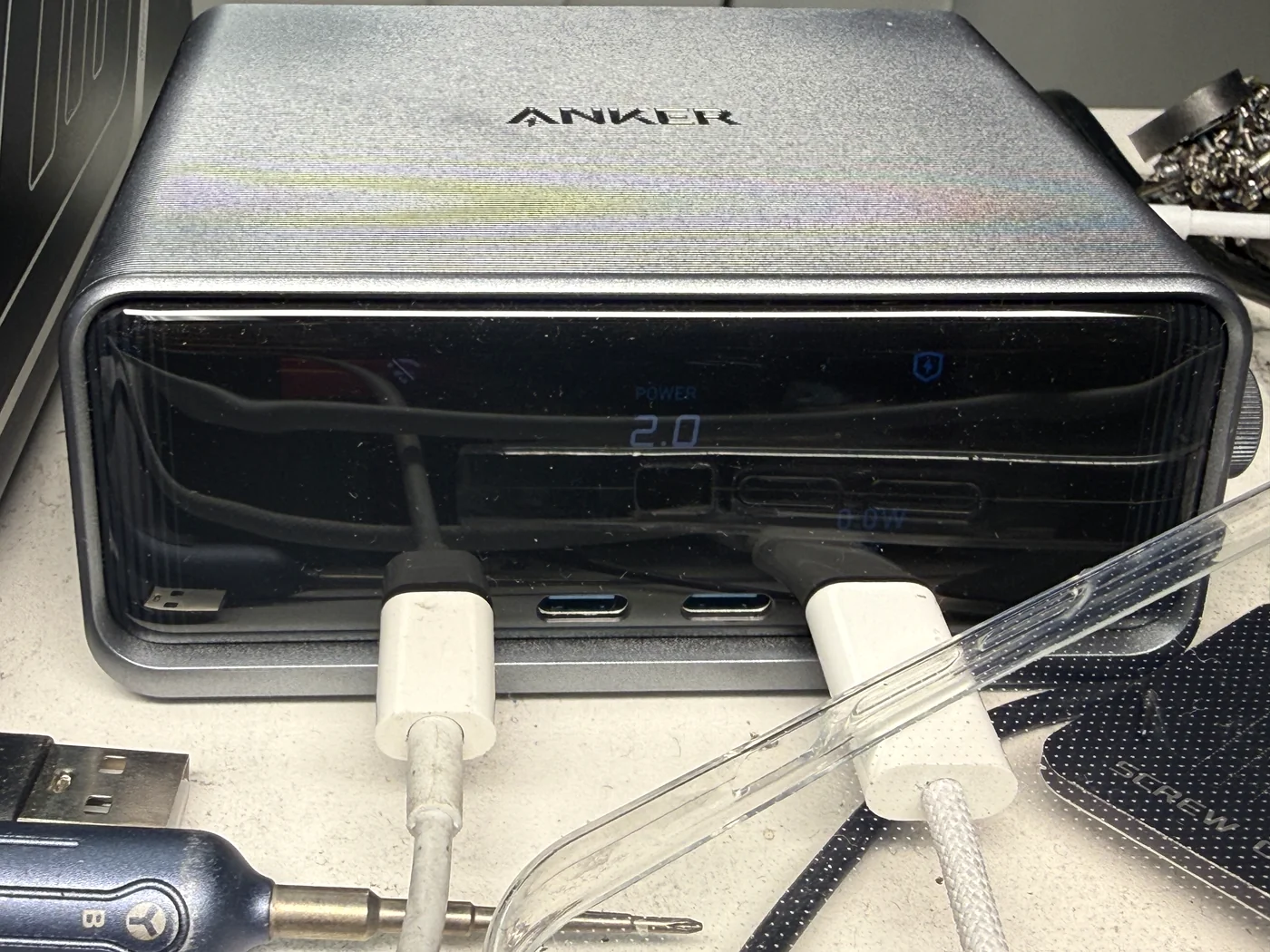
Check again before closing up
Before full reassembly we plug it in under the same conditions. This time 2.0W held steady. If the number doesn't come up here, the port wasn't the problem, which is why we never skip this check.
Charging normally, booting normally
Same iPad, same data, nothing lost.
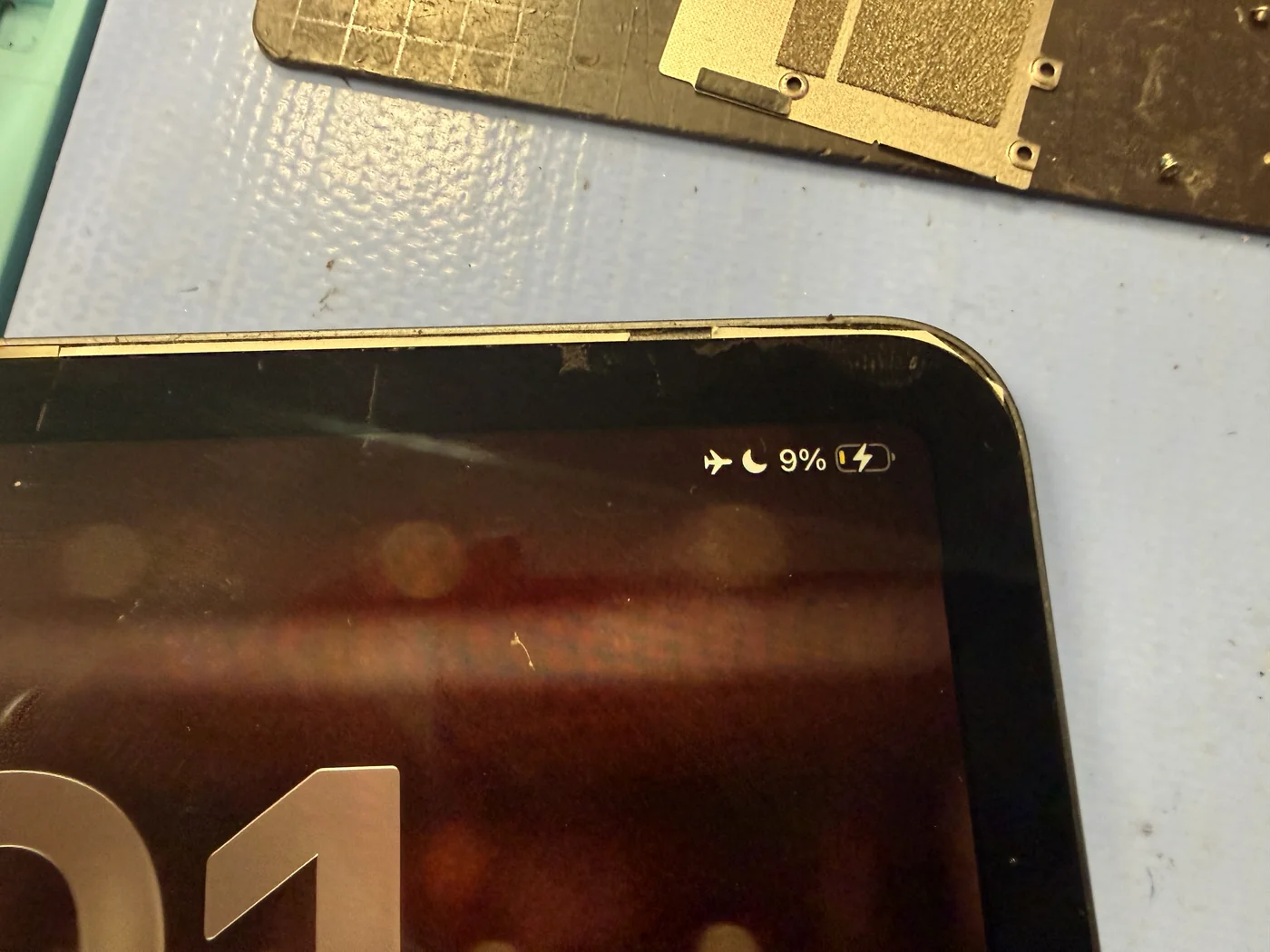
Charging indicator back, screen back
After reassembly we confirmed the charging indicator and a clean boot. The final check was done with the customer's own cables. He'd brought two: an Anker cable and one with the jacket cut open and the wires showing. We told him to throw the damaged one away, plugged in the Anker cable, and watched it charge normally on the exact setup he uses at home. The iPad he'd been told was unrepairable went home with him two and a half hours after drop-off, and he thanked us on the way out. Every photo, app and account was still on it.
The questions that usually follow
Straight answers, as always.
How long does an iPad charging port replacement take?
One to two hours, and it's almost always done the same day. If there's a queue ahead of you it can roll into the next day, so a quick call before you come in lets us tell you where things stand.
My iPad won't turn on when plugged in. Is it definitely the port?
It's the most common cause but not the only one. Roughly eight in ten are the charging port. Older iPads are often a worn-out battery, and occasionally it's a swollen battery or a logic board fault. We check the charging power draw before opening anything and tell you once it's confirmed.
What is the number on the charger's display?
It's the power the device is drawing at that moment, in watts. Not voltage or current, but how much charging is actually happening, in one number. That single reading tells us straight away whether the port is doing its job.
Charging slows down past 80%. Is something wrong?
No. As the battery fills it draws less power, and the number keeps dropping as it approaches 100%. That's normal. The problem is when the battery is nearly empty and the draw still stays low.
Can iPad repairs really be done the same day?
Yes. Apart from logic board work, as long as we have the part, we start as soon as you walk in. Screen replacement, battery replacement, charging port replacement, bent frame correction and stuck-button repairs are all same-day as standard.
Apple said it's a board fault and can't be repaired. Is that final?
Not necessarily. Apple doesn't diagnose or repair iPads part by part; it replaces the whole device, so a dead iPad often gets labeled "board" without anyone isolating the actual fault. When we open them up, the charging port is the most common cause, and this iPad was one of those. It's worth a second look.
How is this different from going to Apple?
Apple usually swaps the whole iPad rather than repairing the failed part. You hand in your device, and if it wouldn't power on, the data on it goes with it. We replace only the broken component, so you keep your iPad and everything stored on it.
What damages an iPad charging port?
The most common cause is a cheap, low-quality USB-C cable. Out-of-spec cables grip the port far too tightly, and every plug and unplug pushes and scrapes the pins. Saving a few dollars on a cable can end up costing a port replacement, so we recommend genuine or certified cables.
Will I lose my data?
No. A charging port replacement doesn't touch storage. Photos, apps and accounts stay exactly where they are.
More honest repair stories
Same bench, same philosophy, different repairs.
iPad won't turn on when you plug it in? Most of these are fixed the same day.
Screen replacement, battery replacement, charging port replacement, bent frame correction, stuck buttons — apart from logic board work, every iPad repair starts the moment you walk in, as long as we have the part. Come from anywhere in LA. Downtown Los Angeles, walk-ins welcome.