

A 20-Minute Repair That I Ask Two Hours ForiPad 10th Generation Front Glass (Digitizer) Replacement — Downtown Los Angeles
He'd booked ahead. The front glass had gone at one corner and the cracks had run most of the way into the middle of the screen, while the display underneath was working perfectly. On an iPad 10th generation the glass isn't bonded to the LCD, so only the broken piece needs replacing. I'll be honest about the rest: lifting the old glass and setting the new one takes about twenty minutes. I still tell customers one to two hours. That gap is what this whole post is about.
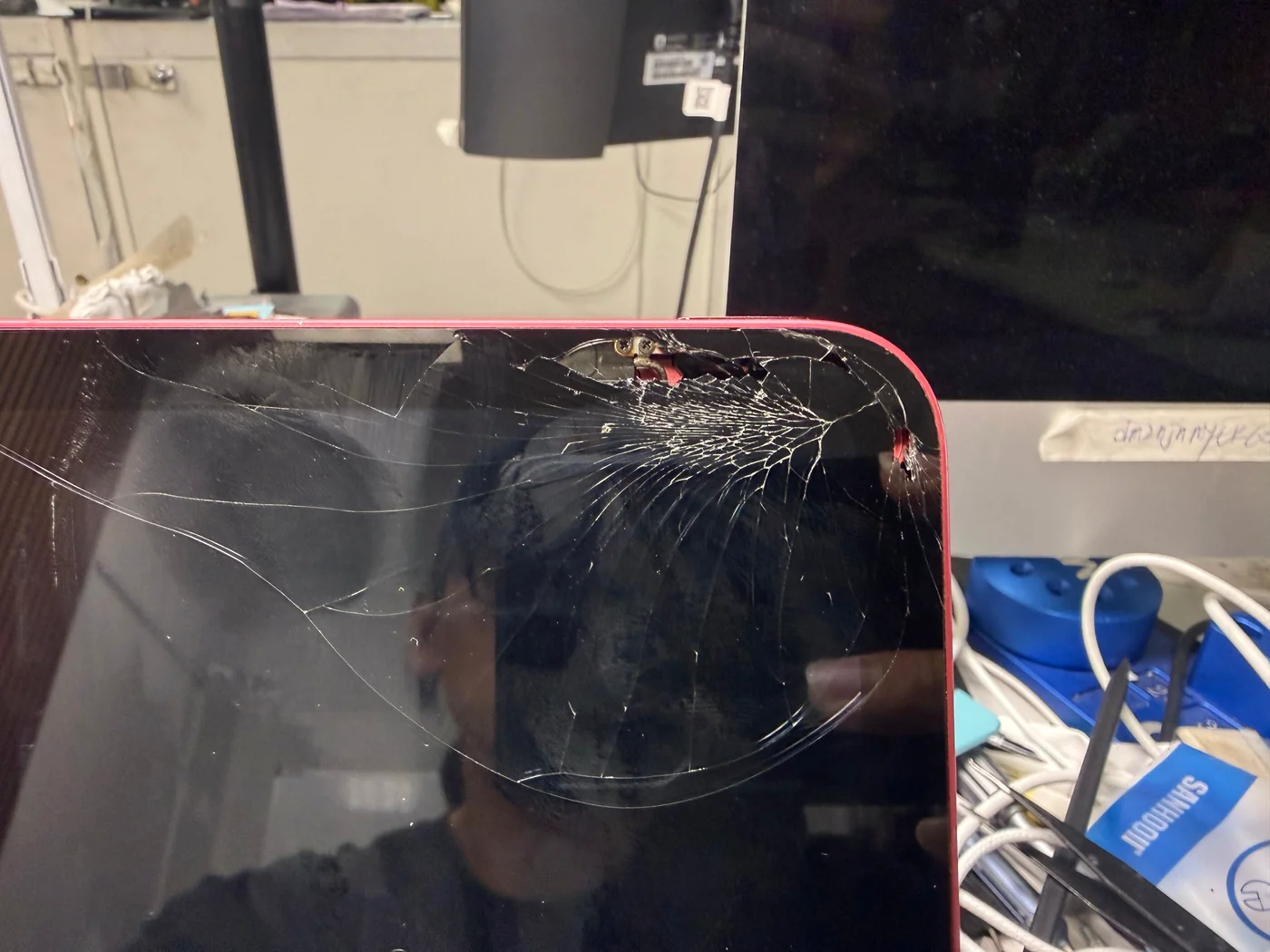
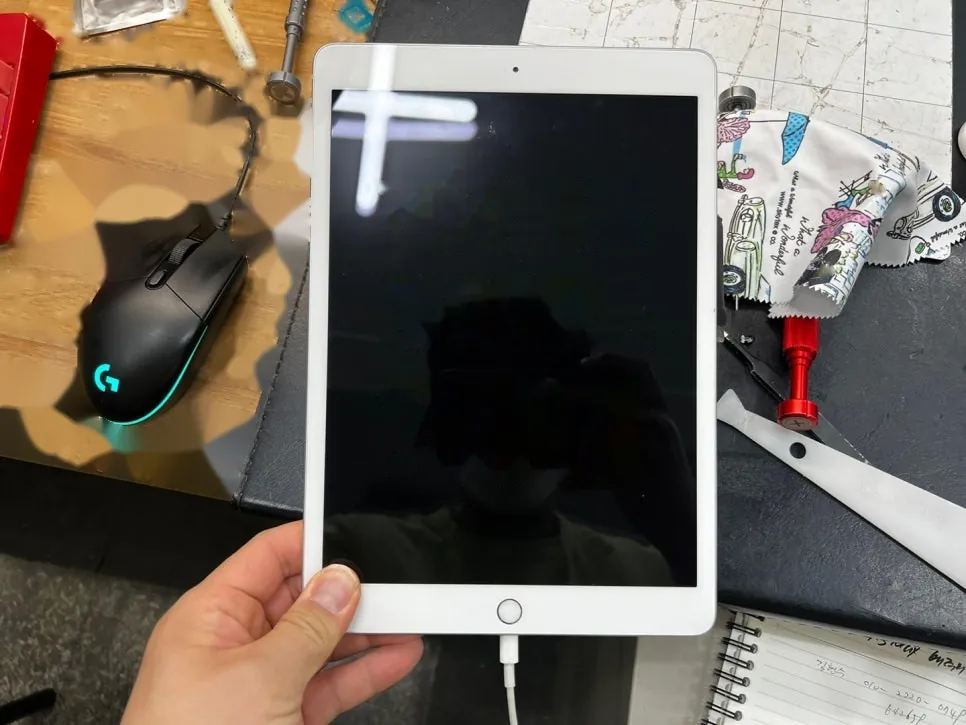
Cracks from one corner, display still perfect
Digitizer replaced, original LCD kept
Twenty minutes of work, then the part that matters
The job, on one card
What broke, what was actually done, and where the time really goes.
| Model | iPad 10th generation (2022) · confirmed by battery A2742 |
|---|---|
| Problem | Front glass broken at a corner with cracks running into the middle of the screen. Touch and display both still working |
| Service | Front glass (digitizer) replaced · original LCD retained · edge adhesive re-done · screen clamped to cure |
| Price | Quoted after a free diagnosis · 424-270-4369 |
| Turnaround | Twenty minutes of actual work · one to two hours including the finish and the clamping |
| Difficulty | The fussiest of the easy-looking jobs4 / 5 |
| Tech's note | Fifteen years and tens of thousands of iPads. A glass swap like this one I
could do with my eyes shut, and I'm not saying that to boast — I'm saying it because I still quote one to two hours
for it. Not because my hands are slow. Because the last stage, where the screen sits clamped while the adhesive takes
hold, is the actual repair. Everything before it is just assembly. Skip that hour and the iPad looks fine walking out the door. The problem shows up a month later, when an edge quietly lifts and dust starts finding its way under the glass. When that happens, people don't come back to complain. They just go somewhere else next time. You lose them one at a time and never hear why. Twenty saved minutes is not worth that trade. |
An iPad is not a phone
The cost isn't in the part. It's in the hands — which is why where you take it changes the result.
The glass isn't pulled off, it's opened
Enough heat goes in that the adhesive lets go, and only then does it open. Force it cold and it barely separates while throwing glass everywhere. The proper way is to tape clear film across the front before you start: the dust stays put and nobody's hands get cut.
The real work is the finish
Setting the new glass is quick. What takes skill comes after — leaving no dust inside, running the edge adhesive properly, and pressing it down evenly under clamps. Miss any one of those three and it comes back as a lifted edge or dust under the screen.
Glue instead of tape
Some shops finish the edge with glue because it's faster. It holds, but the next time that iPad has to be opened — for a battery, for anything — the device pays for it. It's a finish that doesn't consider whoever opens it next. Apple uses adhesive tape around the edge, and so do we.
Open it, swap it, then press it
The swap is short and the finish is long. The photos make it obvious why.
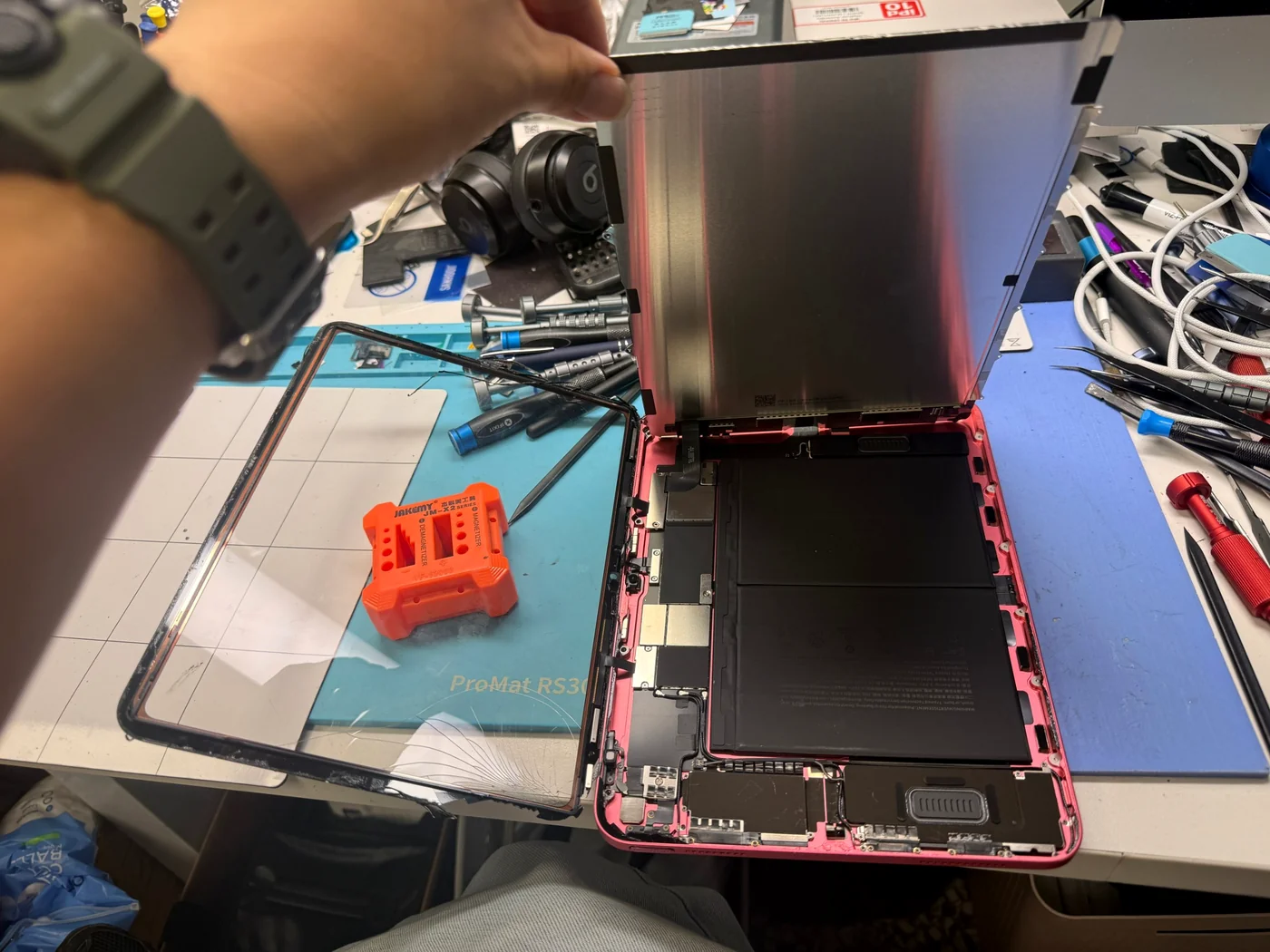
Heat first, then open
On this generation the glass and the LCD are separate panels, which is why only the broken one has to be replaced — and also why getting them apart without hurting either is the whole trick. Heat goes in until the adhesive releases, the screen comes up, and the cracked glass lifts away from the LCD on its own. Clear tape across the front first keeps the shards from going anywhere.
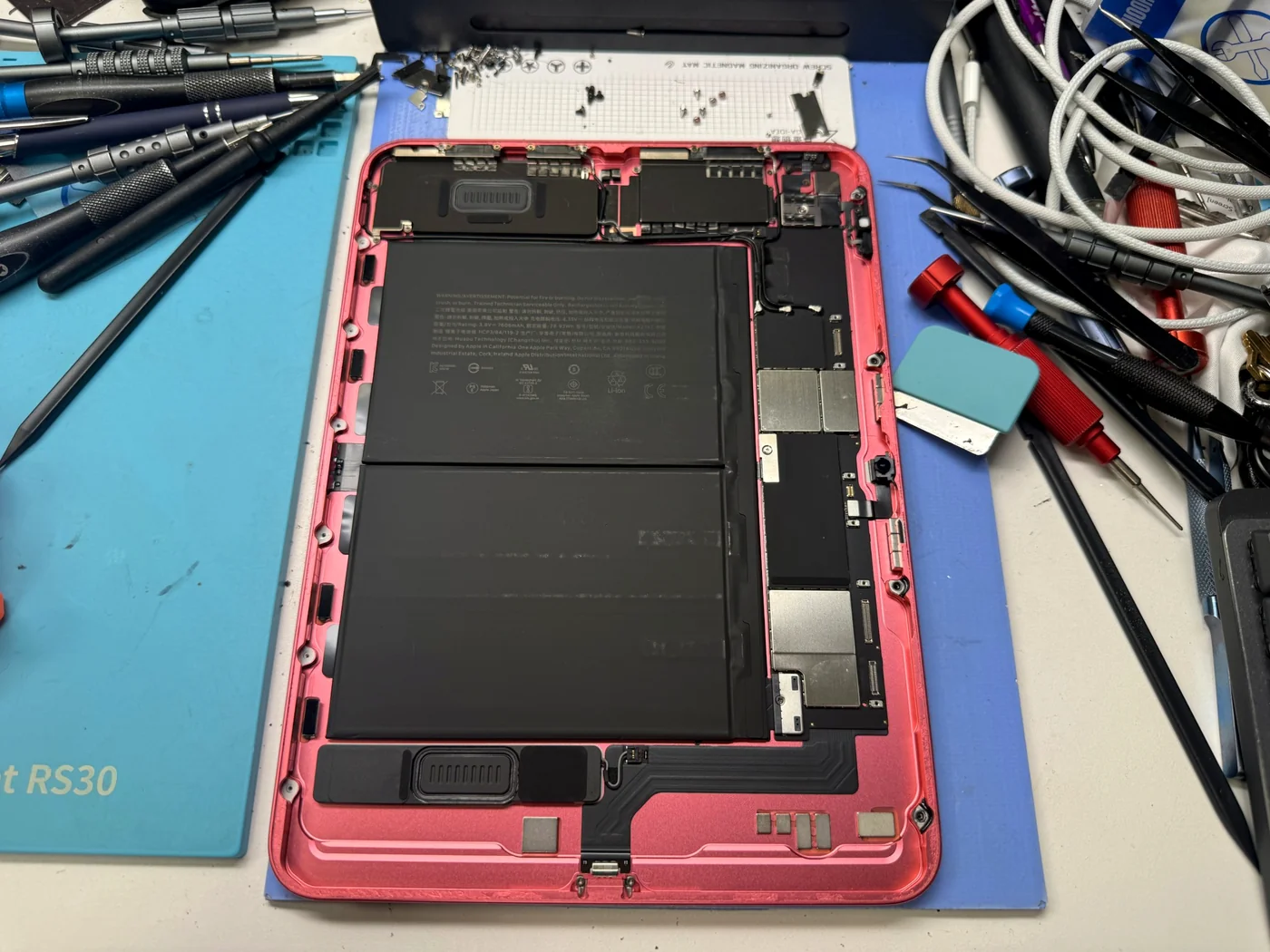
Once it's open, it's a dust problem
With the screen off, the battery and the board are sitting in open air. From here the priority stops being speed and becomes cleanliness. Leave an iPad open on a bench long enough and airborne dust settles in, and that dust becomes the black speck someone notices under their screen a week later. It gets blown out once more right before closing.
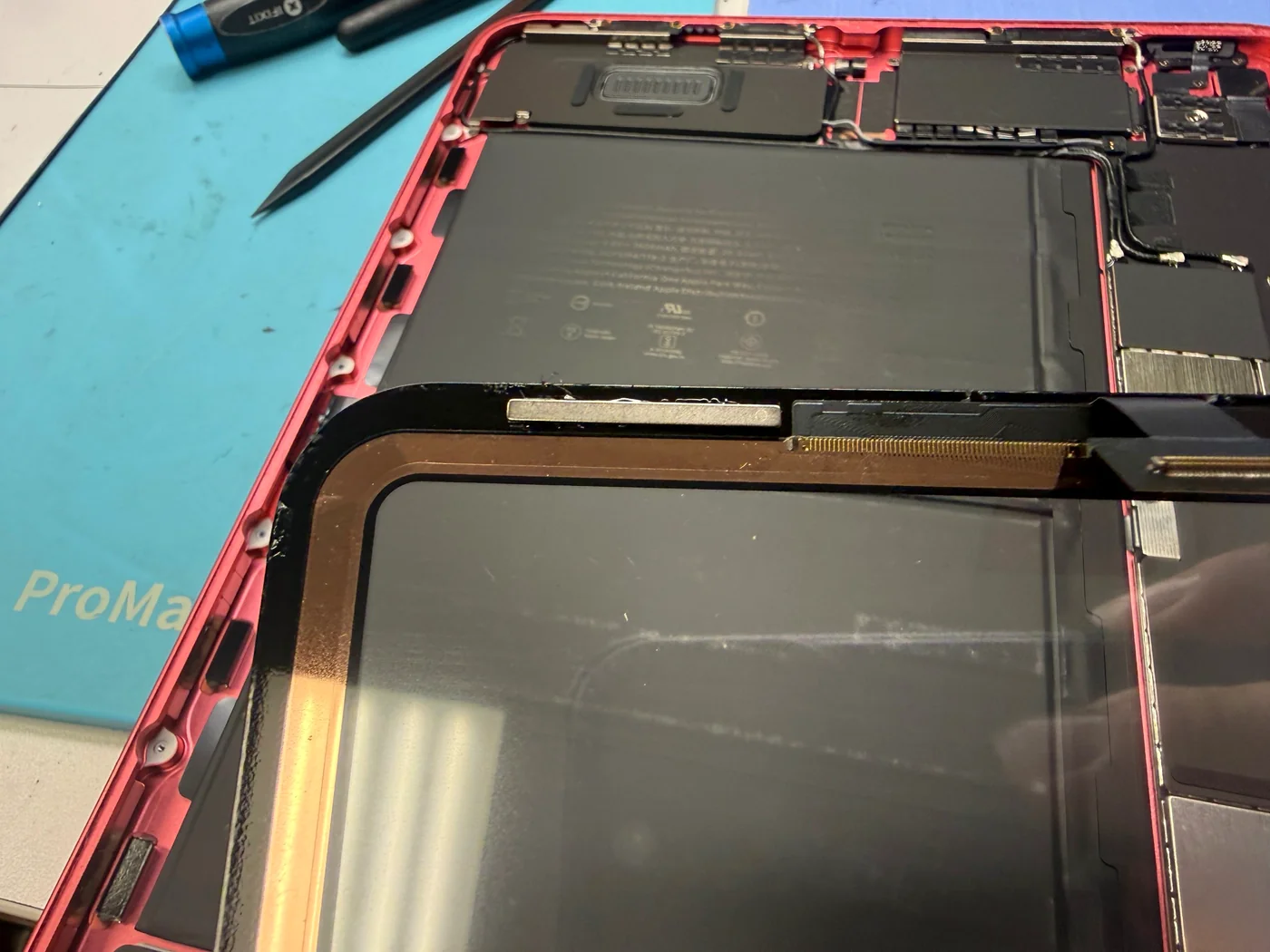
The edge is the quality of the repair
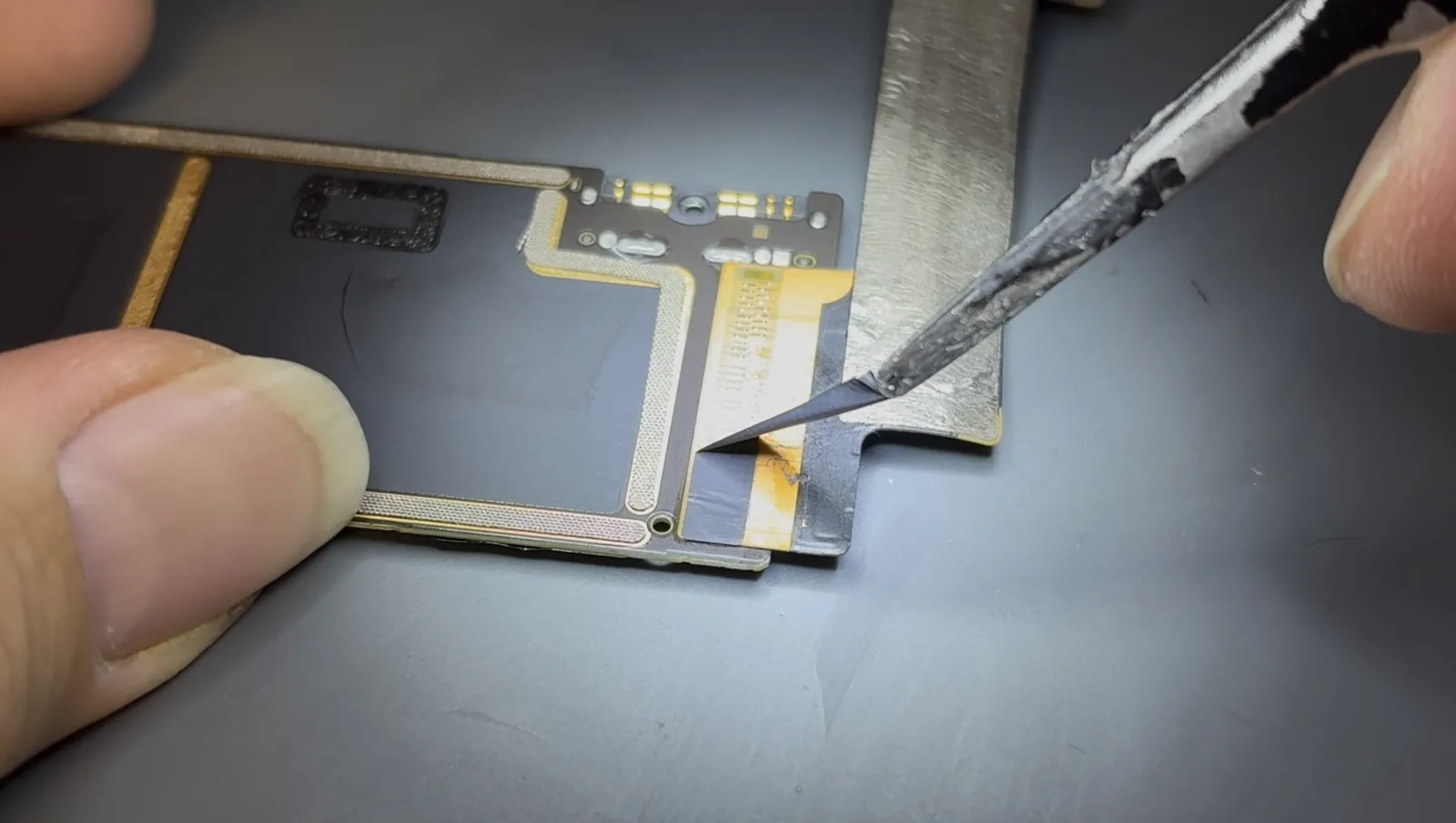
iPads are sealed around the edge with adhesive tape. Current models use a silicone-feeling tape that has made opening them considerably harder than it used to be. Every trace of the old adhesive has to come off before the new tape goes down, and this stretch of work is what decides whether an edge is still flat in a month.
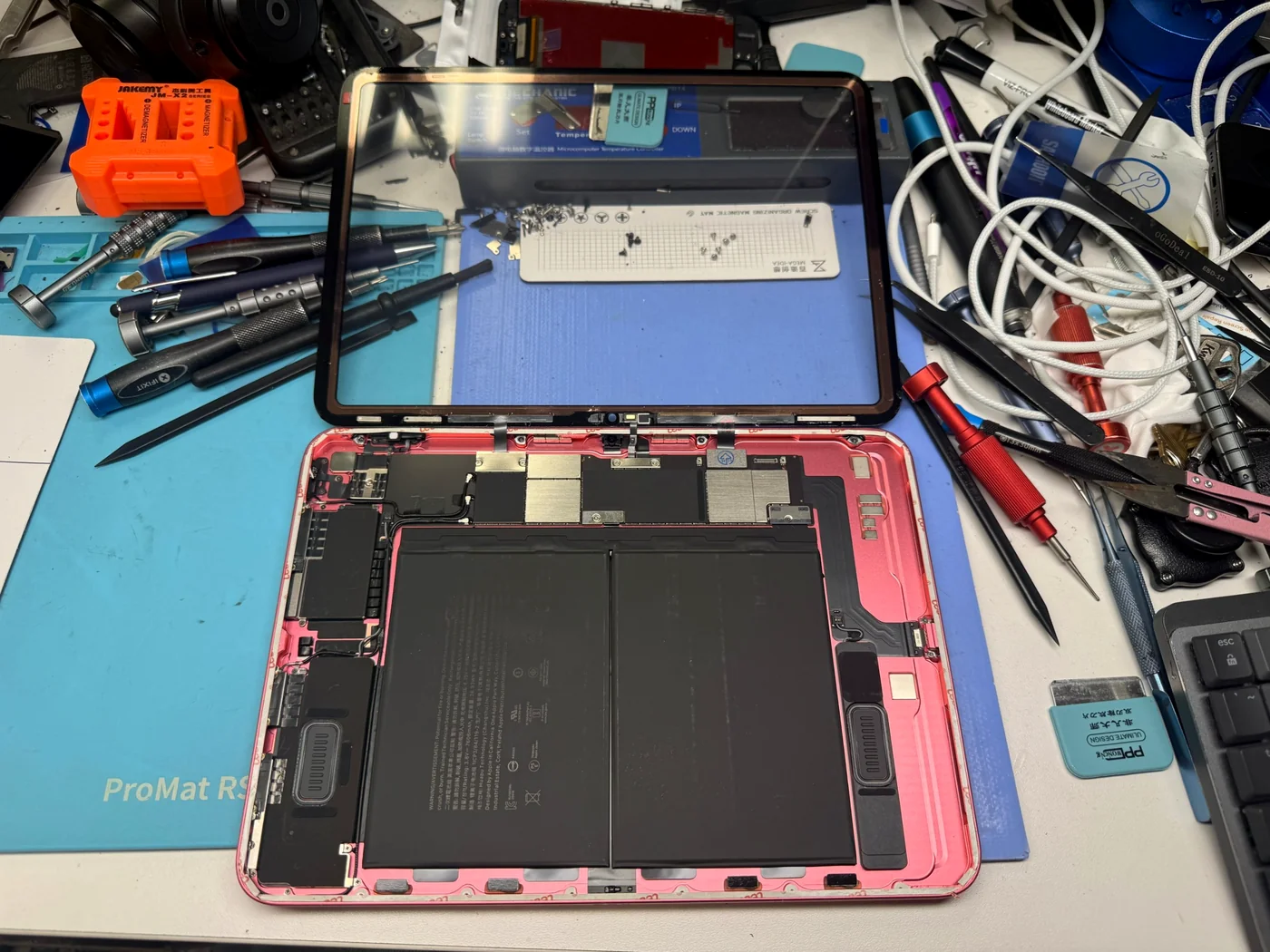
Seated, but not closed yet
The new glass goes on and then nothing gets closed. The connector seating is checked, the screen is powered up and looked at, and the inside is inspected for anything that shouldn't be there. Every one of those is something you'd have to reopen the whole iPad to fix later, so the few minutes spent here are the cheapest minutes in the job.
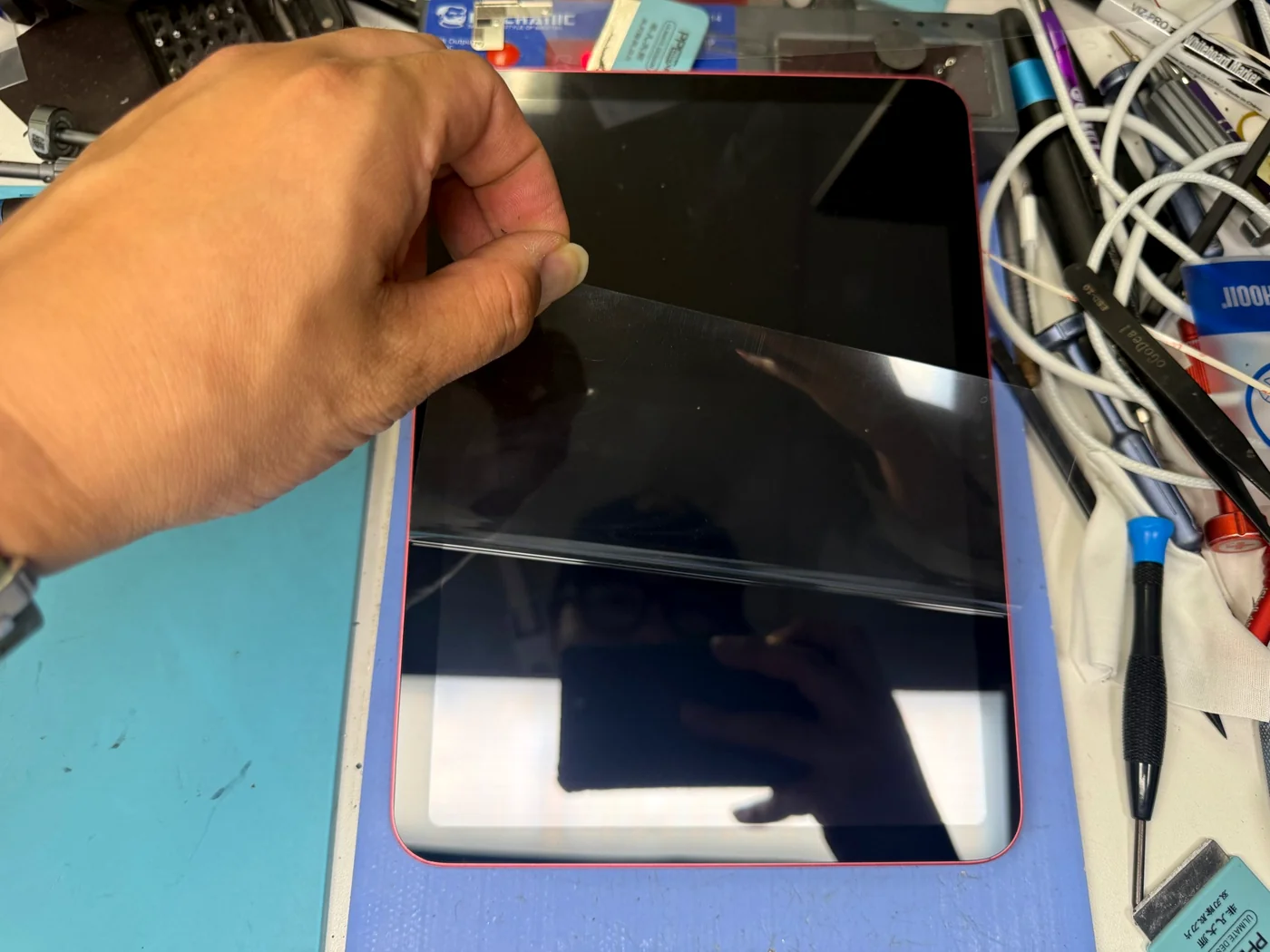
The moment of truth
The protective film on the new glass comes off at the very end, and honestly it's the part that makes me nervous every time. A single speck trapped underneath announces itself immediately, in good light, right where you can't miss it. When it peels clean, that's when I relax.
The last step is waiting
Clamped all the way round, left alone until the adhesive has taken.
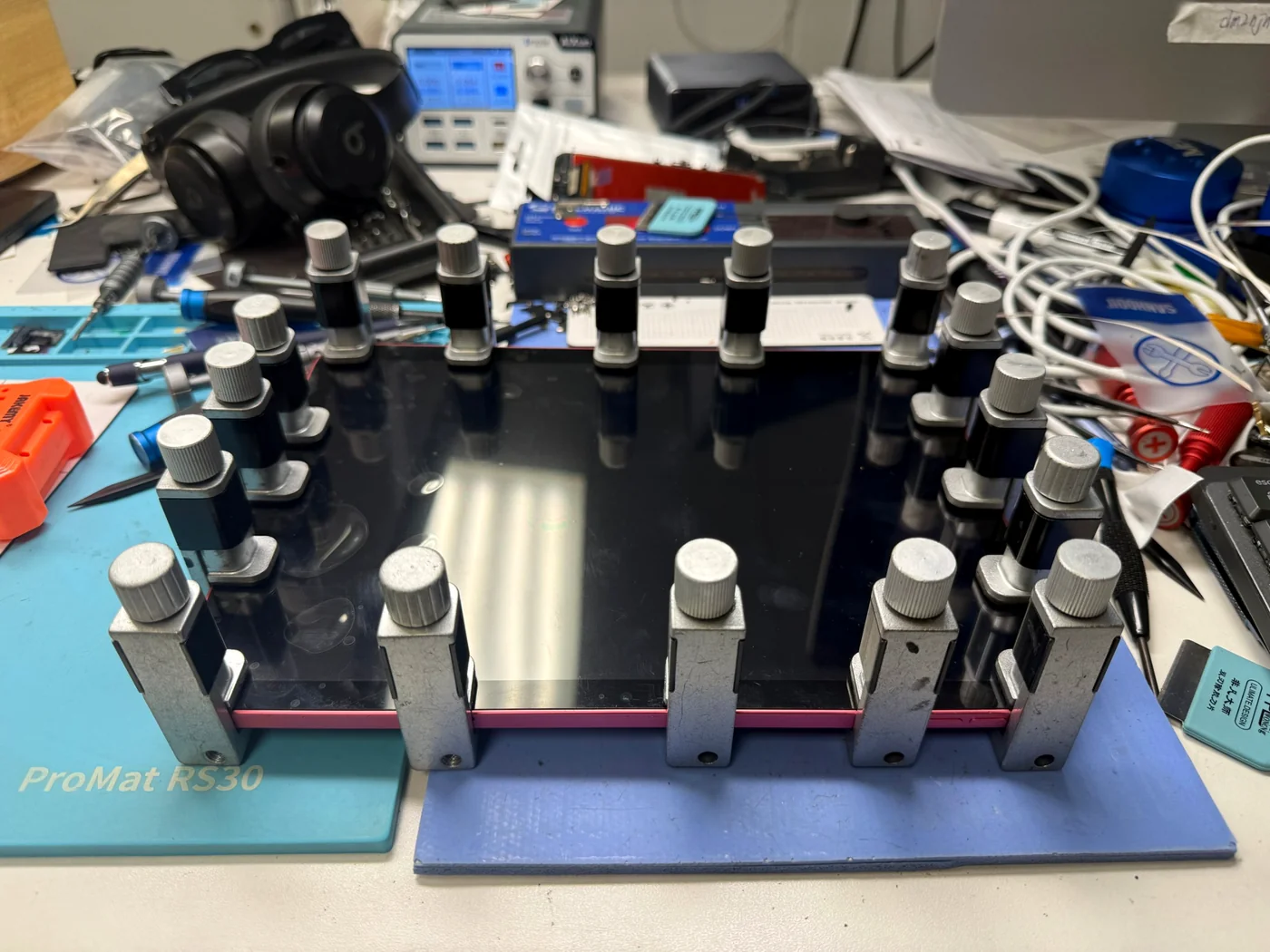
This photo is the two hours
Clamps around every edge, and then nothing happens for a while. That waiting is the final and most important stage of an iPad glass replacement. It photographs as a pile of clips on a tablet, but whether the result closes flat, with no lifted corner and no gap for dust, is decided entirely here. Twenty minutes of work; one to two hours to finish it properly.
What people ask about cracked iPad glass
Straight answers, as always.
Only the outer glass is cracked. Do I have to replace the whole screen?
On models where the glass isn't bonded to the LCD — the iPad 10th generation among them — only the broken glass gets replaced, which is what we did here. On models with the glass and display laminated together the whole assembly has to go, and the price changes with it. Call with your model and we'll tell you which one you have.
Touch still works and it's only cracked. Can I keep using it?
We'd rather you didn't. Cracked glass keeps flexing, the edges keep chipping away, and dust and moisture get in through the gaps. It also cuts fingers. The cheapest version of this repair is while it's still only the glass; once the damage reaches inside it becomes a different job.
How long does it take?
The replacement itself is about twenty minutes. The screen then needs to sit clamped while the adhesive takes hold, so plan on one to two hours. We'll politely decline requests to rush that part — the time saved there comes back as a lifted edge a month later.
Another shop replaced my iPad screen and the edge is lifting. Can it be fixed?
Usually, yes, though we have to open it to know. If the edge was finished with glue instead of tape, getting it apart puts more stress on the device and takes longer. If the frame has bent as well, straightening comes first — there's a bent iPad frame repair written up here too.
Phone repairs seem the same everywhere. Why are iPads different?
Because they're much harder to open. The bonded area is large, and current models are sealed with a silicone-feeling tape that resists coming up at all. Inexperienced hands bend frames and tear internal cables doing it, and that isn't rare. On an expensive tablet, the shop that has opened the most of them is usually the cheaper choice in the end.
More iPad repairs from our Downtown LA bench
Same bench, same philosophy, different iPads.
Cracked iPad glass in Los Angeles?
Free diagnosis. We'll tell you first whether your model allows a glass-only repair, and we finish the job all the way through the clamping. FIXSTORY DTLA, 810 S Flower St, Suite B, Los Angeles. Booking ahead is best, but walk-ins are welcome — call 424-270-4369 and ask us anything.